






Every time the Salesforce release notes are published, I jump straight to the Salesforce Flow section – there’s always so much great content there that will make the lives of Salesforce Admins a lot easier.
The Summer ‘26 update has introduced some wonderful new features as well as the usual quality-of-life improvements that come with each release – all of which are worth shouting about!
1. Use Date Operators in Decision Logic
Starting things off in the Flow world, Salesforce has introduced a vast number of new operators specifically for date fields.
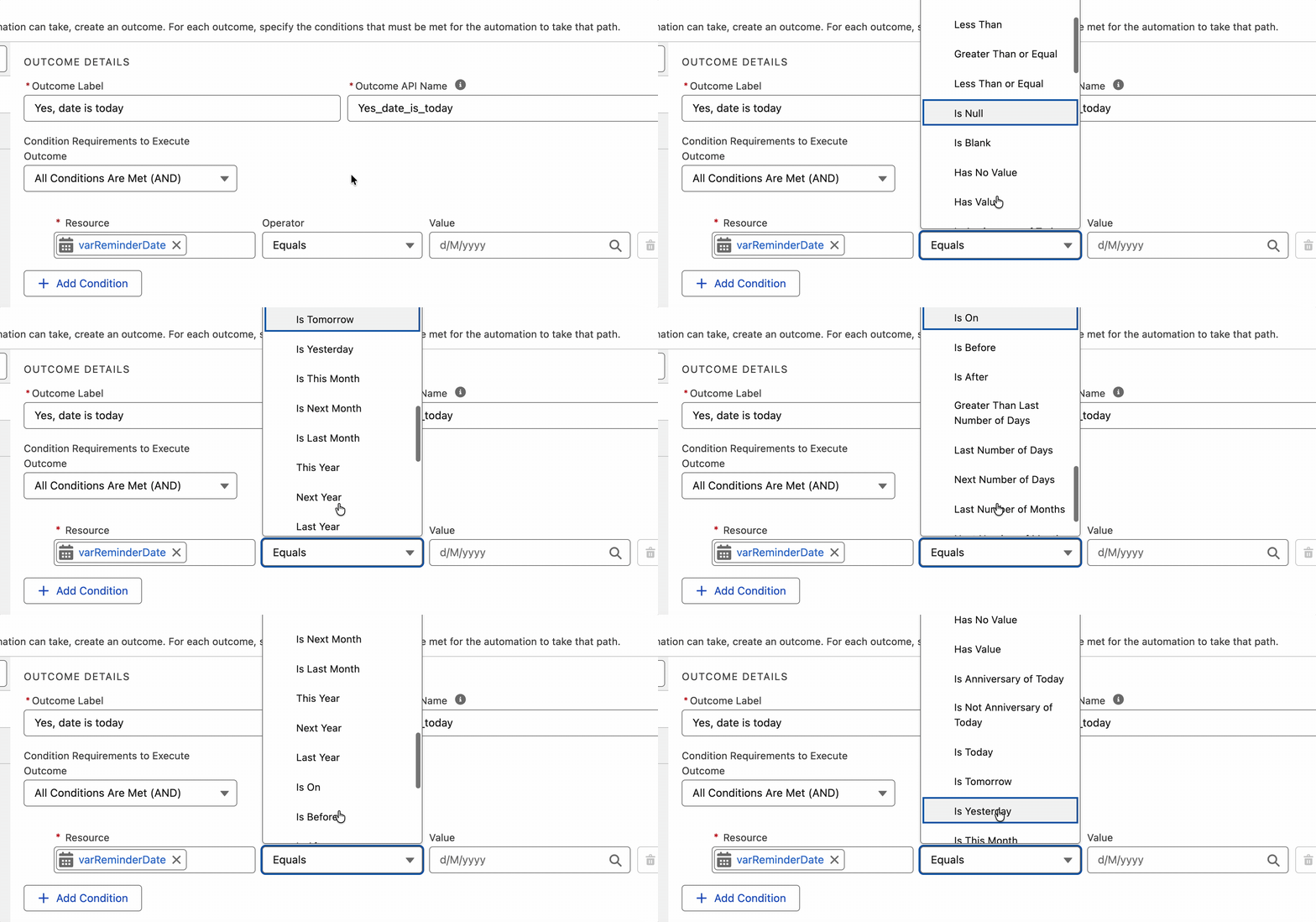
These include options such as “Is Today”, “Is Tomorrow”, “Is On”, and can even reference anniversaries (great for birthday reminders or renewal communications). Notably, this doesn’t extend to DateTime data types.
2. Avoid Manually Fixing Email Template References After Deploying Flows Across Environments
Email Template users rejoice! No more broken Flows after deploying from one environment to the next. Now, when using an Email Template in the Send Email Action in a Flow, you can expand the “Show advanced options” section at the bottom of the properties panel to reveal the Action Version, which must be set to 3.0.1 or higher in the future to take advantage of this.
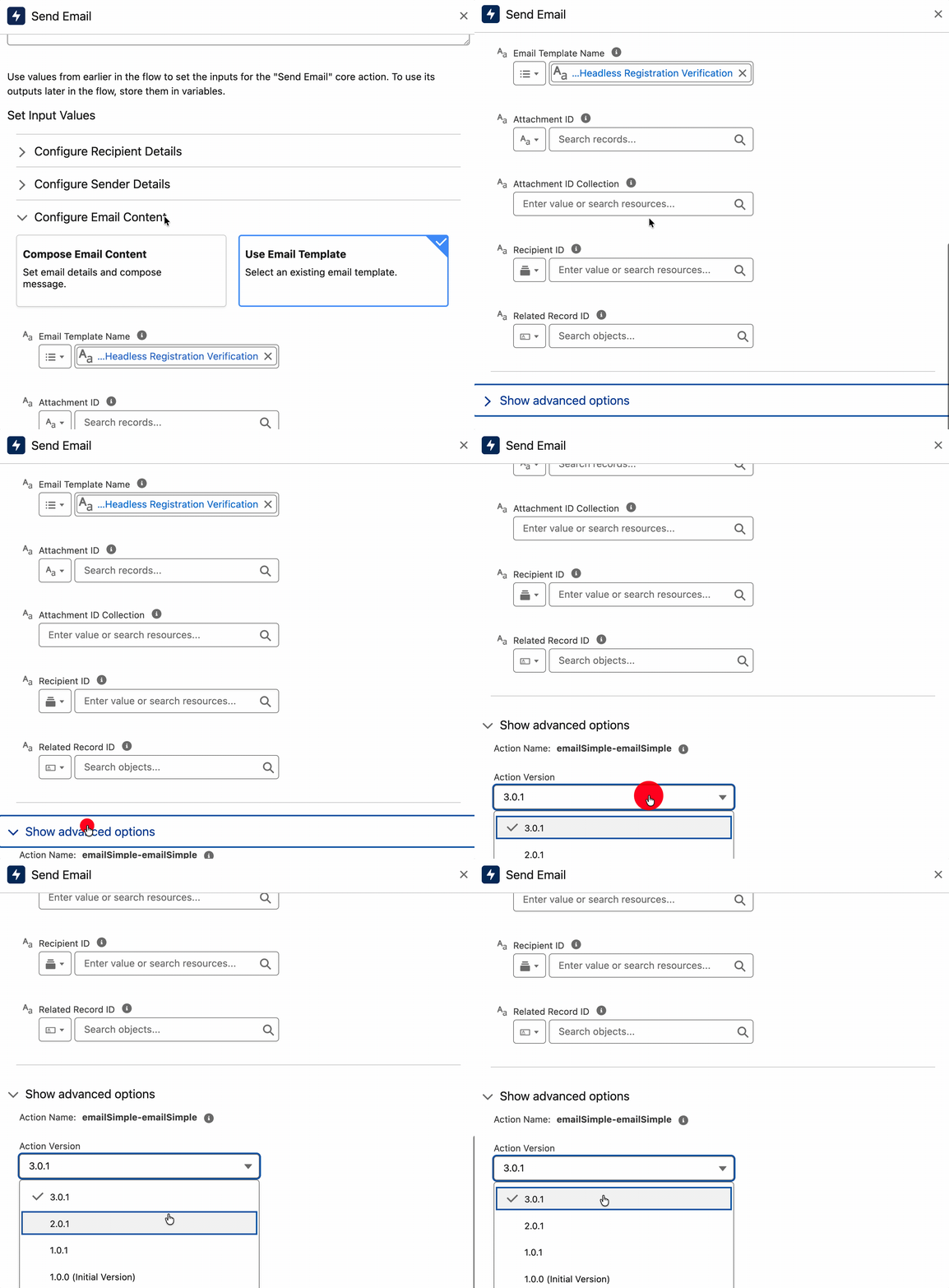
Previously, when Flows containing these references were pushed to Production they broke because the Email Template Ids were different between Sandbox and Production. This new version caters for this, and avoids those breakages.
3. View and Link to Related Records from Screen Flow Data Tables
We caught a glimpse of this in the Spring ‘26 release before it was unfortunately removed quite late in the piece. Summer ‘26 reintroduces some much-needed enhancements to how the Data Table component for Flow handles Lookup fields.
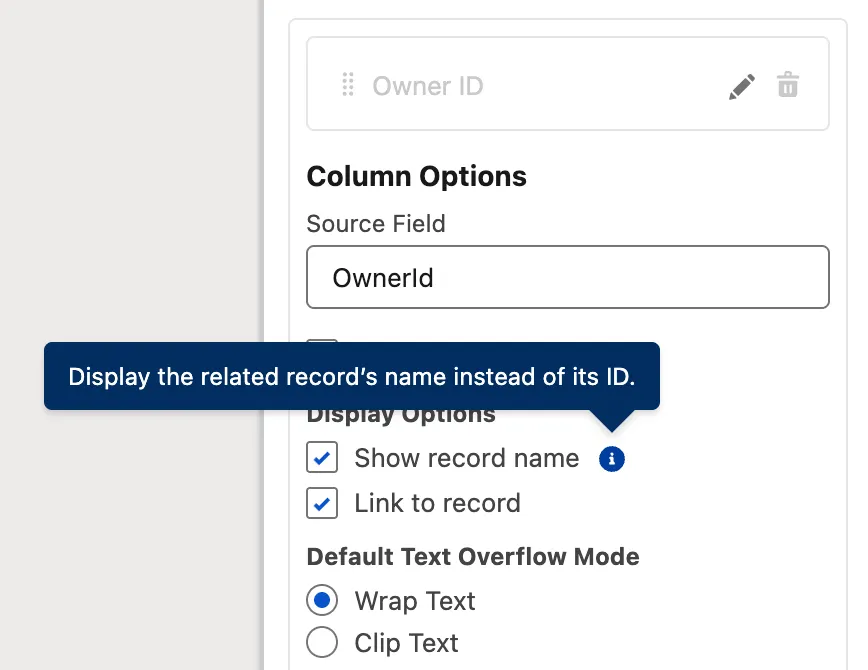
Now, instead of having to hack together your own URL visibility solution, you can simply mark a checkbox to display the record name and redirect the user to it when it’s clicked.
4. Create and Use Agentforce Agents Directly in Flow Builder
With the new Create Agent element in Flow Builder, you can now deploy AI-powered agents directly in your Flow to handle various tasks. You can choose to leverage existing agents or create a mini agent with its own set of instructions and actions right from the Flow Builder canvas.
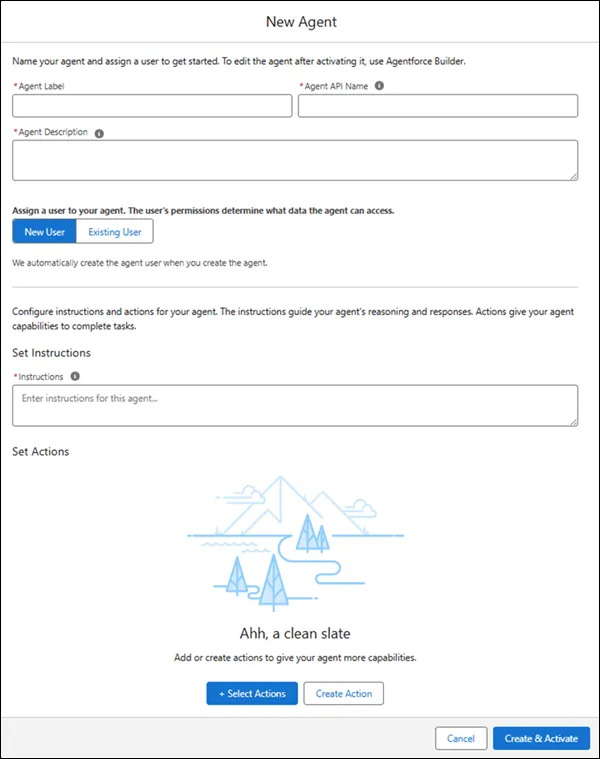
I’m really quite sad that I can’t test this one just yet in my Preview Org, as it doesn’t have Agentforce capabilities yet. It’ll be one of the first things I play around with once it drops in my regular Developer Org, though!
5. Radio Button Group Component in Screen Flow
Visual Picker was introduced a year ago in the Summer ‘25 release and was very well received. Salesforce is following up this year with a new way to handle Radio Buttons, with what they’re calling the Radio Button Group component.

While Radio Buttons are functional, let’s be real – they’re ugly and waste a lot of screen real estate. I can definitely see the aesthetic benefits that the Radio Button Group component offers over traditional Radio Buttons.
6. Update Screen Flows With Natural Language Prompts
Another one that I can’t actually get my hands on just yet, but am very excited to, is the ability to update Screen Flows with natural language in Agentforce. Previously, this functionality was restricted to other Flow types (like Record-Triggered or Schedule-Triggered), so I’m really keen to get in and try this with Screen Flow.
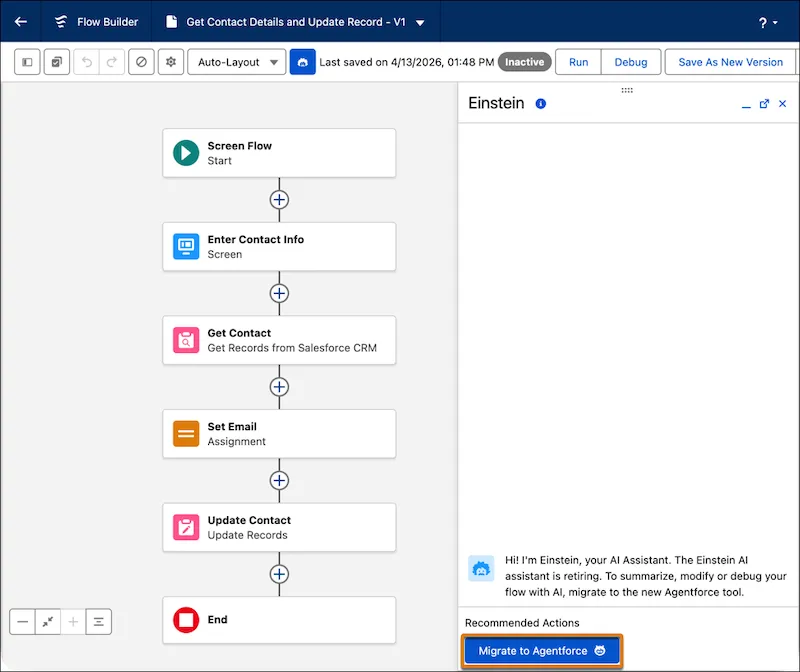
This will make it quicker than ever to make quick changes to your Flows – you simply need to ask Agentforce to help, and it will make some speedy adjustments for you on the fly!
7. Review Flow Errors and Warnings With the Redesigned Validation Panel
Tidying up the Errors and Warnings interface and organizing it into cards is a welcome move from Salesforce in Summer ‘26. While rushing to build a quick Flow, I forgot to set some criteria and accidentally discovered the new visual representation of one such error.
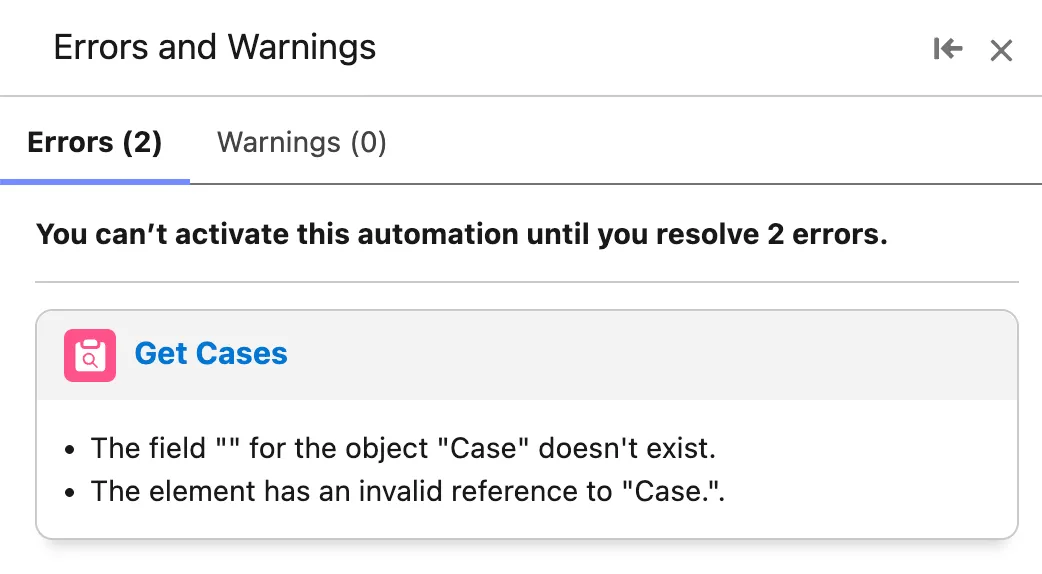
A small but welcome change that makes working with Flow Builder much easier on the eyes.
8. Collapse Fault Paths to Focus on Your Main Flow
Speaking of streamlining the Flow Builder experience, Salesforce has introduced the ability to collapse Fault Paths in Summer ‘26. This is the second time Salesforce has made parts of the Flow Canvas collapsible in recent times, with the Spring ‘26 release introducing collapsible Decisions and Loops.
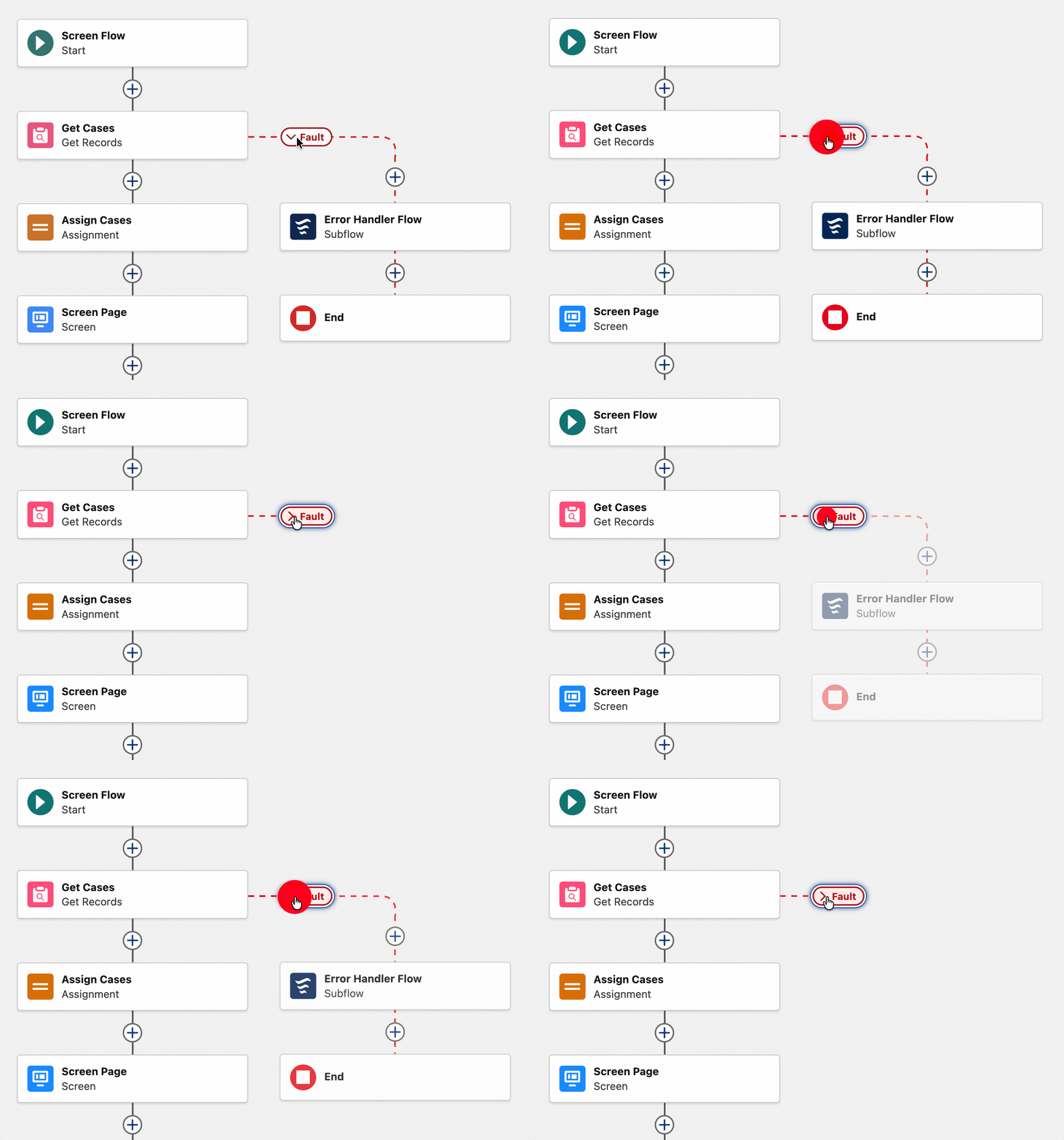
This change is particularly helpful, as many of the flows I’ve worked on have a Fault Path that shares a single error-handling subflow element. Any visual tidying is welcome for me!
9. Improve Performance with Batching for Scheduled Flows
Heading back into Flow Builder, we can see that Summer ‘26 also introduced the ability to restrict batch sizes in Scheduled Flows.
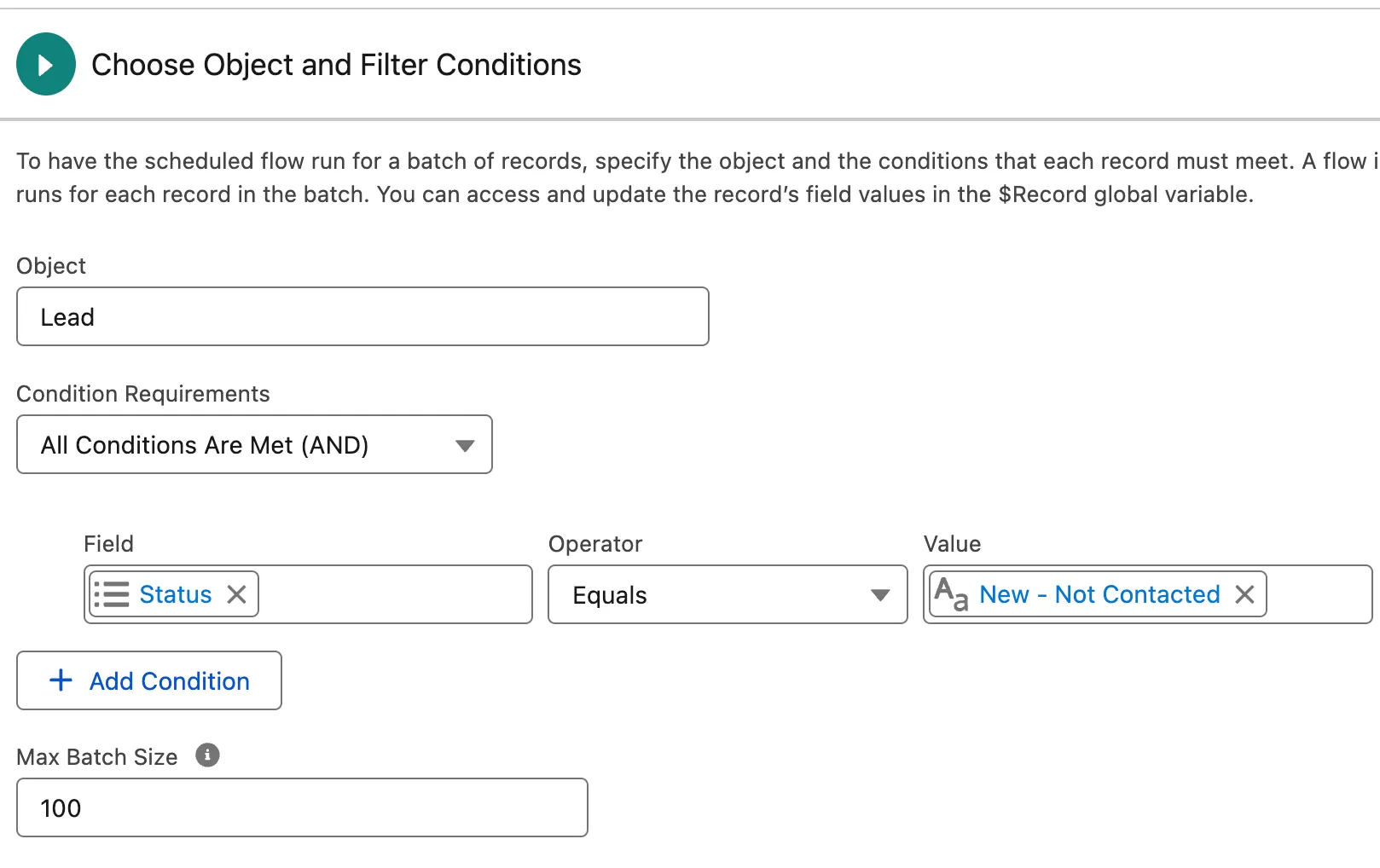
This gives builders more control over their automations and helps mitigate issues that may occur when the system receives a larger number of records meeting entry criteria than anticipated.
10. Find and Select Resources More Easily in the Add Prompt Instructions Element
A welcome advancement to the Add Prompt Instructions element in Template-Triggered Flows. I must admit, working with these in the past, it did feel quite clunky to find what I was after, but Summer ‘26 solves this!
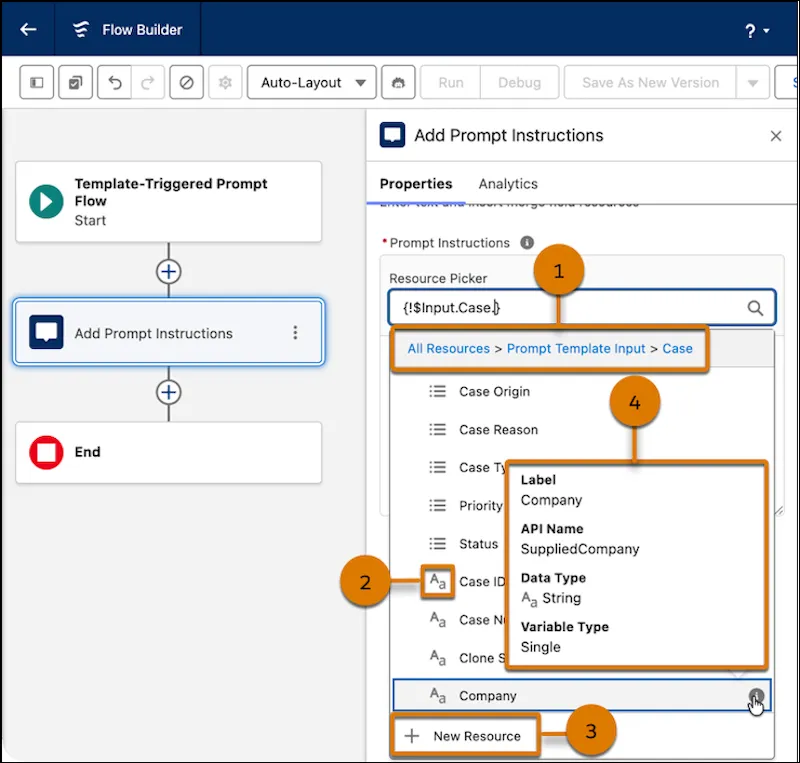
Now, there’s a handy breadcrumb making it a lot easier to navigate back or forth through nested data sets. Embedding data into your instructions should have been this simple to begin with! Very well appreciated change for Template-Triggered Flows.
BONUS: Centralize Value Mapping Management for MuleSoft for Flow (Integration)
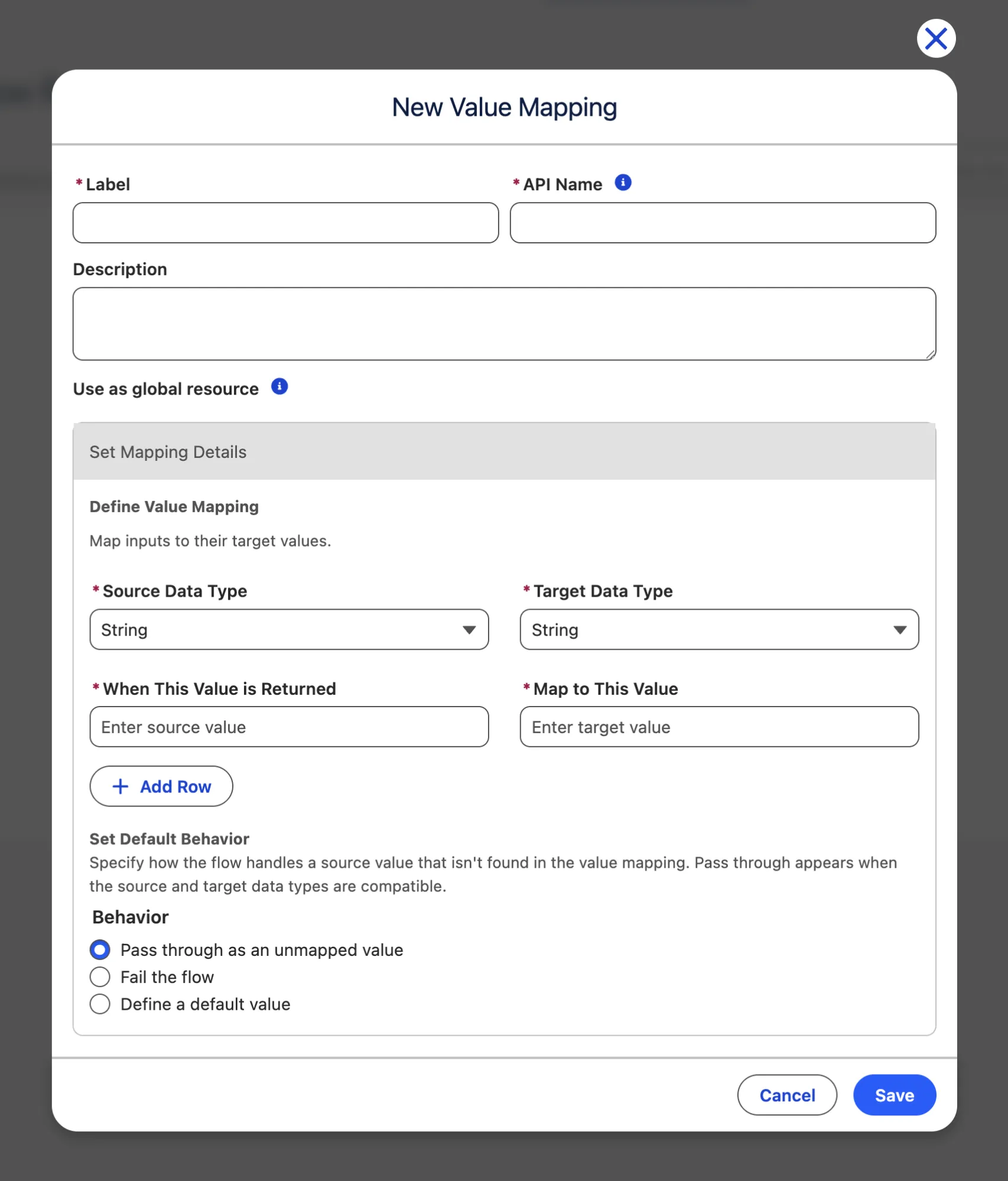
When this first showed up in my Preview Org, I was a little lost as to how to put it to use. Finally, I’ve learned that it is used when performing value mapping inside of Salesforce Flow! The first step is to create the Value Mapping itself (when X value is received, standardize it into Y value).
Then, in a Transform element, you can use a Value Mapping as a means of standardizing data from one collection to another.
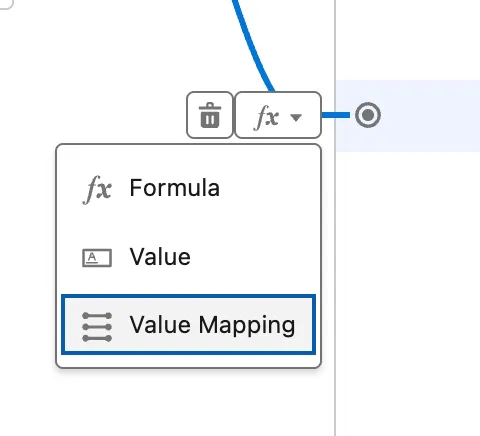
This way, if you’ve got multiple different values coming in from external systems or different data sources, they can be mapped directly to a single value once in a Value Mapping, then referenced in many different ways. A super powerful feature.
Summary
Summer ‘26 release includes a symphony of substantial enhancements to our favorite tool – Salesforce Flow – as well as some brilliant quality-of-life changes. This release brings numerous high-impact features along with improvements to smaller features and functionality.
These new features are bound to make your job as an admin, developer, or business user much easier and streamlined once they’ve been implemented throughout your org.
Don’t forget to sign up for a pre-release org to take these new features for a spin!
Read More
- Top 8 Salesforce Summer ’26 Features for Developers
- Top 11 Salesforce Summer ‘26 Features for Admins
- Service Cloud: Top Salesforce Summer ’26 Features
- Sales Cloud: Top Salesforce Summer ‘26 Features
- Top 9 Summer ‘26 Updates for Salesforce Marketers





Comments: