

Another Salesforce release, another wave of updates to dig through…and Summer ’26 brings plenty for Service Cloud users to get excited about. As usual, this release continues to build on a familiar theme of giving support teams the context they need, exactly when they need it.

And yes – before we get into it, Service Cloud is now Agentforce Service. Because of course it is. Who are we to forget after all the renames Salesforce has given us over the years? There were still Service Cloud references in the docs, though, so we’ll keep calling it that for everyone’s sanity.
Now, let’s take a look at the top features from the Summer ’26 release.
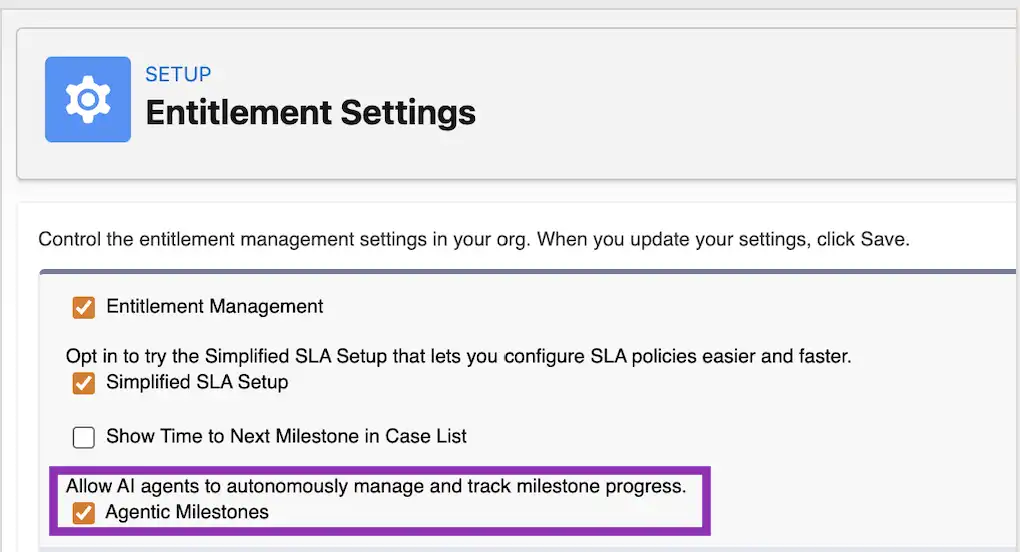
1. Agentic Milestones (Beta)
As a former support agent, I know the feeling of having to send the same “we’re still working on your case” update for the hundredth time. This update appears to eliminate that.
With Agentic Milestones, Agentforce can now automatically handle routine SLA-related communications on your behalf. That includes drafting and sending initial responses, as well as periodic status updates to customers based on how a case is progressing. It’s amazing to be able to offload the repetitive and time-sensitive updates to AI so your agents can focus on actual problem-solving while still keeping SLA commitments on track.
Once enabled, you can mark specific milestones within an SLA policy as agentic, and use Prompt Builder to define how those communications should be written. From there, Agentforce takes care of the rest.
Note that this update requires Agentforce for Service.
2. Insert Enterprise Knowledge Article URLs into Case Emails (Beta)
With this update, you can now control how knowledge article links in case email replies open, specifically directing customers to view those articles within your Experience Cloud site instead of a generic knowledge page.
It’s a small change, but a good one as it ensures customers are taken to a branded experience where they can not only read the article, but also view AI-generated summaries, ask follow-up questions, and explore related content all in one place.
Note that this requires you to be using Enterprise Knowledge, which is Knowledge powered by Data 360.
3. Control Queue Access for Role Hierarchies
By default, all records shared by queue members are also visible to their superiors (users above them in the role hierarchy), which can also lead to unnecessary notifications. Access was automatically extended upward.
With the new Grant Access Using Hierarchies setting on queues, you can decide exactly how far that access should go. This gives admins more flexibility when managing record visibility, especially in larger orgs with layered team structures.
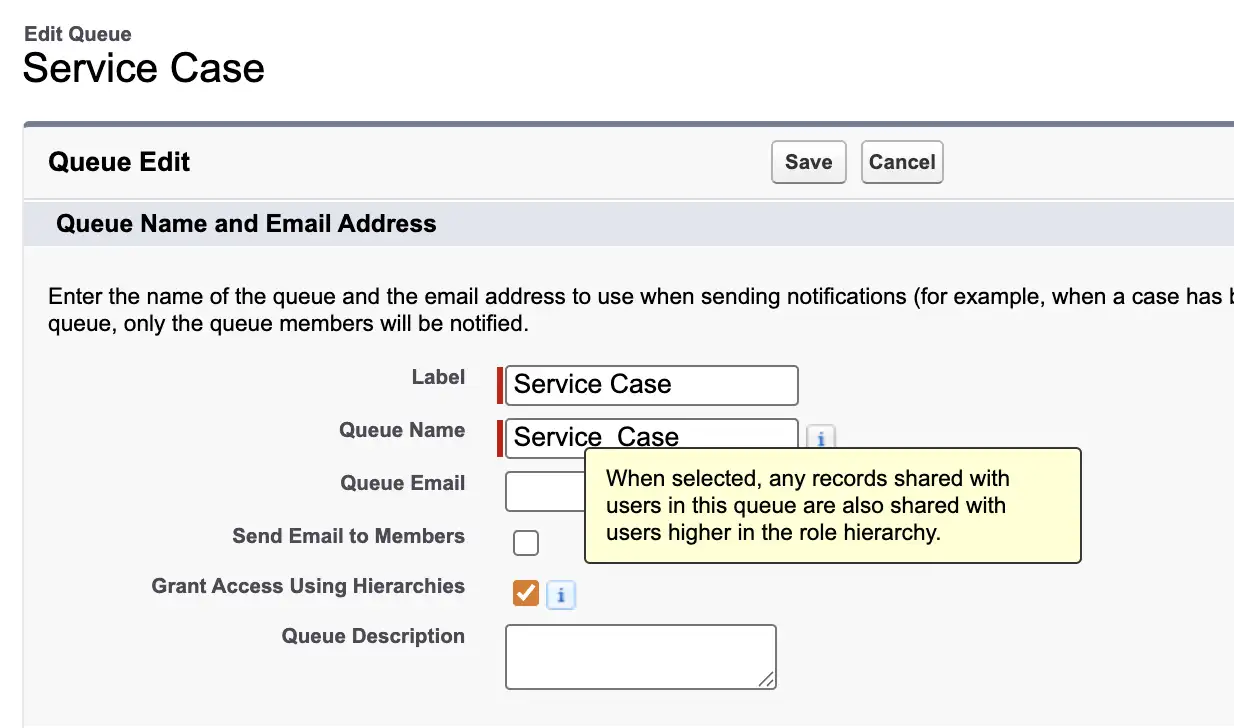
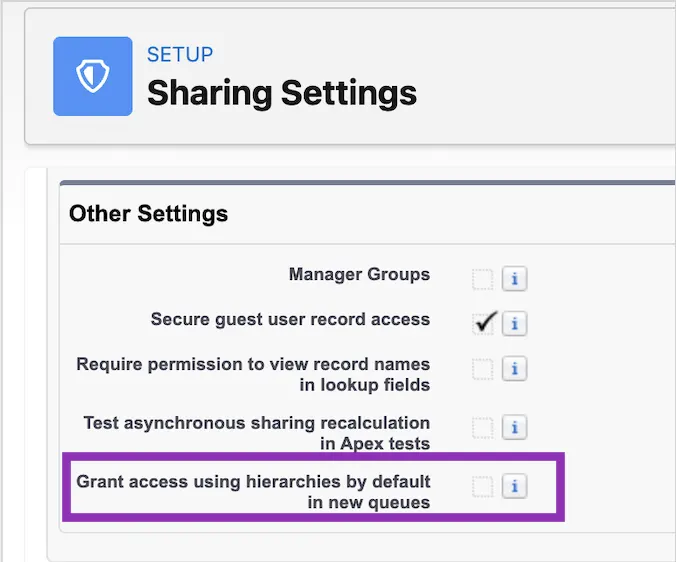
Do note that for existing queues, this setting is enabled by default. For new queues, it’s disabled by default. However, you can also control the default behavior at the org level via Sharing Settings.
4. Smarter Work Routing and Scheduling in Omni-Channel
Omni-Channel is getting better at something that’s often overlooked in service operations: timing. With these two updates, you can now factor in when work should be handled, and not just who it should go to.
First, you can now prioritize work based on the original request date, rather than when the record enters a queue. This ensures older items stay at the front of the line, even if they’ve been transferred between queues.
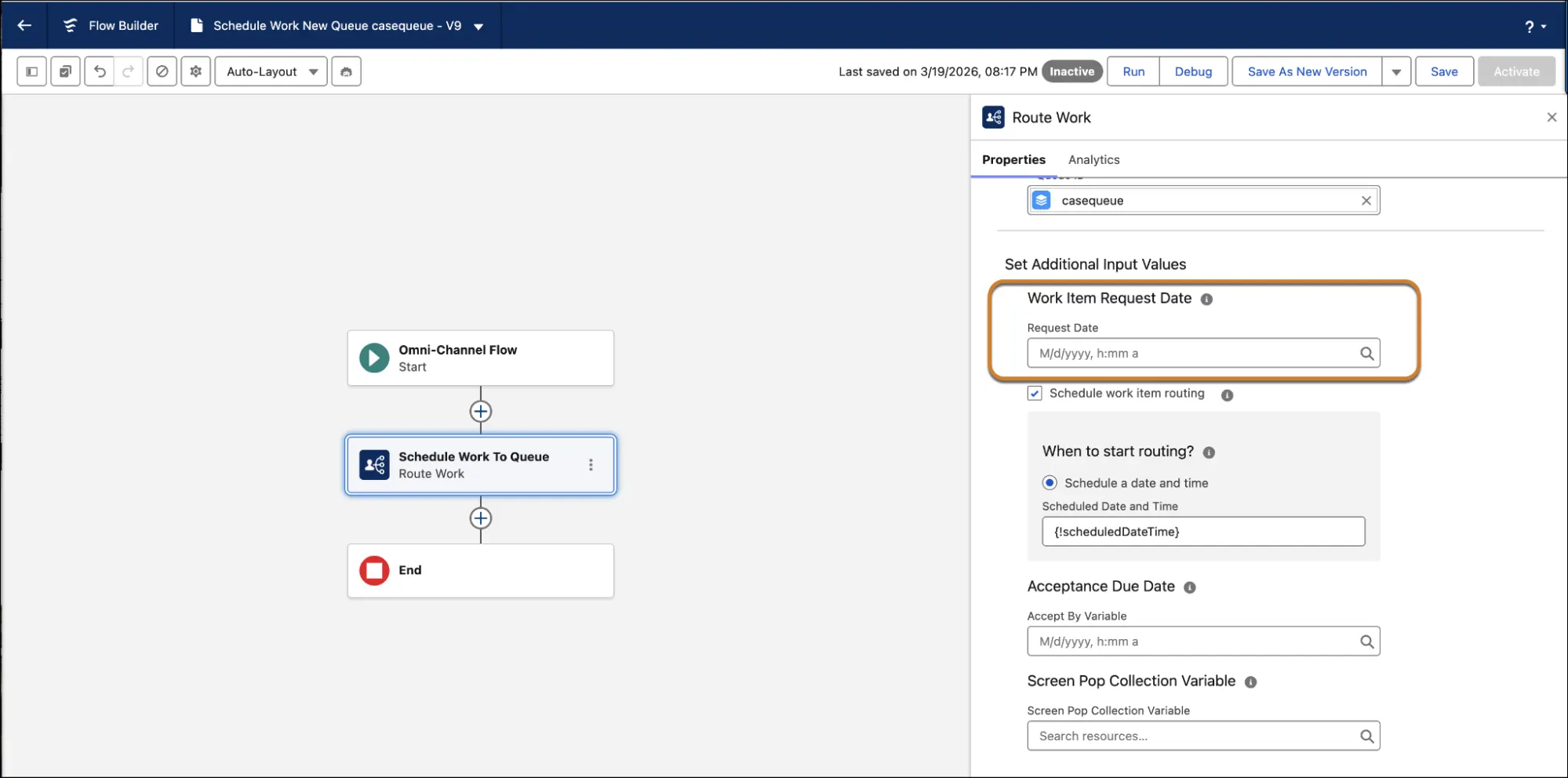
Second, you can now schedule work items to be routed at a specific date and time in the future, instead of adding them to the backlog immediately.
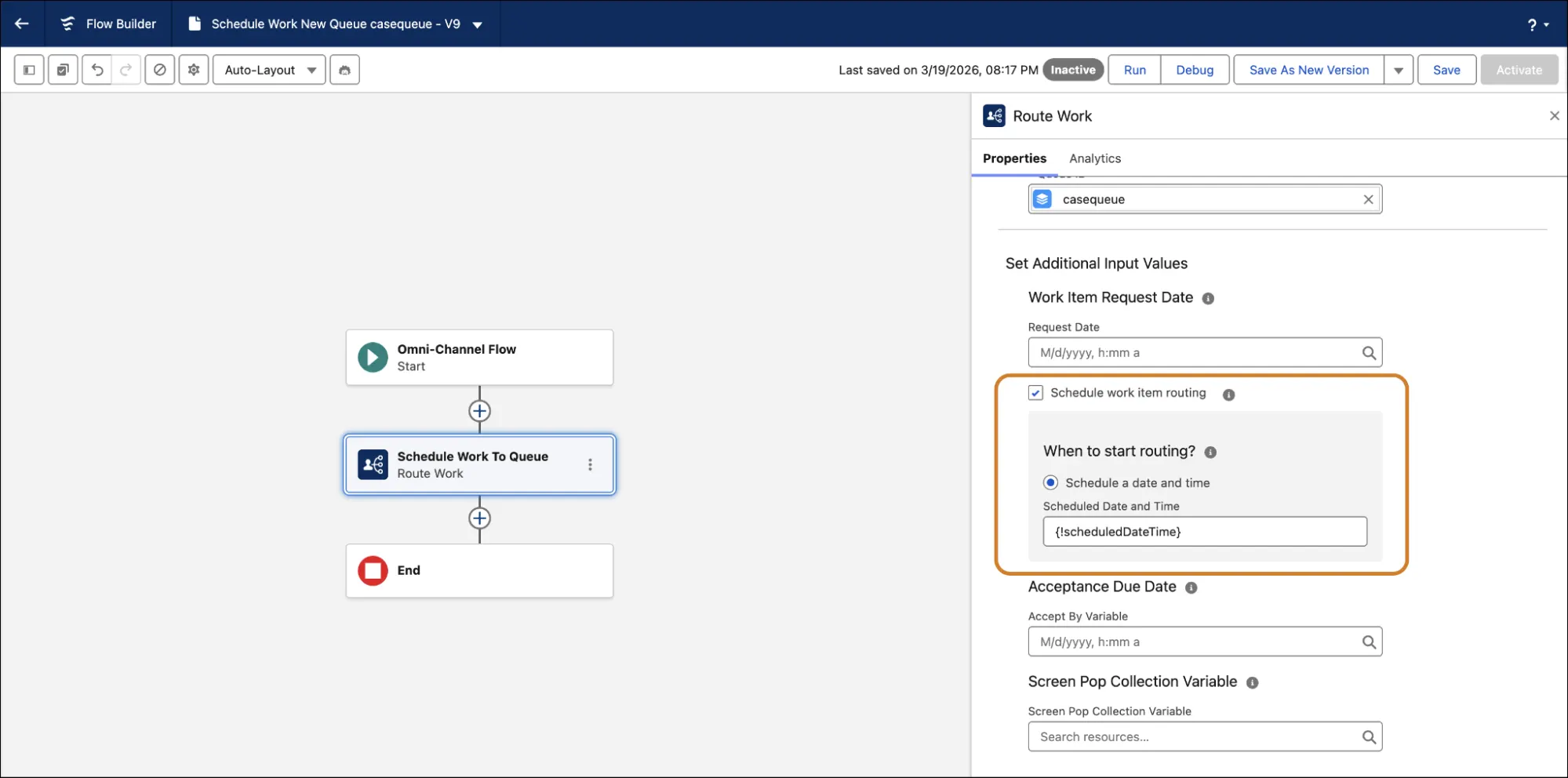
Together, these updates make Omni-Channel feel a lot less reactive and a lot more planned. You can check these out when working on an Omni-Channel Flow in Flow Builder, inside the Route Work action.
5. Report on Messaging Sessions
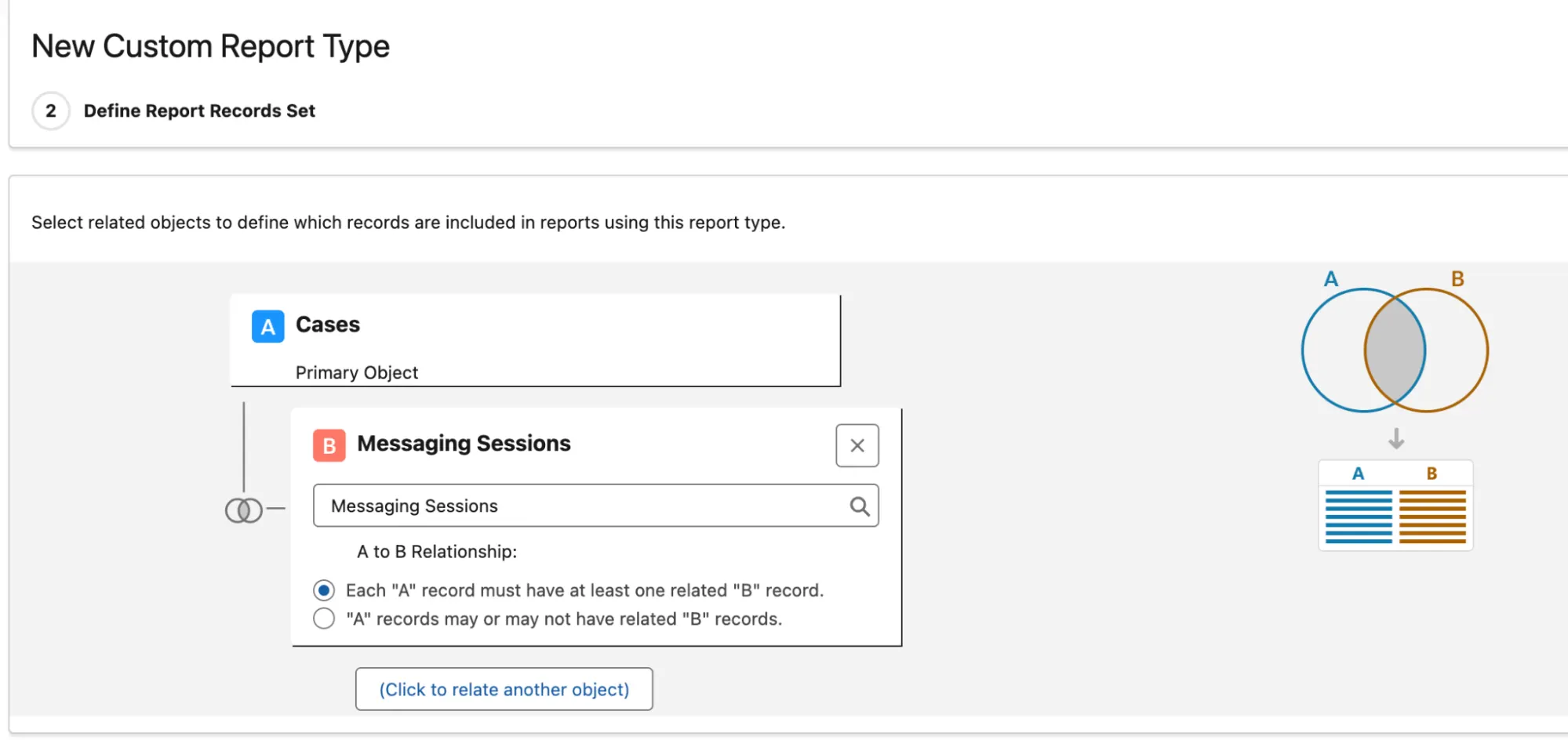
Messaging Sessions can now be selected as a related object on Cases when making a custom report type. This makes it possible to report on messaging activity directly in the context of cases, and is something that wasn’t supported before in custom report types.
6. Track First Response Time for Messaging Automatically
With this update, Salesforce now captures Service Rep First Response Time automatically, which marks the exact moment an agent sends their first reply in a messaging session. This is now available as a value on the MessagingSessionMetricType field of the MessagingSessionMetrics object.
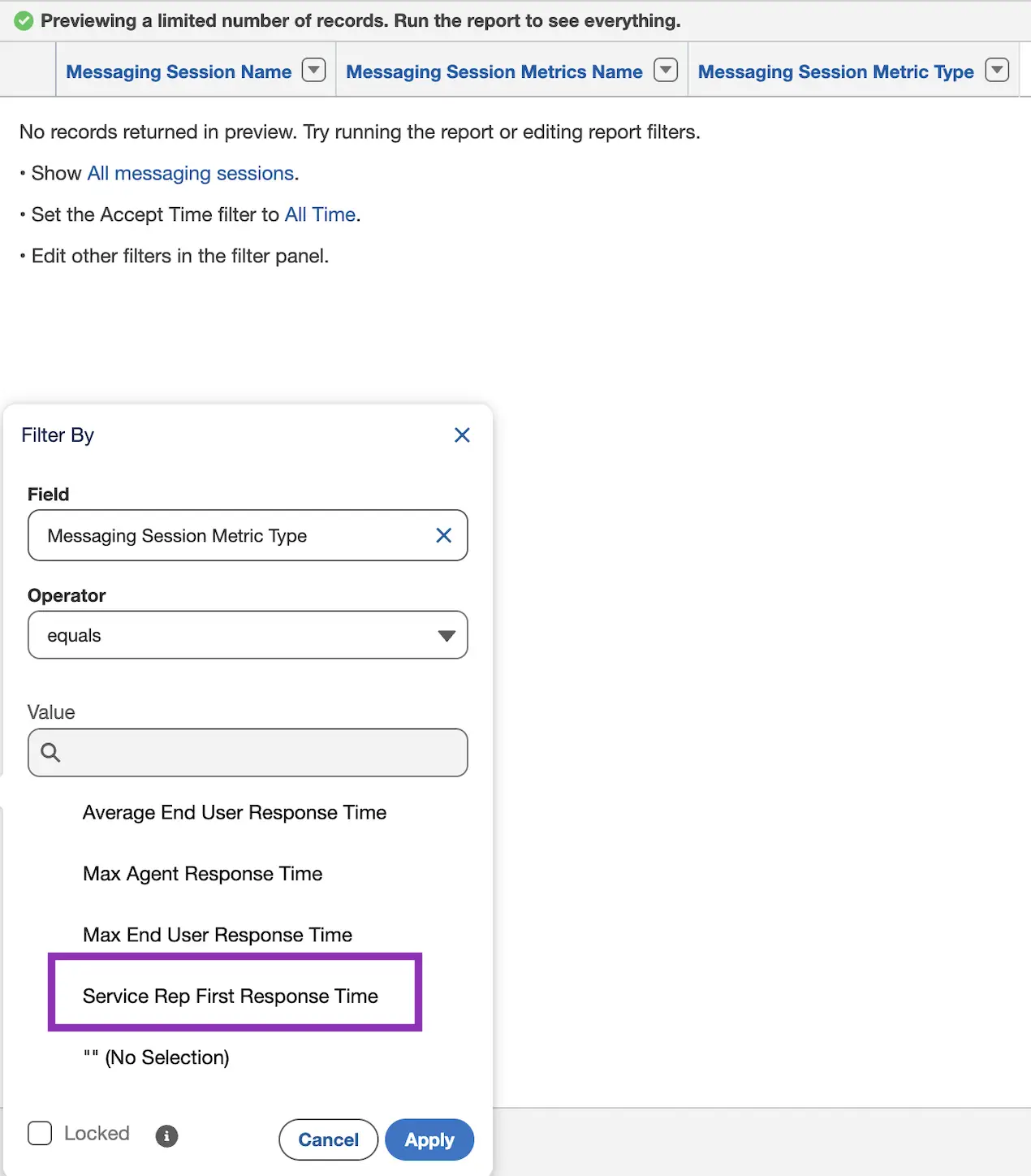
Previously, teams had to rely on complex solutions like custom development or API-based tracking just to approximate this metric. It’s something we miss from the retired Legacy Chat!
7. Automatically End Inactive Messaging Sessions
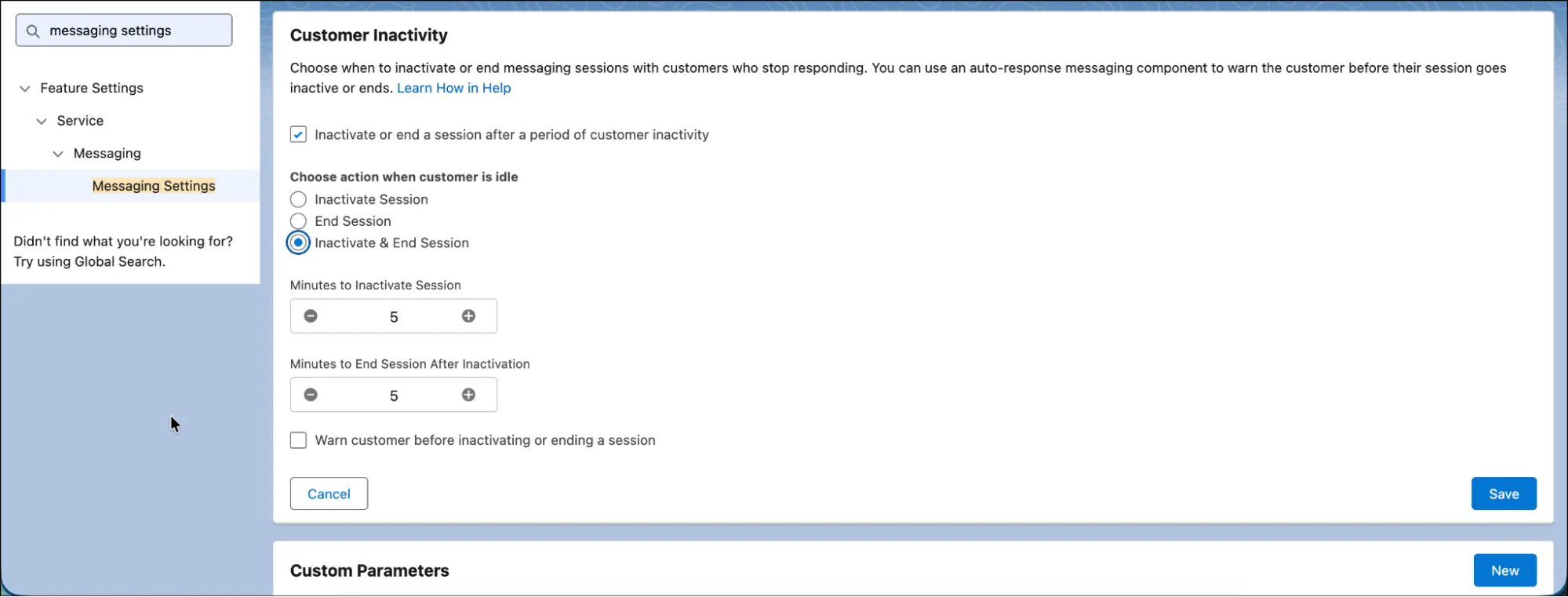
With this update, you can now automatically end messaging sessions after a period of inactivity, instead of just marking them as inactive. Previously, sessions could only be auto-inactivated, leaving them lingering until manually closed.
Now, you can configure a timeout (between 5 and 30 minutes) to fully end idle sessions, helping keep queues clean and ensuring agents aren’t blocked by conversations that have effectively gone nowhere.
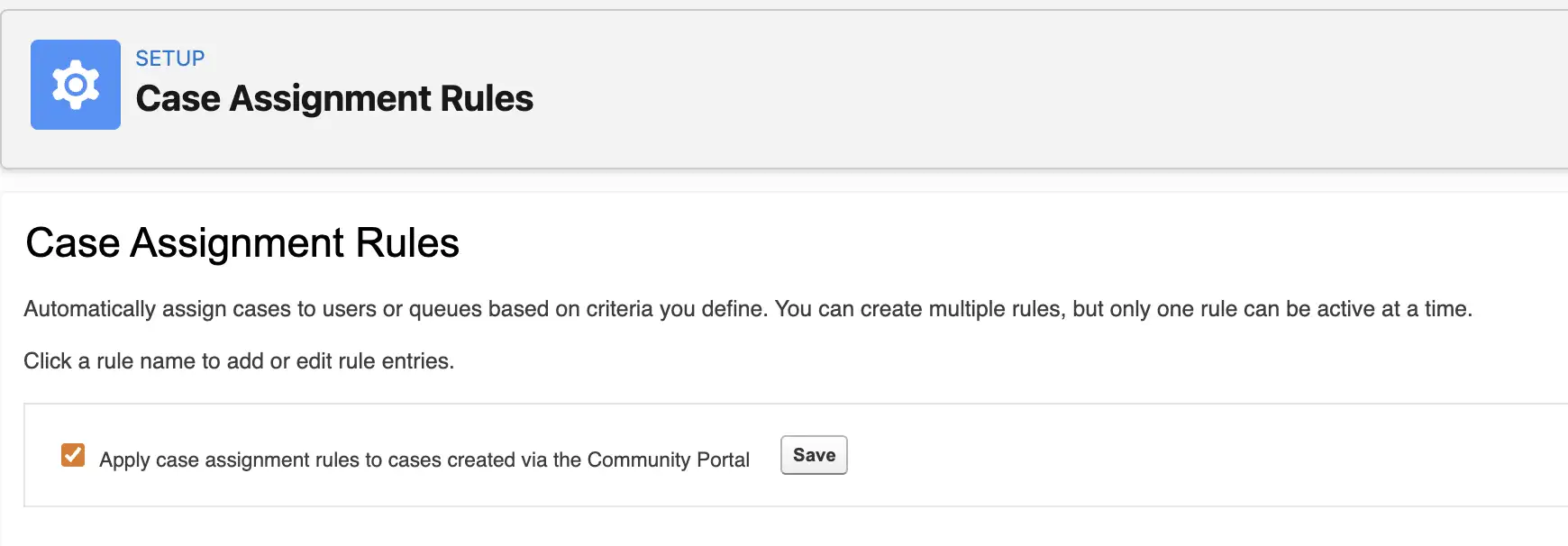
8. Use Standard Case Assignment Rules for Routing Community Cases
This one’s long overdue! If you’ve ever had to build custom logic just to route cases coming from Experience Cloud, this update is one to welcome.
Standard case assignment rules can now run automatically for records created through Experience Cloud sites. Now, everything can be managed in one place using standard assignment rules, making it easier to maintain consistent routing logic across all channels. This can be enabled by simply setting a checkbox to true from Setup > Case Assignment Rules (note that you should have Experience Sites enabled or else the checkbox will not be visible).
9. More Accurate Email Template Usage Tracking on Cases
The Last Used Date and Times Used fields on email templates now update when templates are used from the Lightning email composer on Cases. Previously, these metrics only tracked usage when templates were selected via the Send an Email button, so it wasn’t exactly that accurate.
With this update, you get a more complete view of how templates are being used in your service teams’ workflows without needing custom Apex or flows to track it.
10. Some Retirements to Keep in Mind
Along with the new features, some are being retired as well. These include Standard SMS Channels, Standard Omni-Channel, and Standard Facebook Messenger Channels. To make sure your configurations will still work uninterrupted, make sure you’re upgraded to the Enhanced versions of these features and channels.
Summary
Summer ’26 for Service Cloud (now Agentforce Service) focuses less on big headline features and more on meaningful operational improvements. Across the release, the main themes lean more towards reducing manual work as well as improving timing and routing control.
Messaging also gets a noticeable boost with automatic first response time tracking, improved reporting on messaging sessions, and the ability to cleanly end inactive conversations. On the admin side, updates like better email template tracking and Experience Cloud case assignment simplifications help reduce the need for custom workarounds.
Overall, this release is about refinement rather than reinvention, to make sure your service teams are more efficient and experience less friction in everyday work. What were your favorite Service updates from this release? Let us know in the comments!
Read More
- 10 New Salesforce Flow Features in Summer ‘26
- Top 8 Salesforce Summer ’26 Features for Developers
- Top 11 Salesforce Summer ‘26 Features for Admins
- Sales Cloud: Top Salesforce Summer ‘26 Features
- Top 9 Summer ‘26 Updates for Salesforce Marketers