

Flow, as with all other automation tools that came before it, has always lived in the Setup Menu – until recently.
Let’s go on an adventure and revisit some Flow history, understand the benefits of moving to the main application as opposed to the Setup Menu, and what this could mean for the future of Salesforce automation.
Setups’ Role in Automation History
While the current revision of the Flow app has only been around since Spring ‘19, several automation tools have existed in the Salesforce application for decades. Flow has recently become the go-to automation tool, with Workflow Rules and Process Builders being folded in favor of Flow. Both of these tools have exclusively lived in the Setup Menu their entire lives, along with Apex and Visualforce (while not necessarily categorized as ‘automation tools’, they do perform similar functions to Flow and the others).
As a Salesforce Admin, Consultant, Developer, or other professional, the first place you would go when looking to enhance the user experience for the business is the Setup Menu, regardless of the tool you’re using. This is because the Setup Menu has been specifically built for configuration and enhancement of the system.
The Automation App
Summer ‘24 introduced the Automation App, a new home for Flow automation outside the Setup Menu. This was the first time that Salesforce professionals could build, monitor, and manage a native automation tool away the Setup Menu.
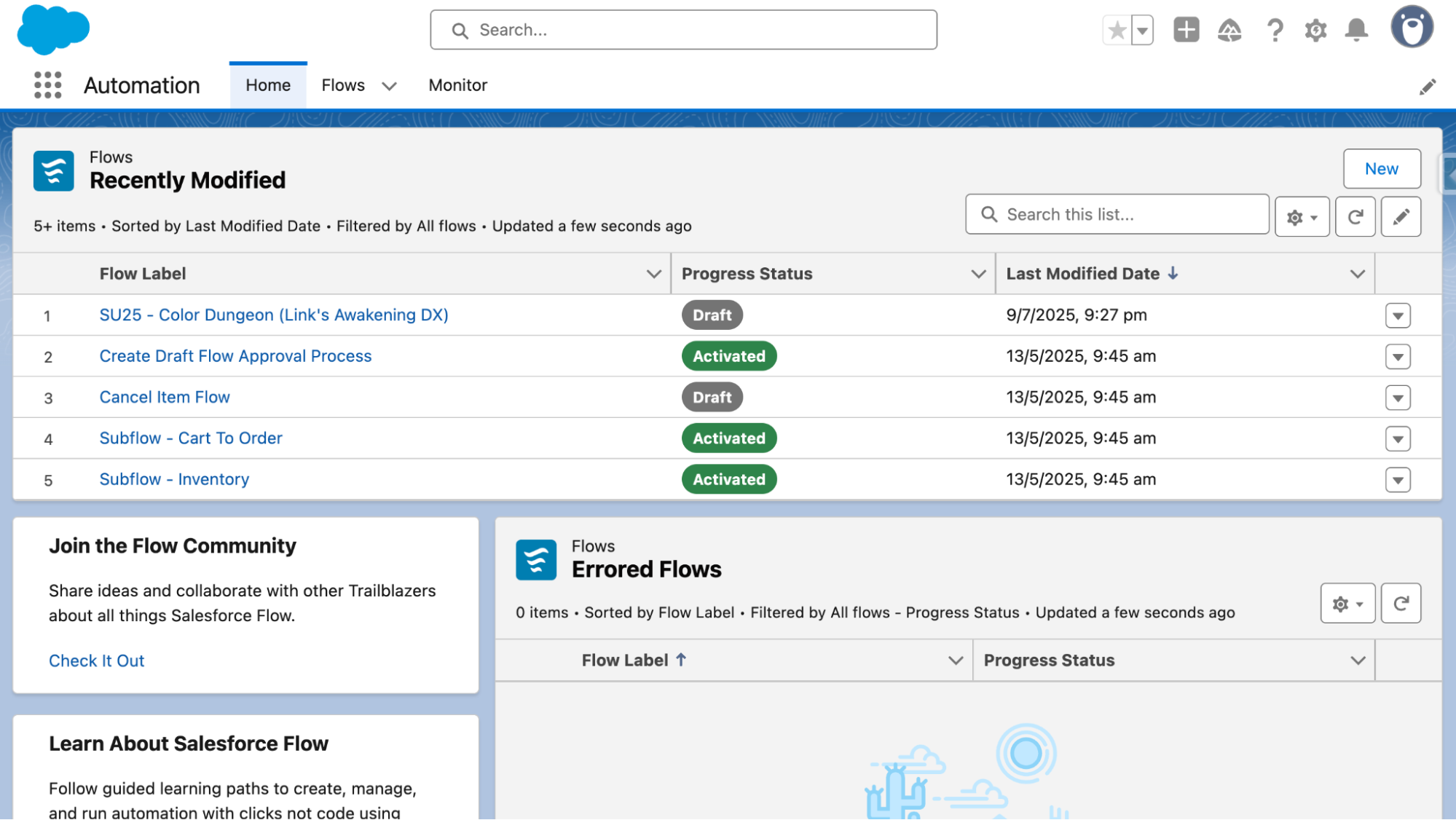
The benefits of a dedicated application meant that the Home page could be edited using the Lightning App Builder (you could technically embed a Screen Flow within your Flows app, how meta!) and take advantage of the features of List Views that were not available in the Setup Menu.
You’ll notice a section down the bottom-right that displays any Errored Flows so that the user can see this information from a high level and take action as required. There is also a component called “Flow App Home cards” that prompts the user to learn more about Flow or connect with the Flow/Trailblazer Community.
Automation built a home for all Flow automation in the system, but what does this mean for the Setup Menu? Is it going to slowly be replaced in favour of multiple Lightning Apps? Luckily, there are still multiple classic features that need to exist in the Setup Menu, like Approval Processes. But wait…
The Approvals App
Approval Processes have been in desperate need of an enhancement for a very, very long time. Workflow Rules and Approval Processes shared a Classic-styled interface, and Workflow Rules has been replaced not once but twice in the same time (Workflow Rules to Process Builder to Flow).
After many years of lack, we finally got an update to the Approval Process in the form of Flow Approvals in Spring ‘25.
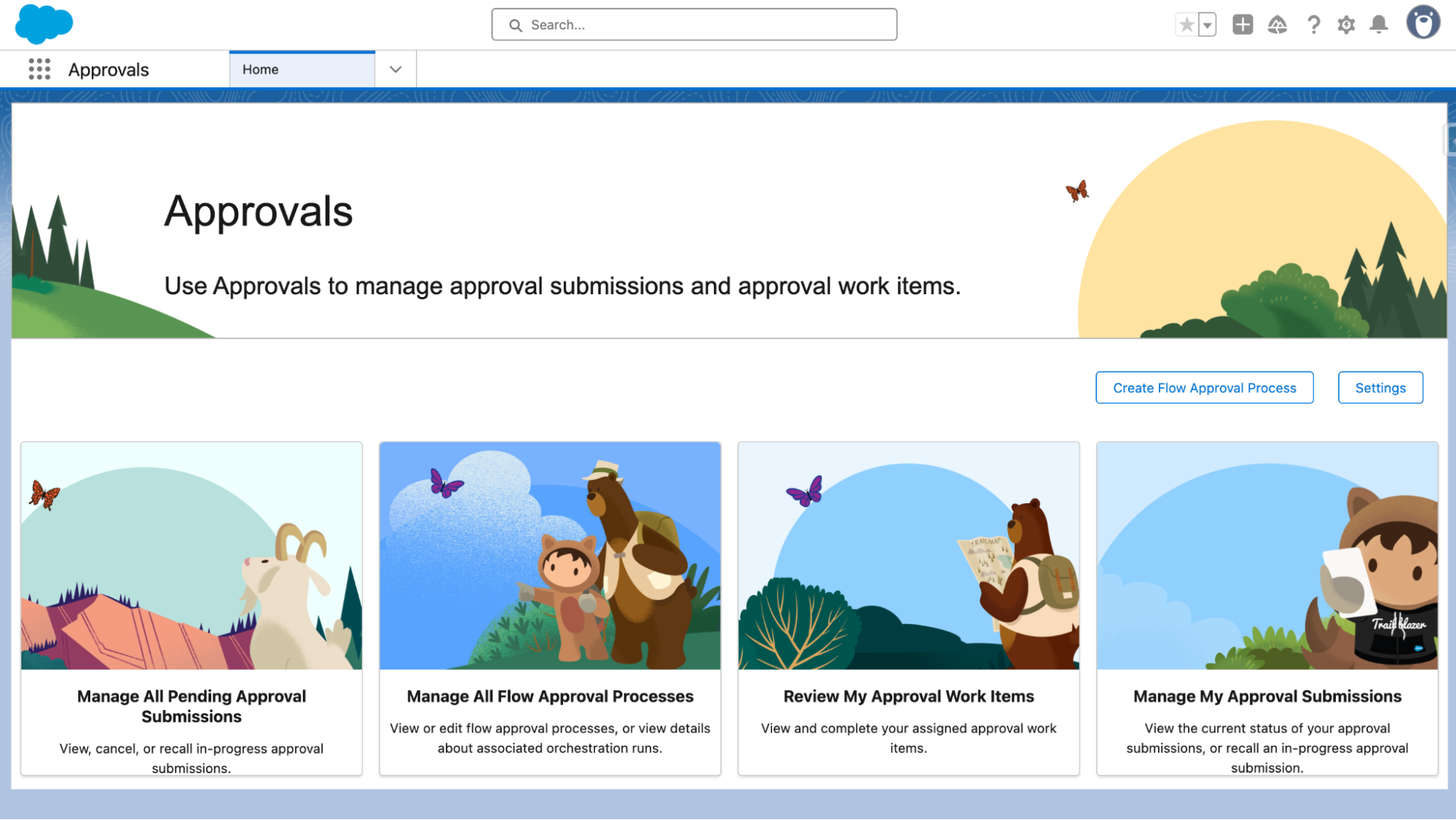
Approvals is the new home of Flow Approvals that Salesforce delivered in Summer ‘25. This is an all-in-one spot to manage Flow Approvals and home to the Create Flow Approval Process button, which leads to a new, critically important wizard that guides users through the process of creating a new Flow Approval.
Approvals are a very different beast to regular Flows, so to some degree it does make sense for Salesforce to put them in their own app, but it begs the question – should the Approvals app be renamed to simply ‘Flows’?
The Future of Flow in Setup
I’ve speculated that this may be the beginning of End User-Triggered Flows, or something of the sort. Think of it like a set of actions that users may want to do on a regular basis (for example, mark a Lead as a certain Status, create a Task to follow them up in a specified amount of time, and send a templated update to a Slack channel) that isn’t necessarily something that needs to be applied for all records.
I can see some value in a feature like this, but also a lot of room for mistakes. As we know, with great power comes great responsibility, and this is putting a LOT of unregulated power into the hands of end users that could cause a lot of problems for the admins who look after those orgs.
Speculation aside, the Automation and Approvals apps exist today in their current form. There are a number of questions that come up with these recent moves by Salesforce:
- Is Flow going to be removed from the Setup Menu?
- Is the long-term plan for the entire Setup Menu to be replaced with various Setup Apps?
- What about Flow Orchestrator? We have tabs, what about an App?
- Why aren’t List Views added directly to the Setup Menu?
I don’t believe there are clear-cut answers for all of these questions today; perhaps we will need to wait and see what the future holds for Flow and the Setup Menu.
Personally, I don’t mind the idea of splitting out the Setup Menu and I think it aligns with some other recent activity from Salesforce. We’ve seen Salesforce introduce different Setup Menus in recent times (Service Setup, for example) – perhaps specific apps are the natural next step in this evolution.

Summary
The days of admin-driven automations living exclusively in the Setup Menu are well and truly over. The Automation and Approval apps give new homes to these functions in Lightning Apps, which allow for more customization and support for new main application functionality as time goes on.
I’d like to open up the conversation to the wider community: what do you think the future of Salesforce Flow and the Setup Menu is? What about the Setup Menu as a whole? Is it here to stay, or is it time to replace it with domain-specific Setup Apps? Are there any other areas of the Setup Menu that you believe could benefit from some Lightning App treatment?
Let us know your thoughts in the comments below.