






Salesforce’s 2025 releases brought a handful of standout features that genuinely make day-to-day work a bit smoother for admins, developers, and sales teams alike.
While not every update is game-changing, several additions feel thoughtfully designed and worth paying attention to. Here are the highlights that deserve a closer look.
Agentforce Builder
Agentforce Builder received a major overhaul in 2025, bringing a cleaner interface, smarter tools, and a far more intuitive way to build AI agents. It now functions as a true command center. Describe what you want in natural language, such as “Create an onboarding assistant that checks new hire tasks and sends reminders,” and the Builder converts that intent into a functioning agent.
The workspace includes three interchangeable views: a doc-style editor for drafting in plain language, a low-code canvas for visual design, and a script view for developers who want precise control. You can move between them instantly, allowing admins, developers, and architects to collaborate without losing context.
The standout addition is real-time simulation. You can test your agent’s reasoning, watch each decision step as it happens, and refine the design immediately. Salesforce refers to this as vibe building, rapid iteration made possible through conversational design.
Agentforce Vibes
Agentforce Vibes introduces a contextual AI coding assistant capable of generating Lightning Web Components or Apex logic from natural language. What differentiates Vibes is that it understands your org. Because it reads your existing metadata, it produces code that aligns with your naming conventions, reuses relevant components, and checks dependencies before you deploy.
Developers can generate components, refactor logic, switch into script mode for fine-tuning, or test immediately using one-click simulation. Each org receives 50 calls per day to the premium model and then falls back to an open model, which is generous enough for most teams to experiment.
Dynamic Highlights Panel
The Dynamic Highlights Panel gives admins a long-awaited way to tailor the top section of Lightning record pages. Instead of relying on compact layouts, you can display up to twelve fields that change dynamically based on criteria you define.
Every panel requires a Primary Field, typically the record name, but everything else is up to you. You can adjust fields for different audiences, add filters, and configure the panel for mobile users. It is a considerable quality of life improvement for anyone responsible for page layout design.
Conditional Formatting for Fields
Dynamic Forms continues to evolve, and conditional formatting is one of this year’s most delightful additions. You can now apply icons and colors based on field values or rules that draw on multiple fields.
Imagine a Lead Relationship field with values of Hot, Warm, and Cold. Using conditional formatting, you could show a green happy face for Hot, a yellow neutral face for Warm, and a red sad face for Cold. It adds instant visual clarity and a bit of admin creativity, too. Just remember to experiment responsibly unless you are in your own dev org.
Account Plans
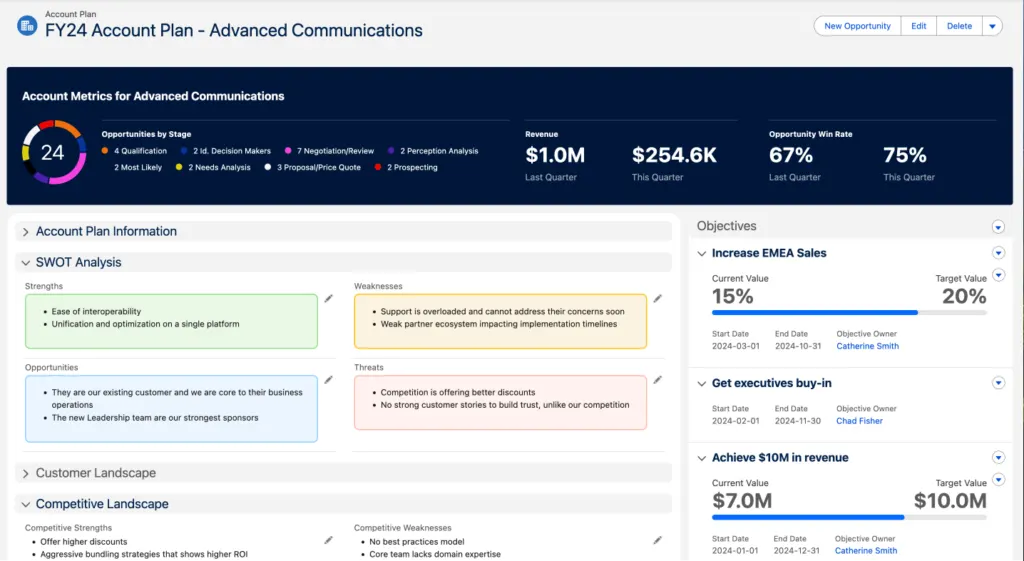
Account Plans give sales teams a structured way to plan for growth. This feature is particularly effective for teams that want to move from reactive selling to strategic account development.
You can view opportunity details, build a SWOT analysis, capture customer needs, and document market dynamics. You can also set measurable objectives and use relationship maps to visualize key stakeholders. Everything lives in one place and supports long-term account success.
Multi-Column Sorting for List Views
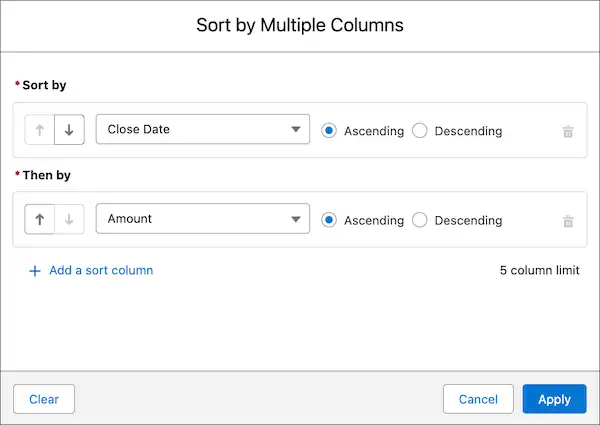
List views now support sorting by up to five columns at once. This helps users quickly arrange data in a way that suits their workflow. Sorts are temporary, so they cannot be saved as defaults, but switching back to single-column sorting is as simple as clicking any unsorted header.
Multi-Column Sorting for Related Lists
Related lists benefit from the same capability. Historically, you could sort by only one column, which limited their usefulness. You can now sort by up to five. Like list views, these preferences apply only to your current session.
Consumption Forecasting
Consumption Forecasting introduces a usage-based forecasting model designed for companies that bill or project revenue based on consumption. It complements opportunity-based forecasting by giving leaders a more accurate view of usage patterns and growth potential.
It brings together comprehensive data sources, provides historical insight, updates forecasts in real time, and supports quota tracking. You can also make bulk or individual adjustments as usage patterns change. This is a powerful addition for subscription and consumption-driven businesses.
Flow Progress Bar for Screen Flows
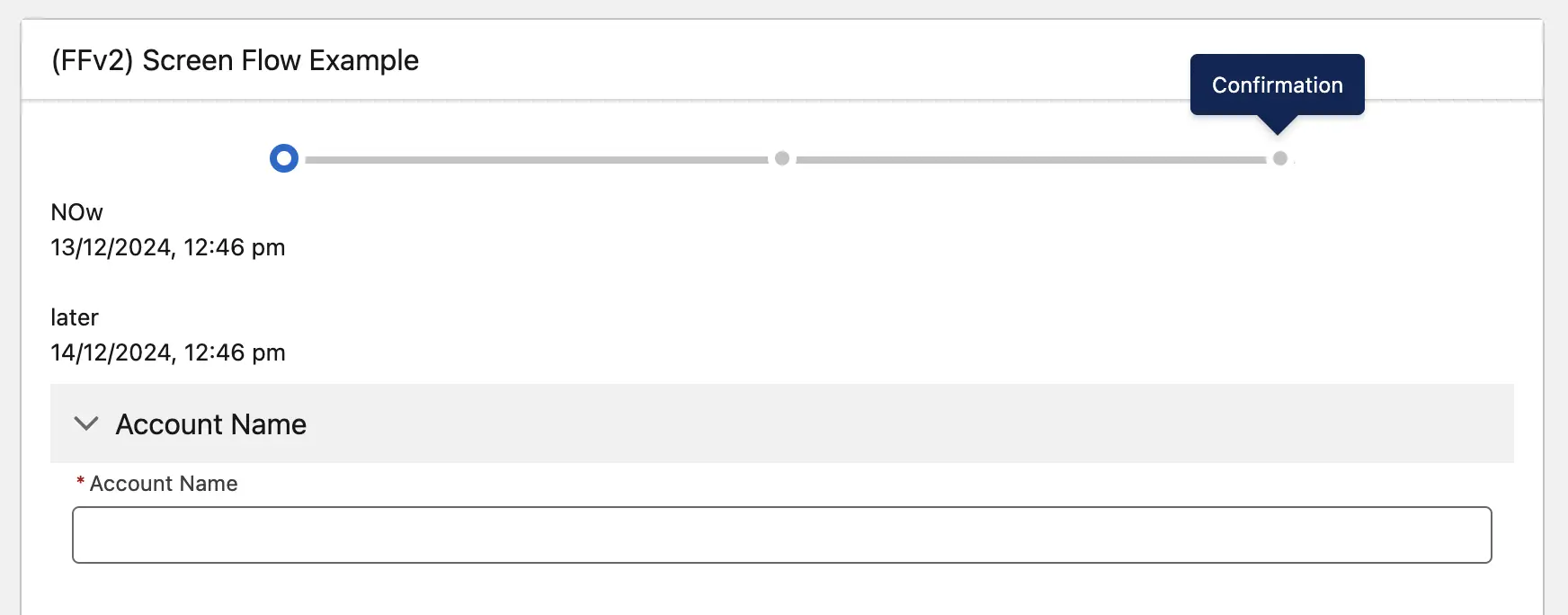
At last, a built-in progress bar for Screen Flows. You can choose between a Simple indicator or a Path indicator. Simple uses dots and a line and reveals stage names on hover. Path displays stage names consistently. Both make Screen Flows feel more intuitive for users.
Visual Picker Component in Screen Flows
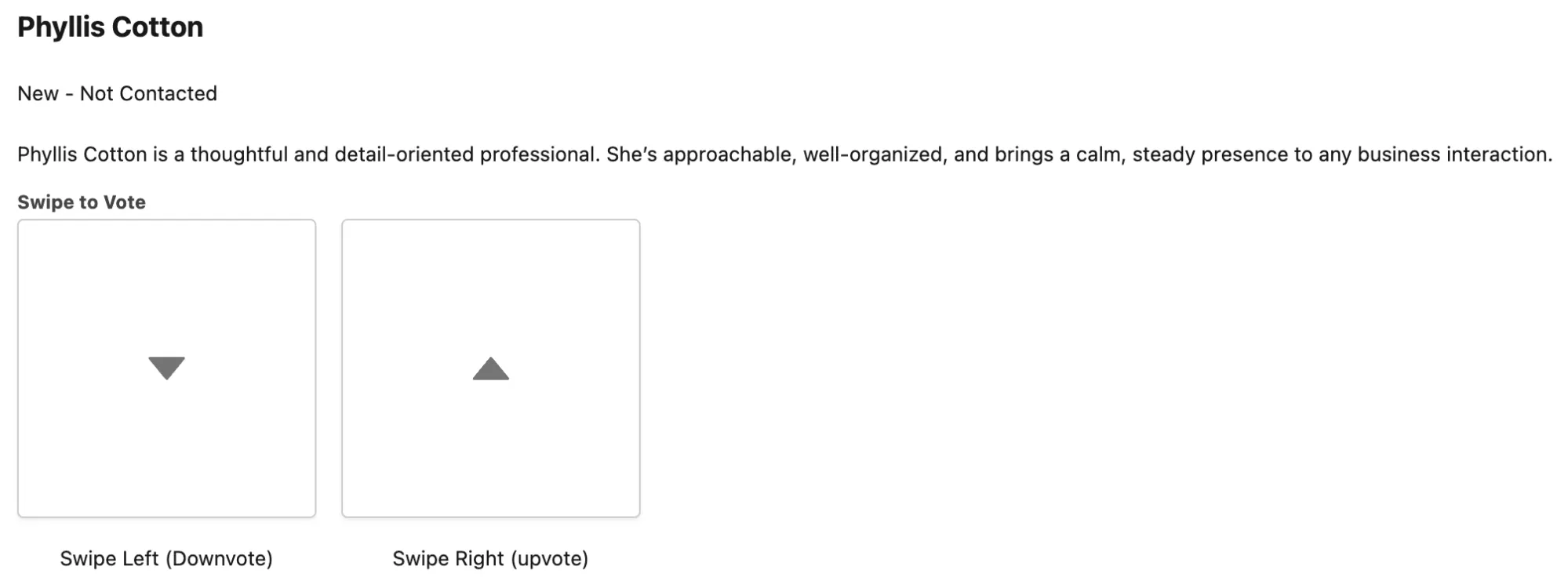
The new Visual Picker component adds a more engaging selection experience to Screen Flows. Instead of traditional picklists or radio buttons, users choose from icon-based buttons. You can configure them in small, medium, or large formats and arrange them in an array. It is a small change that makes screens feel far more modern.
Send Email in Flow
Enhancements to Send Email in Flow have transformed what used to be a clunky, limited feature into something far more capable. While the action technically existed before, the 2025 updates make it feel almost brand new.
Early in the year, we gained support for attachments, followed by a complete redesign of the Properties pane. You can now manage multiple recipients much more easily, making the entire experience cleaner, more intuitive, and far more useful for real-world automation.
Flow Approval Processes
Classic Approval Processes are steadily moving toward retirement. When you visit the Approval Processes Setup page, you will now see a banner urging you to switch to Flow-powered approvals. This marks another milestone in the transition to a Flow-first automation strategy.
The new Flow Approval Orchestration sees the introduction of two new flow types:
- Autolaunched Approval Orchestration (No Trigger): This type can be triggered from other processes or even custom buttons.
- Record-triggered Approval Orchestration: This will be triggered based on the record to be sent for approval being created or updated.
SLDS Linter and SLDS 2
Salesforce released the second version of the Lightning Design System, Cosmos, as a beta earlier in the year. Many organizations have understandable concerns about compatibility. With Summer 2025, the SLDS Linter was introduced to help alleviate some of this anxiety.
The CLI tool scans HTML and CSS for Lightning Web Components and the CSS and CMP files for Aura. It reports issues and offers a fix option that can update many items in bulk. This is especially important for ISVs, but every development team should be running the linter to prepare for SLDS 2.
Summary
Overall, 2025 introduced a few meaningful improvements that help simplify building, streamline processes, and modernize the user experience. These features may not reshape the platform overnight, but they offer practical enhancements that teams can start benefiting from right away.
What’s your favourite new feature of 2025? Let us know in the comments!





Comments: