

Summer is almost over, and we all know what that means! The upcoming Salesforce release, Winter ‘26, has already graced our preview orgs and will also reach sandboxes soon. This means that Salesforce professionals will have plenty on their plate, exploring new features or rejoicing about long-awaited enhancements, be it in their bespoke orgs or a preview developer edition.
Today, the release notes are live, and we’re here to round up the top features you and your team can jump on within Salesforce Sales Cloud and adjacent products!
1. AI-Powered Account Research
Bringing Account Planning as an out-of-the-box option for Sales teams has been a well-received change, especially as the main functionality comes at no extra cost. This includes a few readily available standard objects, all of which support triggers so that you can cater to your team’s specific requirements.
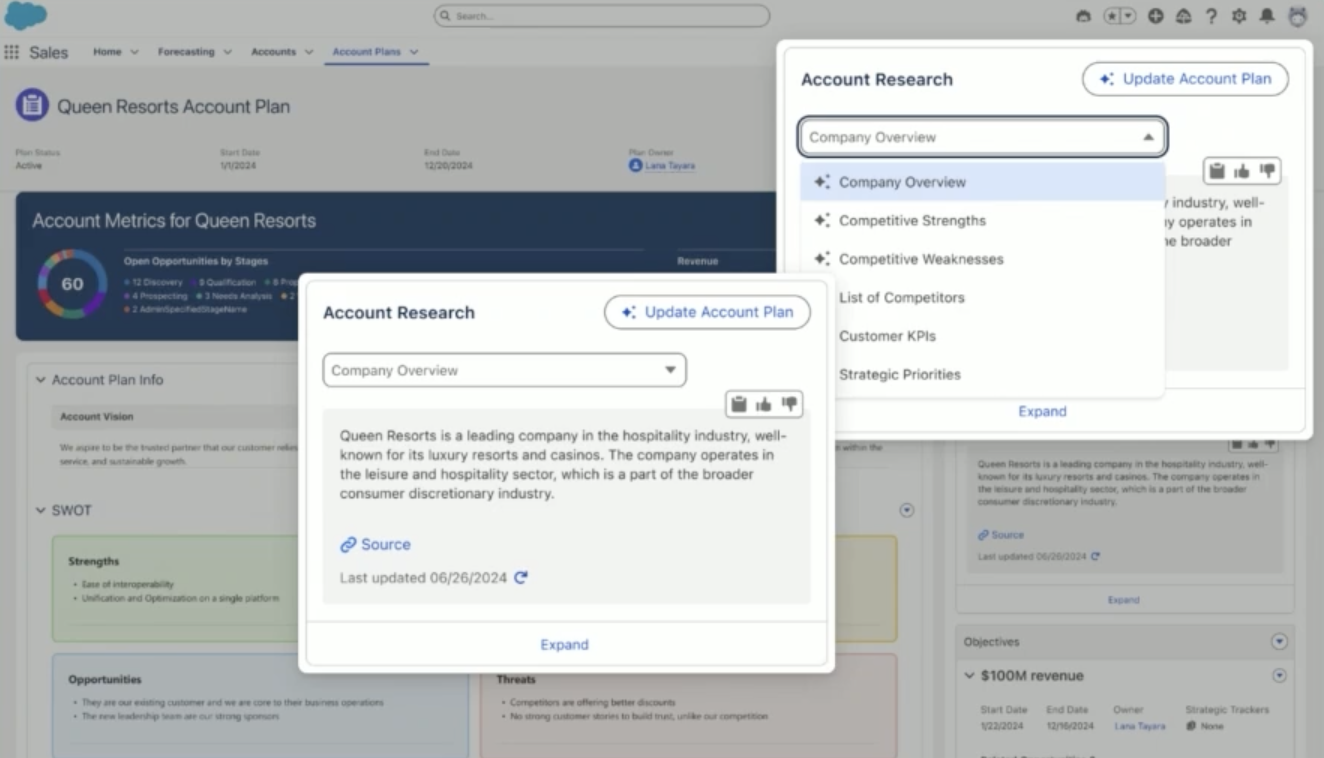
Account Research was first announced at Dreamforce ‘24 as an upcoming addition to the overall Account Plans capabilities built within Salesforce. Using this feature does require the Agentforce for Sales or Industry add-on license or the Agentforce 1 Sales Edition, and is currently planned to start rolling out in the week of October 3rd 2025.
As the name suggests, this feature will leverage Generative AI to provide your team with a deep understanding of their customer in virtually no time, while answering strategic questions and providing sources for the answers.
Of course, this doesn’t stop here – with one click, fields on both the Account and Account Plan can be updated instantly. Below is an image of what was showcased at Dreamforce last year, so what we’ll see in October may be quite different – we’ll wait and see!
2. Einstein Summary on Sales Records
Available as of August 5th 2025, for Accounts, Contacts, Opportunities, and Leads, Einstein Summary is an out-of-the-box component that can be easily embedded on the Record Pages.
With the click of a button, users will receive a summary of the record they’re on and then have the option to continue the conversation with Agentforce.
In order to use this feature, your org should either be on an Agentforce 1 Sales Edition or have either the Agentforce for Sales or Industry add-on license.
3. List View Enhancements
While Salesforce Admins may use list views sporadically, they are probably most used by users who want to easily find and edit records.
When it comes to prioritizing Leads, Accounts, or Opportunities, for example, the ability to sort the list as needed is paramount. Salesforce shipped the option to sort by multiple columns simultaneously as a beta feature, and quite soon after it was first offered, it’s now becoming generally available in Winter ‘26.
On top of this, users may be given the permission to not only create their list views, but also manage others, depending on their role. I’m sure that they, just like all Salesforce Admins, quickly noticed the incessant scrolling through fields when needing to display a new one on the list view.
Guess what – there is a new enhancement coming to all orgs so that no one will have to do that anymore! In Winter ‘26, when selecting fields to display, type-ahead search for columns will be supported, to make it much easier to find, select, and add new columns to list views.

4. Einstein Activity Capture (EAC)
Already available since mid-July, this Einstein Activity Capture change could not go unmentioned, especially as until now, Enterprise-level companies with millions of records were blocked from properly reporting on Sales activities due to the imposed limits for Activity 360 Reporting.
If you haven’t already guessed, the feature I’m referring to is finally having EAC emails synced as actual Salesforce Activities (Task and EmailMessage), rather than being stored on AWS and only accessible under certain conditions for reporting.
This means that alongside this change, EAC emails will also follow the already known Activities sharing settings, and be available to create Reports and Dashboard on just like you would for tracking any other Salesforce activity.
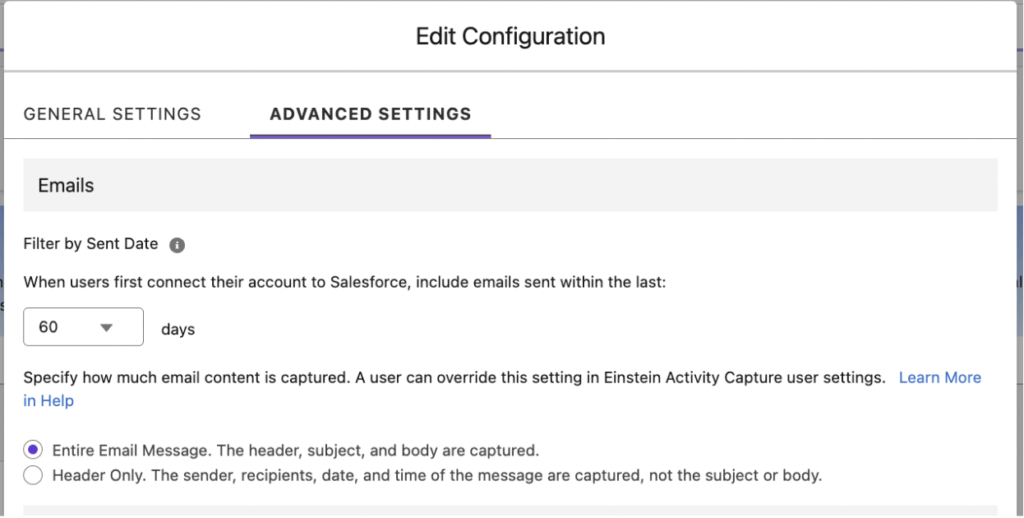
From a privacy perspective, within the configuration or personal settings, Emails can be set to either be synced in their entirety or Header Only, which doesn’t include either the subject or the body.
Activity 360 Reporting, alongside the Activity Metrics and the Activities Analytics Dashboard, are currently scheduled to retire in Summer ‘26, so make sure to review the new data structure and update your implementation accordingly.
5. Agentforce for Sales
As Salesforce’s flagship AI offering, Agentforce is still front and center for innovation, so it should come as no surprise that all key agents that are part of Agentforce for Sales got their fair share of updates in Winter ‘26, or even earlier.
Agentforce SDR can now send almost 10K emails per day when connected to a Microsoft Exchange account, and your team can also see exactly how many prospects processed by the SDR Agent clicked on the meeting scheduling link from the email, right within Control Center. Also, because not all outreaches and prospect pools are the same, orgs can now use up to five SDR agents simultaneously, and each of them can have separate record assignment criteria, topics, and actions.

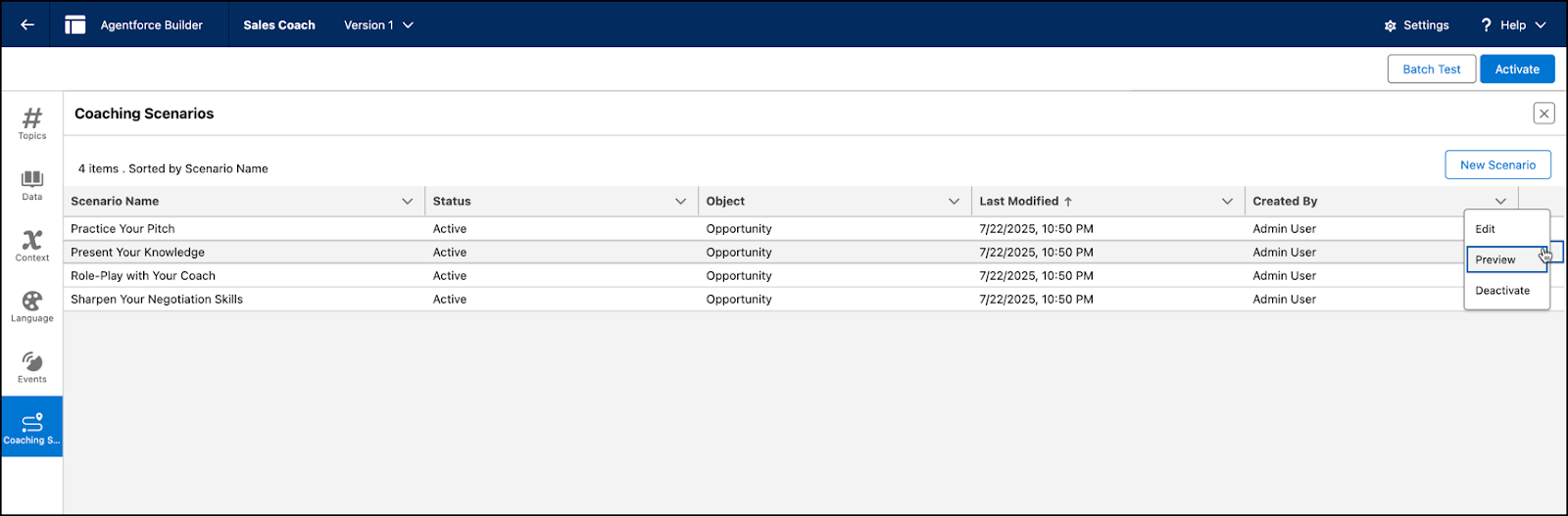
When it comes to Sales Coach, you will be able to preview and properly validate the scenarios before actually activating them, right from a row-level action. Another great piece of news is that Agentforce Sales Coach feedback is delivered in the language set in the user’s Salesforce profile, hence their coaching sessions will be personalized and relevant for global Sales teams as well.
Available since the end of June, the new Sales Management Agent Template allows you to make use of Agentforce Pipeline Management. The agent’s capabilities include reviewing recent activities, including calls, as well as any notes associated with Opportunities to recommend updates on the Opportunity record – for example, the Opportunity Stage.
These suggestions are also available in Pipeline Inspection if your team prefers to organize and manage their pipeline from that view.
6. Salesforce Forecasting
Sales and Forecasting go hand in hand, so it’s no wonder that Winter ‘26 is bringing updates to this area as well!
First things first, if you are using a custom fiscal year within your org and are looking for more accurate consumption forecasting, then you’re in for a treat. This release brings the possibility to configure default date ranges for consumption forecasting, including periods and quarters to match what you set up. Additionally, you will have the possibility to enable consumption forecasting in companion orgs using Data Cloud One.
Alongside these, your sales teams will have the ability to make use of even more granular forecasts, based on Opportunity Product (OpportunityLineItem) Splits. This way, every single colleague involved in the deal can see their part accurately across all Opportunities they are involved in.
7. Faster Slack Channel Creation From Salesforce Records
Salesforce Channels are still a fairly new feature, but they are already well-received by the community and users alike as a potential first step on the road to sunsetting Chatter. In a nutshell, these are a special type of Slack channels and have their own section within the workspace, as they are specifically used to collaborate around Salesforce records.
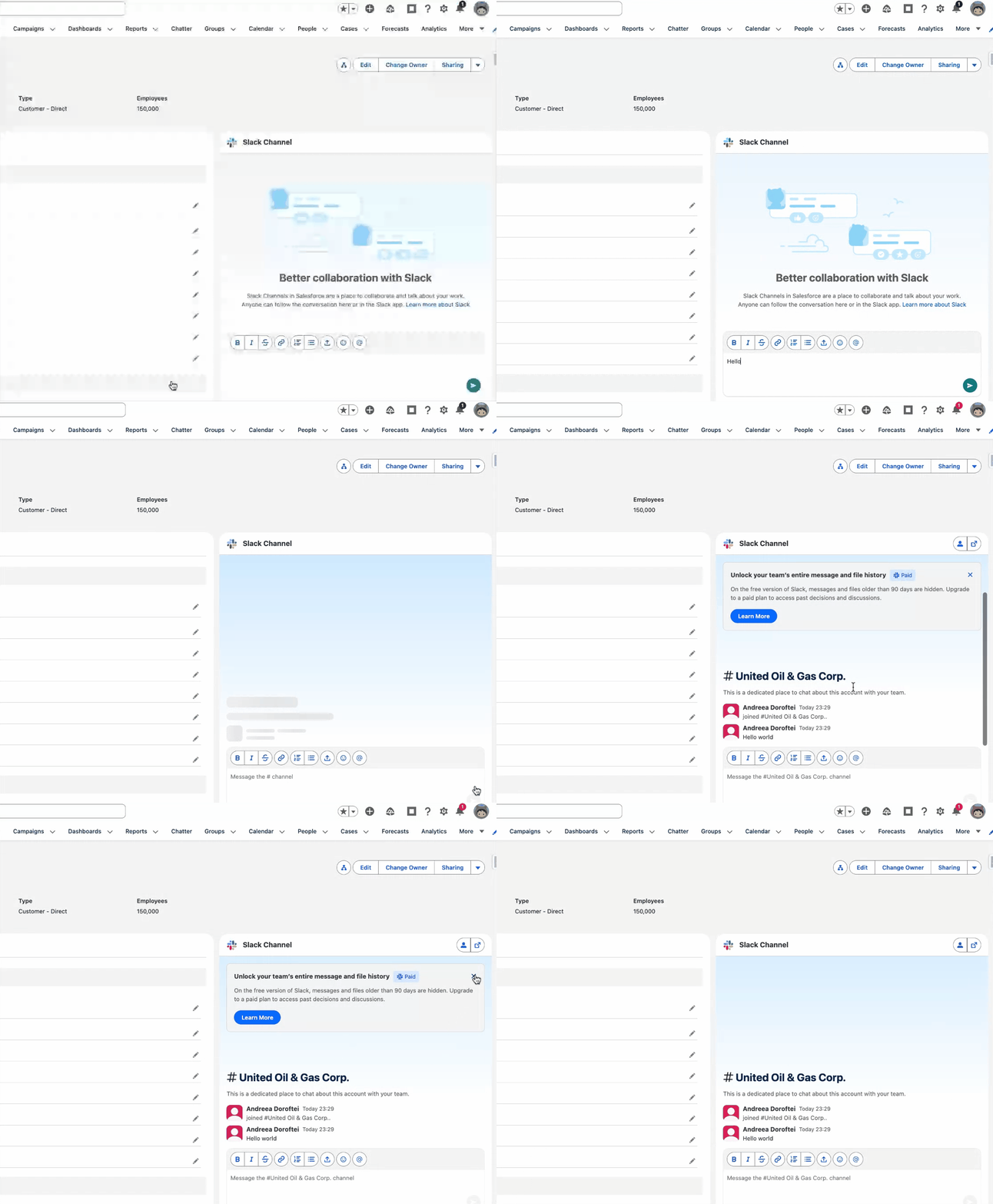
On the Slack side, the channel may already exist, which then, on the Salesforce side, can be linked to a record with a couple of clicks once the connection is established. Alternatively, a new channel can be created directly from the Salesforce record.
In the previous iteration, that involved clicking a button on the record page. In Winter ‘26 however, as long as the component is exposed and users are connected, simply writing a message in the chat will automatically trigger the Slack channel creation.
Even if your organization is not (yet) using Slack, this feature is available for free plans as well, so there’s no reason not to give it a go with a free Slack plan and a Salesforce developer edition.
8. Sales Performance Management (SPM)
SPM is the complete Salesforce offering, which encompasses multiple products under one single umbrella, designed to support and streamline the entire process – from planning to paycheck.
Four different Salesforce products bring their capabilities together to transform how your team, especially sales and sales operations colleagues, go about their daily tasks:
- Sales Planning
- Sales Programs
- Salesforce Maps
- Salesforce Spiff
Winter ‘26 brings updates across the board, to functionalities from each of the products, meant to further improve your implementation and experience:
- Within Salesforce Maps, under Mileage Administration, managers will have the possibility to easily review the submitted timesheets, filter based on their desired timeframe, and drill down into a plethora of details before approving them. Metrics such as the actual distance, number of completed visits, as well as the on-site time will be visible at a glance in a Dashboard at the top of the page.
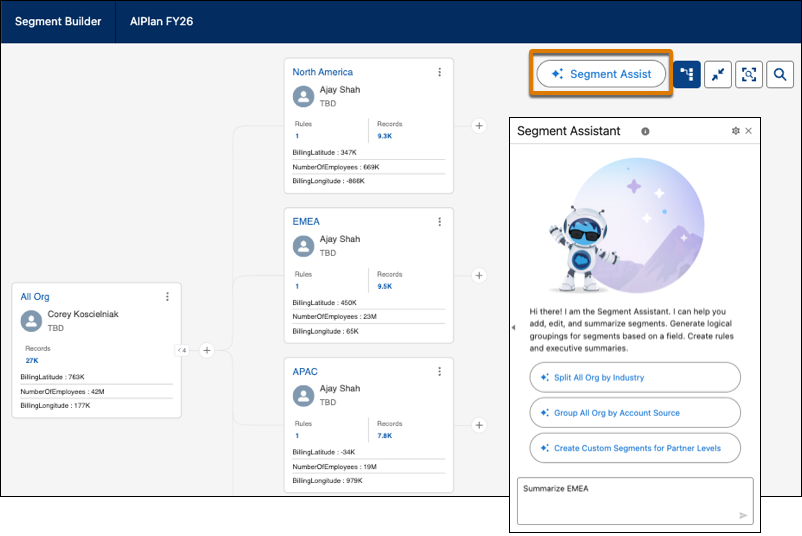
- Embedded within Segment Builder for Sales Planning, the new Segment Assist button will open up access to an AI-powered assistant that can help your team mitigate the hassle of manual segment management. Also, by using natural language prompts, the assistant can easily summarize any of the segments and provide a clear and concise update, which you can share or use to understand the current state.
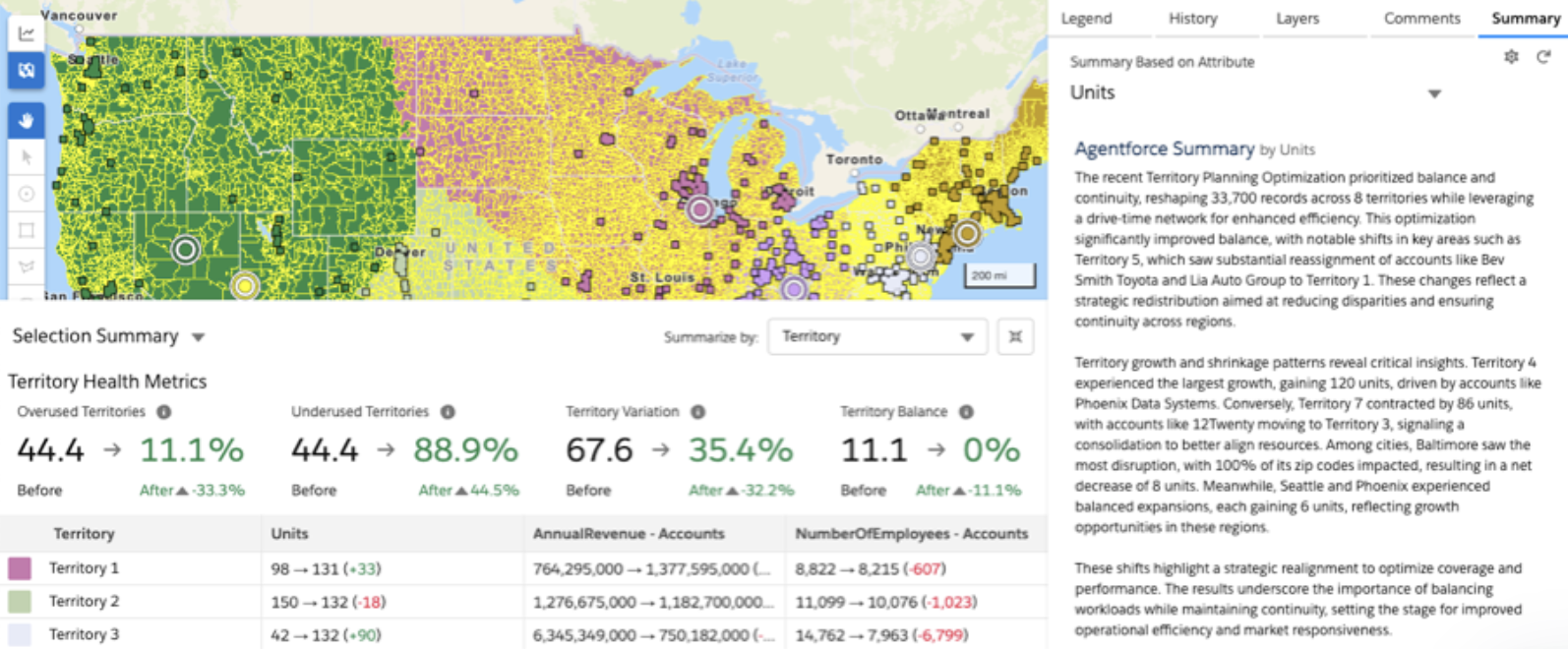
- When conducting Territory Planning, Agentforce can also help summarize any of the Optimizations created for a given Alignment, based on the Attribute chosen. The summary will include detailed information about the impact and help the user understand exactly what happened.
- Salesforce Spiff has its own dedicated Release Notes space, so if you are a Spiff customer or SPM customer, make sure to check them out.
9. Using Einstein Conversation Insights
If you have ever implemented Einstein Conversation Insights, you may have previously hoped to find a conversation transcript directly from Salesforce, only to find out that it was not an option. This is no longer the case!
While in the past you would have had to go directly to the source system – be it Teams, Zoom, or Google Meet – Winter ‘26 brings along the possibility of retrieving the source transcript with no hassle.
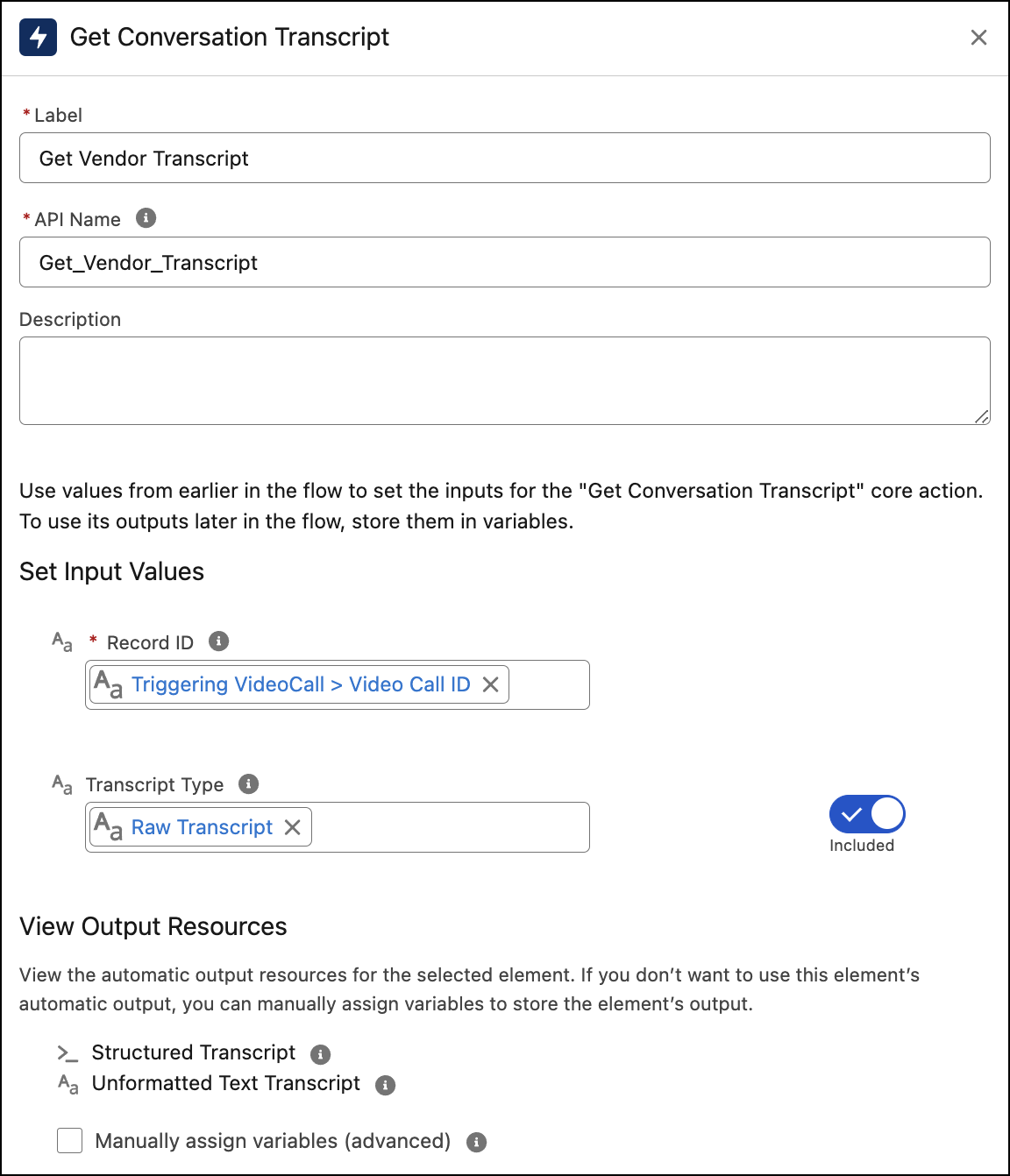
Be it through Salesforce Flow, Apex, or REST API, the Get Conversation Transcript action can be used to retrieve either the raw or processed transcripts for further use. Choosing the raw transcript type is the faster option, as the processed version may take several minutes or more, depending on the duration of the call.
On top of this, there are even more ECI updates to note:
- Similar to other features, Einstein Conversation Insights can be enabled and managed within Salesforce Go, so that you no longer have to navigate to separate Setup pages for most features.
- If your organization is using Data Cloud, you will have the option to turn on Conversation Search. This will allow users to search for any keywords they wish through all voice and video call transcripts, and further filter only through the records they have access to.
- Two readily available flows can be enabled in General Settings to facilitate Email generation:
- A flow that retrieves the call transcripts to ground email prompts.
- A flow that can be customized to send a recap email after the call to all internal participants.
- There is another new out-of-the-box invocable action accessible either within Flow Builder, Apex, or REST API, which retrieves the Conversation Intelligence, Conversation Insights, and Moment Insights in one go.
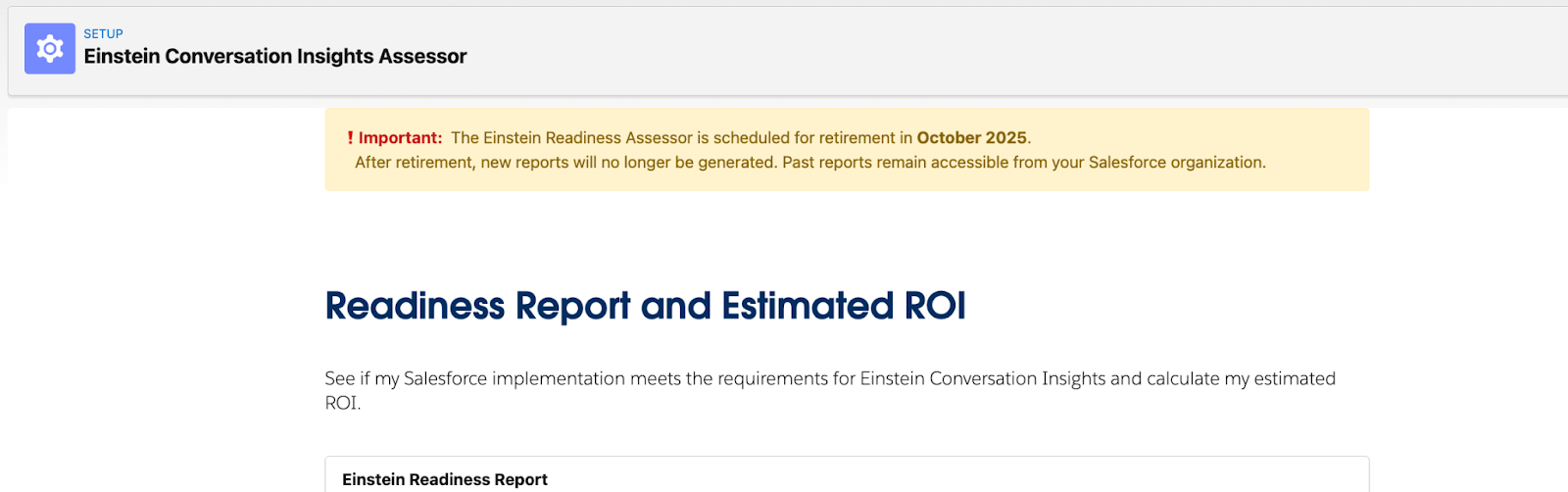
- Einstein Conversation Insights Assessor is scheduled to be retired as of October 2025, so if you were planning to use it, now is the time.
10. Empower Sales Operations to Manage Flow Approvals
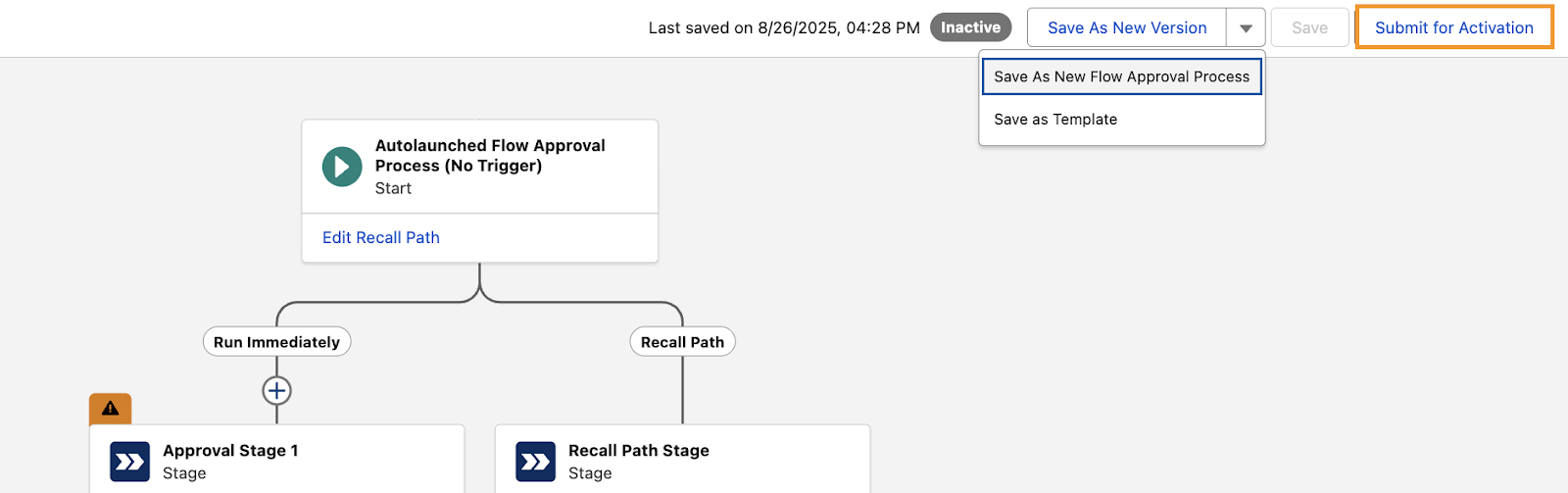
When it comes to Quote, Account, or Opportunity approval processes, the Sales Operations or Revenue Operations teams usually know best. But, with Winter ‘26, Salesforce Admins can now give limited permissions to other users, without requiring the Manage Flows permission, allowing them to manage autolaunched approval flows exclusively.
However, with great power comes great responsibility, and while assigning these additional permissions can make certain things easier, it could also wreak havoc.
While it’s great that the option exists, the new Approval Designer System Permission should be granted sparingly, and ideally, fall into the list of permissions that shouldn’t really be assigned to users.
Users should only get these powers in a sandbox rather than the production environment – especially if your organization is following an organized DevOps process.
Even if users without Manage Flows permissions who are assigned Approval Designer system permission won’t be able to activate the flow according to the release notes, the changes should be done in a sandbox first, and not in a production environment. These users will be able to create a new flow, save new versions, or save the flow as a template.
Final Thoughts
Once again, the pre-Dreamforce release proves to be packed with surprises across the board, and Sales Cloud-specific functionality is no exception. Whether you are a Salesforce Admin, Consultant, or part of the Sales Operations team, at least a few of these features are bound to surprise your users and improve your already existing implementation.
Which of the Sales Cloud Winter ‘26 enhancements are you most excited about? Let us know in the comments below.
To find out even more about other Winter ‘26 features, check out our Treasure Hunt post, as well as the Flow-specific Winter ‘26 rundown.
Read More:
- 12 Winter ’26 Updates Salesforce Marketers Need to Know
- Top 10 Salesforce Winter ’26 Features for Admins
- Top 8 Salesforce Winter ’26 Features for Developers
- 10 New Salesforce Flow Features in Winter ‘26
- Service Cloud: Top 10 Salesforce Winter ’26 Features