

A 100% Salesforce-native document and eSignature app that delivers performance, reliability, and compliance no external tool can match.
Highlights
- Generate documents directly inside Salesforce, with no off‑platform processing.
- Build and edit templates easily using an intuitive drag‑and‑drop editor.
- Automate document creation through Salesforce automation: on demand, in real time, or in large batches.
- Maintain security with native eSignature, audit trails, and identity verification, all without ever leaving Salesforce.
Document management has several parts: there’s generation and storage, for one. Then there’s the broader layer of sending, distributing, signing, and getting the right documents to the right people. Splitting these functions between different platforms can cause headaches for users – not to mention performance and security risks.
When document management is separated across systems, teams must maintain complex integrations and monitor multiple environments just to generate, deliver, and store documents. To mitigate these issues, organizations add validations, failsafes, and redundancies, which add complexity and cost.
In a Salesforce context, the typical setup is that Salesforce triggers document generation and stores the final, signed files as record attachments. However, the actual template, delivery, authentication, and signature processes often happen on an integrated, external platform. And contrary to what these platform providers may claim, they will never match a fully native solution in connectivity and performance. There will always be some degree of latency, metadata mismatches, or conflicting security policies that undermine your business.
Document management is something most of us Salesforce users take for granted – but perhaps we shouldn’t. I recently tried a 100% native Salesforce app called S‑Docs, and it proved to be an eye‑opener. I realized that when done right, native document generation can speed up delivery, make processes more scalable, and improve the overall customer experience.
In this article, we’ll dive deeper into the app’s features and highlight how it might help your business run more smoothly.
Features
Document generation is often treated as an afterthought in larger implementations, but when systems are pieced together with external editors, signature tools, or automation platforms, the costs add up. Manual steps create bottlenecks across sales, service, and compliance. Teams jump between tools to assemble templates, send files for signature, or track document status, and every handoff builds friction.
S‑Docs addresses these pain points by keeping everything inside Salesforce, where data, automation, and user actions already live. Next, we look at the key features that make S‑Docs stand out in the document generation market.
100% Native Salesforce Document Generation
Being fully native to Salesforce changes how document generation feels. S‑Docs processes everything inside your Salesforce org, with no external servers, integrations, or off‑platform data handling involved.
This architecture provides the same level of security, compliance, and performance you’ve grown accustomed to in Salesforce. In practical terms, documents are generated in seconds due to a rendering engine that is optimized for Salesforce from the ground up.
Because everything runs within the platform, S‑Docs works naturally with both standard and custom objects, and it supports complex data relationships. The user experience feels familiar, since the interface follows standard Salesforce patterns, which reduces training time, helps teams adopt the system quickly, and leads to a faster time to value.
S‑Docs works natively with Flow, Apex, OmniStudio, and Experience Cloud, which allows document creation to fit neatly into existing processes and automation.

Powerful Template Designer
The S‑Docs template editor allows users to build document templates directly inside Salesforce with an intuitive drag-and-drop editor. Templates can pull data from any Salesforce object, including unrelated objects, and support conditional visibility, making it easy to produce tailored documents.
Users can begin with a blank layout or upload existing files and drag and drop fields to convert them into fully dynamic templates. This creates a familiar starting point and helps maintain consistency across teams and business units.
Once a template is created, users can insert dynamic fields and related lists that pull data from any object. Admins also have the option to create interactive forms that shape the content of the final document based on real-time user input, allowing for a more refined output.
End users can edit their generated PDFs directly in Salesforce without relying on external applications. Combined with multiple supported formats such as PDF, Word, Excel, PowerPoint, and email, S‑Docs delivers a smooth experience that adapts to a wide range of business needs.

Conditional Document Customization
What makes S-Docs stand out from its competitors is its extensive customization capabilities. The app allows you to apply rule-based conditions that allow templates to adapt to each record.
Using conditional logic and dynamic components, a single template can show or hide entire blocks of content based on Salesforce data, making documents highly personalized without leading to a template sprawl.
These capabilities draw on data from any Salesforce object and can scale from simple field‑based conditions to advanced logic. This approach keeps documents clean and contextually relevant, providing a better experience for both users and recipients.
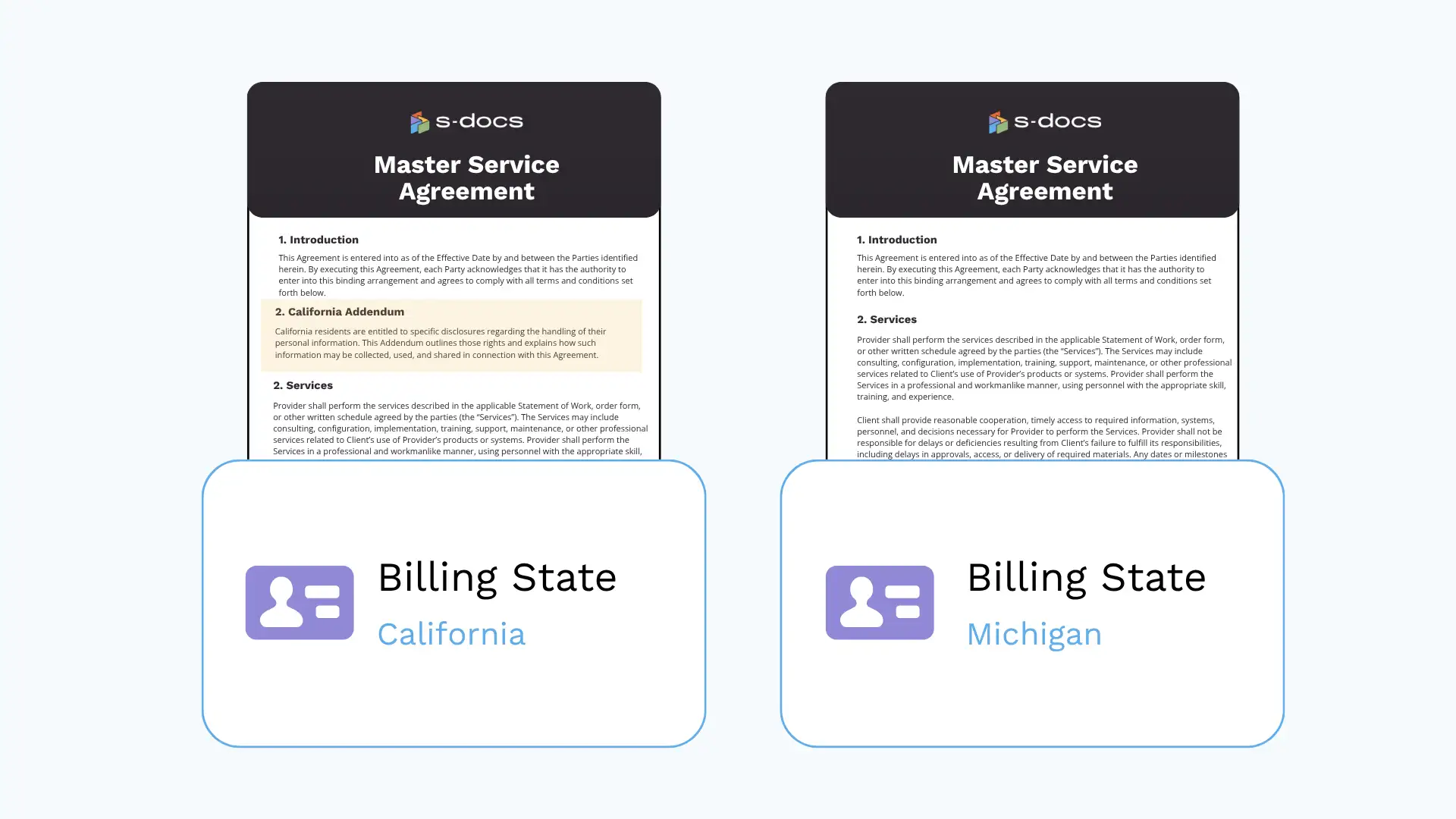
Automated and Batch Document Generation
Important documents often come in large volumes. Many companies struggle to deliver documents because complex logic, high precision, and large volumes are difficult to manage across disconnected systems.
S‑Docs simplifies document generation by creating files with a single click, triggering them automatically through Salesforce automation, and producing large batches for high‑volume needs. By supporting real‑time automation as well as bulk processing, S‑Docs helps keep RevOps processes running uninterrupted during busy periods.
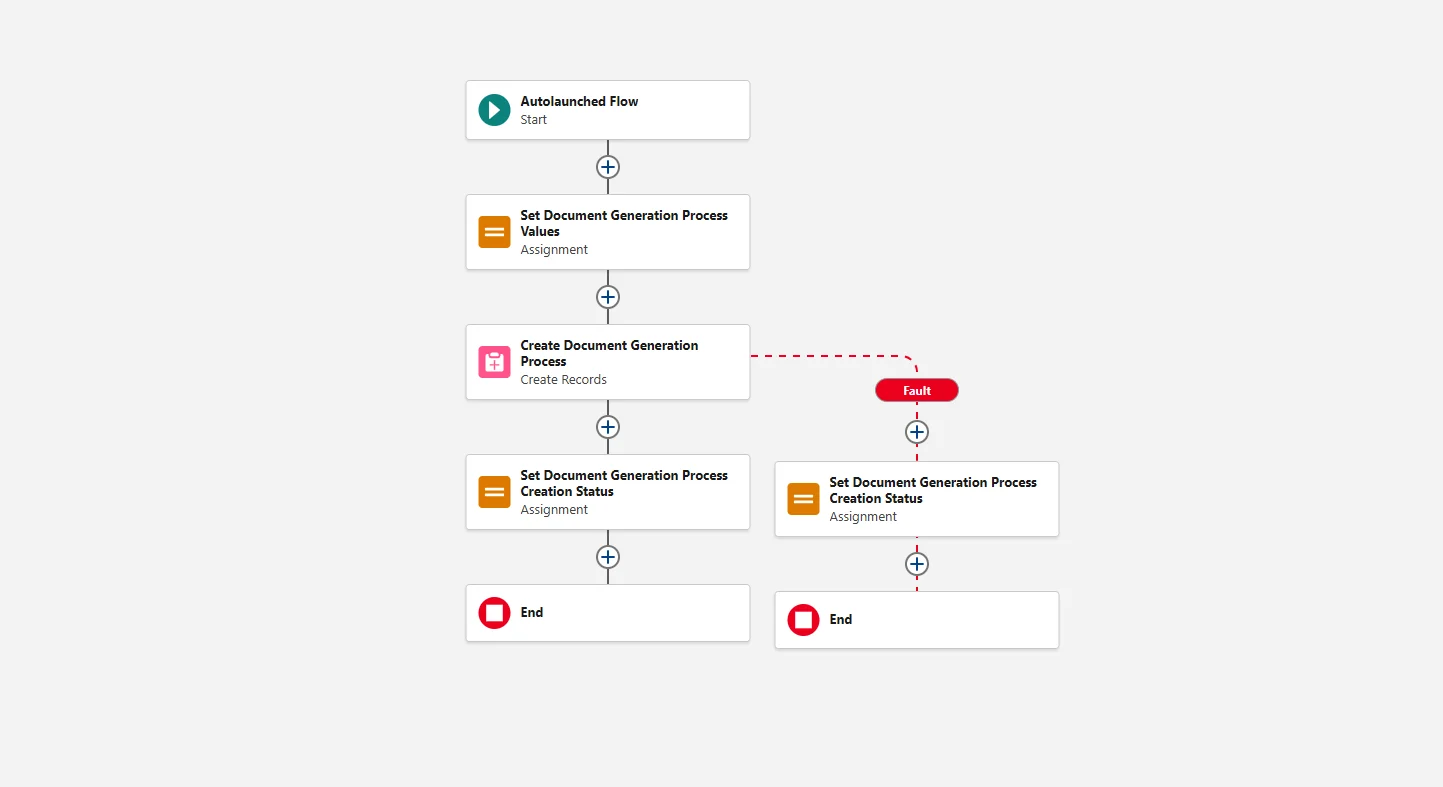

Embedded eSignature (S-Sign)
In most client engagements I’ve worked in, a separate eSignature platform was used to authenticate and sign contracts, adding yet another piece to the document management puzzle. S‑Docs includes fully native eSignature capabilities, allowing teams to complete document workflows without ever leaving Salesforce.
This keeps the entire signing process secure, compliant, and fully aligned with Salesforce’s data handling standards, while providing features such as audit trails and detailed tracking of signing events. Recent enhancements introduce stronger identity verification options for regulated industries, which help ensure signer authenticity and support strict compliance requirements.
Roadmap
S‑Docs continues to invest in areas that matter most to Salesforce teams: speed, clarity, and extensibility. A redesigned template editor is on the way, offering a cleaner, faster experience where updates render in real time and iteration takes fewer clicks.
Alongside this, new Lightning Web Component capabilities will make it easier to embed document actions directly into Salesforce pages, giving admins flexible and reusable building blocks for UI customization.
On the automation side, S-Docs is looking to expand both SDK capabilities and invocable actions, giving admins and developers more tools to orchestrate complex workflows in Flow and integrate S‑Docs more deeply into existing processes.
Under the hood, a modernized template architecture promises to boost generation performance and support higher volumes as organizations scale. S‑Docs is also exploring AI‑assisted capabilities to simplify document workflows without sacrificing control, and currently integrates with Agentforce for prompt-based document generation.
Use Cases
Documents play a crucial role in many mission‑critical business processes. They summarize key updates, mark important milestones, and help settle disputes. This is why document management should be a top priority for Salesforce Admins and Architects.
S‑Docs covers the same core use cases as other document generation apps, but its performance and connectivity stand out because it is fully native to Salesforce. With S-Docs, you can expect reduced cycle times, fewer errors, and lower reliance on IT to solve these issues.
Quote and Contract Generation
Quote and contract generation is one of those moments in the sales cycle where everything needs to come together quickly and by the book. Reps navigate complex pricing, custom terms, and tight deadlines, yet the tools they use are usually scattered across different systems. That leads to slow turnaround times, inconsistent documents, and unnecessary friction that can stall deals.
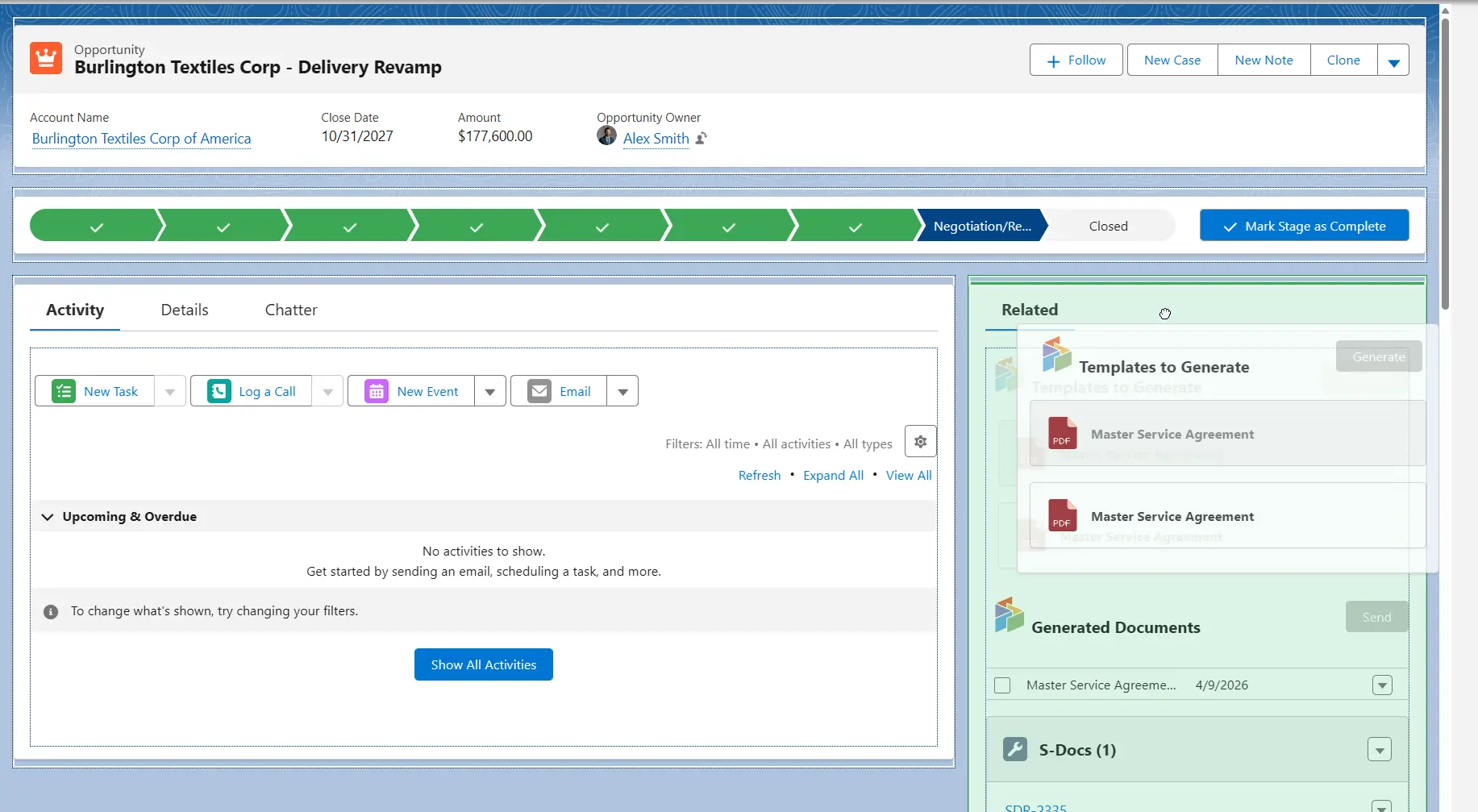
S‑Docs solves this by keeping the entire process inside Salesforce. It pulls live Salesforce data to generate proposals, quotes, and contracts, without relying on external services. It also supports complex conditional logic, which makes it easier to assemble tailored, multi‑product proposals. And with eSignatures handled natively through S‑Sign, reps can send a ready‑to‑sign proposal pack in just a few minutes.
Compliant Document Processes
For teams in regulated industries, staying compliant can feel like a constant balancing act. Documents need to be accurate, secure, and traceable. Meanwhile, time is of the essence. A medical field team must respond to clinical inquiries with precise, fully compliant documents, with every action logged and verifiable. When data is separated into several systems, this gets tough to achieve in practice.
With S‑Docs, every step sits within Salesforce, meaning that data never leaves the platform and remains aligned with strict security expectations. It also provides built‑in audit trails, version history, and enhanced identity‑verified eSignatures with smart card authentication options, including CAC and PIV, which is especially useful for government and highly regulated teams. Additionally, S-Docs simplifies data residency and internal auditing, since it inherits many security controls from Salesforce as a 100% native app.
High‑Volume Customer Communications
Managing recurring customer communications like renewals, onboarding, or policy updates often runs into the same challenge: sending large volumes of documents quickly and accurately. Handling this manually is slow and error‑prone, especially when thousands of customers require personalized, up‑to‑date information every month. This puts real pressure on operations and service teams, and the more systems involved, the harder it becomes.
S‑Docs makes mass communications a lot easier. The key is in having the automation, document generation, personalization, and email workflow all within a single platform. Teams can produce thousands of documents at once and trigger the process automatically, based on whatever business logic they already use. With S-Docs, you can automate the end-to-end process without external dependencies, resulting in less complexity and better performance.
Setup
I found the overall setup effort for S-Docs quite straightforward. To get started, you’ll need to install the package from the AppExchange, after which you can access the S-Docs Setup page from the App Launcher to configure the app.
From there, the core setup is really about getting document automation up and running: building or importing templates, deciding where and how users will generate documents, and configuring Lightning Web Components or automations as needed.
Because S-Docs is built natively on Salesforce, the experience feels familiar and fits naturally into existing objects, page layouts, and processes. An experienced Salesforce Admin could likely get a basic use case up and running fairly quickly.
End-to-end implementation time will vary based on template complexity, migration needs, and whether the team wants to run more advanced automated workflows through the SDK.
Support
S‑Docs was founded by former Salesforce Architects and technical leaders, which shows in how well the product aligns with Salesforce’s architecture, security model, and admin experience.
Their support offering reflects the same expertise: customers have access to support from specialists with strong Salesforce and S-Docs knowledge, giving teams added confidence when deploying or managing document workflows in more complex orgs.
Pricing
S-Docs offers a flexible pricing model designed for organizations with varying document volumes, user counts, and automation needs. The company tailors pricing to each customer’s document volume, user count, or workflow requirements, ensuring the package aligns with the scale and complexity of their document operations.
To get started, simply visit S-Docs’ pricing page, estimate the number of users and volume of documents you’ll need, and click submit. The team from S-Docs will reach out to you promptly with a customized quote.
Summary
Document management is too central to customer experience, revenue velocity, and compliance to be overlooked. When it is split across off‑platform tools, the risk of sync failures, human error, and performance issues rises.
With a Salesforce-native solution, you avoid many of these challenges altogether. When documents run where your data, permissions, and processes already live, the end-to-end process becomes faster, more secure, and more reliable.
If you’re actively researching document generation tools, the takeaway is clear: if Salesforce is your system of record, a native solution offers the best blend of speed, security, and extensibility.
An AppExchange listing alone doesn’t mean that a provider will offer the level of customizability and security you’d get with an on-platform tool. An external document generation tool generates technical debt and admin overhead through additional system dependencies.
S‑Docs stands out here, offering the feature depth and optimized performance you simply wouldn’t get with “native‑adjacent” integrations. This makes S-Docs a strong fit for Salesforce‑first teams from SMB to enterprise that need efficient, secure, end‑to‑end document workflows.
To see how S-Docs would work inside your org, request a demo and explore how a native document automation process could make your life easier.