
If you’ve received “action required” security emails from Salesforce lately and you’re wondering what’s actually going on, this article covers two of the most important items on that list: Salesforce is making multi-factor authentication (MFA) mandatory for all users, and enforcement begins in June 2026.
This isn’t a recommendation anymore, and if your users haven’t enrolled in MFA by the deadline, they may need to do verification steps every now and then to stay in Salesforce, or worse, not be able to log in. Such a blocker could halt business operations, so here’s everything you need to know about why this is happening, what you need to do, and when.
MFA Changes? Again?
MFA changes are back, and much stricter this time. You may recall that Salesforce first required MFA back in 2022. The keyword there is “required” – it was a contractual obligation. To help customers satisfy the MFA requirement, Salesforce automatically enabled and enforced MFA for users who log in directly with a username and password. The MFA enforcement roadmap can then be found here.
The reason is fairly straightforward. We all know of the security breaches happening since last year, and credential theft has become cheaper and more scalable than ever. AI-powered phishing campaigns can now target thousands of users at once, and a simple stolen username and password is often all an attacker needs to access your org, your data, and (gasp!) your customers’ information.
MFA adds a second layer of verification to block credential theft, so that even if someone steals a password, they still can’t get in without the second factor. Salesforce has also documented active campaigns where threat actors used phishing to bypass SSO and steal session tokens. These are the kind of attacks MFA is designed to stop.
What’s Actually Changing This Year?
There are two related but distinct MFA requirements going into effect, both with a June 2026 deadline.
1. Mandatory MFA for All Users
Beginning June 2026, Salesforce plans to require MFA for all employee license users.
MFA can be enforced in one of two ways: directly through Salesforce or through an SSO provider. If your org uses SSO (Okta, Azure AD, Ping, ADFS, etc.), you’re not off the hook – you just need to ensure MFA is enabled at the identity provider level instead. Either way, it needs to be in place.
One important note: according to Salesforce’s own MFA FAQ, one-time passcodes delivered via email, SMS, or phone calls do not satisfy the MFA requirement, and that applies whether you’re using Salesforce’s native MFA or an SSO provider. Make sure your users are set up with an authenticator app or another supported option (more on that below).
Salesforce has also confirmed that even with MFA enabled for login, certain sensitive post-login actions will trigger step-up authentication, meaning users may be asked to verify mid-session for specific actions again.
2. Phishing-Resistant MFA for Admins
We all know that an admin user is a powerful user, so it makes sense that standard MFA isn’t considered strong enough for admin-level accounts. Salesforce is requiring a higher bar for anyone with a System Administrator profile or equivalent permission set, and that is phishing-resistant MFA.
The difference lies in whether the verification is harder to intercept. Regular TOTP apps (like Google Authenticator) and push notifications can be intercepted through techniques like MFA fatigue attacks, where attackers spam push notifications until a tired user approves one. Phishing-resistant methods use cryptographic verification that can’t be intercepted at all.
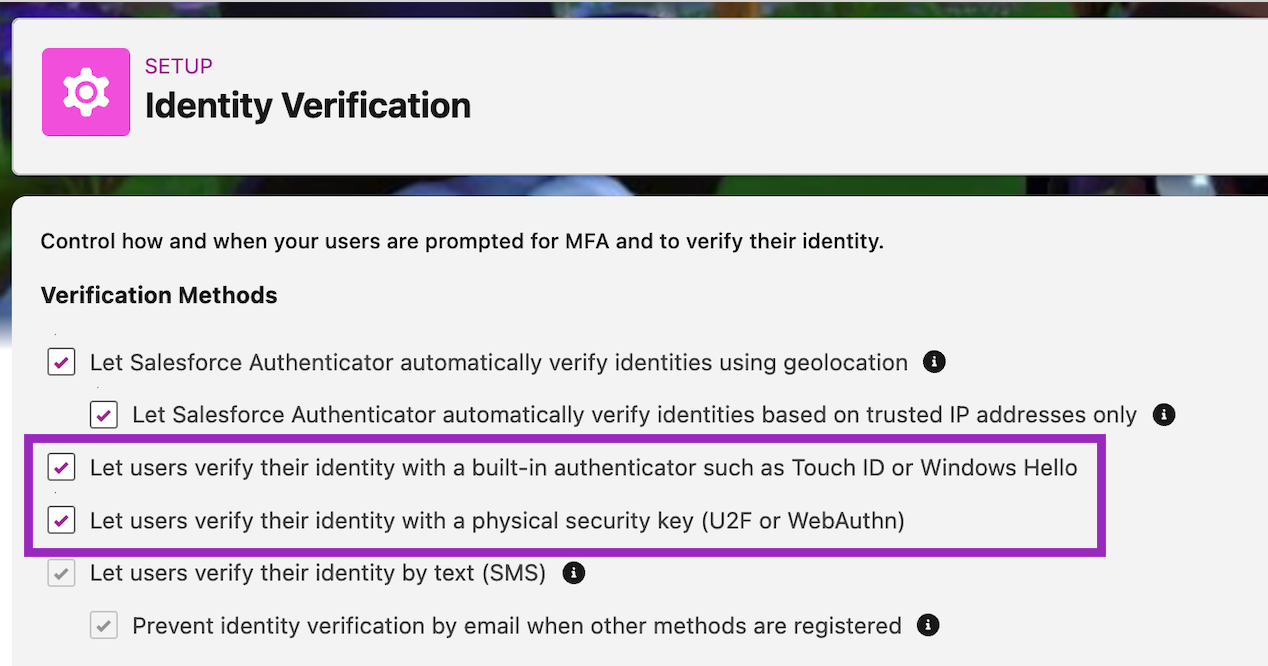
Salesforce identifies built-in authenticators or security keys as phishing-resistant MFA. Samples of built-in authenticators are Touch ID and Windows Hello, while security keys can be any hardware or physical keys that support Universal 2nd Factor (U2F) and WebAuthn (FIDO2) standards, like YubiKey or Google Titan.
Note that TOTP apps (Google Authenticator, Authy, Microsoft Authenticator) and push notification-based authentication do not qualify for admins.
How to Prepare
1. Audit Your Current MFA Adoption
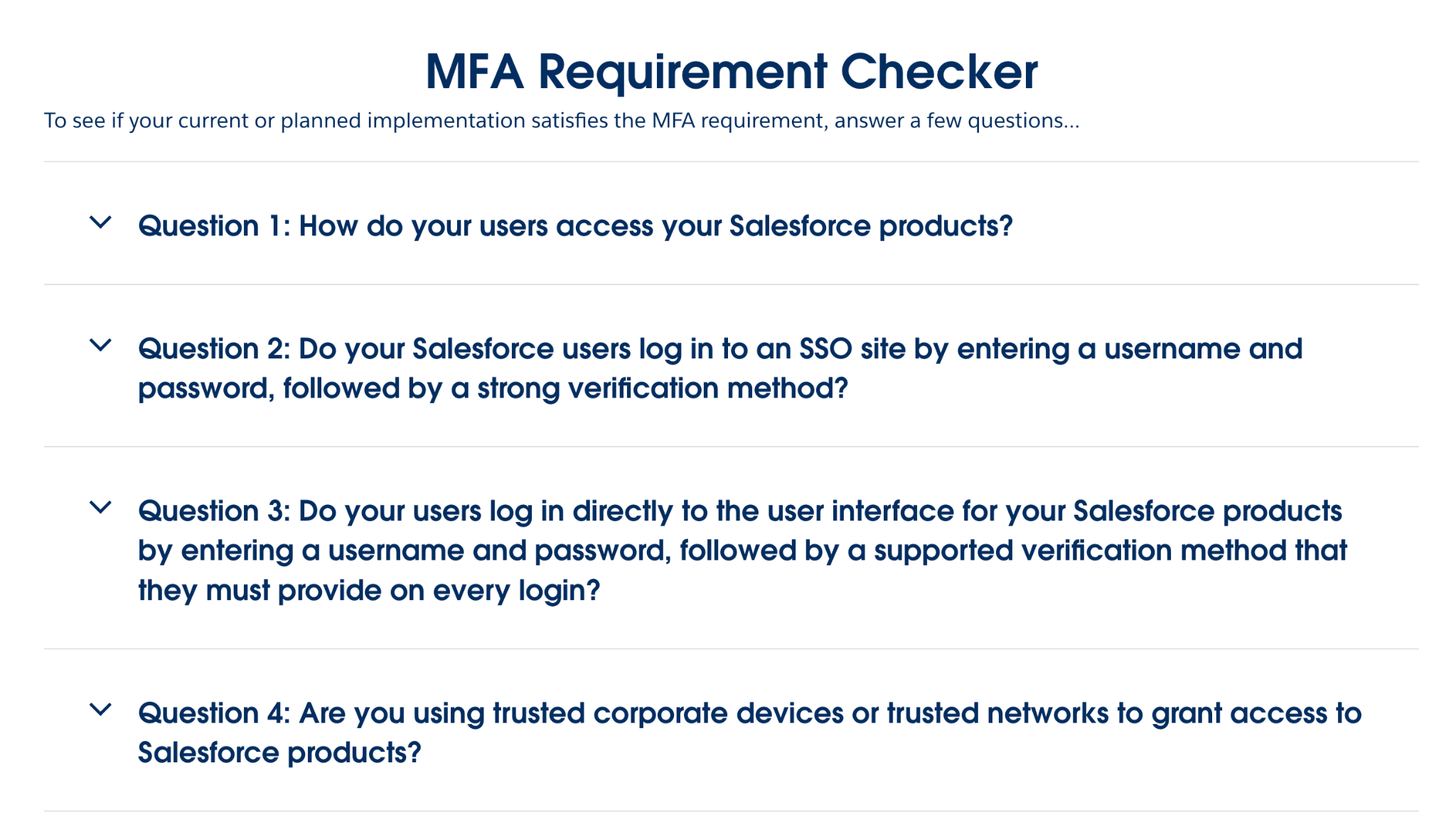
Before anything else, find out where your org stands. Salesforce provides a free MFA Requirement Checker that involves answering a few questions. It can give you a clearer picture of what’s been done and what needs to be upgraded.
The questions basically encourage you to check the supported verification methods for MFA, so if you’re unaware, the checker is a good place to start.
2. Identify Your Admin Accounts
Check every user with a System Administrator profile by going into Setup → Profiles → System Administrator → Assigned Users. It also helps to check all users with a permission set or group that grants admin-level permissions like “Modify All Data” or “Manage Users”. These users will need to be set up with phishing-resistant MFA specifically.
If you prefer to go down the physical/hardware security key route, budget approximately $25–$50 per key, and plan to register at least two phishing-resistant methods per admin as a backup.
3. Deploy MFA Org-Wide
For your general user population, deploy Salesforce Authenticator or a compatible TOTP app. The Salesforce Authenticator mobile app is free, and Google Authenticator or Microsoft Authenticator are examples of third-party authenticator apps that are supported as well.
For users who may not carry smartphones, like manufacturing floor employees, for example, evaluate hardware security keys or biometric alternatives early. These users present the highest risk of login disruption if you wait until Salesforce enforces a hard deadline.
4. Enable Phishing-Resistant Methods in Setup
Go to Setup → Identity Verification and enable built-in authenticators and security keys. Make sure admins know what’s expected of them and have time to register their devices before enforcement kicks in.
5. Confirm SSO MFA (If Applicable)
If your org uses SSO, MFA still needs to be in place. The difference is that it just needs to be configured at your identity provider rather than in Salesforce directly. Confirm this is set up and enforce it for all users. Salesforce won’t be able to verify or enable it on your behalf, so don’t assume it’s covered!
6. Communicate With Your Users
Transparency is key to good relationships in any business, so don’t let enforcement day be the first time your users hear about this! Send a heads-up now or as soon as you’ve done all steps above so they can download an authenticator app and complete enrolment on their own terms, rather than being blocked or bombarded with verifications mid-workday.
Key Dates
Salesforce hasn’t given concrete dates for this requirement at this time, apart from the line in the email that says “Beginning June 2026”.
However, the lack of a specific date shouldn’t be taken as breathing room. Whether Salesforce enforces this strictly or gradually, MFA is a security control your org should have in place regardless. This requirement just gives you a reason to prioritize it now if you haven’t already.
Summary
Salesforce’s mandatory MFA enforcement is the end of the grace period since it has technically been in place since 2022. Users today without MFA enrolled will be blocked from logging in or asked for further verification. Admins, with all their power, will need to go a step further and adopt phishing-resistant methods specifically.
The good news is that the steps to comply are manageable if you start now. A few weeks of preparation is a much better outcome than locked-out or confused users on a Monday morning in June.