

If you’ve ever opened the Salesforce Trust site during a busy release week, you’ll understand the chaos. There might be an incident or performance degradation somewhere, or maybe even a maintenance notice. Sometimes, a notification labeled as “informational” manages to sound kind of concerning. And when you scan through it to figure out whether your org will be affected, you still end up not entirely sure.
For something that’s supposed to provide clarity, the experience can tend to feel like guesswork. This is exactly what Salesforce is looking to fix with My Trust Center. Here’s what you need to know and how the new Personalized Trust Center changes the way you monitor your org.
The Public Trust Site (Salesforce Trust Status)
Before diving into the new My Trust Center, it helps to take a step back and look at how things have traditionally worked. I’m sure you’re familiar with the Trust Site or Salesforce Status, which you can access here.
Salesforce Status has long been the go-to place for checking platform status, as it provides visibility into system performance, incidents, and upcoming maintenance across Salesforce infrastructure. You can filter by instance or domain, then monitor activity across different services. On paper, it covers everything you’d want from a status page.
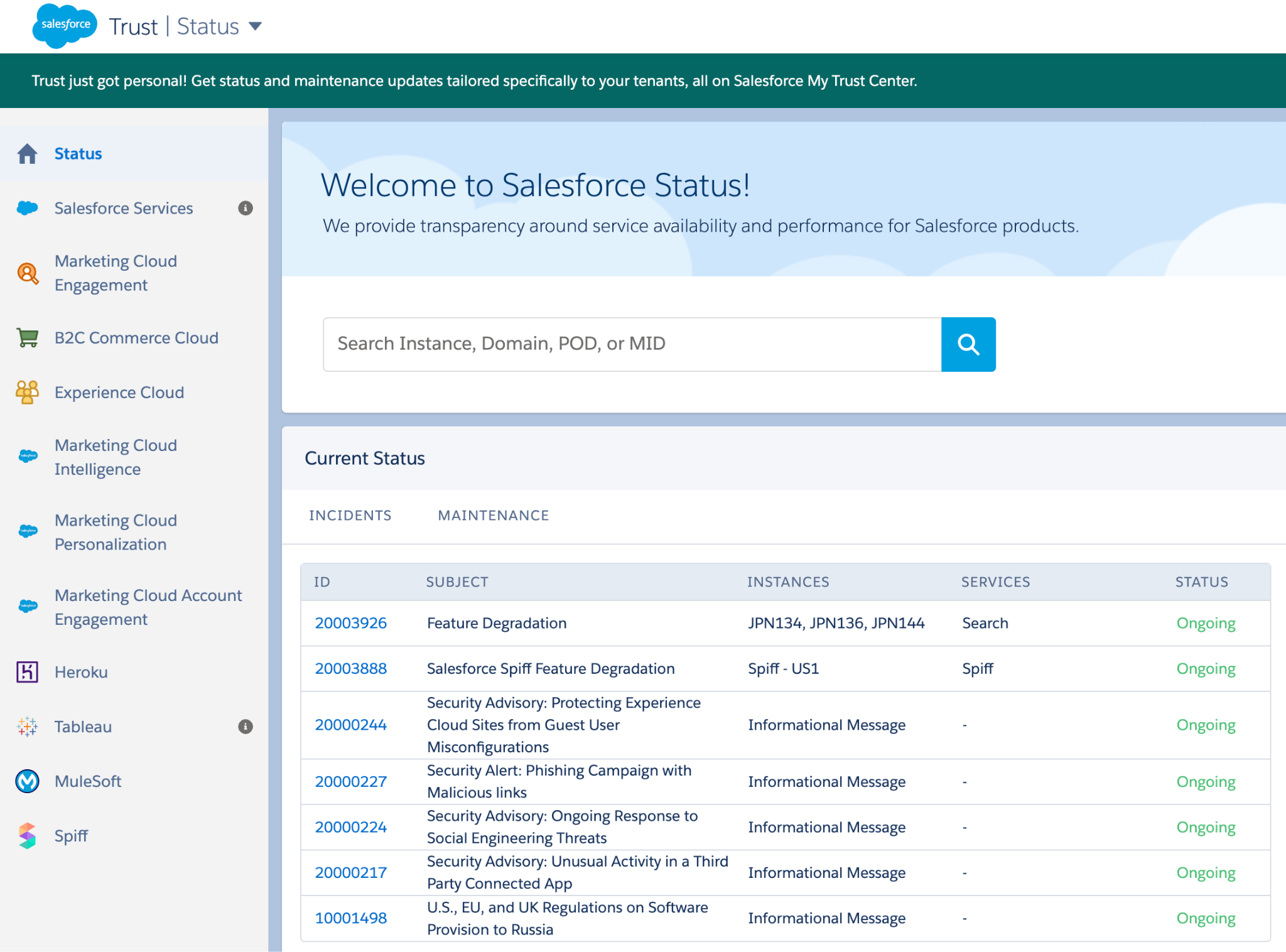
In practice, though, it hasn’t always been straightforward to use. I used to work for Salesforce Support. Whenever I’d get cases where an issue is related to maintenance or incidents, I’d point customers to the Trust site only for them to come back just as confused, or sometimes even call in again to ask what it all meant.
The Trust site looks pretty simple, but it can sometimes be intimidating. It is not built around individual orgs, and while you can filter by domain, admins may still have to interpret whether an update is actually relevant to them.
As you’d know, an incident might affect just a subset of services or even only certain configurations, so it’s the kind of knowledge that can leave you trying to figure out where you fit in. When you’re subscribed to notifications, email blasts are instance-wide, so they aren’t exactly tailored to your specific org.
Personalized Trust
The new My Trust Center is a more personalized way to view the health and status of your Salesforce org. Instead of relying on broad, instance-level updates, the experience is now moving toward something that’s tied directly to your environment.
Once you’re logged in, you’re no longer asked to enter your instance or domain, removing the possibility of you scanning through unrelated incidents or second-guessing whether something applies. The updates you’ll see are based on the products and services your org actually uses.
It sounds like a subtle change, but it honestly makes a noticeable difference in how you interpret what’s happening.
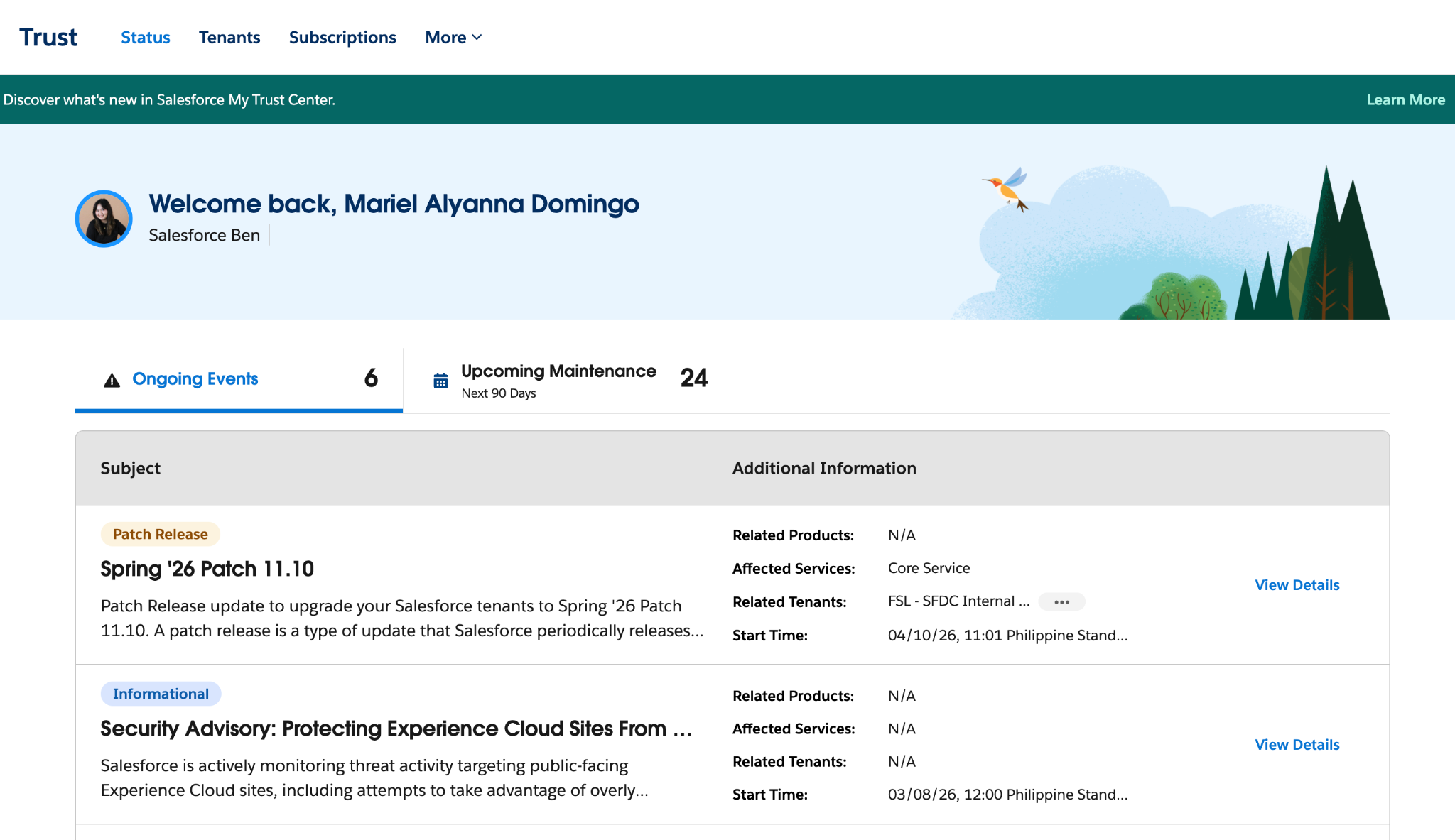
There are two tabs available to you: Ongoing Events and Upcoming Maintenance. Each entry shows whether it is informational, a patch release, or a major release. A bonus from this view is that you can already read more about each entry, including the start time and additional information.
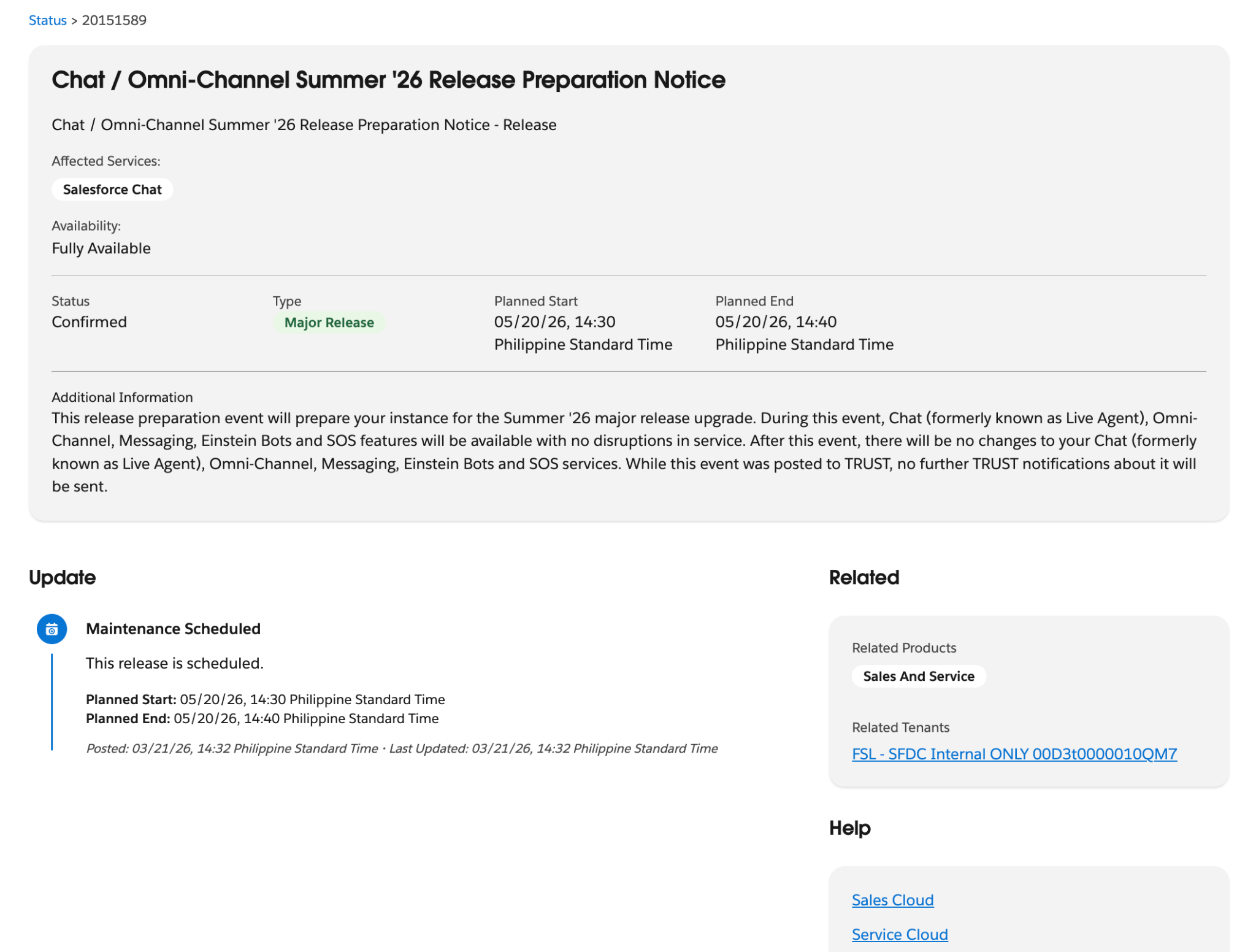
And if you want to know more, you can click View Details to expand. For the most part, it’s similar to when you click the ID from Salesforce Status, except you’ve now got a better UI, and it shows which specific tenants will be affected.
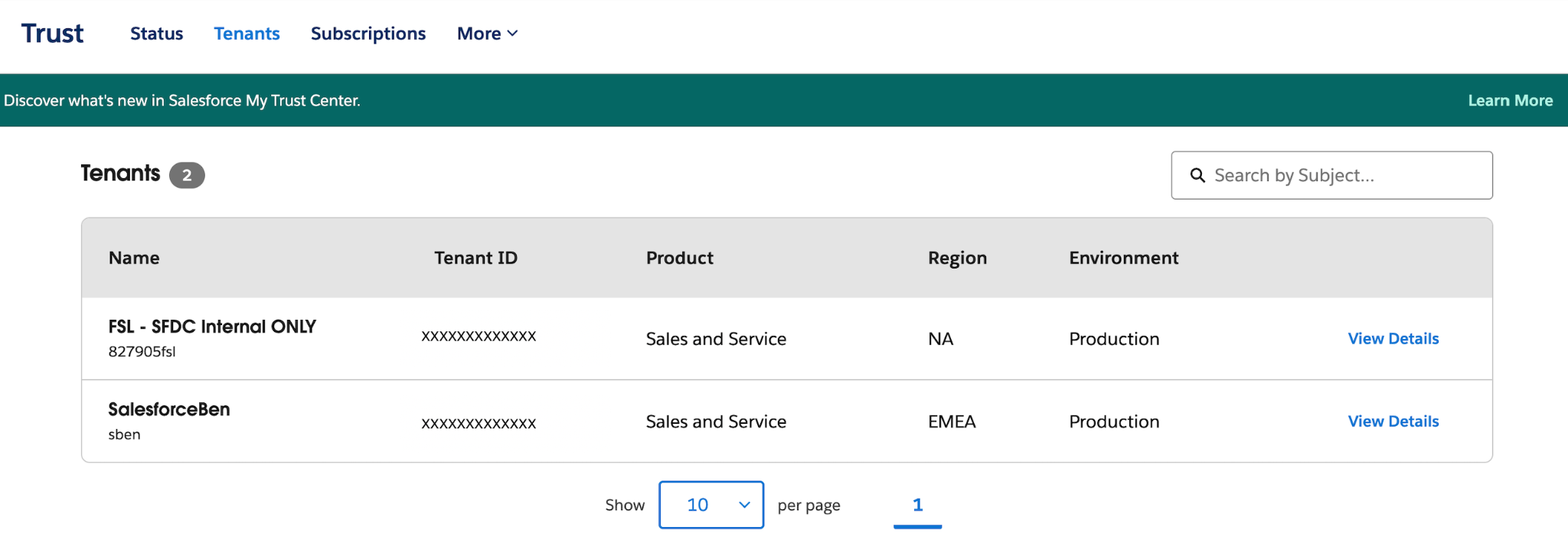
You can also view details per tenant/org. Just click on the Tenants tab, and it will show all your tenants in a table. View Details will give you all events related to that tenant. No more second-guessing here!
Messages and Notifications
On the traditional Trust site, alerts were tied to instances. You’d subscribe to updates for a specific instance and receive email notifications whenever something changed. While useful, this often meant getting alerts that weren’t always relevant to your org, or having to double-check whether they actually applied.

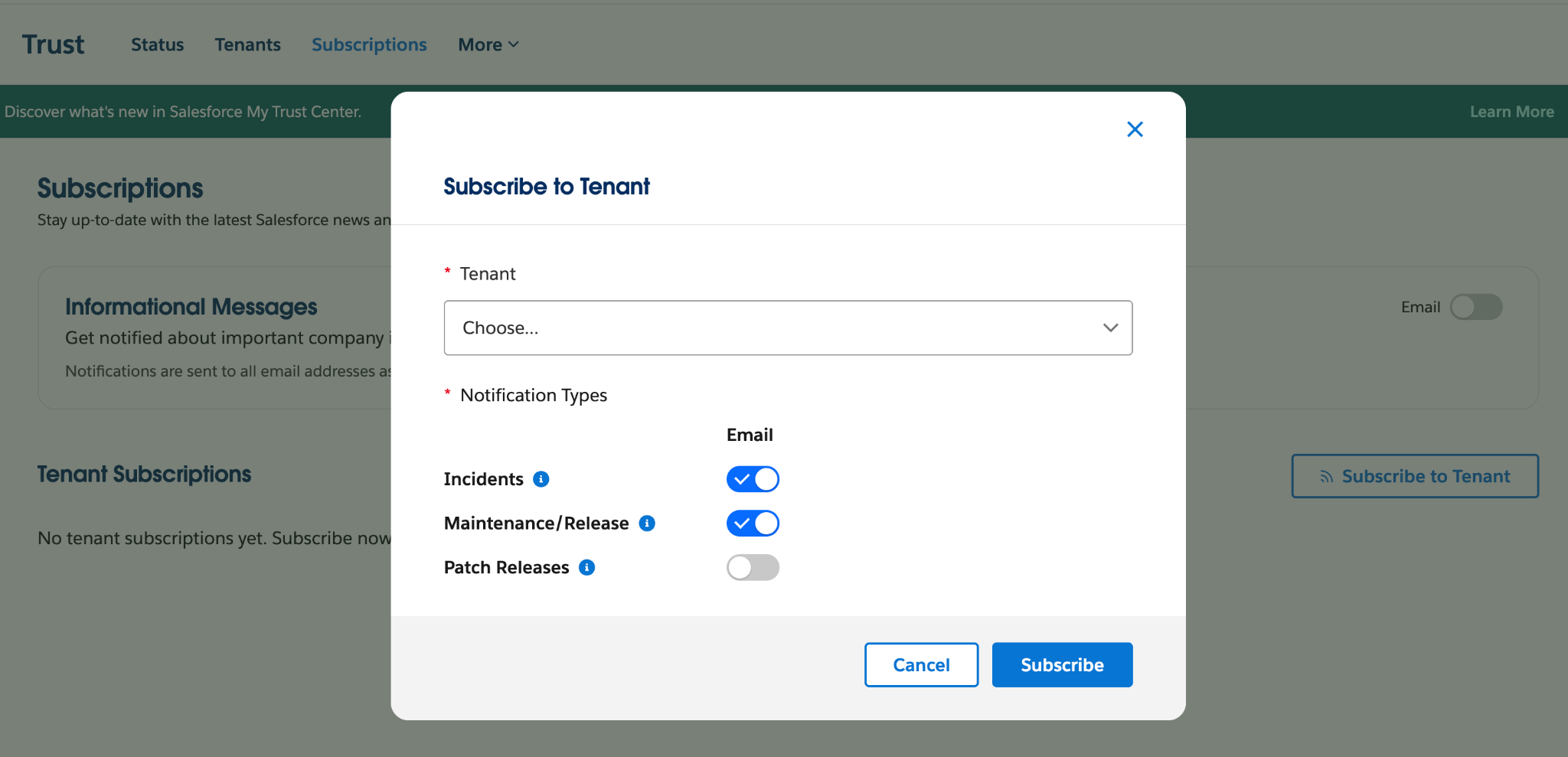
Notifications are now more targeted on Personalized Trust. Because the experience is authenticated, subscriptions are now tied to your org and the products you use. Just click the Subscriptions tab and then Subscribe to Tenant.
You’ll be asked to choose an org along with the option to get email notifications for incidents, maintenance, or patch releases.
What to Keep in Mind During the Transition
My Trust Center isn’t a new interface layered on top of the existing Trust or Status site. As with many of Salesforce’s recent developments, it appears this is part of a broader transition from reactive to proactive monitoring. While the experience is already usable, there are a few things worth keeping in mind as you start relying on it more.
Existing Subscriptions Don’t Carry Over
If you’ve set up alerts on the Trust site before, those won’t automatically transfer to My Trust Center. You’ll need to reconfigure your notification preferences within the new experience. But if you subscribed to incident, maintenance, and informational message notifications for your instance in Salesforce Status, don’t worry – you’ll continue to receive these notifications.
Not All Products Are Fully Represented (Yet)
My Trust Center is still expanding in terms of product coverage. Because Salesforce now spans multiple clouds and architectures, you’d expect that bringing everything into a single, personalized view would take some time. Although some products or services may not yet appear in your dashboard, Agentforce 360 Platform, Data 360, Salesforce AI, and Marketing Cloud Engagement are supported.
For production environments only, it also supports Agentforce Sales, Agentforce Service, and Salesforce Industries. Salesforce has indicated that broader coverage is on the roadmap, so this is more of a temporary gap than a limitation.
Some Orgs May Not Appear in Your View
My Trust Center only displays orgs tied to your current Trailblazer credentials. If you manage multiple orgs across different logins, you may need to switch accounts to see them.
None of these changes are blockers, and for most teams, they won’t require immediate action. For any features that have not been transitioned to My Trust Center yet, you can continue to use Salesforce Status until we get news of it being decommissioned.
Summary
One of the biggest differences with My Trust Center is how it changes the role of trust information. Previously, the Trust Status was something you checked when something seemed off. You’d go there to confirm whether an issue existed only when something has already happened. And then, you’d try to interpret what the information meant for you. It’s all reactive by nature.
With My Trust Center, the experience starts to feel more proactive. You’re getting a clearer view of incidents that actually impact your org as well as upcoming maintenance and release schedules. There’s even visibility into upcoming maintenance over a more targeted 90-day window, so it’s easier to anticipate changes that require immediate attention. Previously, the upcoming maintenance could display confirmed events for the instance up until the end of next year!
What used to be a simple status page is starting to feel more like an operational dashboard that you can use not just to check for issues, but also to plan, communicate, and stay ahead of what’s coming.