






Bring customer engagement front and center with Omnito (Formerly SUMO Scheduler) to speed up the time to conversation.
Highlights
- Appointment, Event, and Class Scheduling solution, directly available in your Salesforce org.
- Connect any calendar/s to avoid double booking across calendar (Salesforce Calendars, Google, Microsoft 365, or Microsoft Exchange).
- Resource Pools to identify users with particular skills, and/or in particular time zones, to add as participants.
- Appointment Links show customers an individual rep’s availability, and can be added to email signatures, or even across social media.
Calendars and Excel spreadsheets won’t be going away anytime soon, but do they provide the best user experience for sales and marketing teams, who are manually scheduling calls and sending event invitations to attendees? Most likely not.
There are alternatives that can streamline scheduling, while also ensuring effective communication with your customer.
As a Customer Engagement Platform (CEP), Omnito delivers a best-in-class appointment, event and class booking solution, directly available in your Salesforce org.
Omnito’s focus on usability and stability, as well as their top-notch support team, is reinforced by their customer feedback (you’ll see plenty of positive reviews on their AppExchange listing).
This in-depth review will showcase the main Omnito CEP features, ideal use cases, and setup effort, as well as how fast your users can (and will) adopt these tools.
Features
Omnito was founded when their team saw a gap for a native Salesforce scheduling solution. Built on Salesforce’s Lightning Platform, Omnito is sure to drive your customers’ satisfaction through the roof!
While we will zoom in on the main functionalities and use cases, note that Omnito can be tailored to your organization’s specific needs.
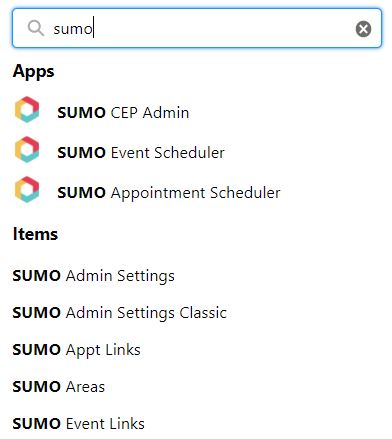
Get Started with Omnito
Seamless user experience is crucial, especially for customer-facing teams. Even with the greatest tool of them all, internal team enablement is key for driving immediate adoption.
As soon as the Omnito managed package is installed and permissions assigned to users, the User Settings tab becomes available. Every Omnito user will need to complete the following steps to start their scheduling journey.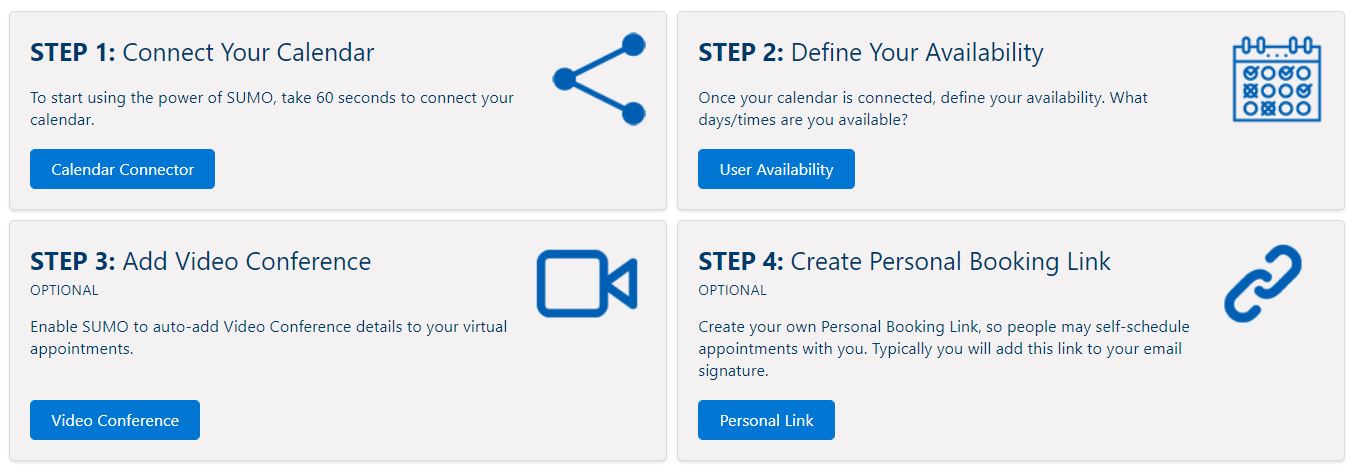
Calendar Connector
Omnito can connect with any calendar your teams use, be it Salesforce Calendars, or external calendars such as Google, Microsoft 365, or Microsoft Exchange. More than one calendar can be connected, helping you to avoid double-booking across platforms.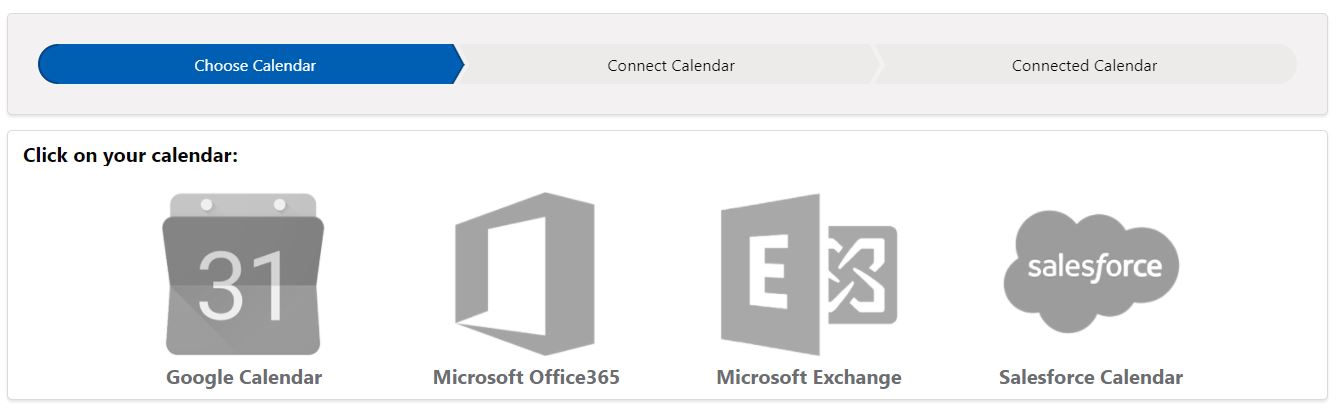
Once the calendar connection is completed, the wizard will prompt you to take the next step. You can always come back later to connect or disconnect the calendars as needed.
Resource Availability
Each user working with the Omnito product suite will be added as a participant to various appointments and events – therefore, defining their availability is a must.
Once they choose a location, slots can be drawn on the calendar based on the time zone (found at the User record level). If users require extra changes, Omnito admins have the ability to support this, too.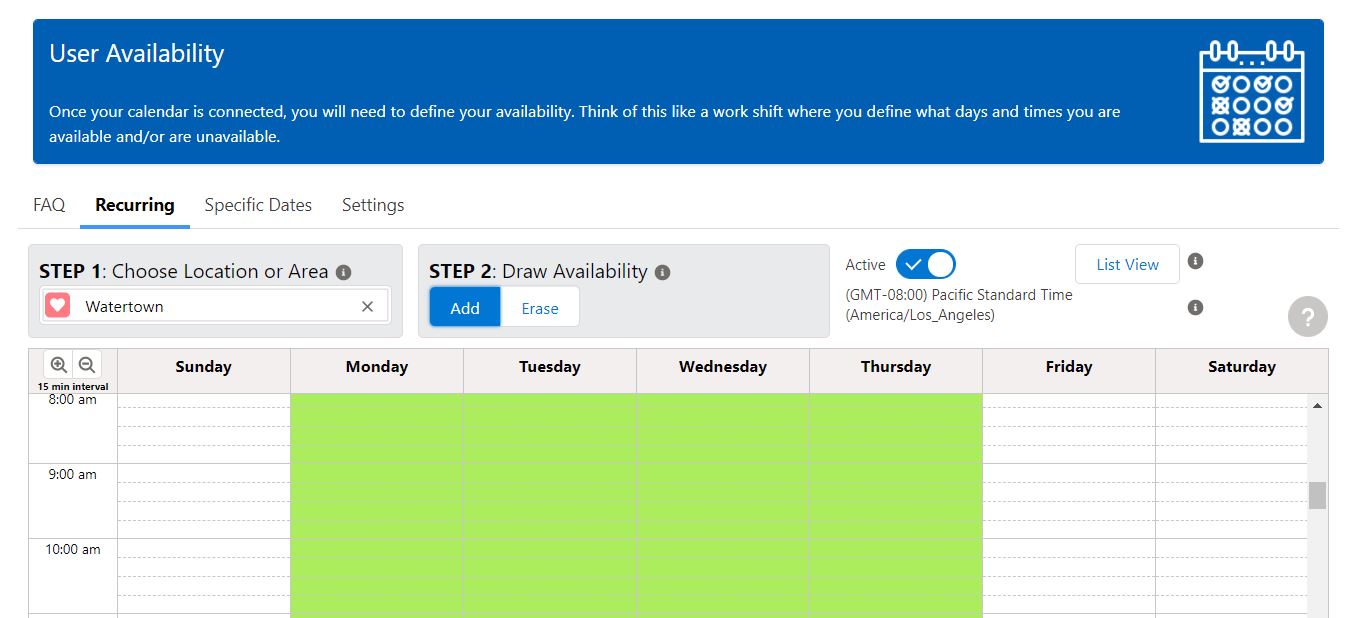
Limit Meetings Added to Calendars
One feature I am particularly fond of is the option to limit the meetings added to your calendar through Omnito flows and links. Let’s say you can only dedicate a particular number of hours per day to meetings, Omnito Scheduler gives you this control.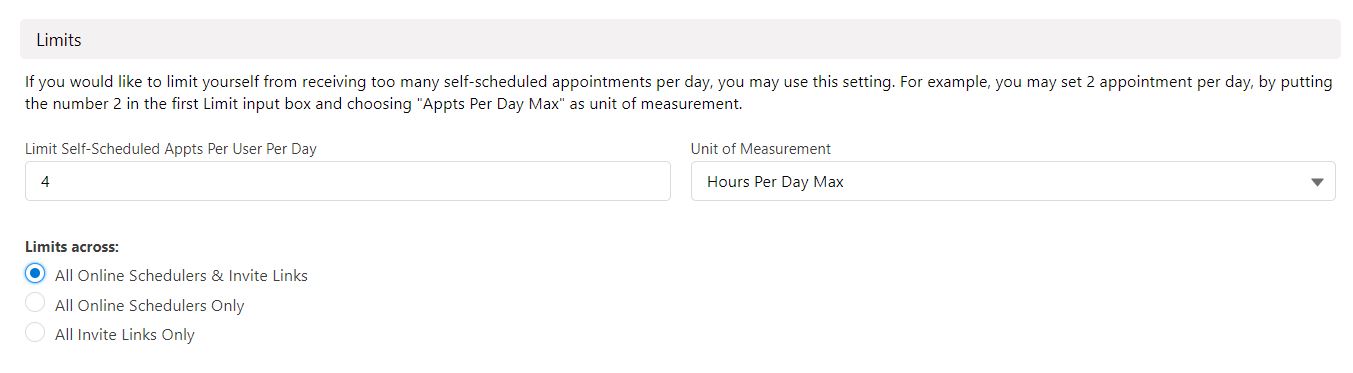
While both the Video Conference Details and the Personal Booking Link steps are optional, I highly recommend that users set these up, as they will prove useful in appointment creation as well as outbound emails.
Appointment Automation
Online Scheduler
The world shifted towards a self-service model for customer support, from documentation to – you guessed it – scheduling a meeting with a sales rep or support agent.
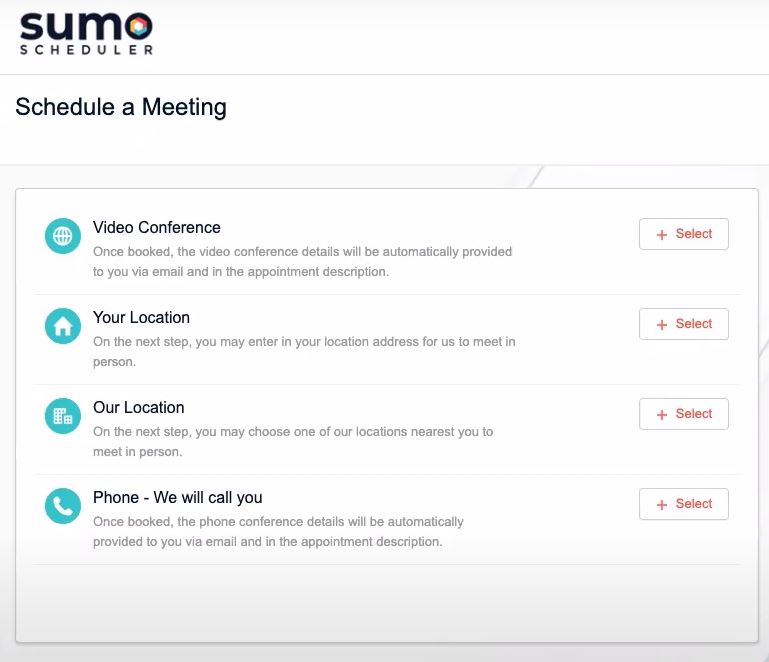
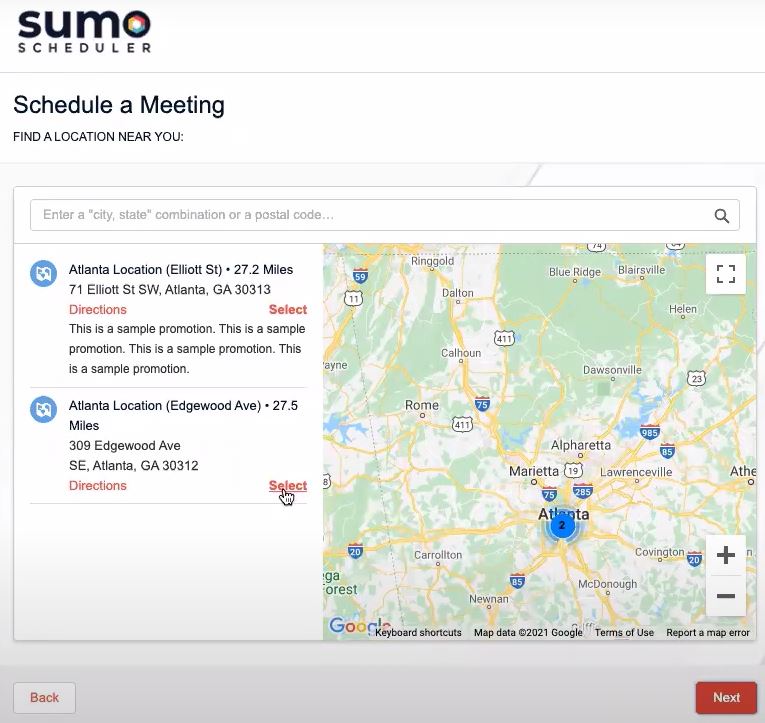
Once added to your website or Experience Cloud site, the Omnito Online Scheduler is available 24/7, and this direct connection between your customer and internal teams is bound to increase the number of appointments booked.
The Online Scheduler is highly customizable. You can decide:
- Which scheduling options are available to your customers.
- The order the scheduling options appear in.
- The fields that customers need to complete (a maximum of 10 fields can be added, out of which six are customizable).

Schedule Now
Schedule Now offers the same thing to internal users, right from a Salesforce record (versus Online Scheduler which is for customers on your website/Experience Site).
The Schedule Now button can be added to Lightning Record Pages (using Dynamic Actions) or simply to the page layout.

As soon as they hit the button, users can schedule an appointment in less than a minute!
Reps can choose the Appointment Type (also fully customizable), the place, and the duration, as well as the attendees and host. Then a slot can be chosen according to everyone’s availability.
Here’s a nice touch – users have the ability to send a text message reminder, as long as the recipient agrees with this communication option in advance.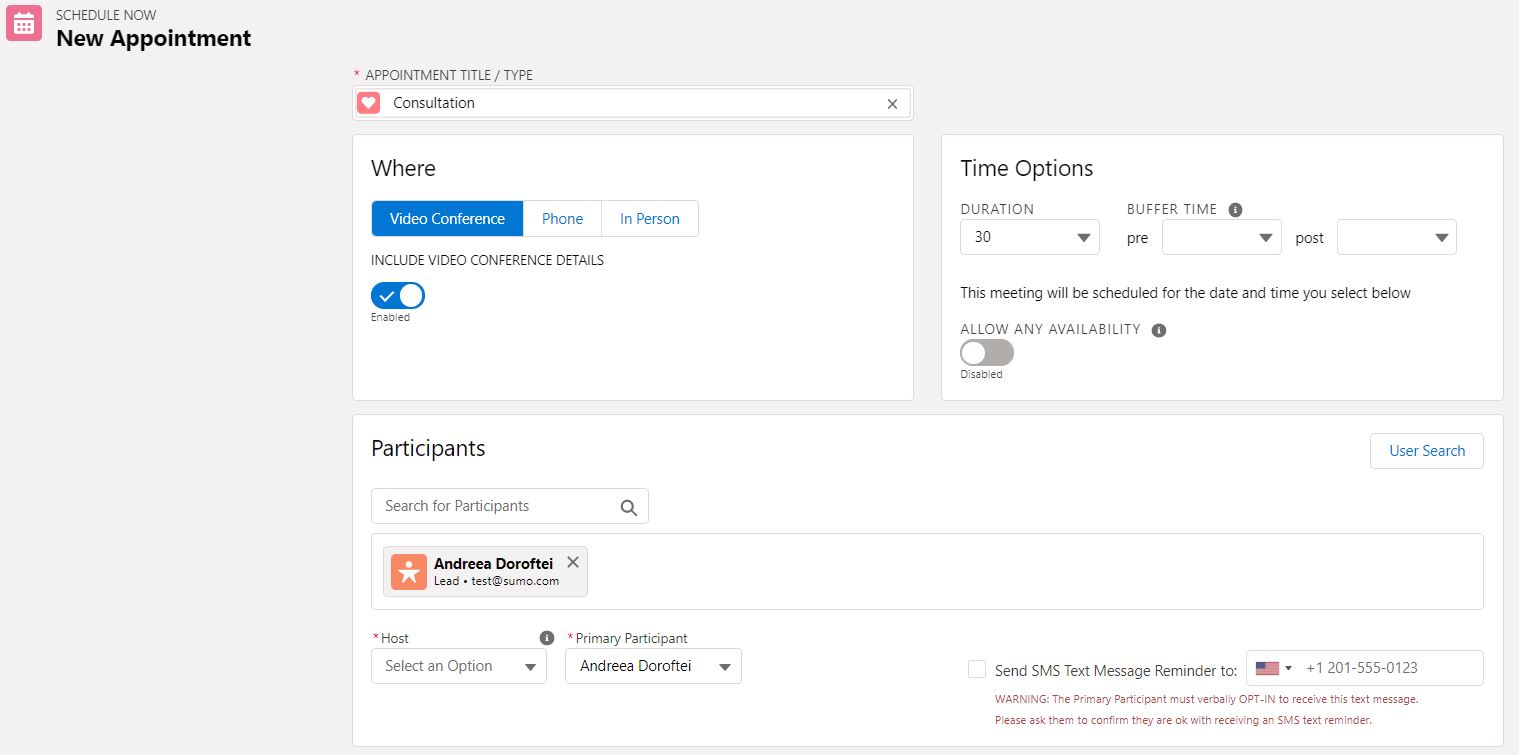
Invite Manager – Send Invites via Email
Omnito’s capabilities for sending invites are faster and ensure that attendees already exist in your CRM database. This can be made available directly on Salesforce records such as Leads or Contacts (and even Person Accounts).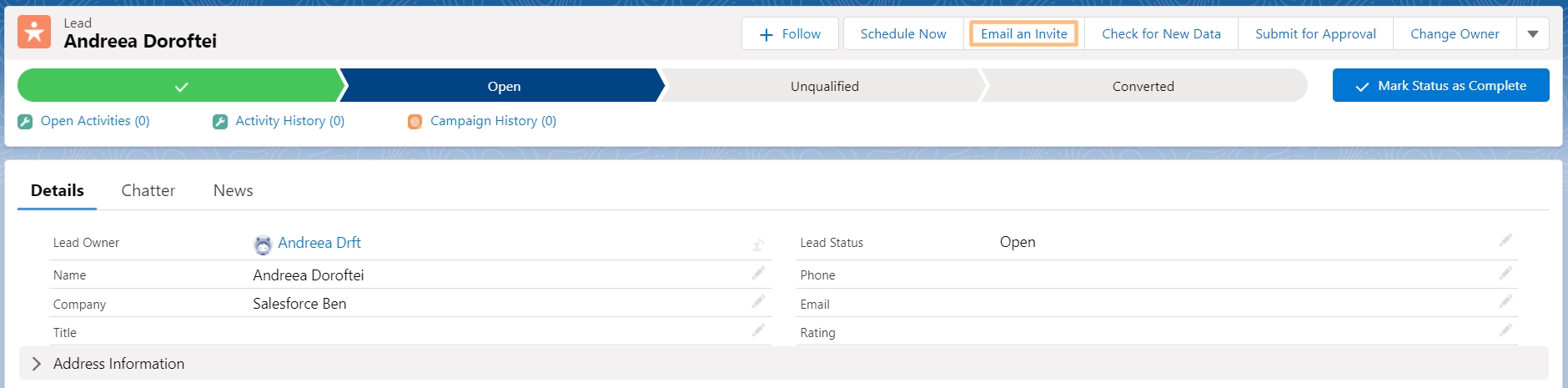
Users can write a message and add any attachments. This covers everything that would previously have been done in a calendar, but with a better user experience and extra options: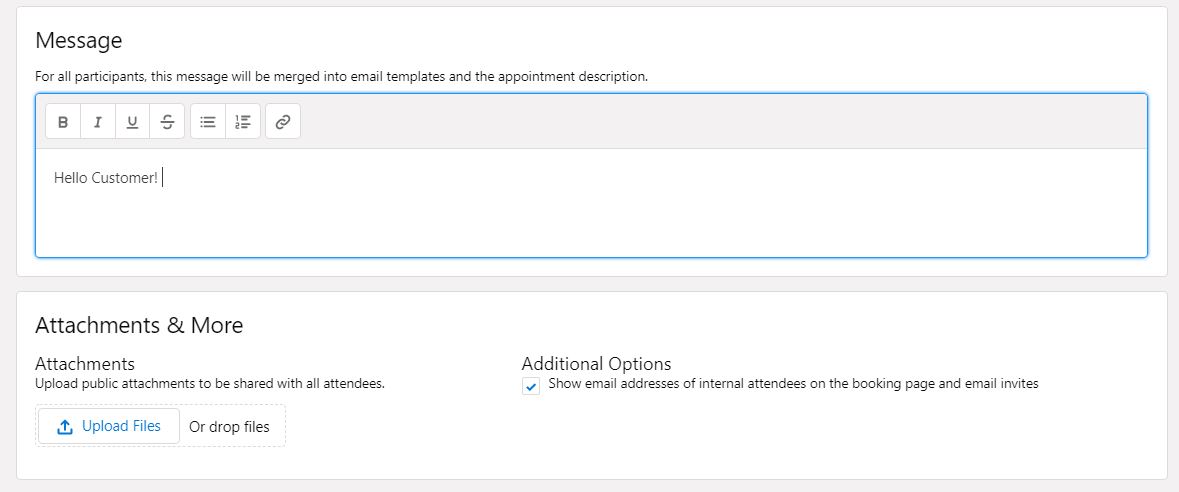
Resource Pools
The idea of Resource Pools is very similar to something you might already be familiar with: Salesforce Queues.
Omnito Resource Pools (one custom object in the managed package) records can easily be created to support easier resource distribution of appointments.
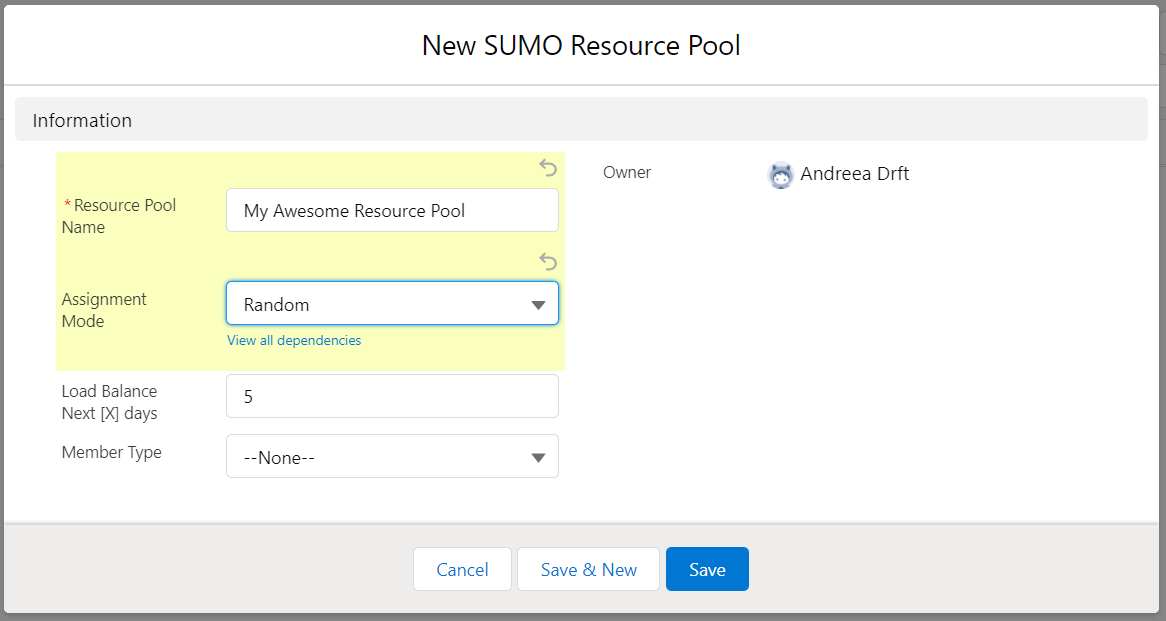
Not only can you leverage existing Groups and Queues, but you can also choose the Assignment Mode from the following out-of-the-box options:
- Round Robin
- Load-Balance
- Random
- Priority Based
When users need resources with particular skills or from a particular time zone, the right Resource Pool can be added as a participant and even searched for as needed.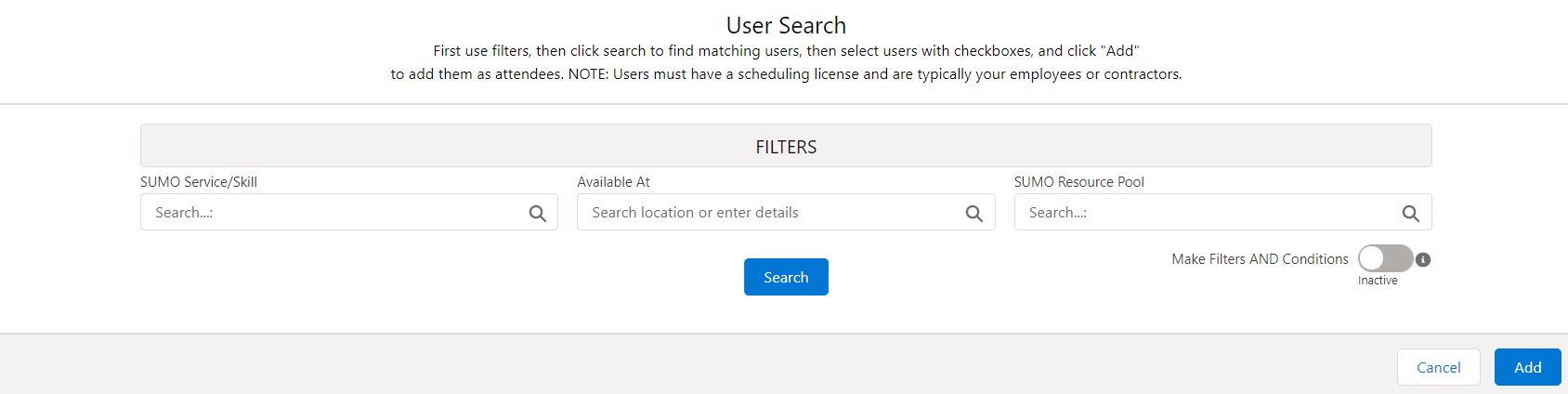
Appointment Links
Attach an appointment link to any digital communication, including email signatures or even across social media. When the email recipient clicks on the link and goes through the steps, the appointment will automatically appear on their calendars.

Event and Course Scheduler
The Omnito Event Scheduler enables Marketing, Sales, or even Customer Success Teams to successfully schedule multiple events right from Salesforce.
Multi-Calendar
Omnito Multi-Calendar view is where the magic happens – where all resources’ calendars (be it people, meeting rooms, or even tech equipment) can be displayed and filtered easily: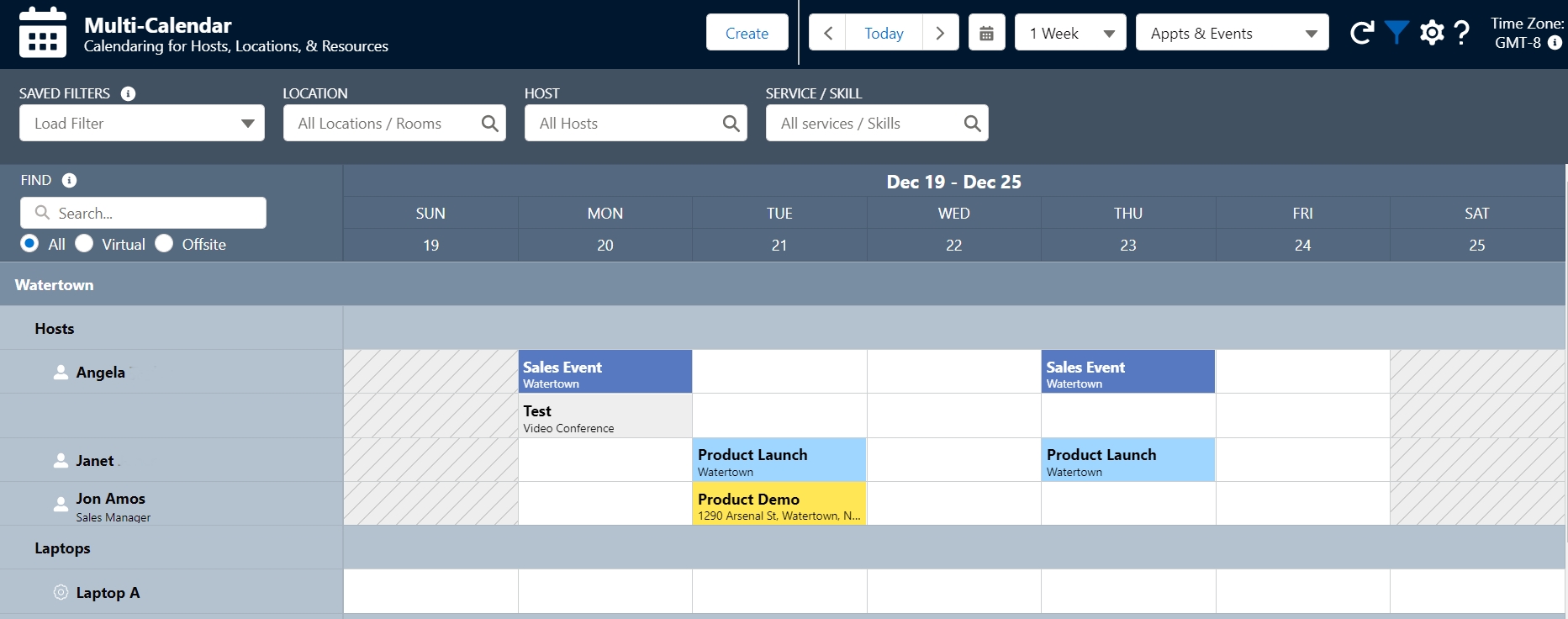
Event Creator
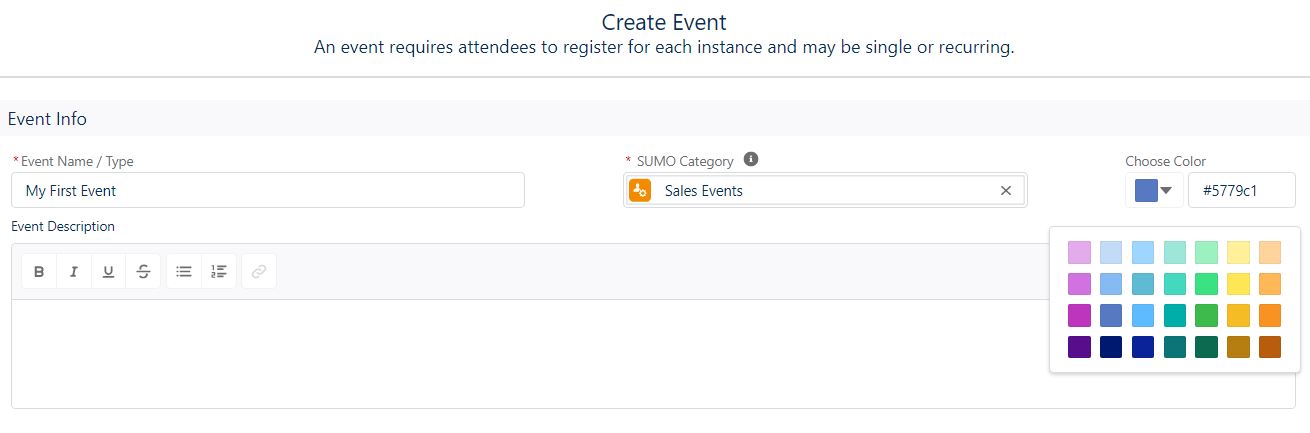
The Omnito Event and Course creator enables your team to easily go through the creation process in seconds:

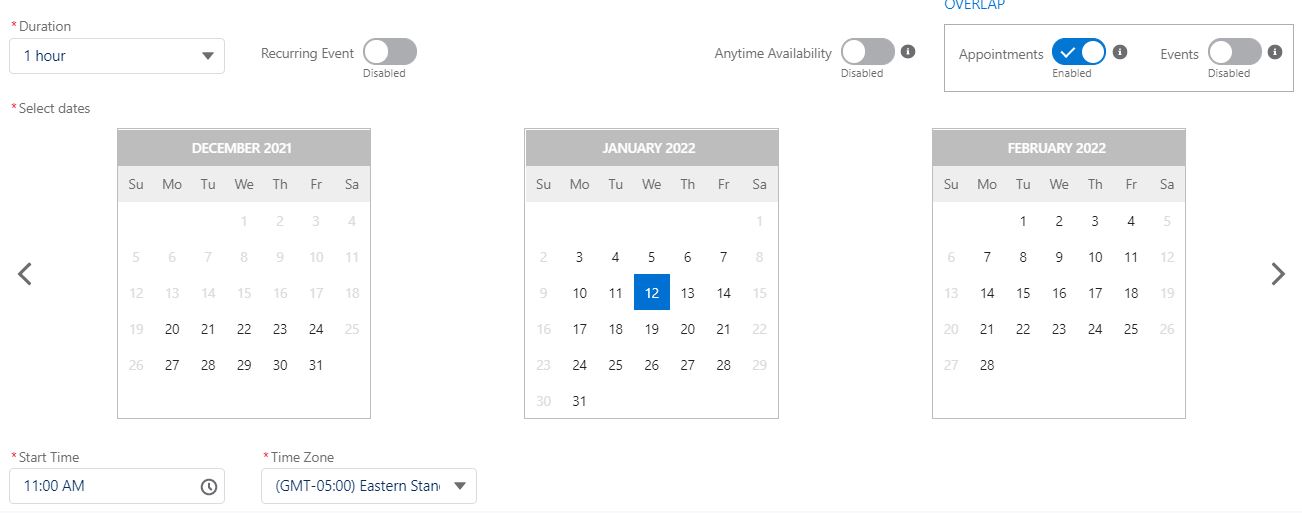
Setting up an Event is similar to how any other Salesforce record is created, but you’ll have more options available:
- While plenty of fields are included in the managed package, custom fields can be created to support Marketing event needs.
- Decide the time and the recurrence.
- Control how many participants can be admitted for the event.
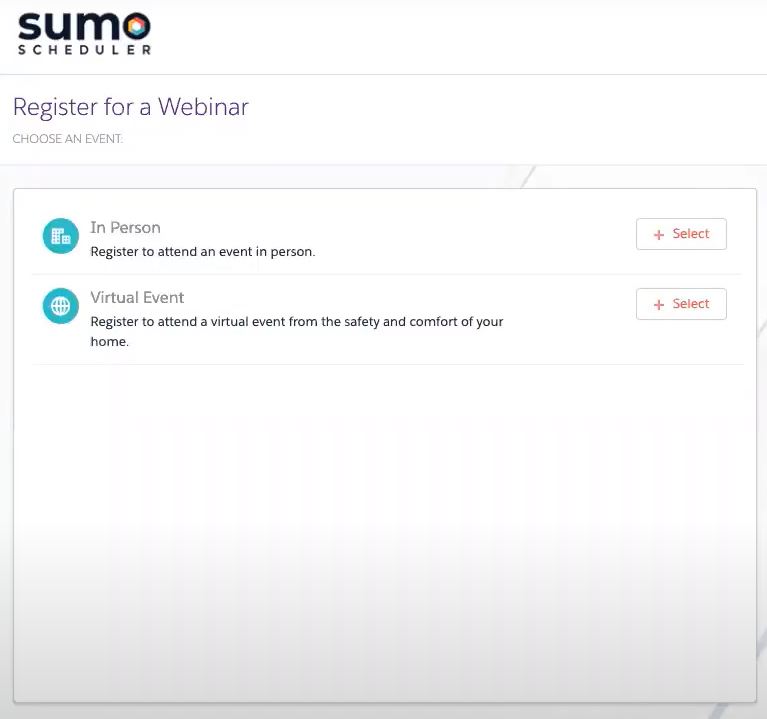
Event Link Builder
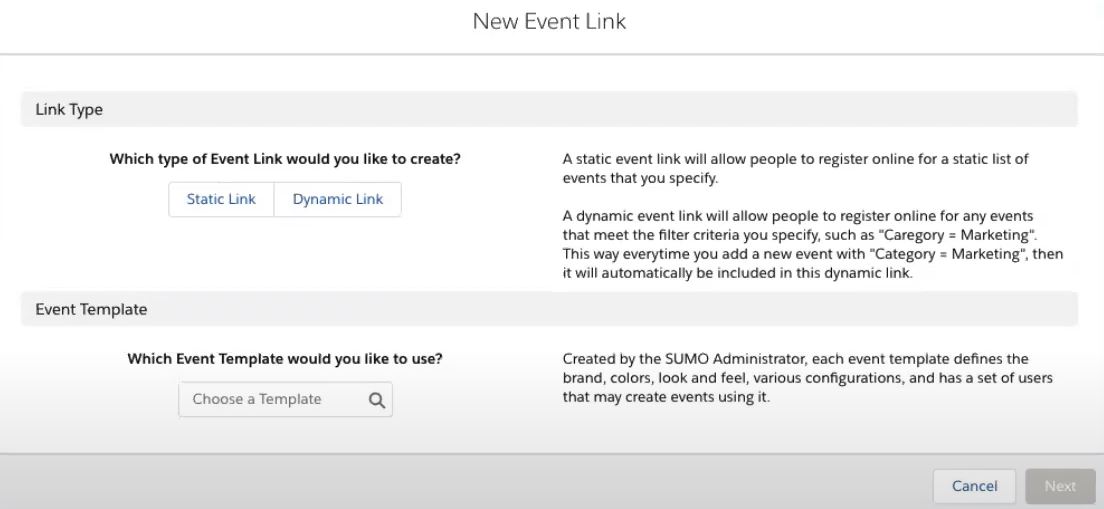
The Omnito Event Link Builder gives hosts confidence that their registration link matches the use case at hand.
Regardless of whether it’s a virtual or in-person event, all links created will be readily available within the Event Library, waiting to be shared.
Once a link has been created, this can be embedded on the website, communities, or even social media platforms, allowing attendees to self-register.
Analytics and Data Visualization
One advantage of being built on the Salesforce platform is that you can use Salesforce reports and dashboards to report on activity happening within the app; your teams can immediately see the positive impact this new way of scheduling is having:
- 23 reports are currently available for you to choose from.
- Custom reports types can be built, depending on your particular needs.

Use Cases
While Omnito will boost productivity in most departments, it has a great impact on certain industries.
We will focus on Healthcare and Education, as considering the current global context, these industries have had to get creative to come up with innovative support solutions. More Omnito Scheduler success stories can be found here.
Healthcare
Increase patient satisfaction by streamlining doctor access through appointment capabilities offered by Omnito.
Valuable time can be given back to support agents and medical staff, by automating the way customers can book medical appointments or discuss paperwork and results.
Education
Omnito provides an opportunity to increase prospective and existing student engagement and attendance with advisor and enrollment staff.
Remember those times you had to wait in line to register for a course or a university event? With Omnito, this will no longer be the case.
Omnito’s Event Scheduling engine allows students to enrol in the event of their choice in less than a minute. Education institutions can seamlessly ensure a safe back-to-school process by displaying clear timeslots, reducing the chance of crowding.
Impact
Omnito powers conversations, which leads to growth and revenue. The impact is measurable, and you can follow the KPIs that matter most to your business.
Setup
Getting Omnito CEP up and running should take around an hour of an admin’s time. Depending on the customizations which differ from one org to another, the setup may take longer.
- After installing the Omnito managed package from AppExchange, Omnito provides clear instructions at every step of the way, including an implementation checklist!
- Search for anything you need in Omnito’s extensive knowledge base, which is constantly updated to include any product changes.
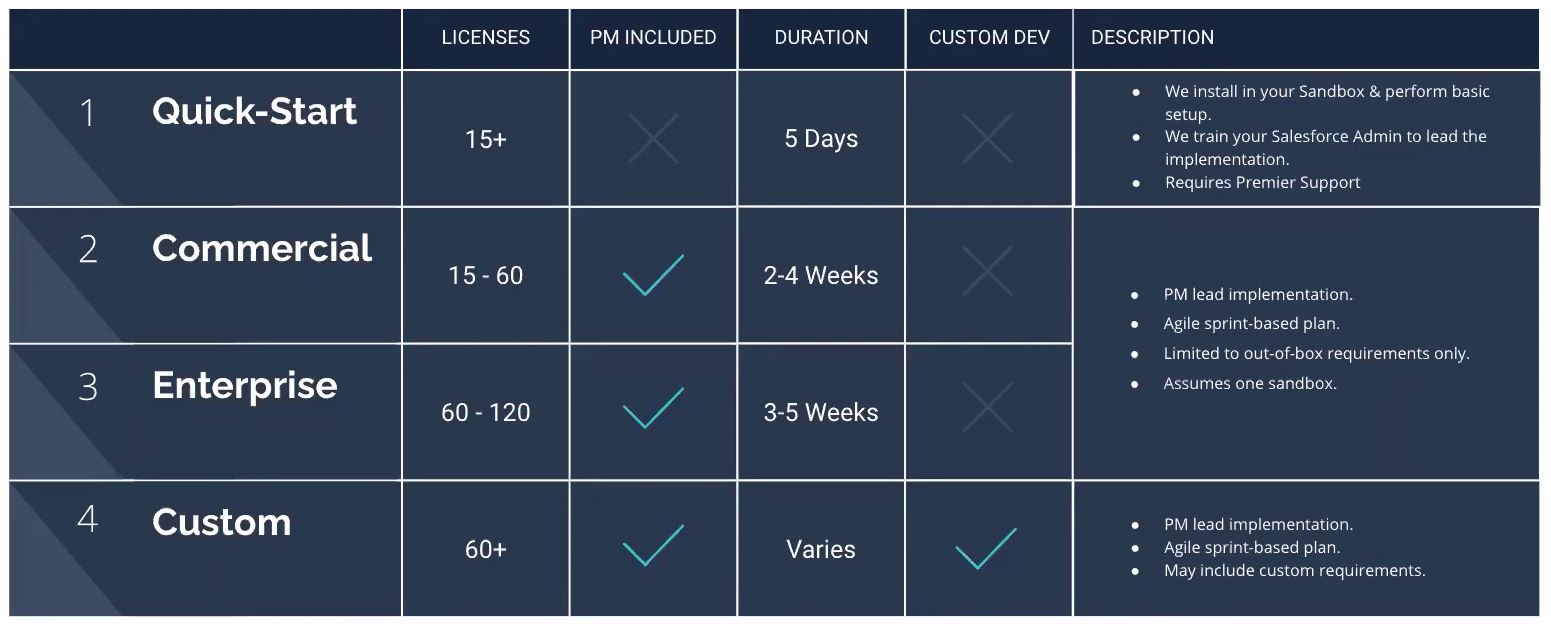
- If you don’t have the internal availability to get up and running in the desired timeframe, Omnito does provide implementation plans to support.
Support
The Omnito Customer Success Team is ready to help with any additional questions that come to mind, from the overall product functionality to the install and user experience.
From the multiple ways to find information, it’s guaranteed that none of your questions will remain unanswered for long. 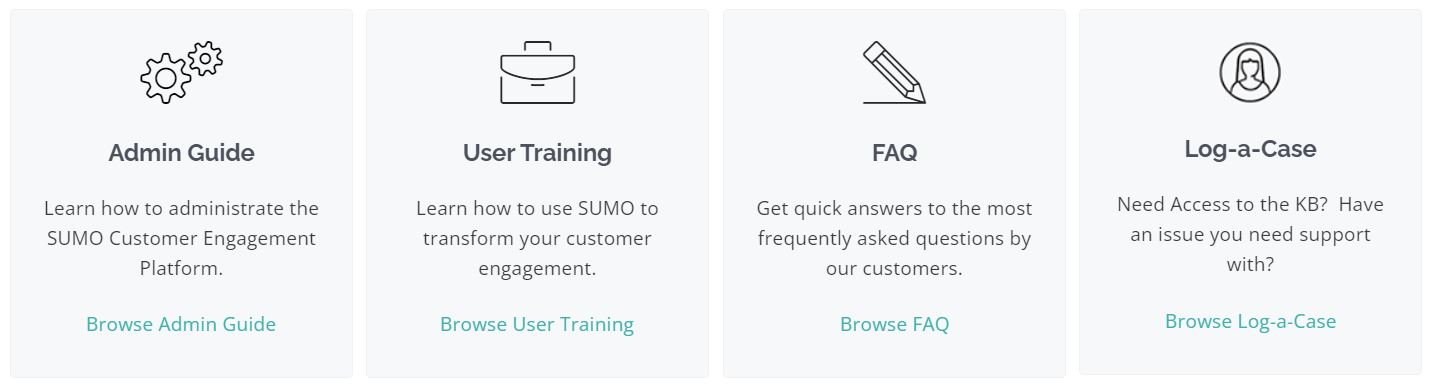
Pricing
Starting at $10/user/month, Omnito has a comprehensive and flexible pricing model, ensuring there is never a hidden scheduling fee. In order to obtain the most up-to-date information, you can reach out to Omnito directly by sending an email to experts@omnito.com.
Summary
In my opinion, considering all available features and the overall user experience, driving and monitoring attendance has never been easier.
Omnito is a mature solution and one of the top options available on the market. The product, as well as their amazing Customer Success Team, will ensure a rapid connection with your customers as your business grows and requirements evolve.
Power customer conversations and tailor the entire customer journey with only a few clicks. Visit Omnito’s website to learn more. Better yet, schedule a one-on-one session with a Omnito scheduling consultant to discuss how to enhance your organization’s customer journey.





Comments: