






Spring ‘26 is finally here! Can you believe it? This release window feels like it’s gone by in the blink of an eye. There’s no doubt that the triannual Salesforce releases are full of fantastic features and exciting updates, but sometimes, there’s just too much good stuff to wrap your head around all at once.
The team at SF Ben is determined to help you understand the most impactful parts of the release in easily digestible, discipline-based chunks. But what if you’re interested in the most exciting, anticipated, and important parts of the release all in one spot? If that’s you, look no further!
Additionally, I have curated what I believe to be the three most important release updates for the majority of Salesforce customers to pay attention to. You’ll need to assess how they will impact your org before the Spring ‘26 release goes live to minimize disruption across your business.
Spring ‘26 Features: The Top 3 for Each Discipline
Top Admin Features
Mariel has eagerly torn through the release notes to bring ten of the most impactful ones to you.
My Trust Center
Personalized Trust is now My Trust Center! Think of it like the Salesforce Trust website, but with information that is relevant to you.
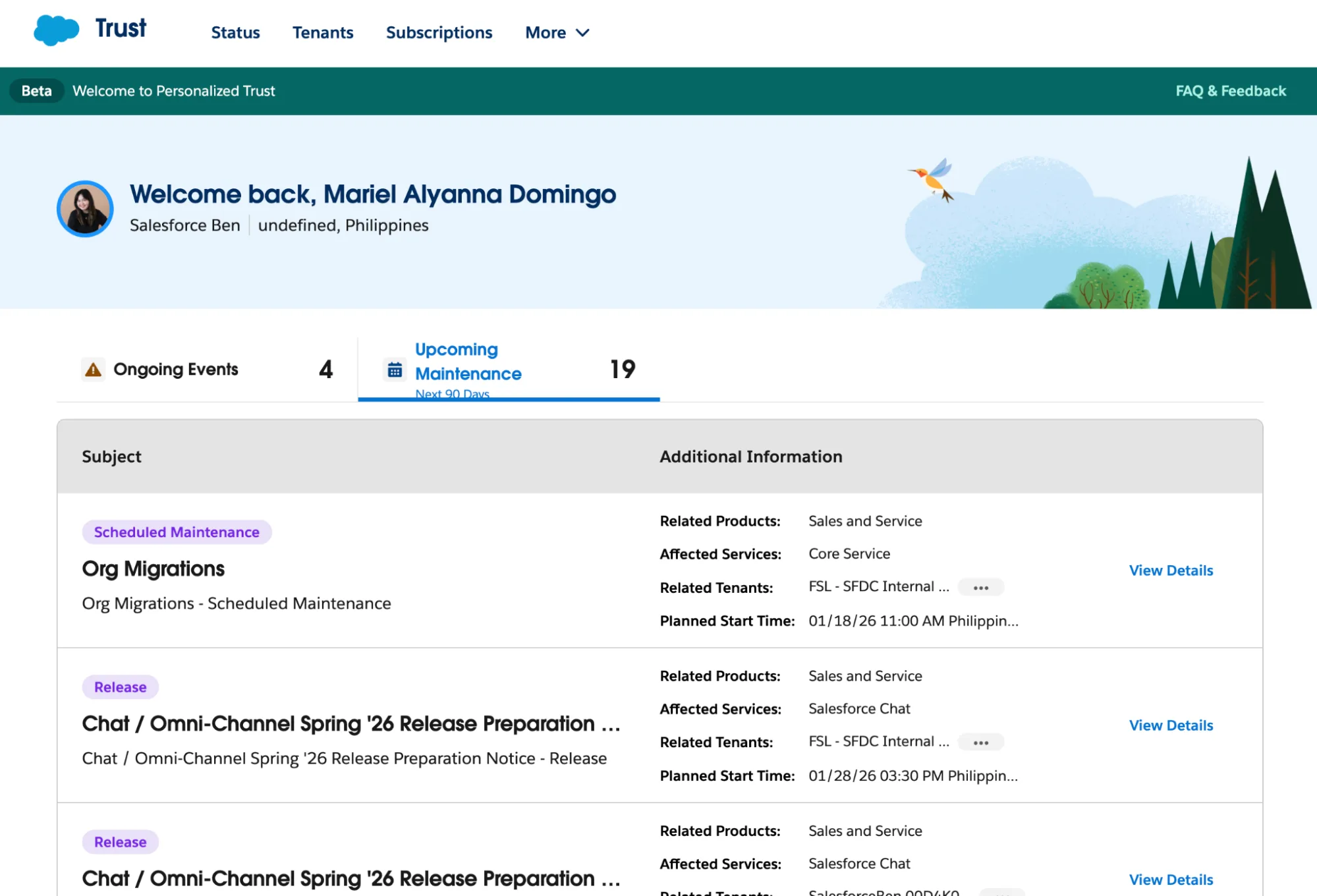
You can use My Trust Center to keep an eye on upcoming maintenance, issue history, and service health information.
Setup With Agentforce
Who needs to click buttons when you’ve got Setup with Agentforce? Your own personalized AI assistant for common setup tasks.
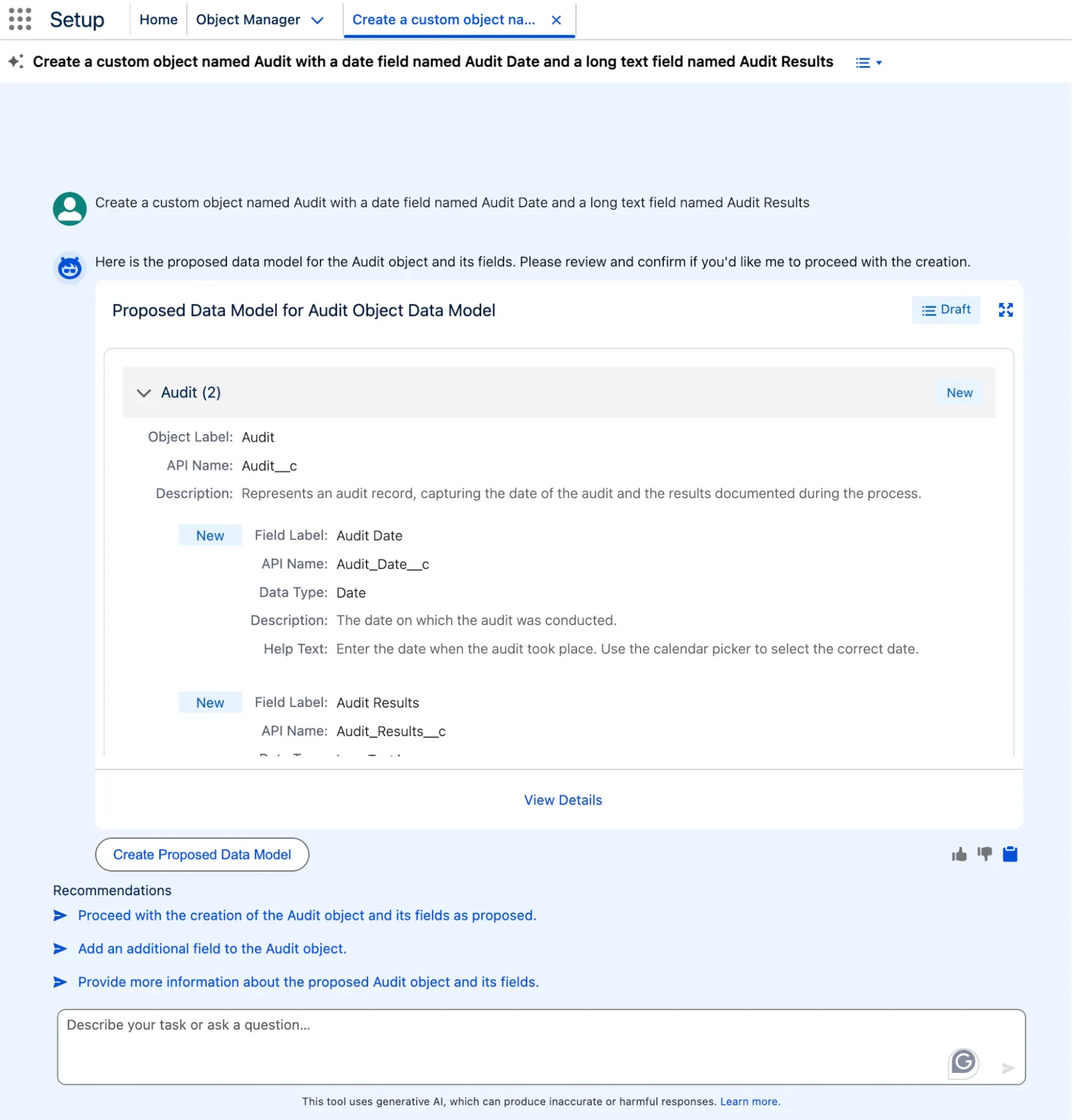
Simply tell it what you want it to do for you, and watch as Agentforce does the work for you. What a time saver for admins!
Health Check New Features
Health Check gets an upgrade in Spring ‘26, and the timing couldn’t be better. MFA is explicitly enforced as a high-risk issue, and there’s a new Email Notification section to show who gets alerts when a score changes.
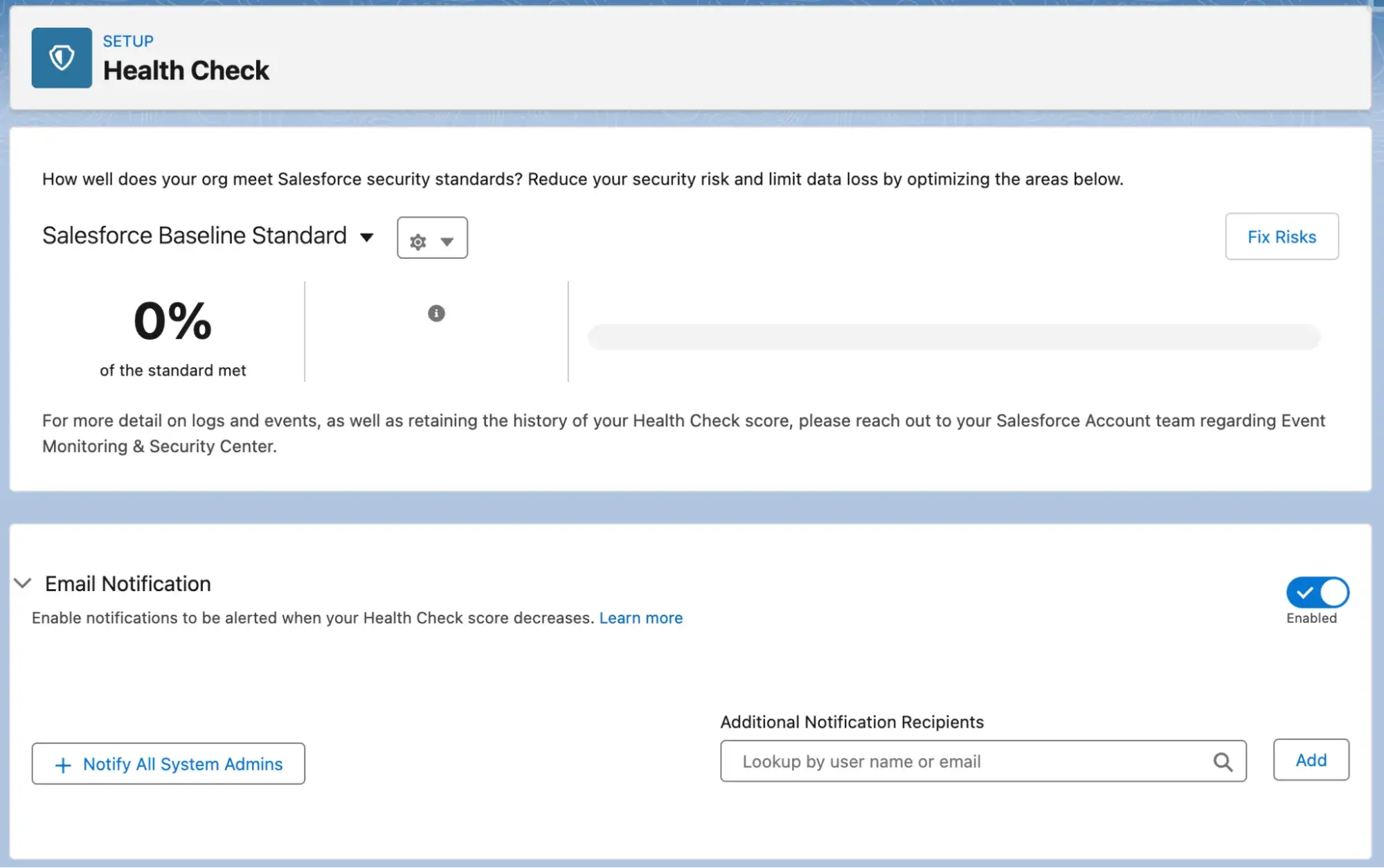
After a tumultuous 2025 in the security space, this is a good thing to see coming from Salesforce. Remember, though – these suggestions are only good if you action them!
Top Marketing Features
Marketing enthusiast Timo has compiled a list of top marketing updates that Spring ‘26 brings to you.
Business Units
You can now partition your data and marketing assets into business units in Marketing Cloud Next, similar to how you’ve been able to historically do it in Marketing Cloud Account Engagement (formerly Pardot).
This allows you to create isolated boxes for one business unit’s things and segment them away from others. Great for large-scale enterprises!
Email Testing in a Sandbox
Marketing Cloud Next’s new Blackhole feature, which you can enable in your full or partial sandbox, allows you to test your outbound email automations without actually sending emails. In addition, you can add exceptions to allow a subset of emails to go through so you can receive tests, but only to those email addresses that you allow.
Consent and Reporting Enhancements
Marketing Cloud Account Engagement brings alignment with Marketing Cloud Next for consent management. Simply enable Consent Matching in Account Engagement settings to track changes, and you’ll keep both platforms in sync.
Top Developer Features
Peter assembles the eight most impactful enhancements that will have developers scrambling with excitement.
Agent Script
While we’re all excited for agentic AI, getting probabilistic AI to behave reliably can be a bit painful, so many may be hesitant to get started. This is where Agent Script comes in – a YAML-like language that provides structure and instructions to agents using a series of text blocks.
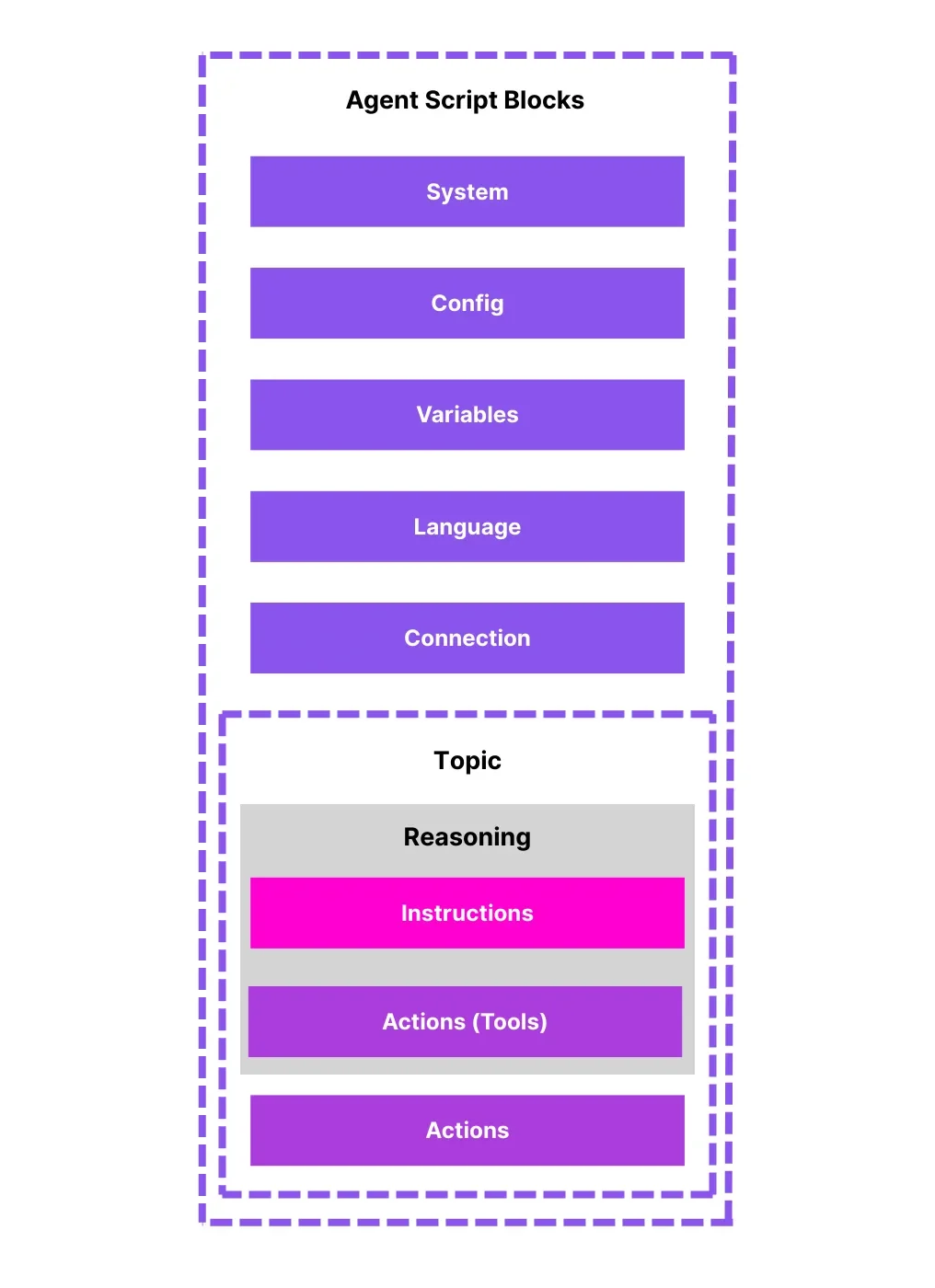
There’s no doubt this will be a game-changer for Agentforce enthusiasts who are looking for more reliability from their investment.
Reduce Test Run Size With Relevant Tests
Focus your testing efforts where they need to be, not on code that has been in your org forever and a day. Use the RunSpecifiedTests test level to achieve this.
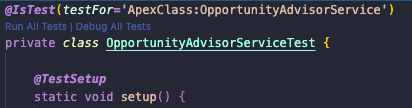
You can mark tests as critical or specifically tie a test to an Apex Class with the testFor parameter. It’s worth noting that this feature is in beta in Spring ‘26.
TypeScript Support in LWC
Leverage TypeScript in your LWC creation process starting in Spring ‘26 (in developer beta). Developers historically had to create their own type definition files, and the new recommendation is to standardize them into TypeScript.
Top Flow Features
Tim says run, don’t walk, to apply the following Flow features in your org in Spring ‘26.
Message Component
If you’ve historically built your own custom text boxes to display messages in a Flow, Spring ‘26 flips the tables on that with a native component.
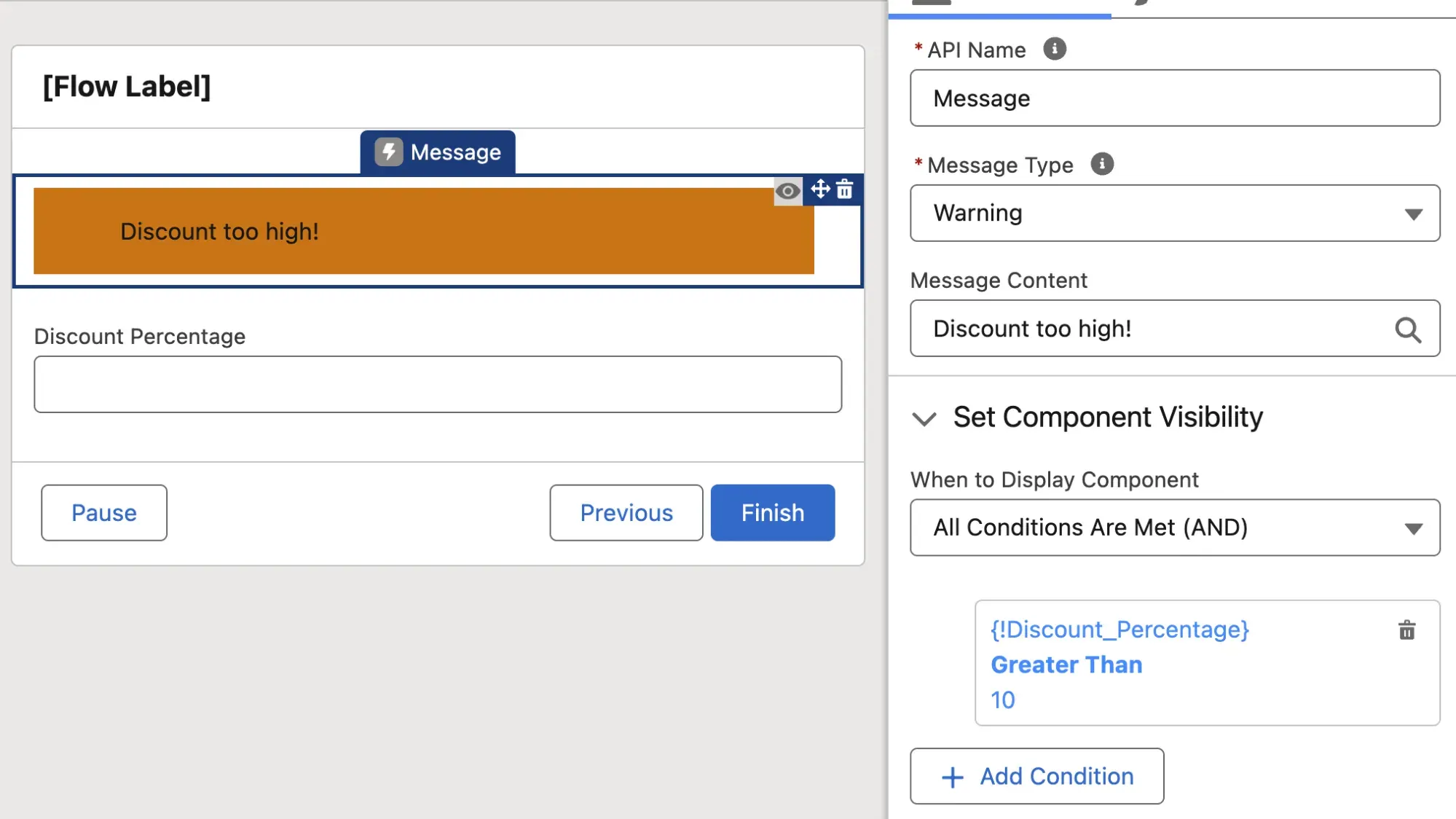
The component supports multiple types of messages and gives new life to Screen Flow.
ContentDocument and ContentVersion Triggers
Record-Triggered Flow supports both ContentDocument and ContentVersion as triggers in Spring ‘26.
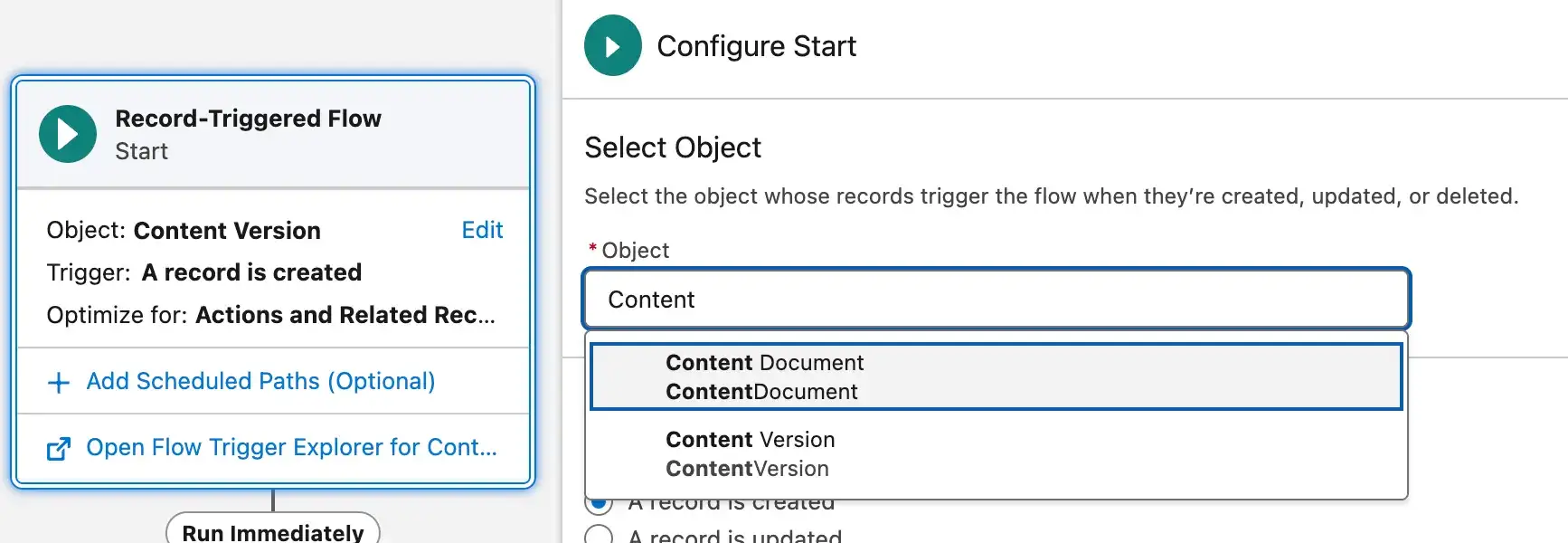
This means that you can have Record-Triggered Flows fire when Files are created or changed.
Debug Input Variables Persist Between Runs
Save some time when debugging your Flows by having the debug values persist between runs.

Make changes to your Flow between runs and skip the debug setup, making for smoother testing.
Top Service Features
Mariel’s back for more Spring ‘26 goodness, this time compiling a list of the top features for Service users.
Case Timeline
Give your agents a quick and easy way to get up to date with Cases using the new Case Timeline.
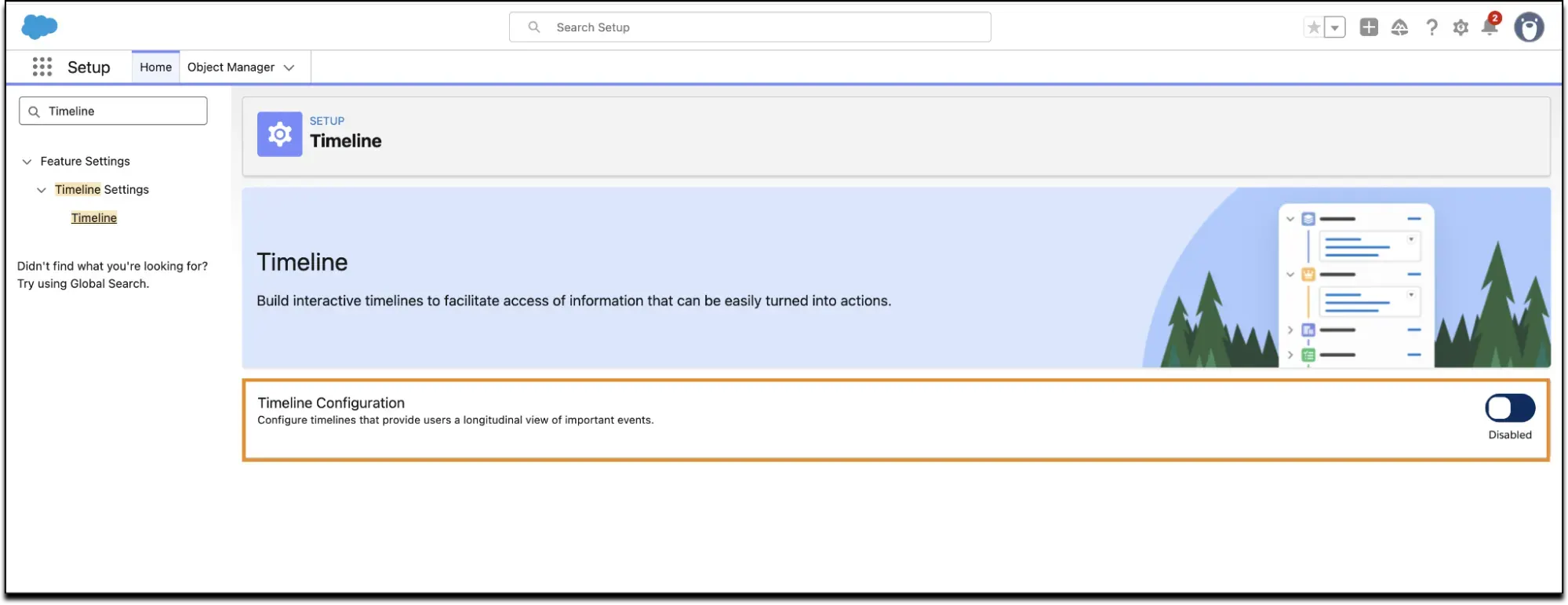
This will save a lot of collective time sifting through feeds, details, related records, etc.
View Original Attachments
This is a big one – you know those long-running cases that seem to go on forever, with lots of shared files going back and forth? Now you can separate the original attachments from the mess of conversational files. Neat!
Bidirectional Milestone Visibility
Now you can show a milestone across key records and related records with the new bidirectional milestone visibility.
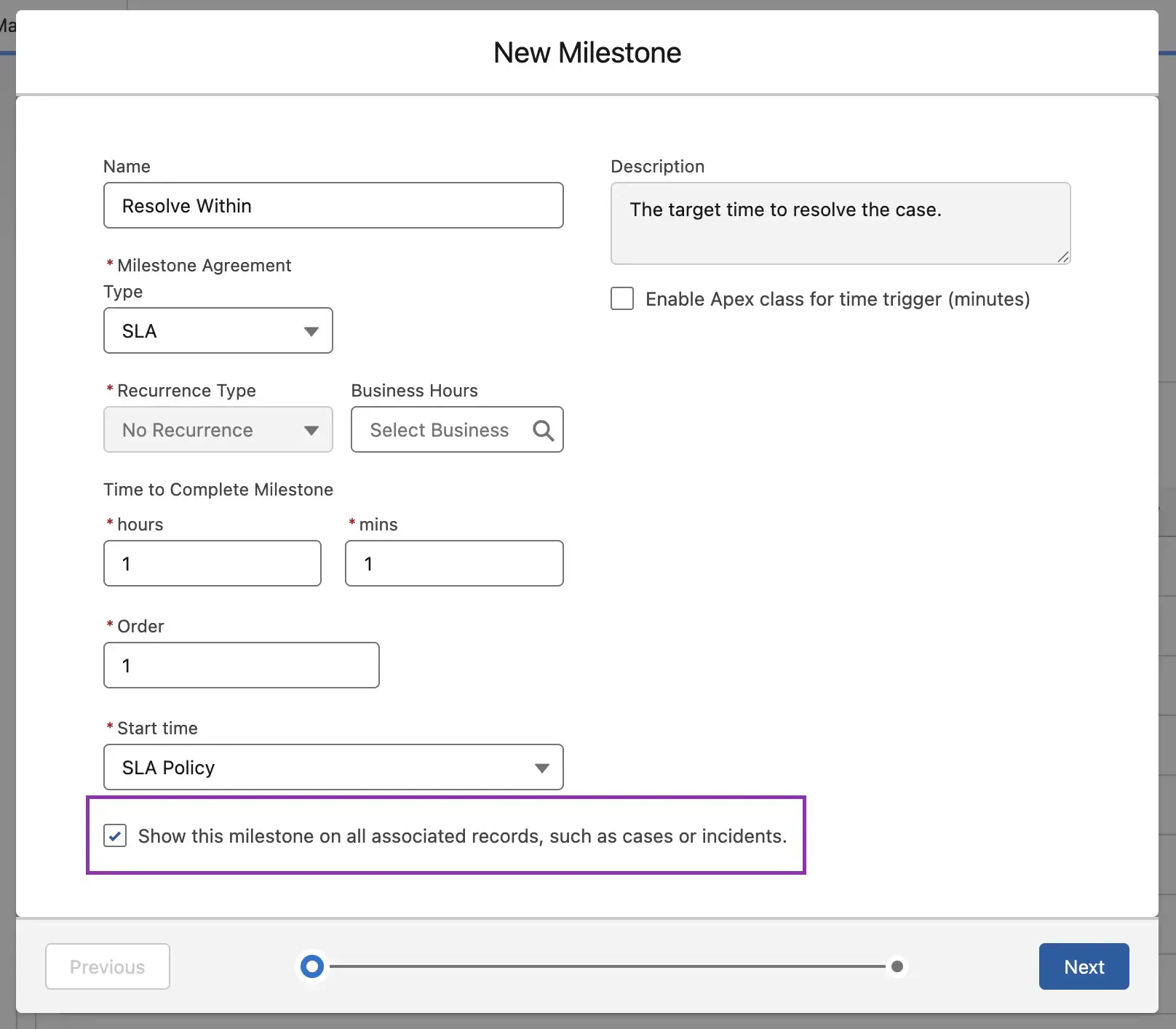
This solves the problem where different agents may not be privy to how an SLA is being tracked on a parent record.
Top Sales Features
Last but not least, Andreea has assembled a list of the top features that Spring ‘26 brings to Sales Cloud.
Reports and Dashboards Enhancements
You can now add custom disclaimers to exported reports in Spring ‘26, which will be displayed in conjunction with Salesforce’s existing one.
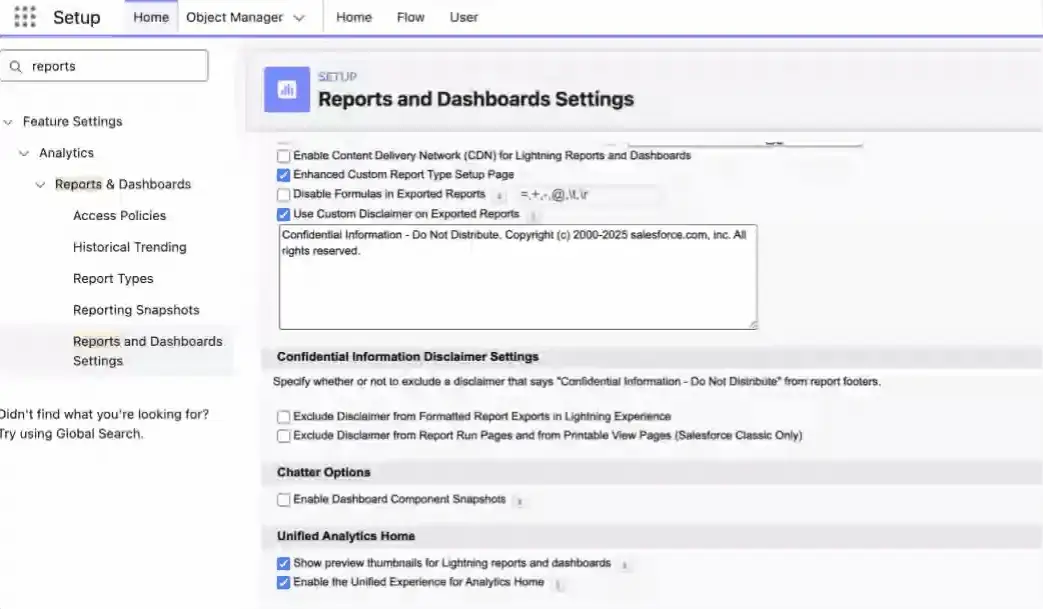
Additionally, you can now add LWCs directly to Dashboards. This feature will be in beta in Spring ‘26.
Submit Approvals Without Buttons
There’s a new way to submit records for Flow Approval without the need for buttons in Spring ‘26, and that’s with the new component, which can be added directly to the Lightning Page.
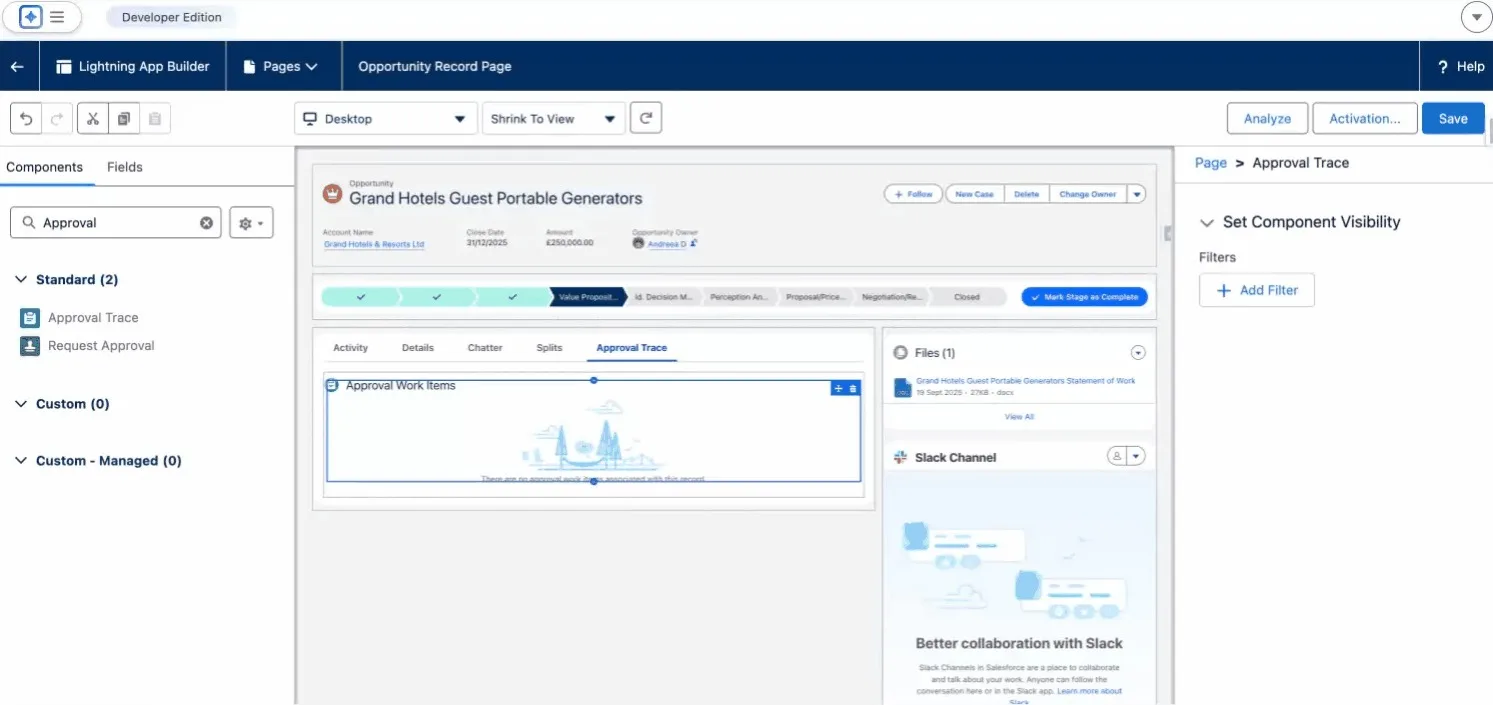
Einstein Conversation Insights
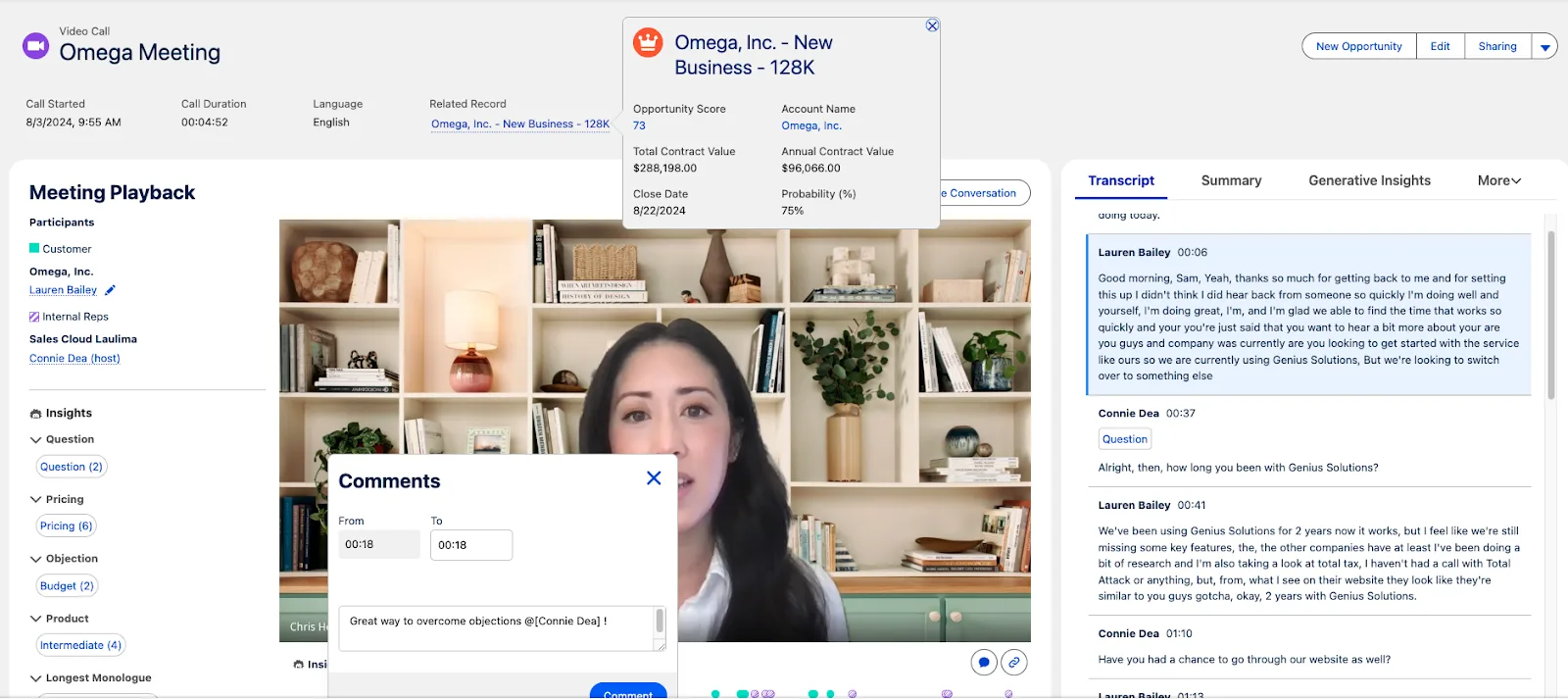
Einstein Conversation Insights data is now stored natively in Salesforce for new customers, which allows for real-time analytics.
Release Updates You Need to Address
Escape the Label Attribute of <apex:inputField> Elements to Prevent Cross-Site Scripting in Visualforce Pages (Enforced)
Starting in Spring ‘23 and being finalized in Spring ‘26, Salesforce is automatically escaping any <apex:inputField> elements in your Visualforce pages to prevent cross-site scripting (XSS) attacks.
Update References to Legacy Host Names (Enforced)
Salesforce is ending support for legacy (non-enhanced) Salesforce host names in Spring ‘26. Take action to ensure there’s no disruption.
Enable Accessibility Enhancements for Date Pickers, Popovers, Bottom Utility Bars, and Record Headers (Prepare for Summer ‘26)
This ensures compliance with WCAG 2.2 for Resize and Reflow by allowing for better management of screen elements at high zoom levels (greater than 200%). Find out more here.
Summary
This goes without saying: there are so many more features that Spring ‘26 brings to the table that you can take advantage of in your Salesforce org, but the team at SF Ben has tirelessly worked to bring some of the features we believe to be most impactful for a majority of users. Thank you for joining us as we unpacked these coming changes!
We’d love to hear how you’re planning to take advantage of some of these changes! If you’re working on some new functionality and planning on taking advantage of some of the Spring ‘26 changes, let us know in the comments below, or by responding to this post on social media or tagging us in a post.





Comments: