






Every Salesforce professional has a mental list of small things about Salesforce that they feel like waste time: the click that shouldn’t be necessary, the setting that should exist but doesn’t, or the workaround everyone’s been accustomed to for years because the “real” version never existed.
Most of the time, those frustrations go nowhere, but the IdeaExchange is the one place where they actually can.
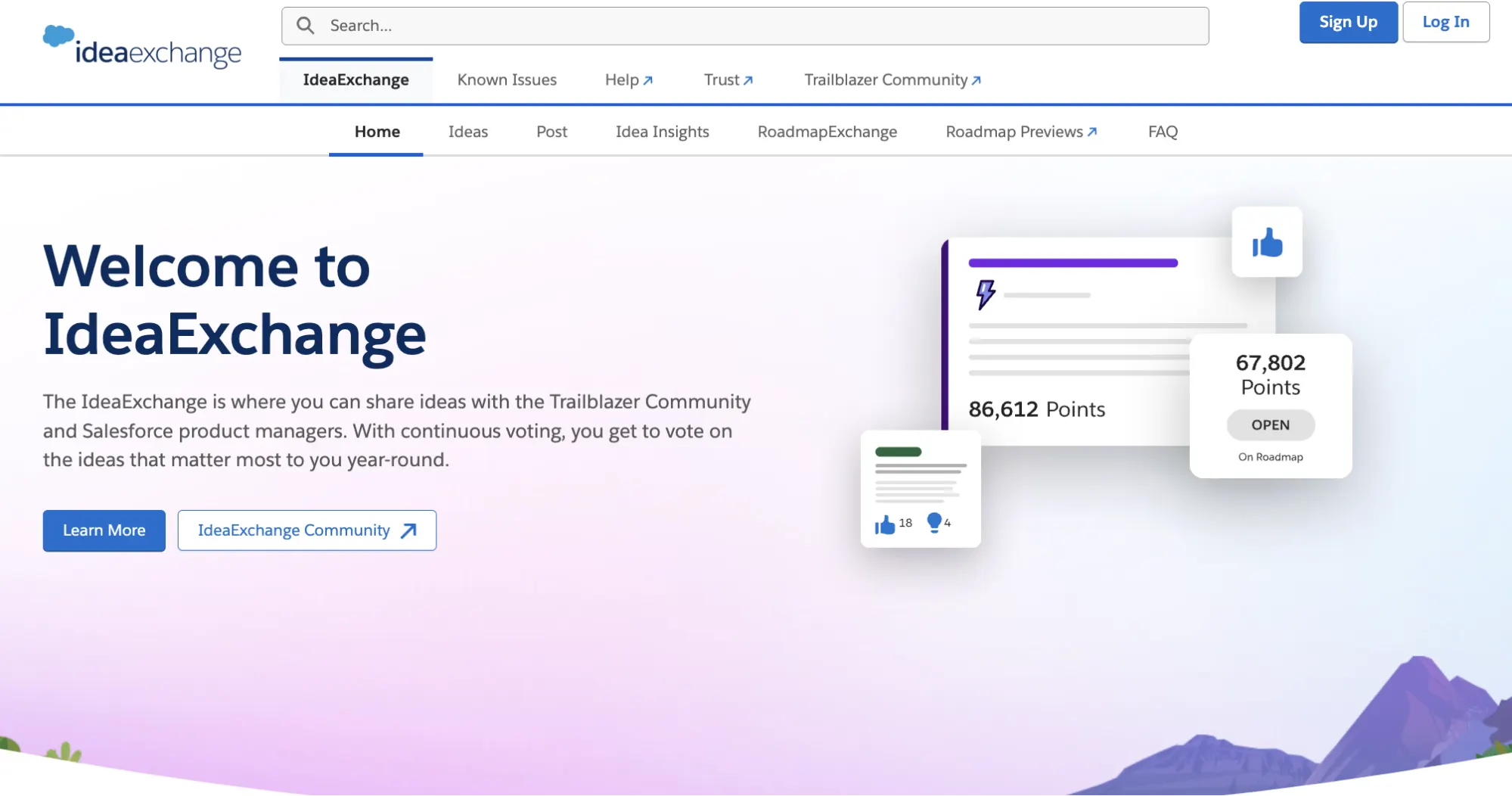
What Is the IdeaExchange?
If you’re unfamiliar or have never spent time browsing it, the IdeaExchange is essentially the community’s running wishlist for the platform. Ideas here are submitted by admins, developers, and consultants, then reviewed by Salesforce’s own Product Managers when deciding what to build next.
Points are the currency, so the more votes an idea has, the more points it gathers and the more visible it is for Salesforce to notice.
How Does Voting Work?
Each idea on the IdeaExchange has an upvote and downvote button, and the resulting score is what Salesforce uses to gauge community interest. Ideas with high points can get reviewed by Product Managers, who use that signal to help decide what their teams prioritize next.
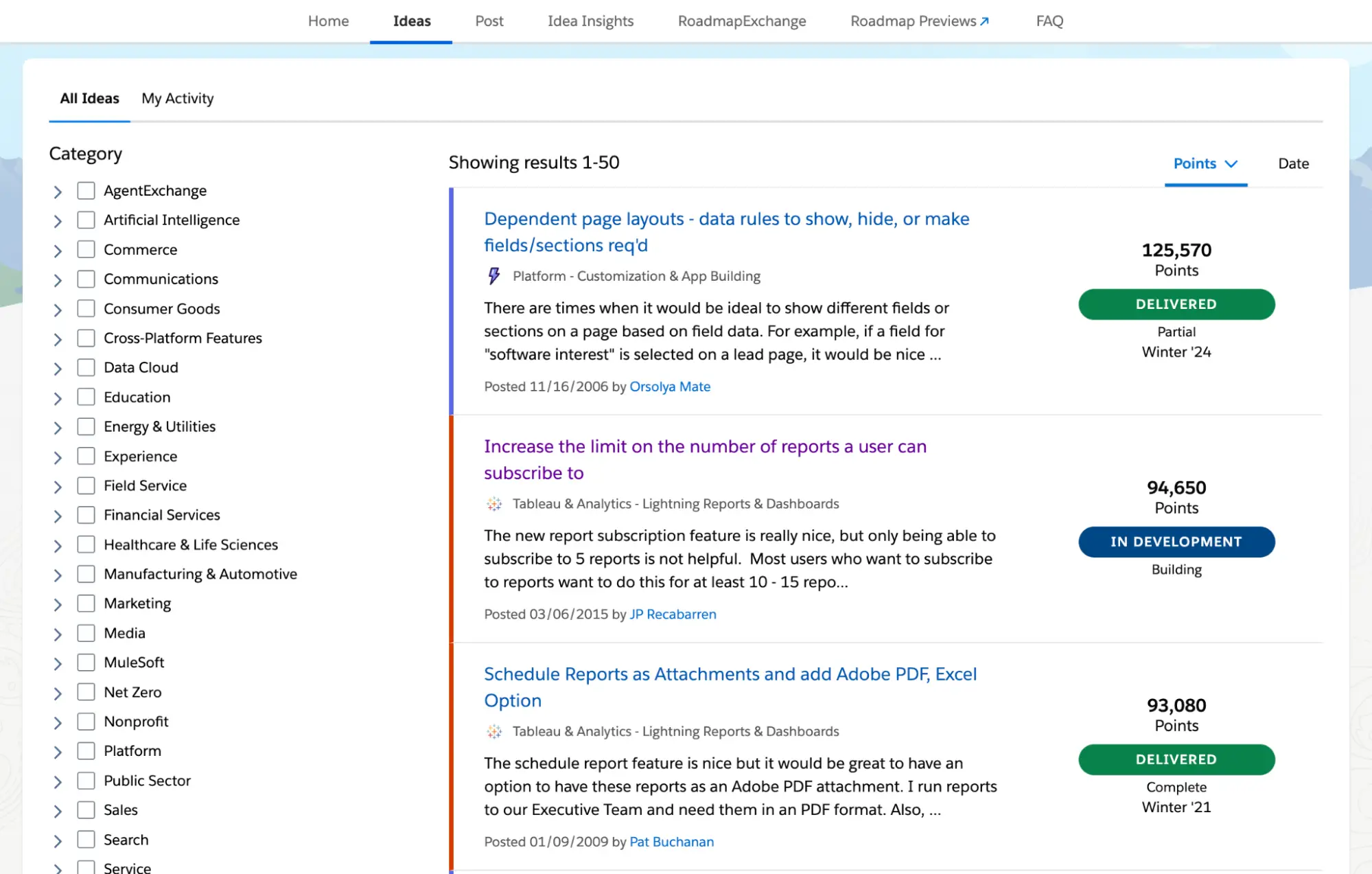
Ideas can be filtered according to Category, Status, Prioritization, or Release, so if you’re looking to add an idea of your own, it’s worth doing a short search first, as other users may have already submitted it! Duplicate ideas split the vote count across multiple posts, so it will be harder for any single one to gain the traction needed to get noticed.
If you want a faster way to find ideas worth your vote, it’s also worth checking out Idea Insights, a fairly recent program launched by Salesforce that puts top-voted ideas front and center. Idea Insights surfaces top trending ideas, recently updated ideas from product makers, top open ideas of all time by cloud, and recently delivered ideas – which makes it handy for finding ideas to support as well as tracking whether something you’ve already voted on is moving anywhere.
With that out of the way, here’s what’s worth your votes this year. If any of these sound familiar to a problem you’ve hit in your own org, take two minutes to add your vote.
1. Cross Object Merge Fields in Email Templates
First submitted in 2009, this idea requests the ability to use merge fields from other objects in an email template. Right now, templates are largely limited to fields directly on the triggering record or on closely related objects, so admins are forced to try workarounds instead, such as populating “helper” fields or hidden formula fields to copy the child record’s field values.
This would be a massive help as related data should be pulled in directly and more flexibly without the need for extra automation or data duplication. If 77,000 points doesn’t signal how much this feature is needed by the community, then I don’t know what does!
Find the idea here.
2. Ability to Set Accounts and Contacts as Inactive
This is another highly practical request, and this time it focuses on the ability to set Accounts and Contacts as inactive in Salesforce. As of now, there isn’t a native or standardized way to truly “deactivate” these records in a clean and system-recognized manner.
The most common workaround is creating a custom field (usually a checkbox) that declares the Account or Contact is inactive. While this approach is understood by the users as a way to show inactivity, it is not standard and therefore does not consistently enforce behavior across reporting or integrations in the org the way an inactive product or user does.
Introducing a proper inactive status for Accounts and Contacts would bring much-needed clarity and governance to data management. One main point in the comments shows the need to preserve historical data while clearly separating active and non-active records, which can really help reduce clutter in user workflows and improve data quality across the platform (that’s one step closer to less technical debt).
The idea was submitted in 2007 and will be reaching its 20th anniversary next year if Salesforce doesn’t add it to the roadmap yet. This particular comment got me giggling:

Find the idea here.
3. Allow Existing Picklist Fields to Use Global Picklists
Picklists are one of the simplest, most basic, and commonly used features in Salesforce. I do think they’re deceptively simple, though (looking at you, multi-select picklists).
A simple picklist may become painful at scale, especially in instances where consistency across objects is needed. Global Picklists give you the ability to use a central set of values across multiple objects, but only when you’re creating a new picklist.
If you have an existing picklist that needs values in your global value set, it cannot easily be centralized without rebuilding the field entirely. So say, if your org adopts global picklists later on as it matures, retroactively applying them across existing picklist fields will not be possible.
It seems like such a small structural improvement, but being submitted 10 years ago and garnering more than 60,000 points since proves just how widely this limitation is felt.
Find the idea here.
4. Expand “Where Is This Used?” Functionality to Standard Fields
I love the “where is this used?” functionality. Back when I worked in Salesforce Support, it was one of the first places I’d check when someone reached out about a field-related issue. It turns what could be a complicated case into a straightforward one, as being able to instantly identify dependencies and references for a custom field is a massive help.
This is also a problem, though, because the moment someone asks about a standard field, I can no longer use this button as a shortcut and I’m back to digging manually.
Standard fields are the most widely used fields in any Salesforce org. Without this functionality available out of the box, any change involving a standard field means manual investigation, which eats up time combing through automation and configurations to piece together potential impacts.
A complete picture of field usage for standard fields would go a long way, and one look at the comments on this idea will tell you we’re not alone in thinking so.
Find the idea here.
5. Support TEXT() Function to Convert “Multi-Select Picklist” to “Text”
Ah, another picklist request! We all know that multi-select picklists can be headaches, and they have long been sources of frustration for many admins as they have limitations when it comes to reporting and automations.
While INCLUDES() can be your best friend when dealing with multi-select picklists, there’s only so much you can do with that. There is currently no straightforward way to convert a multi-select picklist into plain text within a formula, and as a result, admins often have to rely on custom workarounds just to manipulate or display the field’s values in the format they need.
This feels like a relatively small enhancement on the surface, but having it could eliminate countless workarounds and make multi-select picklists much easier to work with across the platform.
Find the idea here.
6. Criteria-Based Sharing Rules: Allow Lookup/Formula/Dynamic Values and User Fields
Criteria-based sharing rules are a powerful way to automate record access, but can feel surprisingly restrictive when more dynamic logic is required.
If, for example, you have a User lookup field on a record and you want a sharing rule to grant access when that lookup’s value matches a specific user, you can’t reference it directly. You’d have to create a separate field that copies the same value just so the sharing rule has something to point to. Feels redundant, right?
If implemented, this enhancement would make Salesforce’s native sharing model significantly more adaptable to real-world business processes. Admins could then build more sophisticated or complex access controls without resorting to Apex-managed sharing or maintenance-heavy workarounds, which ultimately reduces technical debt in the long run.
Find the idea here.
Final Thoughts
The IdeaExchange isn’t a guarantee that every idea submitted will get added to the platform someday, but it’s not nothing either.
Salesforce genuinely wants to hear from the people building on its platform. This is the exact reason IdeaExchange exists at all. That said, it’s easy to feel disheartened when an idea you’ve voted on has been sitting open for a decade with no meaningful update.
It’s worth remembering, though, that what looks like a small enhancement on the surface can require untangling years (sometimes even decades) of architectural decisions under the hood. Salesforce is a huge platform now, and no straightforward fix exists in a vacuum on a platform of this size.
No product wants to grow worse over time, and the IdeaExchange is Salesforce’s way of making sure it’s growing in the same direction as the people who use it every day (yes, even if right now it sometimes feels like that direction is Agentforce and AI).
At the end of the day, your vote still matters. Go cast it!