








Highlights
- Anthropic’s Claude isn’t a single app, but a full suite of AI tools for different purposes.
- There are five primary models that power Claude, ranging from so powerful that it cannot be released to the public, through to lighter-touch models that run lightning fast.
- The building blocks of Claude are the MCP connectors, skills, projects, memory, and, of course, the models that drive it.
- None of these tools should be used to try to replace a Salesforce professional. They are just that: tools. Tools to be used by humans to achieve their goals.
Over time, Anthropic has become less unfamiliar and more of a household name among Salesforce professionals. More and more, we find that we’re using Claude to help with some aspect of our Salesforce work. However, not everyone is fully aware of the full range of tools Anthropic offers. Many believe that Claude is a single app and have never experienced some of the other faces of it.
It’s time to change that! Welcome to your one-stop shop for all things Anthropic and Claude. You’re about to learn everything you need to know about using Anthropic’s Claude within the Salesforce ecosystem. You’ll walk away from this article with a solid understanding of every aspect of Claude and how it can be used to help you in your Salesforce journey.
Anthropic’s Claude Offerings
While Anthropic is mostly known for “Claude”, it’s not just a single product. There are a handful of different tools under the Claude umbrella, all with their own features and use cases.
I will note that most of these tools require a paid subscription to use. Anthropic reserves the right to change what is offered per subscription tier at any time, so I won’t go into detail in this article about which specific features are available on which plan.
Claude.ai (The Claude App)
The most popular offering by Anthropic is Claude.ai, also known as the Claude app. When you hear someone refer to “using Claude” or “I’ve asked Claude”, this is likely the tool they’re referring to. It’s a chat-like interface where you can ask questions and communicate back and forth with a model to assist you with general tasks.
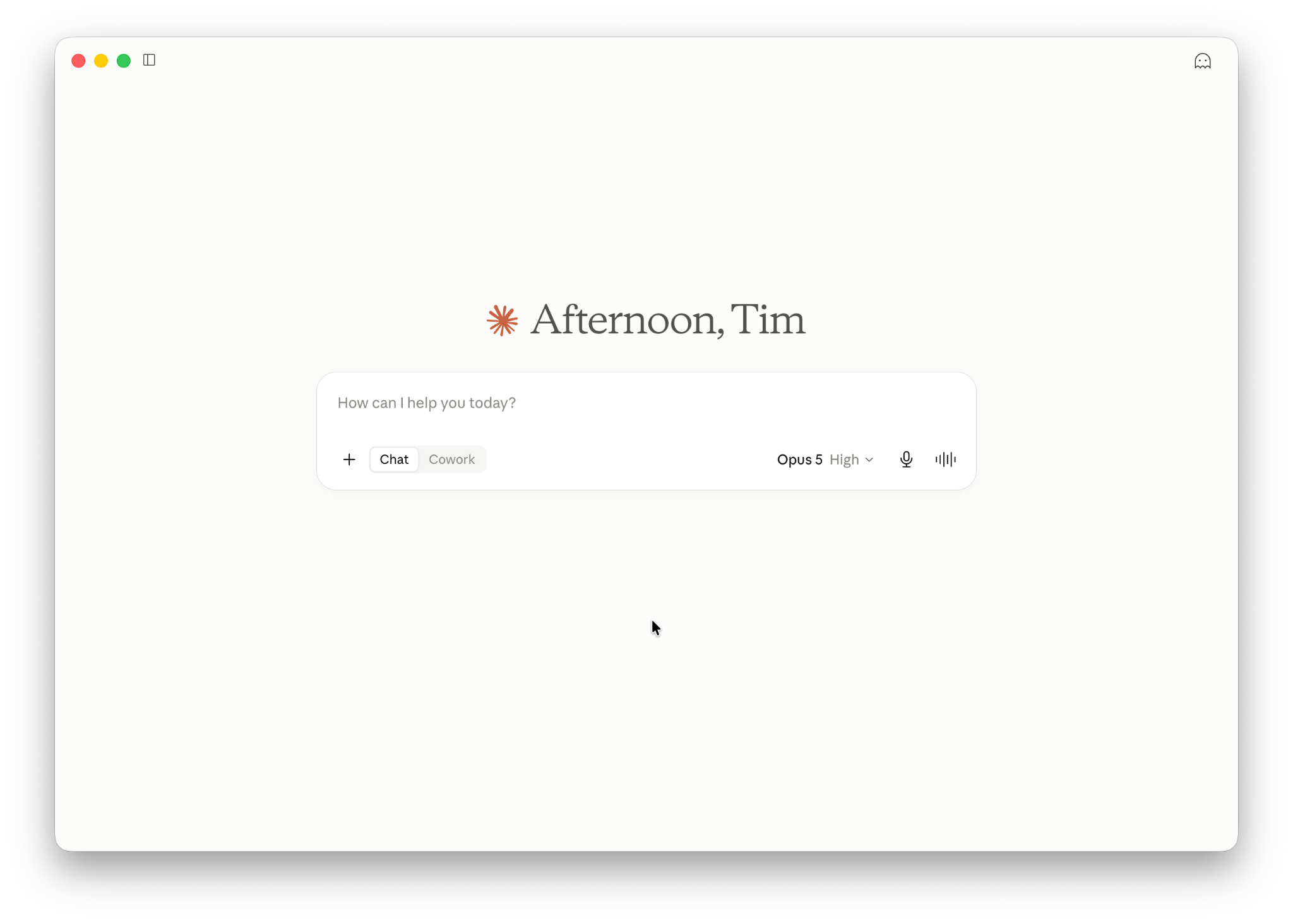
You can access Claude through the web app or download and run it natively on macOS, Windows, and Linux (beta) as Claude Desktop. It is also available as a mobile app for iOS and Android.
Within the Claude app, you can also choose to group your conversations into projects, which you can add instructions and files to. Those instructions and files will be used as context for any conversations you have within the project.
Claude Code
If you’re speaking to a developer and they mention that they’re using Claude, they are likely referring to Claude Code. This is a specialised version of Claude that’s designed to assist with coding tasks like writing code, debugging, and refactoring. Claude Code can be accessed through the terminal, either directly or within an IDE like VS Code.
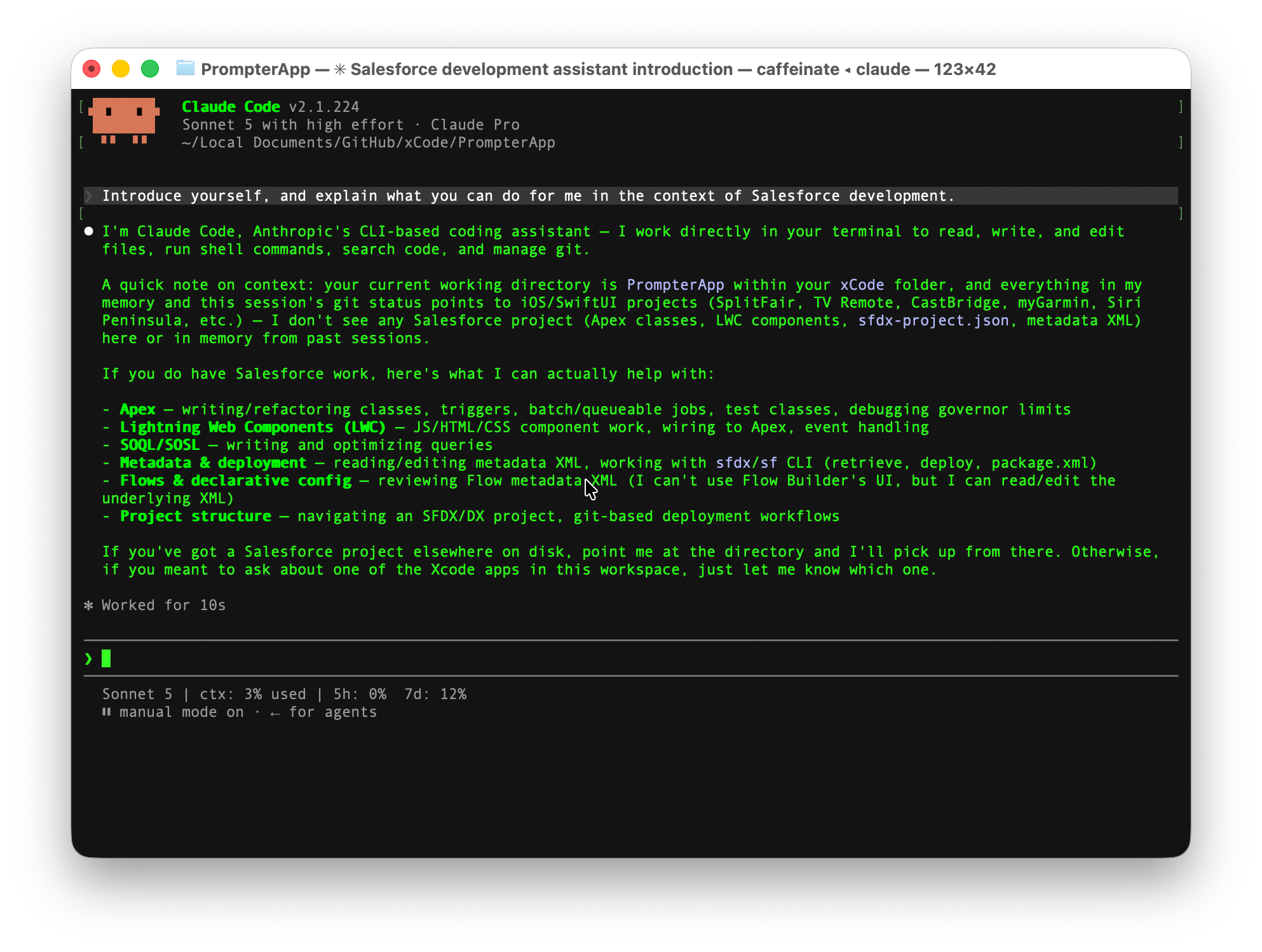
While Claude Code is a powerful tool in and of itself, it can also be extended to become even more powerful. For example, you can leverage Skills to train it up to be a Salesforce coding expert.
Claude Code can technically be accessed through the Claude mobile app, but you need to set up a session first.
Claude Design
If you need some help with some visual work, Claude Design is the tool for you. With this tool, you can simply describe the user interface you’re looking to synthesize, and work back and forth with Claude Design until you’re happy.
Anthropic says that Claude Design can be used to create realistic prototypes, wireframes, mockups, pitch decks, and more. I’ve personally used it to create website mockups, app mockups, and even prototype new LWCs before I get started building them.
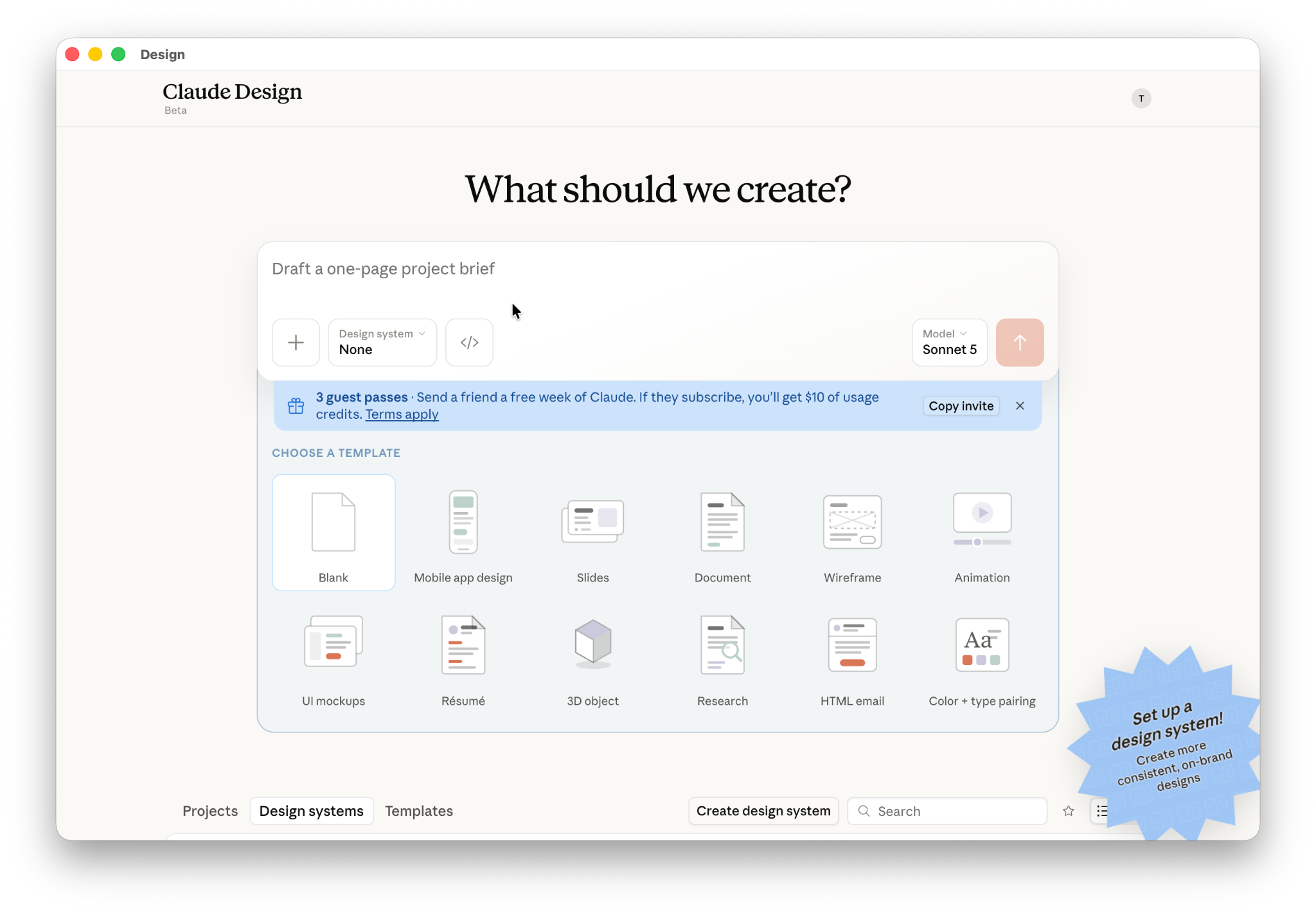
Up until recently, Claude Design was only available on the web, but it’s now available directly within the Claude Desktop app.
Claude Cowork and Claude Dispatch
Claude Cowork is unique in that it connects to multiple different tools to achieve complex, multi-step tasks. It can also interact with your computer directly when instructed. If we’re to oversimplify it, Claude Cowork is like Claude Code, but without needing to use the terminal. In other words, it’s a tool designed for end users to achieve complex tasks by leveraging connectors, skills, and subagents.
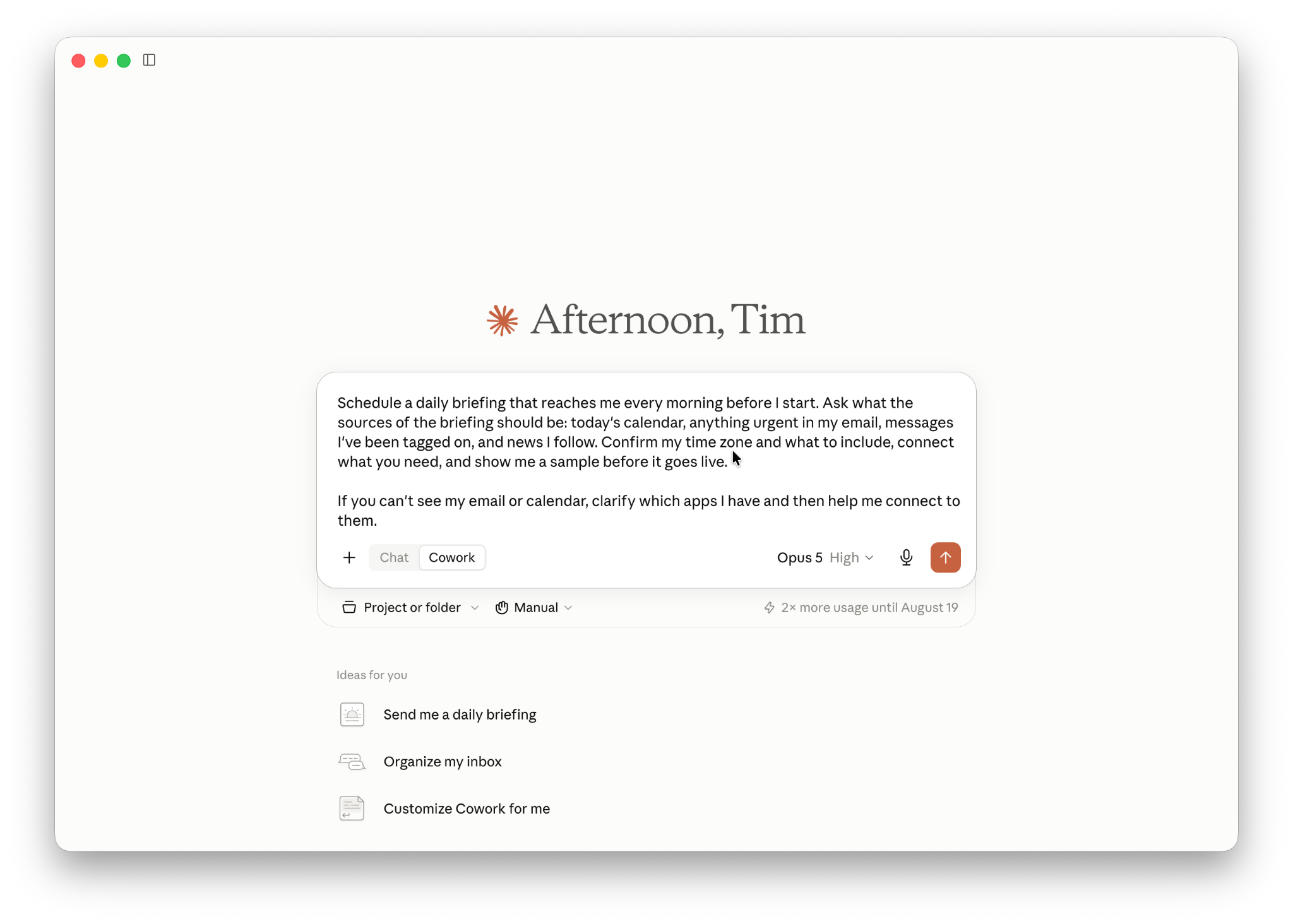
Claude Dispatch allows you to begin one of these complex tasks from your phone, and it will take action on your computer. To do this, you’ll need to ensure the Claude Mobile app is installed on your phone, the Claude Desktop app is installed on your computer, and both are up to date and logged into the same account.
Claude Tag for Slack
Claude Tag is a tool that Slack users can use to interact with Claude as if it were a team member. Simply connect Claude Tag to your Slack workspace, give it access to whatever data or tools that you’d like it to have access to, and then access it within Slack Channels.
It operates uniquely in that you can interact with it alongside other team members. This is what is known as multi-agent multiplayer AI. Claude’s memory is shared across all the team members that interact with it in that channel.
Features of Claude
Depending on the application you’re using to access Claude, you’ll have access to different features as described below. Each of these features is designed to help you empower Claude to do what you need it to do. Claude is designed so that it only has certain access for certain tasks. This, however, only works if you set it up correctly.
MCP Connectors
MCP, or Model Context Protocol, is used to give Claude access to external applications and tools through Connectors. Salesforce has an MCP server that you can use to give Claude access to work on your Salesforce org. There are other common MCP servers that you can connect Claude to, such as Playwright (gives Claude access to a web browser), the GitHub MCP, Context7 (for developer library documentation), and more.
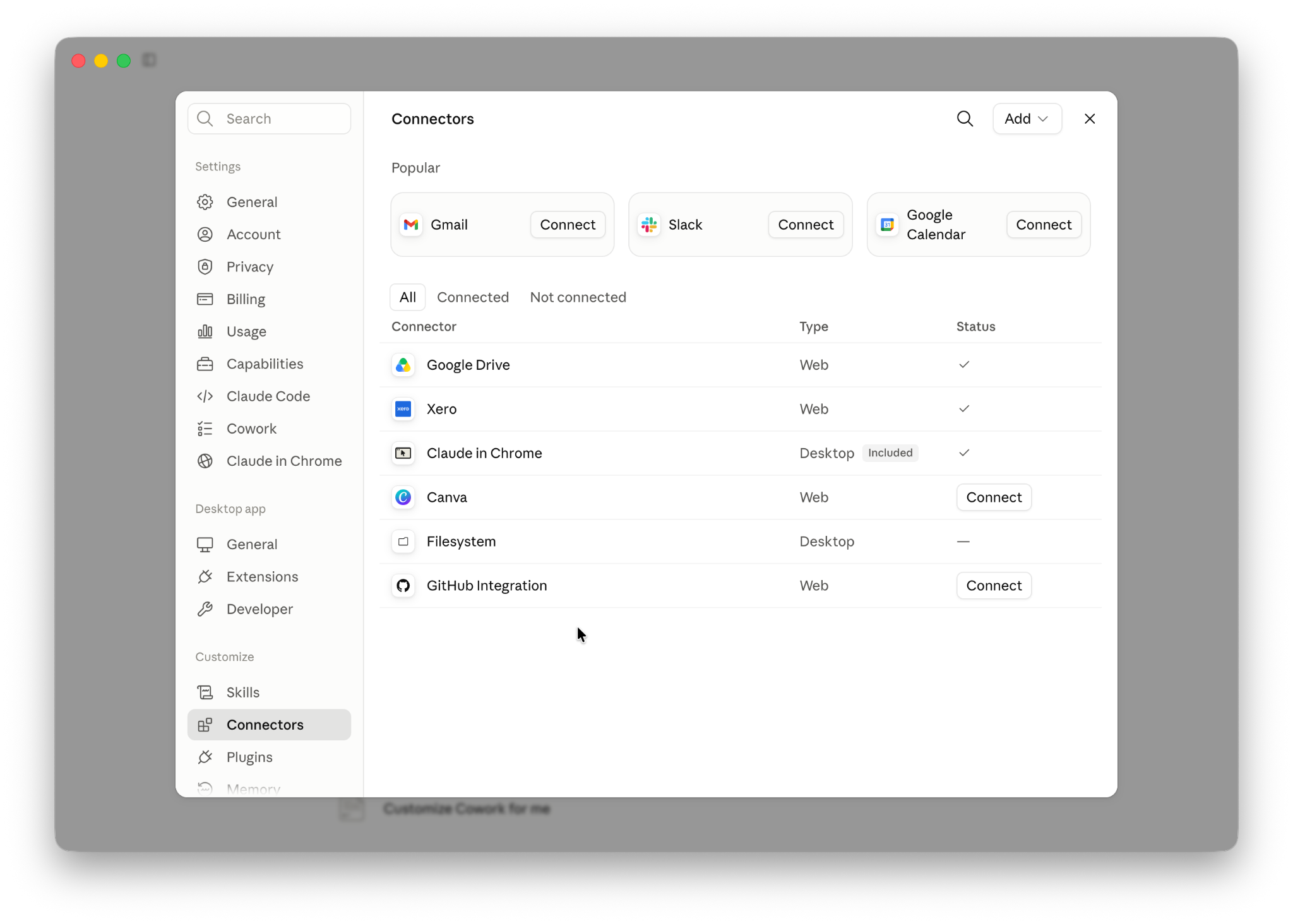
Think of MCP connectors as giving Claude access to the tools that it will need to achieve a goal.
Skills
You can empower Claude with skills to take specific action. If you’ve seen The Matrix, you’ll remember that scene where Neo learns Kung Fu simply by downloading it into his mind. This is quite honestly the best analogy I can think of when it comes to skills in AI – you’re downloading a templated set of instructions, scripts, or actions so that an AI can use it.
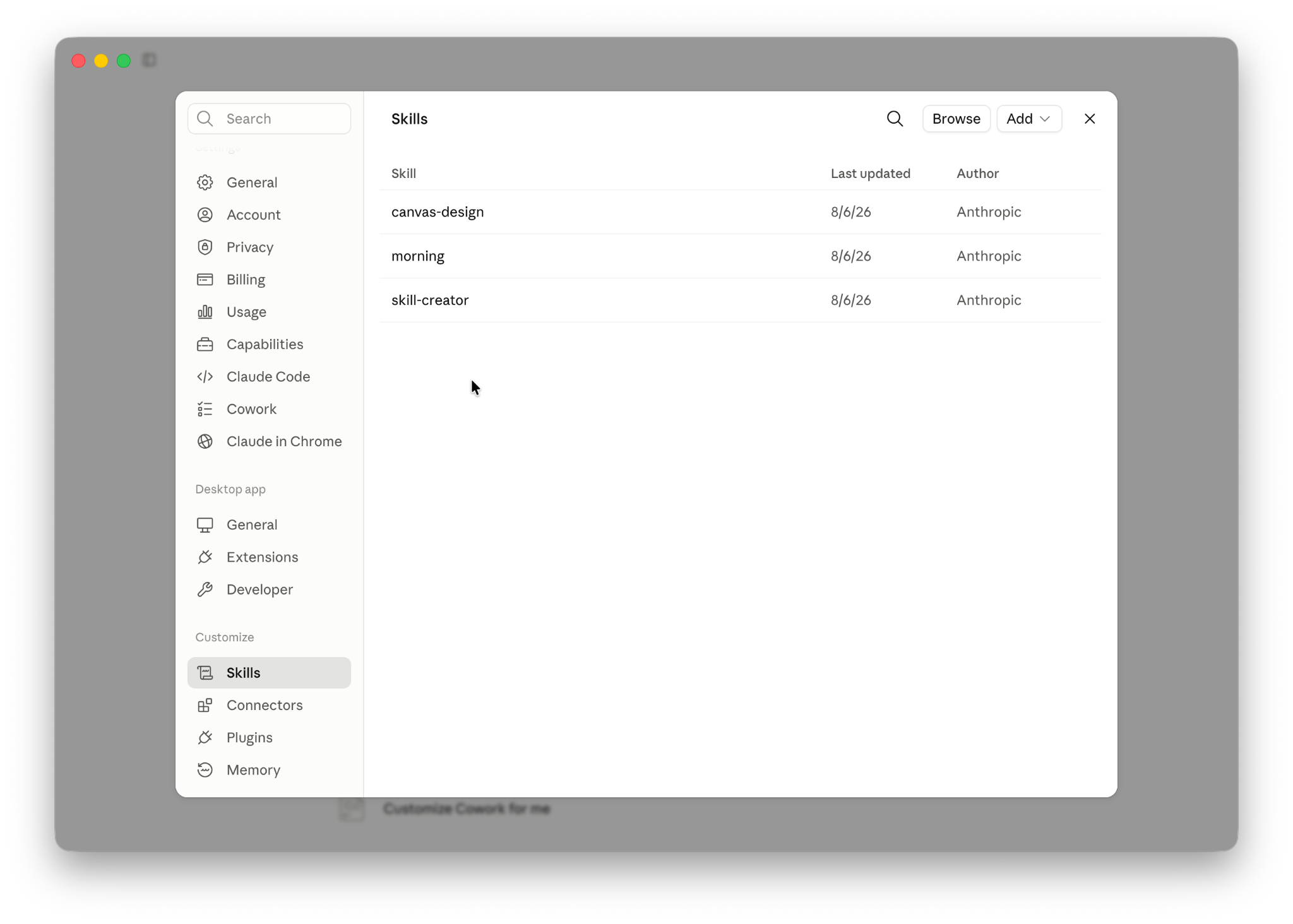
If MCP Connectors enable Claude to use tools, Skills give Claude direction as to what to do with those tools.
Memory
Claude’s memory works differently depending on the tool that you’re working with. In the Claude app, you can choose to enable Claude’s memory either by allowing it to search historical conversations, or by allowing it to establish a memory that it can use for future conversations based on conversations from this point forward.
You can also set up Projects, as described below, to set up a memory that you can use for specific conversations. For example, I have a project called “article assistant” that I use to help me plan and map out some of the articles I write. It has a set of instructions that I’ve gathered over time to help me plan what I do in a structured way.
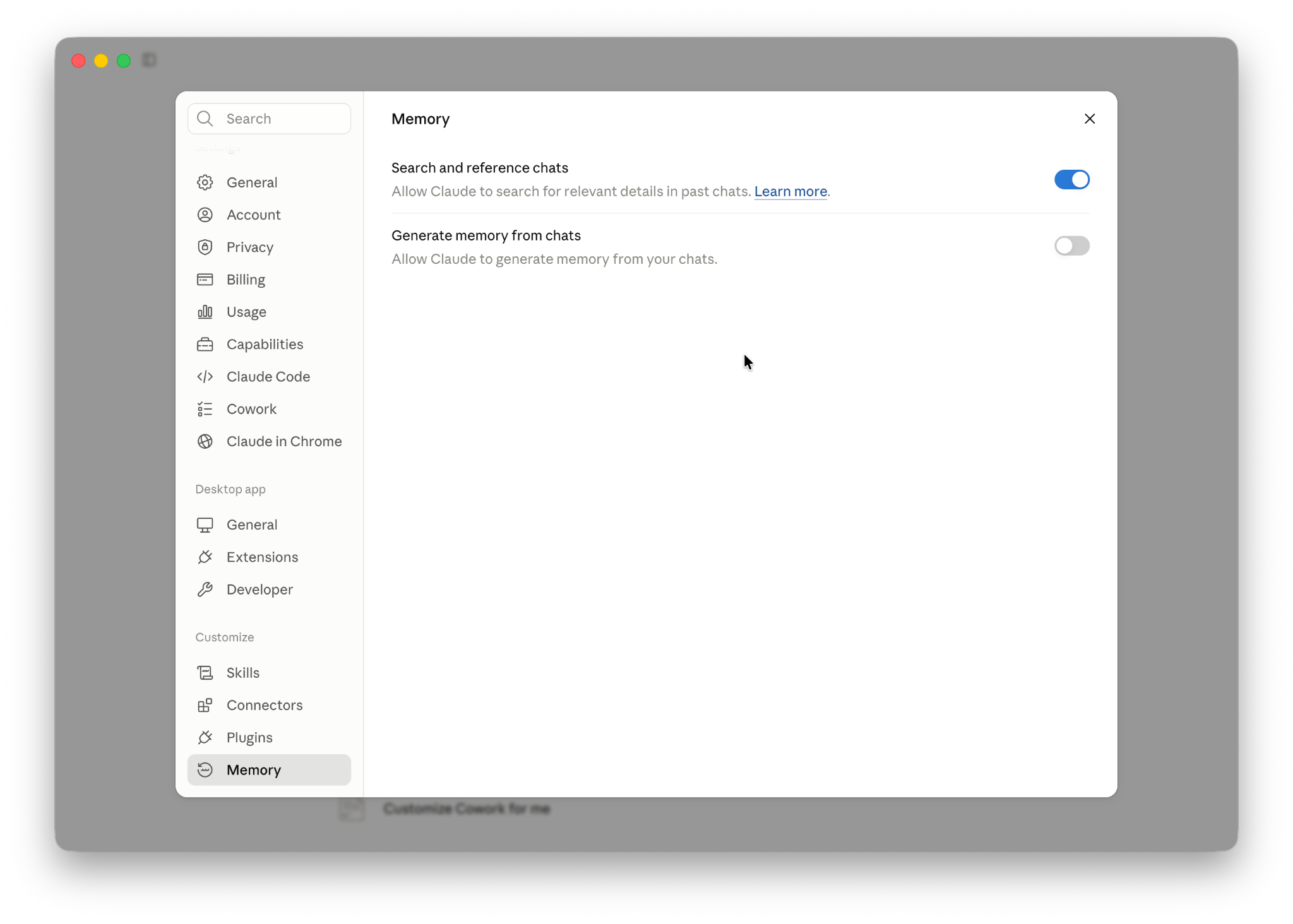
When you’re working with Claude Code, you can use MD (Markdown) files to manage your memory within a coding project. The primary source of memory for Claude Code is the .claude directory. This is a directory that contains your CLAUDE.md file, which is a persistent memory that Claude Code references at the start of each project that you’re working on.
It also contains various other files that manage your settings, the hooks that you’ve configured, skills, commands, and even subagents that you want to regularly use.
The CLAUDE.md project file (different from the .claude directory’s CLAUDE.md file) is used to give Claude Code a persistent memory that it reads at the start of each session. This should be saved in the root directory of your project to ensure that Claude Code has access to it.
You can leverage additional MD files to keep track of different aspects of your project. For example, I have a Plan.md file in each of my projects that keeps track of the plan that Claude and I have agreed on, and where we’re up to in terms of development.
Projects
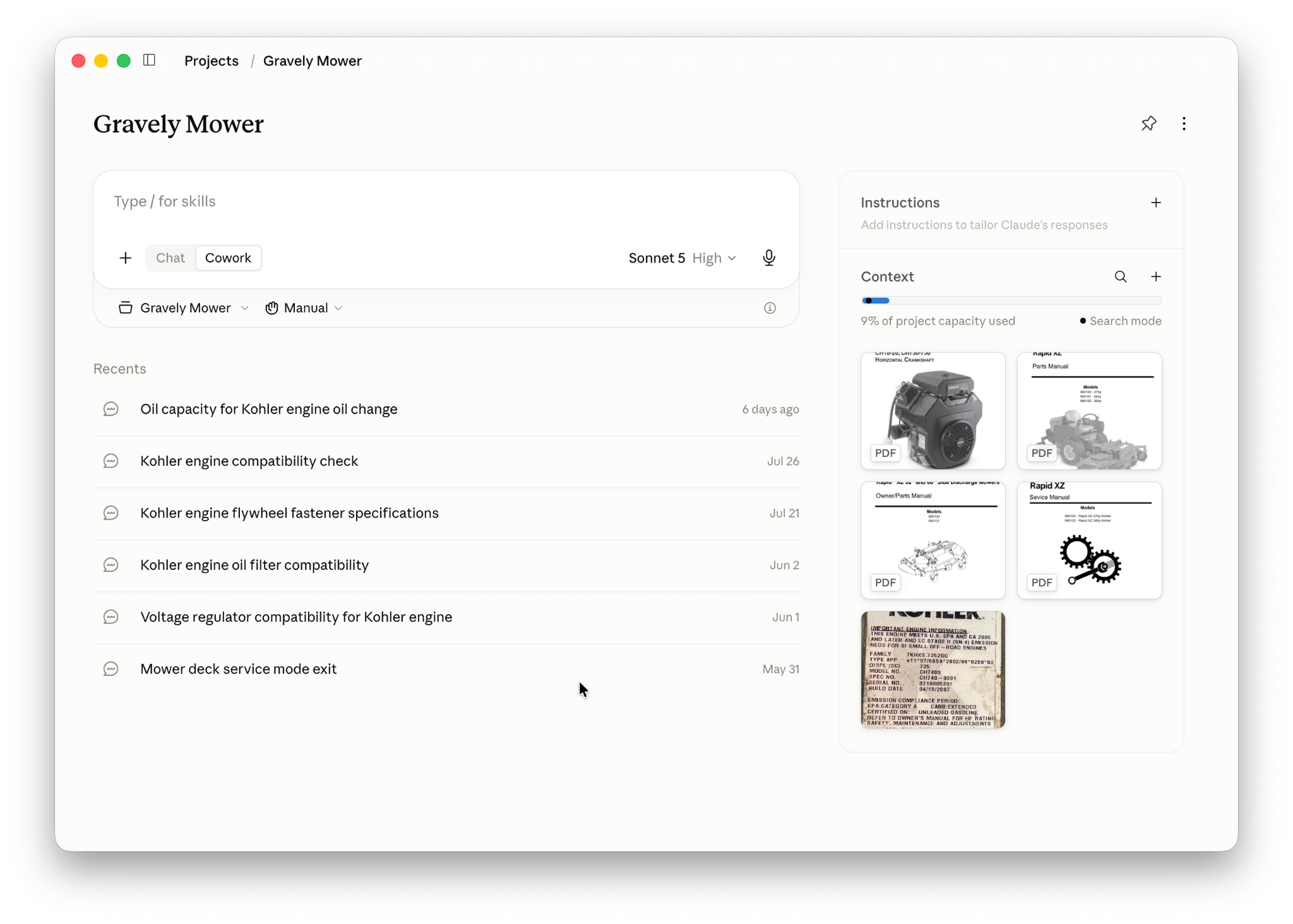
Projects are exclusive to the Claude app for Desktop (including Claude.ai web app) and Mobile. Setting up a Project allows you to create a set of instructions and add relevant files that you wish to speak to Claude about. You can then spin up a new conversation within the Project, and Claude will already have access to the instructions and files that you’ve added.
Projects are particularly useful if you have a series of tasks that you need to complete with Claude, and each of those tasks requires access to the same information. You can build your context once in the project, and then reuse it for each of the new conversations that you start.
I’ve found this valuable in my personal life by adding five different user and maintenance manuals for my lawnmower to a single project, and giving it some additional instructions so that it knows how unskilled I am as a mechanic. If I ever have a problem with my lawnmower, I ask Claude for details, and it searches through the deck manual, engine manual, maintenance manual, and main mower manual to give me the information I need. I can do this without having to add the files each time.
Models
Anthropic’s models are the crux of everything that happens within all the different Claude apps. Some of these models are publicly available, and some of them are restricted for safety reasons. Models vary in terms of their capabilities and token usage. For example, it doesn’t make sense to be using a powerful model like Fable to calculate your repayments on a mortgage – a less powerful model like Sonnet will do the job just fine, and burn far fewer tokens.
Mythos
When I mentioned earlier that some models are restricted for safety reasons, Mythos is the one I was referring to. Mythos is currently invite-only and available as part of Project Glasswing. This is a controlled program where invited participants can use Mythos for defensive cybersecurity purposes. Anthropic has stated that this model is too powerful to be released to the general public.
Fable
Mythos’ younger sibling, Fable, is also powerful, but with safety measures in place that make it more suitable for public release. While its outputs will be slower than other Claude models, this is due to the fact that it is processing far more information than they are. This means it can handle significantly more complex tasks.
Fable burns through tokens at an unmatched rate compared to other Claude models, so it should only be used for tasks that require it. One way to do this is to use Fable as the primary agent, and have it delegate tasks to other subagents that use lesser models.
Opus
Claude Opus has become the go-to model for agentic coding tasks. It’s used for complex tasks that don’t require the extreme power of Fable, and is often used as a subagent that Fable delegates tasks to. Opus is what I personally use for most of my coding tasks as I’ve found it to be perfectly balanced between speed, power, and token usage.
Sonnet
Sonnet’s much faster than Opus, but it’s not as powerful. It also burns through tokens at a slower rate than Opus, making it more affordable to use for simple tasks. Anthropic’s website calls it “the best combination of speed and intelligence”, which I think explains it perfectly.
Haiku
Haiku is lightning fast, but is the least powerful of the Claude models. It also has a context window one-fifth the size of Fable, Opus, and Sonnet (200k tokens vs the others’ 1M tokens).
Use Cases for Claude Tools
Not every Claude tool is suitable for every task, especially when it comes to working with Salesforce. Depending on the task you’re trying to achieve, you’ll want to use a different tool and potentially a different model. This will help you get the best results and keep your costs as low as possible.
Below are a few scenarios that you may find yourself wanting to leverage Claude for, and the correct tool to use for each.
Designing a LWC
If you’re looking to design and build a Lightning Web Component, there are a few steps to consider. First, you’ll want to mock up the design for the component. Secondly, you’ll want to map out a plan for how the component should be built. Then, finally, you’ll want some help actually building the component. Each of these steps requires a different Claude tool.
When it comes to the mocking up of the component, this is a perfect use case for Claude Design. Anthropic built Claude Design specifically so that you can iterate back and forth with Claude to build mockups and wireframes. Simply construct a prompt that describes roughly what you’re looking to build as well as any constraints, and let Claude ask you some clarifying questions.
Then, once you’ve got a first draft, you can continue to iterate back and forth with Claude Design until you’re totally happy with the design. The output of Claude Design can then be used as an input when you build the component.
Next, you’ll want to map out a plan for how the component should be built. This is a perfect use case for the Claude app. You may want to set up a project within Claude that contains branding and style guidelines for your Salesforce org, or rules for how things should be built. Then, you can begin discussing the component with Claude and have it pull a plan together.
Finally, you can take the output of the conversation with Claude and use it with Claude Code, along with your Claude Design output, to write a plan.md file and begin constructing the component. Remember that Claude Code can be run from either a standalone terminal or within your IDE of choice (like VS Code).
For projects like this, I tend to prefer running Claude Code from within VS Code so that I can easily see all the relevant files for each project and create a package ready for deployment.
Discussing a New Salesforce Implementation Project
Let’s say you’re a consultant and you’ve been tasked with implementing a new Salesforce org for a client. You’ve already done the discovery, and understand what each team needs, and you’re ready to start mapping these requirements to a Salesforce solution. You’d like to use Claude to help with some of the planning, but which tool should you use?
The answer here is likely going to be the Claude app, and you can leverage the project feature to ensure that Claude has access to all the discovery documents you’ve created. This way, you can have very specific conversations with Claude about the requirements of each team, or module, that you plan to build. Each of these then can be fed into the rest of the project too.
You could consider plugging your Claude app into something like Lucidchart to create a visual representation of your solution too. This would save you significant amounts of time, and would help to act as another form of communication between you and Claude.
Finally, when it comes to presenting your solution to the client, you can use Claude to help with building a presentation. Similarly, you can use a connector to give Claude access to your presentation tool of choice (mine is Google Slides), and speed up the presentation process. Depending on the types of artefacts that you’re planning to get delivered to the client, you may consider leveraging Claude Cowork to kickstart multiple of these tasks at once.
Constructing/Editing a Flow
I’ve experimented with using AI coding tools to help with building flows in the past, and had mixed results. That being said, the go-to tool that I use for working with flows is Claude Code. The reason for this is that Claude Code works directly within the XML file of the flow itself.
When you view a flow in Flow Builder, all you’re really looking at is a visual representation of the XML file that is stored in your Salesforce org. Nothing more. This is why Claude Code makes the most sense, as it can use the SF CLI to retrieve and deploy flow XML files that it works with.
However, before you build or edit a flow, you need to be very clear about what you’re trying to achieve. This is where plan mode in Claude Code comes in handy. Claude Code will assess the metadata that it has access to and come up with a step-by-step implementation plan. It’s critical at this stage that you’ve given Claude Code the right context, ensuring any metadata that it will need for the flow (objects, fields, other automations that may be impacted, etc) so that it can come up with the right plan.
Once you’re happy with the proposed plan, you can then ask Claude Code to begin building the flow. Personally, in situations like this, I tend to avoid letting Claude Code deploy the flow to my org, just in case it pushes it to the wrong org. I have a personal preference for handling deployments myself, and recommend that you limit the access that Claude Code has to your production org.
Claude Code can also be used to refactor existing flows into apex if required, or vice versa. This can help you speed up your alignment with Salesforce Architecture best practices (notably, using a single automation tool per object, depending on the automation density).
Considerations
I’ve said it before, I’ll say it again, and I’ll repeat it until the cows come home or until a significant improvement is made in this area: AI tooling is not a replacement for a Salesforce professional. Your wealth of knowledge and experience in the Salesforce space is invaluable, and you’re likely not about to be replaced by a machine. Tools like Claude Code are designed to help you speed up your work and achieve higher quality results in less time.
Additionally, AI tools are not perfect. They are known to make mistakes, and it’s important to check the output of any AI tool before using it in your production environment. On the same note, you should not be using AI tooling to build things that you’re not familiar with yourself. If something goes wrong with a solution you’ve built, you’re on the hook to fix it.
There are many ways to use Anthropic’s Claude tools semi-autonomously. You can essentially set up cron jobs using either built-in tools or third-party harnesses (like OpenClaw or Hermes) to have Claude take action when you’re not around. This is handy, but can be dangerous. You do not want these tools to take in a production environment without your supervision.
You also do not want to give an autonomous tool like this direct access to private data without seriously locking things down. Personally, I hesitate to give Claude access to anything more than it needs, and if I let it run autonomously, I basically give it nothing. There are far too many examples of things going wrong with AI tooling, so it’s just not worth the risk to me.
Finally, don’t assume that having more AI tooling will mean that you can have less human operators. I’ve seen countless examples of leaders trying to use AI to reduce the number of human beings they need to run their business, and it almost always backfires. AI tokens are not free, and if they’re being operated incorrectly then you can rack up a huge bill without any real value to the business.
Summary
Anthropic’s offerings are ridiculously powerful, in my personal opinion. Especially for those looking to accelerate their Salesforce development work. However, with great power comes great responsibility. It is your responsibility to continue building your Salesforce skills and knowledge, while also ensuring you’re across the different AI tools that are available. At the end of the day, these are just tools, and you are the operator that makes the magic happen.
Just like trying to use flow to do Apex’s job doesn’t work, so too will using the wrong AI tool for the job cause headaches. It’s critical to understand what each tool can do, the features it has, and ensure you’re selecting the right model for the job as well.
What’s your experience with using Claude for Salesforce work? I’m always looking to hear from other Salesforce professionals as to how they’re using these incredible tools, and what they’ve learnt in the process. Please share in the comments!