






While working with Data 360 (formerly Data Cloud), I noticed a few terms that were similar, which caused me a bit of confusion. This was common among others that I was speaking to who were either learning or working with Data 360.
So the purpose of this shorter article is to become a single point of reference for anyone working with or learning about Data 360 and wants to clearly distinguish between these terms, what they do, and why they’re all uniquely important to your process.
The Handshake: Connector
When configuring Data 360 and connecting an external source to it, the very first thing you’ll do is set up a connection between the two systems. This acts as a handshake between two systems, showing that they trust each other to share certain scopes of data.
As with a handshake, there are two parts to a Connector: the Data 360 side and the other system’s side. Typically, this means providing an access token and secret that is generated from the source system (S3, Snowflake, Jira, Google Cloud Storage, etc.) to Data 360 so that it can authenticate and validate the connection.

These are used by Data 360 to ask the source system if it is trusted to receive data. By successfully providing the credentials, Data 360 is then authenticated to access data that the keys give it access to.
To help visualize this, picture a set of apartments. Each apartment has its own digital lock, and there are swipe cards that can be programmed to grant access to any apartment in the building. There may be a master swipe card that the building manager has that grants access to all the apartments, but generally speaking, keys will be created for specific apartments.
This is how tokens and keys are designed to work – a set of keys will have a specific set of access in the external system. This is how Data 360 accesses the data in the external system.
The Ingestion Job: Data Streams
Once the two systems can connect and talk to one another (in other words, when the Connector is set up in Data 360), you’ll need to tell Data 360 which data to retrieve, and on what schedule. This requires an automation job – or in this case, a Data Stream – to be set up.
The Data Stream does two key things. It points through the Connection that you’ve set up into the system that was authenticated, and tells Data 360 which data and fields to pull and how often to do it (frequency).
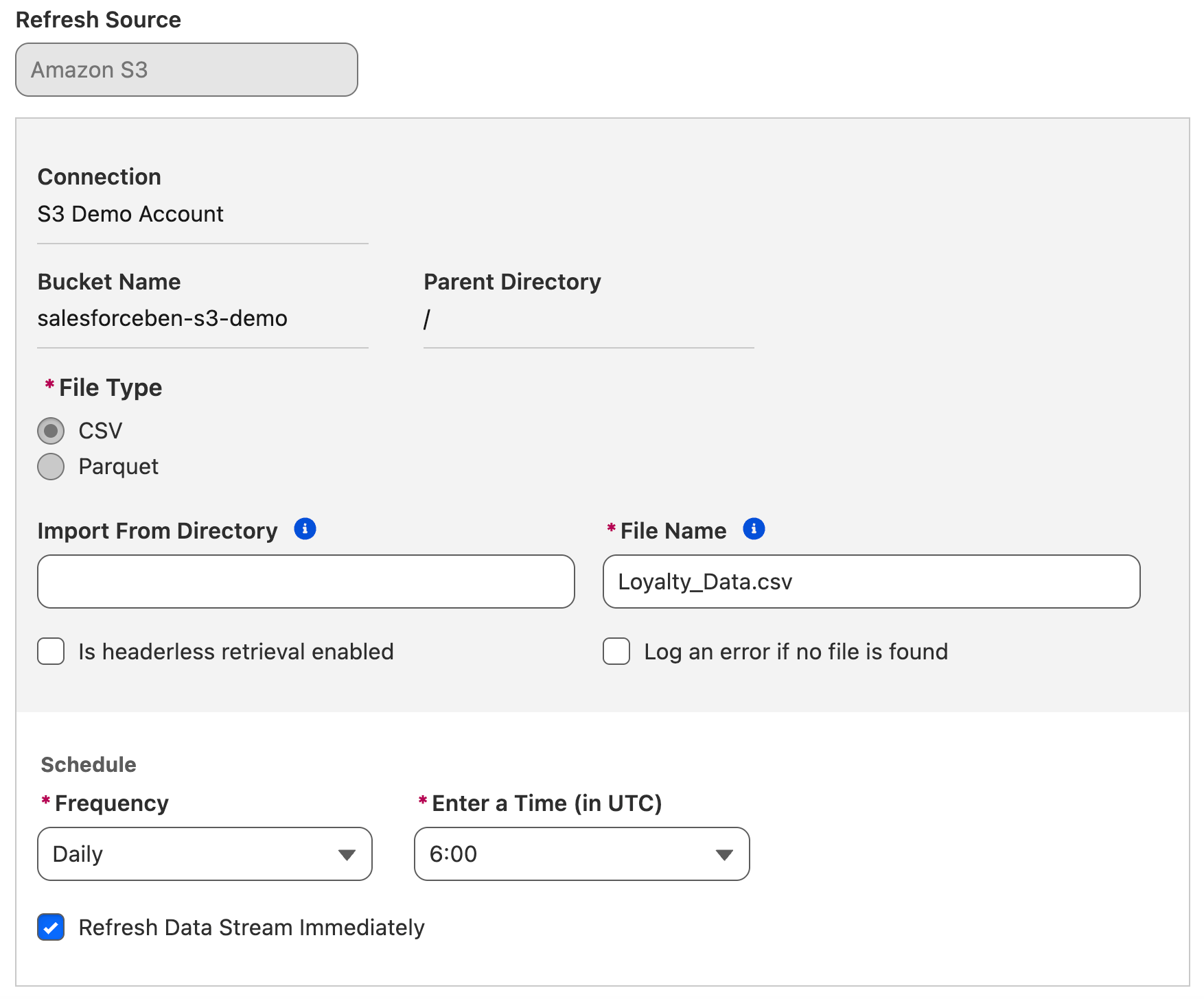
The primary purpose of a Data Stream is ingestion – leveraging the Connection that was established to pull data from the external system into a Data Lake Object.
The Raw Data: Data Lake Objects
With your Connection set up and your Data Stream automation configured to pull data from the source system, it needs somewhere in Data 360 to land. This is where the Data Lake Object comes in.
I’m sure 90% of you who are reading this article have a better-organized inbox than I do, but regardless, I hope this analogy lands. Think about how you sort your emails. They come in through the inbox, then get read, categorized, and moved from there. You may have subfolders in your inbox that you move these emails to, be it manually or automatically using rules. Some of the emails will go to your archive or be deleted. The one thing they all share is that they first land in your primary Inbox folder.
This is the same as a Data Lake Object. Anything that comes into Data 360 will first land in a Data Lake Object before it is organized and used elsewhere. Data Lake Objects store data in a raw format, not yet organized and ready to use in daily operations, just like the emails that land in the Inbox.
Once this data is in, it is then organized and mapped into a Data Model Object, where it becomes ready to use for business users.
Ready-to-Use: Data Model Objects
Data Model Objects are where the data from the external system is finally translated into something that agents and humans can use inside Salesforce. Think of this as the Salesforce shape of the data, as opposed to the data conforming to whatever shape the external system dictated.
Multiple sources of data may feed into a single Data Model Object, just as multiple systems of record may capture different data points related to the same customer. As a result, Data Model Objects are not tied to a single source of data – they construct the truth from multiple sources of data.
As the Data Model Object is to be used alongside Salesforce data, it also tends to conform to the Data Model that Salesforce uses. Once your Data Lake Object data is mapped into a Data Model Object, it takes on the form of Salesforce as opposed to whatever form it held in the source system.
Connecting the Dots With Mapping and Relationships
This whole process may seem rather complex, but it all happens for a reason. The concept of a ‘single source of truth’ existing in a single system is no longer possible because of the immense amount of data the average business has and the vast number of tools it has. That being said, the truth can be constructed from multiple sources by mapping and transforming data from multiple sources to add more depth to the truth from multiple different angles.
For example, your Salesforce org may have some basic Account, Contact, and Opportunity data. You may have a connected accounting tool that tracks Invoices and Payments. Your service delivery platform tracks Projects and Milestones. Then you’ve got your online meeting tool that tracks meetings, meeting minutes, and attendance.
With Data 360, all these different touchpoints can be fed together to tell the whole story about the customer. Your users and agents will be able to see who the customers are, what business you’ve done with them, if they’re up to date on payments, and any outstanding touchpoints that you need to have with them. This data isn’t forced into Salesforce as its primary data storage repository, but instead is mapped alongside your Salesforce data to be surfaced when that part of the story is relevant.
Summary
While there is so much more to Data 360 than just the basic data ingestion and harmonization, I hope this article has helped to bring clarity to a few of these key topics in the early setup stage. External data moves through the Connector that acts as a handshake, to the Data Stream that pulls data into Data 360, to the Data Lake Objects that act like an email Inbox and are the first stop for all data, then into the Data Model Objects where it can be used by humans and agents alike.
What other terminology have you learned while working with Data 360? Are there any terms that confused you or that you mixed up a bit while working with it? Let us know in the comments.





Comments: