

AI is changing how fast Salesforce teams can build and ship. Copilots help teams write code faster, automate repetitive tasks, and compress delivery timelines from weeks into days. But if your testing process hasn’t kept pace, shipping more changes at a faster rate increases risk exponentially.
For a lot of Salesforce teams, UI testing is the biggest hurdle. It’s done manually, inconsistently, or might have been abandoned completely if it was creating too much of a bottleneck. This post covers what good UI testing actually looks like, common barriers that get in the way, and how you can implement reliable, scalable UI testing.
Why Automated UI Testing Is No Longer a Nice-to-Have
The UI is the layer your users actually experience. When something breaks, it’s immediately visible, and it erodes trust quickly. Whatever the size of change you’re shipping, it carries a risk of a regression somewhere in the interface.
When AI tools help your team build and ship twice as many changes in the same time, that risk compounds exponentially, and manual testing becomes completely unmanageable. There’s simply not enough time to re-test critical user journeys by hand every time something changes.
For most teams, automated UI testing is the only way to stay ahead of what they’re shipping. Without reliable automated testing, faster delivery just means more issues to resolve and on a more frequent basis.
Salesforce’s own releases add further complexity. Three major releases per year, each capable of shifting Dynamic IDs, Shadow DOM behaviour, or Lightning component rendering, mean tests can start failing after seasonal releases, not because of any breaking changes, but because the platform changed around them.
What Good UI Testing Actually Looks Like
Good UI testing isn’t about 100% coverage. It’s about building confidence in your most critical user journeys and making testing sustainable enough that the team actually keeps doing it.
- Tests should be integrated into the deployment pipeline, not bolted on at the end. When tests run automatically with every deployment, bugs surface in minutes rather than after a release has gone out.
- Tests need to be resilient to platform changes. Tools anchored to CSS selectors or DOM structures will break repeatedly as Salesforce evolves. A good approach either abstracts away those dependencies or uses AI to detect and adapt to UI changes – turning days of rework into a quick review.
- Focus on what matters most. Start with the three to five user journeys your business depends on most. Those paths give you the highest return for the least effort – and they’re the ones that hurt most when they break.
- Test across personas. Different users see different things depending on their profiles and permission sets. Tests that can switch between personas validate that your org works correctly for everyone who uses it.
Why Most Teams Haven’t Got There Yet
If good UI testing is this valuable, why aren’t more teams doing it? Here are the most common barriers that stop a team from leveraging UI testing effectively and scalably:
- Manual testing doesn’t scale. Manual testing is the most common approach, but it consumes huge amounts of team time and effort with zero reusability. Every release, the same paths get re-tested by hand.
- Traditional automation tools require skills most Salesforce teams don’t have. Selenium-based frameworks typically require C# or Java expertise. For admins and developers who aren’t test automation engineers, the learning curve stops adoption before it starts.
- Brittle tests create more work than they save. When automated tests break after every Salesforce release – not because of anything the team did – the maintenance burden quickly outweighs the value.
- Siloed tools don’t fit the workflow. When testing lives outside the deployment pipeline, with results that never surface where release decisions are made, it’s easy to skip. Integration isn’t a nice-to-have – it’s the key to making testing an accessible and universally adopted practice across your team.
Automated UI Testing Built for Salesforce
Gearset’s automated, AI-supported UI testing suite is designed specifically for Salesforce and built directly into your DevOps pipeline. Rather than bolting testing on as a separate step, testing is carried out where the work is already happening. And with Salesforce-aware LLM capabilities built-in, your UI tests self-heal as the Salesforce UI evolves, eliminating test brittleness by design.
Here are some of the ways Gearset can help any Salesforce team introduce automated UI testing easily:
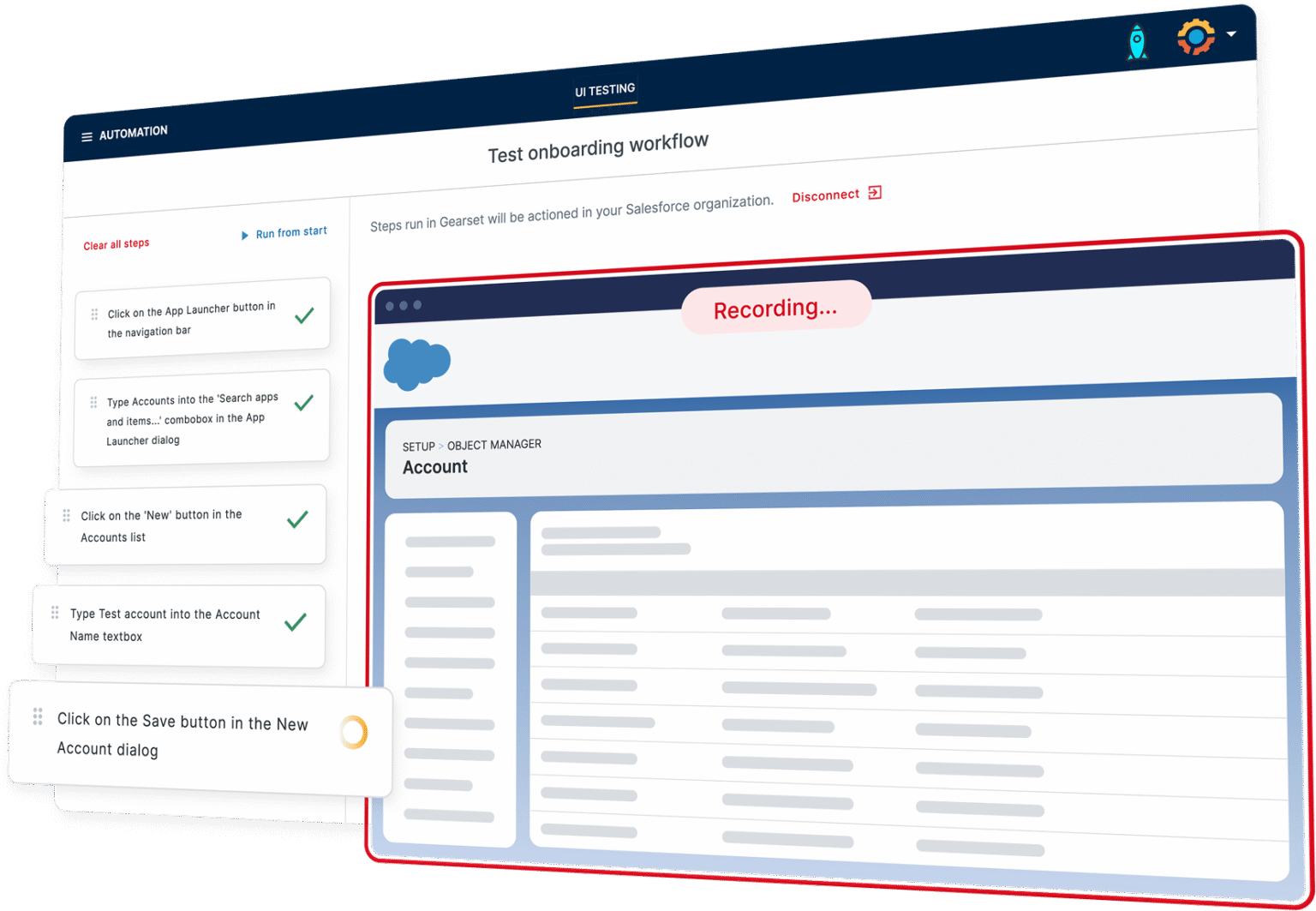
- Anyone can create tests without writing code: Describe what you want to test in plain English, and AI converts it into executable steps. A visual recorder offers point-and-click test creation for those who prefer it. No selectors, no scripting.
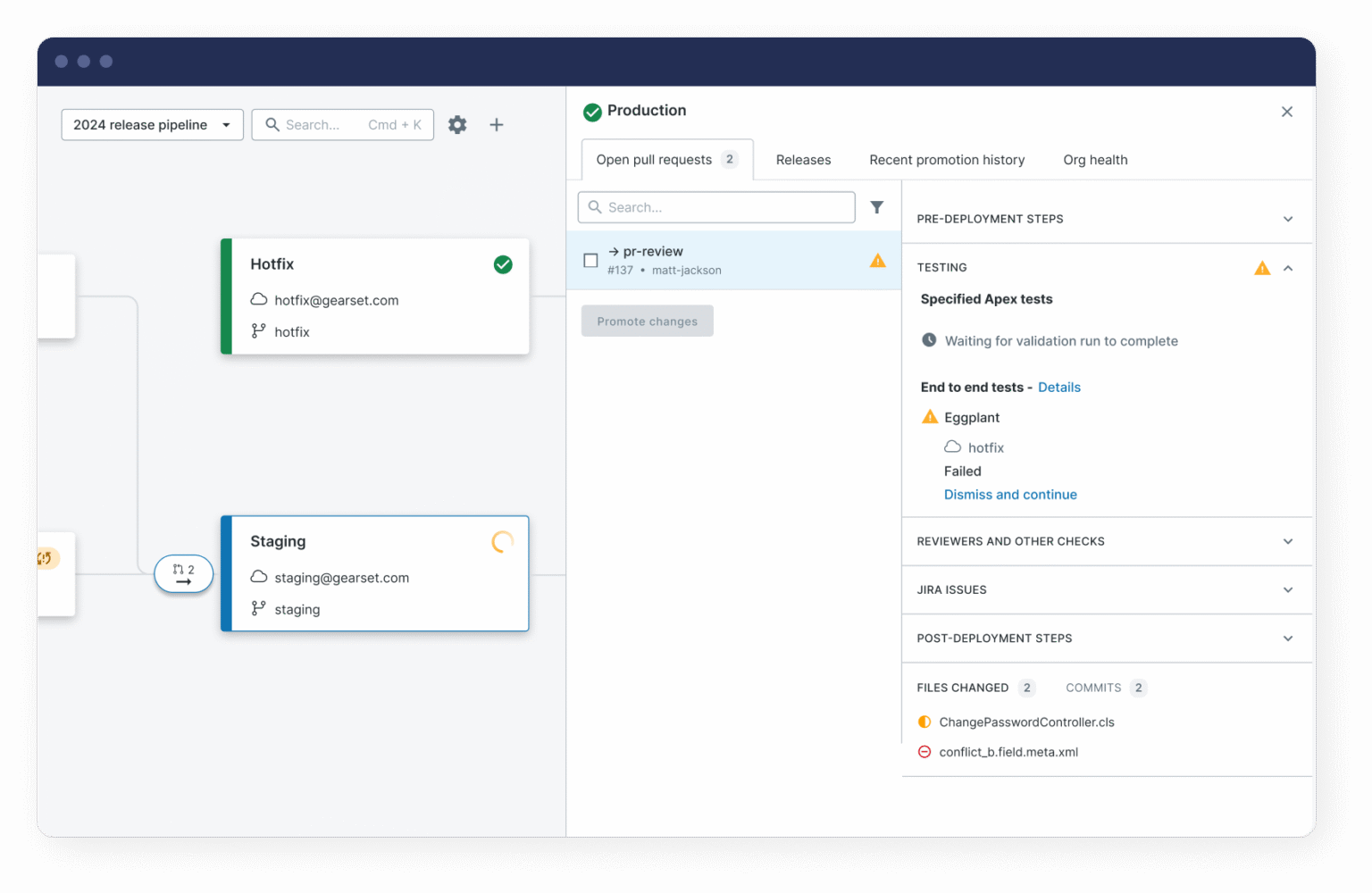
- Tests run inside the deployment pipeline: Because Gearset is a DevOps platform, testing is already embedded where deployments happen. Results are visible in the same workflow where release decisions are made – so testing becomes a team-wide default, not a nice-to-have.
- Maintenance is minimal by design: When Salesforce releases change the UI, AI detects what’s broken and suggests updates to review. So your tests stay current easily and without heroic effort after every Salesforce release.
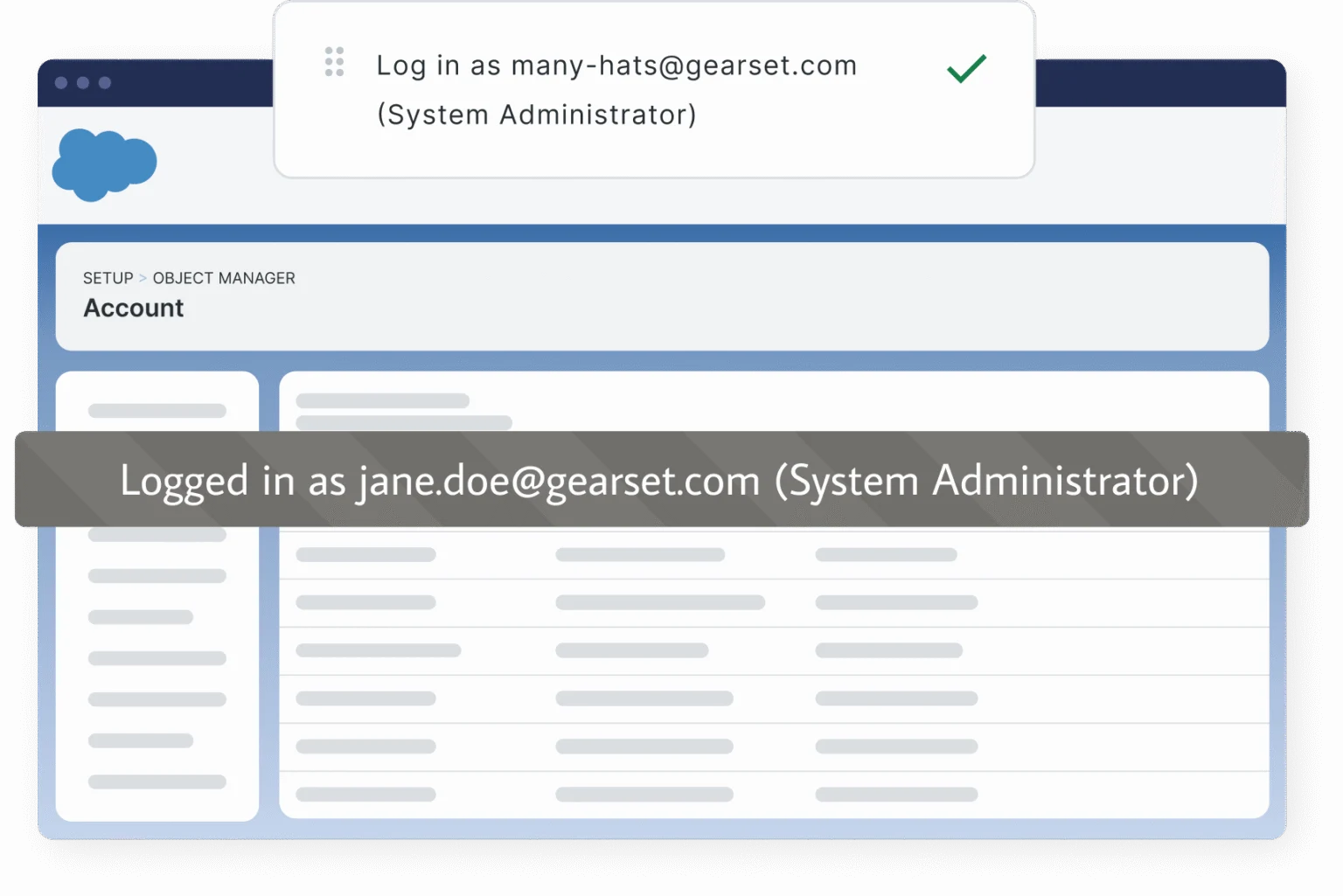
- It understands Salesforce: The complexities of the Salesforce platform that make automated UI testing challenging – such as Lightning components, dynamic IDs, Shadow DOM – are handled out of the box. And switch between user personas without managing separate credentials, with dynamic data generation to prevent common test brittleness.
Automated UI Testing That Works
As teams accelerate delivery with AI-supported development, automated UI testing is essential for ensuring that what you’ve built actually works, for every user, across every release.
Releasing without reliable UI testing is a gamble that’s only getting more expensive as AI becomes more embedded into orgs and processes. Find out more about how your team can deliver reliable UI testing at pace without the overhead.