

In today’s digital-first world, Salesforce stands as the backbone of customer relationship management (CRM) for organizations globally. However, as the platform’s capabilities expand – integrating sales, marketing, service, and custom applications – so do its attack surfaces. Cloud penetration testing helps address cybersecurity issues in Salesforce clouds by identifying vulnerabilities, misconfigurations, and access control weaknesses before they can be exploited.
Salesforce powers mission-critical operations for businesses of all sizes. With great power comes… a bigger attack surface. Pen testing strengthens Salesforce cybersecurity by simulating real-world threats, enabling organizations to proactively secure their environments and meet compliance requirements.
What Is Penetration Testing?
Penetration Testing (Pen Testing) is a cybersecurity exercise where ethical hackers simulate real-world attacks on a computer system, network, or application to uncover security vulnerabilities that could be exploited by malicious actors. This often includes technical assessments as well as social engineering attacks, such as phishing or pretexting, to test how well an organization’s people and processes can resist manipulation.
- Objective: The proactive aim of cloud penetration testing is to identify and fix weaknesses before attackers can exploit them, giving you a sense of preparedness and control over your Salesforce environment.
- How It Works: Testers meticulously mimic attack techniques, such as exploiting software bugs, misconfigured systems, weak access controls, or unsecured APIs, to ensure a thorough assessment of your Salesforce environment.
- Why It Matters: Pen testing helps organizations proactively strengthen their defenses, meet compliance requirements (like GDPR or HIPAA), and protect data, reputation, and operations from potential breaches.
Pen Testing is no longer a nice-to-have; it’s a must-do, emphasizing the urgency and importance of this critical security practice for your Salesforce environment.
Pen Testing has emerged as a critical practice for safeguarding Salesforce environments, ensuring their resilience against increasingly sophisticated cyber threats.
In this article, we’ll explore what Salesforce Penetration Testing means, why it is essential, common vulnerabilities, and Salesforce penetration testing best practices.
Cloud Penetration Testing Your Salesforce Org
Think of it as a friendly heist. Pen testers simulate real attacks – trying to break into your Salesforce environment, poke holes in your custom code, or sneak through misconfigured APIs – before the bad guys can.
It’s not just “Is my password strong?” – it’s “Could a cleverly crafted API call leak sensitive records?” or “Could a community user escalate privileges without anyone noticing?”
Penetration Testing for Salesforce involves simulating real-world cyberattacks to identify vulnerabilities within the Salesforce org, custom applications, integrations, and broader ecosystem.
Unlike general network pen tests, Salesforce Pen Testing focuses on Salesforce’s unique architecture: data models, APIs, custom Apex code, Visualforce pages, Lightning Web Components (LWC), OAuth integrations, and user permission models.
An effective Salesforce penetration test typically follows five key steps:
- Simulate Attacks: Ethical hackers mimic real-world cyber threats, including technical exploits and social engineering techniques, to evaluate how Salesforce systems and users respond to potential breaches.
- Identify Vulnerabilities: This phase involves uncovering weaknesses within the Salesforce environment, from insecure configurations and outdated plugins to overly permissive user roles.
- Assess Risks: Once vulnerabilities are discovered, pen testers evaluate the potential impact they could have on data integrity, system availability, and business operations.
- Implement Solutions: Based on the findings, security teams apply targeted fixes and harden Salesforce configurations to reduce exposure and improve overall security posture.
- Monitor Security: Continuous monitoring is essential. Pen testing often concludes with recommendations for ongoing vigilance to detect and respond to new threats as they emerge.

Why Should You Care?
Salesforce is a magnet for valuable data. Customers’ personally identifiable information (PII), financial transactions, contracts, and IP are all sitting inside your org.
And while Salesforce handles heavy lifting when it comes to platform-level security (data center protection, patching servers, encryption at rest, etc.), you are responsible for: who has access, how custom code behaves, and what API integrations allow (or don’t allow). In other words, Salesforce secures the cloud. You secure your slice of the cloud.
Why Penetration Testing Your Salesforce Org Is Critical
There are four frequent reasons to adopt pen testing for your Salesforce environment.
- Complex Integrations and Customizations
- Regulatory Compliance
- Protection of Highly Sensitive Data
- Salesforce’s Shared Responsibility Model
Let’s look at each of these.
Complex Integrations and Customizations
Organizations extend Salesforce with custom Apex, LWCs, third-party apps, and middleware APIs. If not properly secured, each extension or point of integration can inadvertently open security gaps.
Regulatory Compliance
Industries such as government, healthcare, and finance must comply with HIPAA, GDPR, CCPA, and FedRAMP standards. Regular pen testing helps meet these compliance requirements.
Protection of Highly Sensitive Data
Salesforce stores sensitive information – PII, financial transactions, and proprietary business data – that, if exposed, could result in significant financial loss and reputational damage. Unauthorized access or data breaches may also trigger regulatory penalties and legal consequences for non-compliance, making Salesforce a prime target for attackers.
Salesforce’s Shared Responsibility Model
Salesforce operates under a shared responsibility model. This means that while Salesforce secures the underlying infrastructure, customers are responsible for securing their own configurations, customizations, and user access models.
In short, Salesforce security is a shared responsibility, and testing your own org is non-negotiable.
Common Salesforce Vulnerabilities
During a Salesforce penetration test, several common vulnerabilities often surface. Here’s a breakdown of typical findings and guidelines for how to address them.
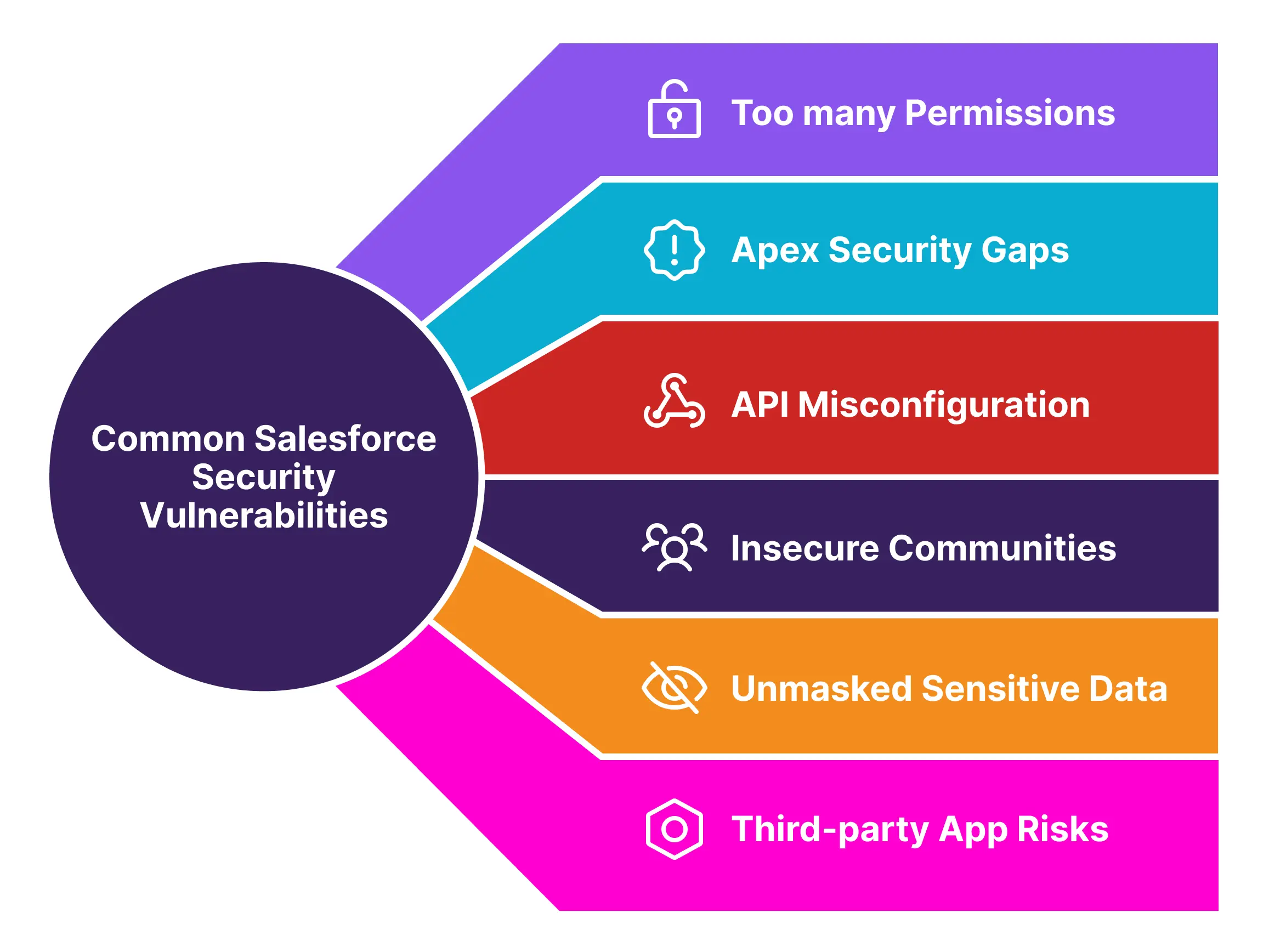
Too Many Permissions
Granting users more access than necessary is one of the most common and dangerous security oversights in Salesforce. When accounts are over-permissioned, a single compromised user can become a gateway to sensitive records, internal logic, or even system-wide changes.
The Risk:
- Attackers can exploit access via phishing, token theft, or lateral movement.
- Legitimate users may accidentally alter or expose data they shouldn’t see.
- Misalignment with compliance standards (e.g., SOX, GDPR, HIPAA).
What You Should Do:
- Apply the Principle of Least Privilege (PLP)
Grant users only the minimum access necessary to do their jobs – nothing more.
- Assign roles and permission sets based on job function, not convenience.
- Avoid “just in case” access or using System Administrator for non-admins.
- Use Custom Permissions for feature-level access control.
- Control Access at All Levels
PLP spans more than just profiles – include:
| Layer | What to Secure |
|---|---|
| Object/Field Level | Use FLS and OLS to restrict visibility and editability |
| Record Level | Apply Sharing Rules, Role Hierarchies, and Manual Sharing where needed |
| Session Level | Set session timeouts, login hours, and enforce IP restrictions |
- Enforce Strong Authentication Policies
- Require MFA and device registration.
- Consider VPN/IP allowlists for high-privilege users.
- Disable unused authentication mechanisms (e.g., legacy tokens, SOAP without OAuth).
- Regularly Review and Reassess Access
- Run permission set and profile audits quarterly.
- Use Salesforce Health Check and Field Audit Trail to detect anomalies.
- Consider login history and event monitoring to validate actual usage vs granted access.
Apex Security Gaps
Custom Apex is powerful – but with great power comes the risk of bypassing built-in platform safeguards. Many custom Apex classes and triggers unintentionally introduce vulnerabilities due to missing security validations.
Common Issues:
- SOQL Injection: Dynamic queries without proper input sanitization can be exploited by attackers to extract unauthorized data.
- Missing CRUD/FLS Checks: Apex code that doesn’t manually enforce field-level and object-level access may expose or modify sensitive data, even for users without UI-level access.
- Insecure Apex REST APIs: Custom endpoints may lack authentication or authorization checks, making them vulnerable to abuse.
Solution:
- Consistently enforce CRUD and FLS manually in Apex code.
- Use With Sharing in Apex classes to respect sharing rules.
- Implement input validation and output encoding to prevent injections.
- Use
@wireand Lightning Data Service for declarative-safe access.
API Misconfigurations
Salesforce APIs – including REST, SOAP, Bulk, and custom Apex endpoints – offer powerful integration capabilities, but they also present high-value attack surfaces. When APIs are misconfigured or lack proper access controls, they can unintentionally expose sensitive data or allow unauthorized actions.
Common Issues:
- Unauthenticated or overly permissive endpoints.
- Improper use of OAuth scopes (e.g., full admin access).
- Missing field-level or sharing rule enforcement in custom Apex APIs.
Solution:
- Use OAuth 2.0 flows correctly with scopes limited to required permissions.
- Secure all endpoints with authentication and role-based access control.
- Monitor API usage via Salesforce Event Monitoring.
- Use tools like Postman and Burp Suite to evaluate API responses.
Tip: If an endpoint returns data without a token or FLS check, it’s a risk.
Insecure Communities / Experience Cloud Sites
Salesforce Experience Cloud (formerly Community Cloud) enables organizations to expose parts of their Salesforce data to the public – such as knowledge articles, forms, or application portals. However, guest user profiles (unauthenticated users) often become a major attack surface if not carefully configured.
Why It Matters:
Guest users operate without login credentials, meaning anyone on the internet could access what the profile permits. If improperly scoped, guest users can:
- Query internal objects via API.
- Access fields not intended for public view.
- Create or update records (which can be abused for injection or spam).
These misconfigurations have led to real-world breaches, particularly in public sector and education orgs, where internal case or document data was exposed via public portals.
Best Practices:
- Lock Down Guest Profiles: Only expose the minimum necessary objects and fields required for portal functionality.
- Restrict Record Modification: Disable create/edit access for guest users unless explicitly required (e.g., form submissions) – and validate every input.
- Use Guest User Sharing Rules Cautiously: Guest User Sharing Rules can unintentionally expose large datasets if not scoped properly.
- Audit Regularly: Review Experience Site profiles, permission sets, object access, and sharing rules at least quarterly or after major portal changes.
- Test as a Guest: Simulate unauthenticated access during security reviews – including attempts to call APIs, use browser tools, or manipulate URLs.
Note: Treat your guest user like a stranger at your front door. What would you trust them with – and what should stay behind the firewall?
Unmasked Sensitive Data
Fields containing personally identifiable information (PII) may still be exposed through APIs even when hidden in the UI. This is a common security blind spot, especially when relying on UI-only visibility controls.
The Risk:
- UI-level field removal does not restrict API access.
- Attackers can retrieve sensitive values like SSNs or emails via SOQL/API calls if FLS isn’t properly enforced.
Recommended Actions:
- Use field-level security (FLS) to control API and UI access.
- Don’t rely on UI visibility alone – test API access with standard and guest profiles.
- Use Encrypted Custom Fields for masking where appropriate.
- Consider Salesforce Shield Platform Encryption only for encryption-at-rest needs – not for data masking or access control.
Note: Platform Encryption protects data at rest, not from authorized users with valid access. FLS and sharing remain your first line of defense for exposure prevention.
Third-Party App Risks
Marketplace (AppExchange) applications introduce security flaws or bypass platform security rules.
Salesforce’s AppExchange ecosystem offers powerful solutions for extending functionality, from document management and reporting tools to eSignature platforms and DevOps utilities. However, each third-party app introduces potential risk, especially when granted access to sensitive data, Apex execution rights, or authentication tokens.
Key Risks:
- Unfiltered access to objects and fields.
- Weak or overly broad connected app permissions.
- Lack of regular updates or secure coding practices.
What to Do:
- Vet apps before installation – request security docs or certification.
- Limit access using custom permission sets, not standard profiles.
- Restrict OAuth scopes and monitor connected app activity.
- Audit packages regularly – remove what’s not used.
Note: Every app is a potential backdoor. Review it like you would internal code.
Frequency of Penetration Testing for Salesforce Orgs
Penetration testing isn’t a one-time checkbox; it’s a cyclical process aligned with change, risk, and compliance. Given Salesforce’s dynamic nature, frequent releases, customizations, and integration layers, testing must evolve from ad hoc to intentional and repeatable.
Test when your attack surface changes. Test again when your risk posture does.
When to Pen Test Your Salesforce Org
Organizations should conduct cloud penetration testing on their Salesforce environments at least annually, but for most environments, this is just a baseline. Testing frequency should be increased under specific conditions:
- After Major Configuration Changes or Integrations: E.g., launching new Experience Cloud portals, adding third-party apps, or integrating them with ERP systems.
- When Significant New Custom Development is Deployed: Such as new Apex classes, Lightning Web Components (LWC), or custom APIs.
- When Compliance Standards Require It: Industries governed by HIPAA, FedRAMP, PCI-DSS, or GDPR may require more regular testing (e.g., semi-annual or quarterly).
- After a Security Incident or Breach: Even if it doesn’t appear to affect Salesforce directly, it’s best to revalidate Salesforce’s perimeter and internal access.
- Before or After a Salesforce Major Release: Salesforce’s triannual updates (spring, summer, winter) may introduce new features or deprecated ones affecting security.
Consequences of Unaddressed Vulnerabilities in Salesforce
Failing to address security vulnerabilities in Salesforce environments can lead to serious operational, legal, and reputational damage. Below are key risk areas organizations must be aware of:
1. Data Breaches
Sensitive customer, employee, or financial data – including PII, PHI, and payment details – can be exposed due to:
- Misconfigured sharing rules
- Insecure guest user access
- Unprotected API endpoints
Impact: Regulatory violations, customer trust erosion, and potential data leaks across public or private sectors.
Key stat: According to IBM’s Cost of a Data Breach Report 2024, the average data breach cost in the U.S. is $9.36 million, with cloud misconfigurations among the top causes.
2. Regulatory Fines and Legal Action
Salesforce environments handling regulated data are subject to frameworks like:
- GDPR (EU).
- HIPAA (Healthcare).
- CCPA (California).
Consequences of non-compliance:
- Fines reaching millions in value.
- Legal liability for negligence.
- Mandatory breach notifications and audit failures.
Key stat: GDPR fines totaled €2.1B in 2023 alone – with cloud misconfigurations being a primary contributor.
3. Reputational Damage
Trust is hard to build and easy to lose. A Salesforce breach can:
- Undermine customer and partner confidence.
- Attract negative media coverage.
- Jeopardize competitive position in regulated sectors like government, healthcare, or finance.
Key stat: 87% of customers would stop doing business with a company if they had security concerns.
4. Financial Loss
Security failures often trigger both direct and indirect costs:
- Legal and remediation expenses
- Incident response and forensic analysis
- Loss of customers, revenue, and future business opportunities
Key stat: IBM’s 2023 Cost of a Data Breach Report found that 49% of breach costs occur more than a year after the initial incident, due to customer loss, recovery, and fines.
5. System Downtime or Service Disruption
Unpatched vulnerabilities can be exploited for:
- Denial-of-Service (DoS) attacks.
- Privilege escalation leading to misconfiguration or account lockout.
- Infrastructure overload.
Impact: Loss of access to Salesforce during critical business operations, support, or citizen service delivery windows.
Real-world scenario: A tech startup’s Salesforce org was rendered inaccessible for nine hours due to a DDoS-style attack via an exposed endpoint. This outage delayed their quarterly close and damaged investor confidence.
6. Unauthorized Data Access or Manipulation
Attackers may:
- Exfiltrate confidential records.
- Alter reports and dashboards.
- Corrupt system integrity.
Risk: Business decisions made on compromised data, loss of historical auditability, or long-term data poisoning.
Key stat: 35% of internal threats stem from over-permissioned users or stale accounts, according to Verizon’s 2024 Data Breach Investigations Report.
Summary
As organizations rely more heavily on Salesforce for mission-critical operations, the need to secure these environments from evolving cyber threats has never been greater. Penetration testing serves as a vital cybersecurity measure – identifying vulnerabilities in custom code, APIs, configurations, and third-party integrations before attackers can exploit them.
By simulating real-world attack scenarios, Salesforce penetration testing empowers teams to:
- Uncover excessive user permissions, misconfigured endpoints, and insecure Apex code.
- Validate access controls and data protection mechanisms across Experience Cloud sites.
- Align with compliance mandates such as HIPAA, GDPR, and FedRAMP.
- Strengthen defenses through remediation and continuous monitoring.
Security in the cloud is a shared responsibility. Salesforce handles infrastructure and platform-level protection, but it’s up to each organization to secure its customizations and access models. Regular cloud penetration testing, supported by cybersecurity best practices, ensures that trust in the platform remains uncompromised.
The bottom line: The cost of prevention is far less than the cost of a breach. If you’re building on Salesforce, pen test like your business depends on it – because it does.