

Agentforce Revenue Management, formerly Revenue Cloud Advanced (RCA), brings powerful new functionality for managing entire revenue lifecycles, so many teams are keen to start implementing it as quickly as possible. But RCA introduces metadata, configuration, and deployment challenges that can trip up even experienced Salesforce teams.
To keep your project running smoothly, here are three important considerations to factor into your RCA project plan before work begins.
1. How Will You Keep Project Environments in Sync With Production?
The challenge: Generally, the teams we’ve spoken to are developing their Agentforce Revenue Management setup in isolated project environments, keeping their new changes separate from the business-as-usual (BAU) workstream.
It’s vital to regularly ensure your project environment is aligned with the latest development in production, to make sure what you’re developing will integrate and behave as expected when released. If you don’t, you can expect to run into headaches and errors when you try to deploy your project.
But because your RCA configuration doesn’t yet exist in production, refreshing sandboxes can overwrite active project development – undoing progress and creating extra rework.
What to consider: Traditional sandbox refreshes aren’t always practical mid-project. You’ll need a strategy for keeping environments aligned without losing in-progress work. That might mean using selective deployments to update specific metadata, syncing key components on a regular cadence, or introducing automation to reduce manual effort as configuration evolves.
2. Are You Equipped To Deploy New and Complex Configuration Data and Metadata Types?
The challenge: Much like CPQ, RCA is built on metadata and configuration data, which adds complexity to deployments. So the challenge isn’t just the new and unfamiliar metadata types, but how the configuration data must be deployed and managed together with that metadata.
Teams often overlook the need for external IDs to link related configuration data, or fail to account for the dependencies between metadata and configuration records. For example, RCA introduces components like Product Catalog Management (PCM) and pricing rules, which rely on complex dependencies and sequencing that don’t always behave like standard metadata.
What to consider: As a minimum, make sure your DevOps tooling can handle RCA configuration data and metadata types. Allow time to experiment with early test deployments and understand how RCA configuration behaves between environments. It’s also worth reviewing your current release process to make sure it can manage both configuration and metadata dependencies efficiently.
3. How Will You Map Existing Custom Configuration to New RCA Functionality?
The challenge: If you’re moving to RCA from an existing CPQ or billing system, you may have years of accumulated customizations to untangle. It’s not always obvious what to rebuild, what to retire, and what RCA now provides out of the box that can replace your custom config.
What to consider: Earmark time at the start of the project to audit your current setup, to identify where custom logic or objects overlap with new RCA capabilities. This helps teams focus on rebuilding only what’s not covered by out-of-the-box RCA functionality — reducing complexity, improving maintainability, and making it easier to take advantage of future RCA updates.
How Gearset Supports RCA Implementations
Gearset makes it easy to manage Revenue Cloud Advanced projects end-to-end, whatever the size or complexity of your implementation.
Simple Production Syncs
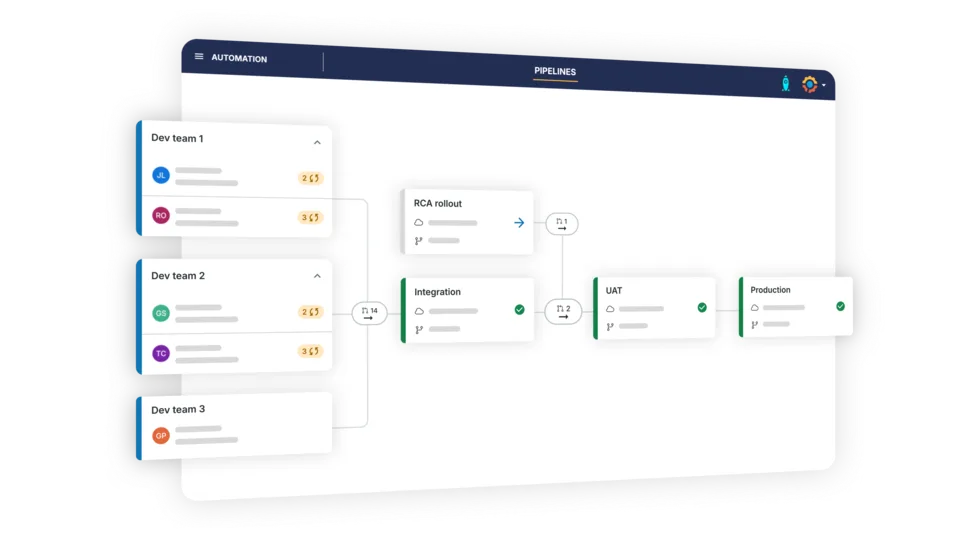
With long-term projects in Pipelines, you can isolate your RCA workstream from business-as-usual while seamlessly syncing production updates to your project environments. So you can be confident that what you’re building will integrate as expected on go-live day.
Deploy Metadata and Config Together
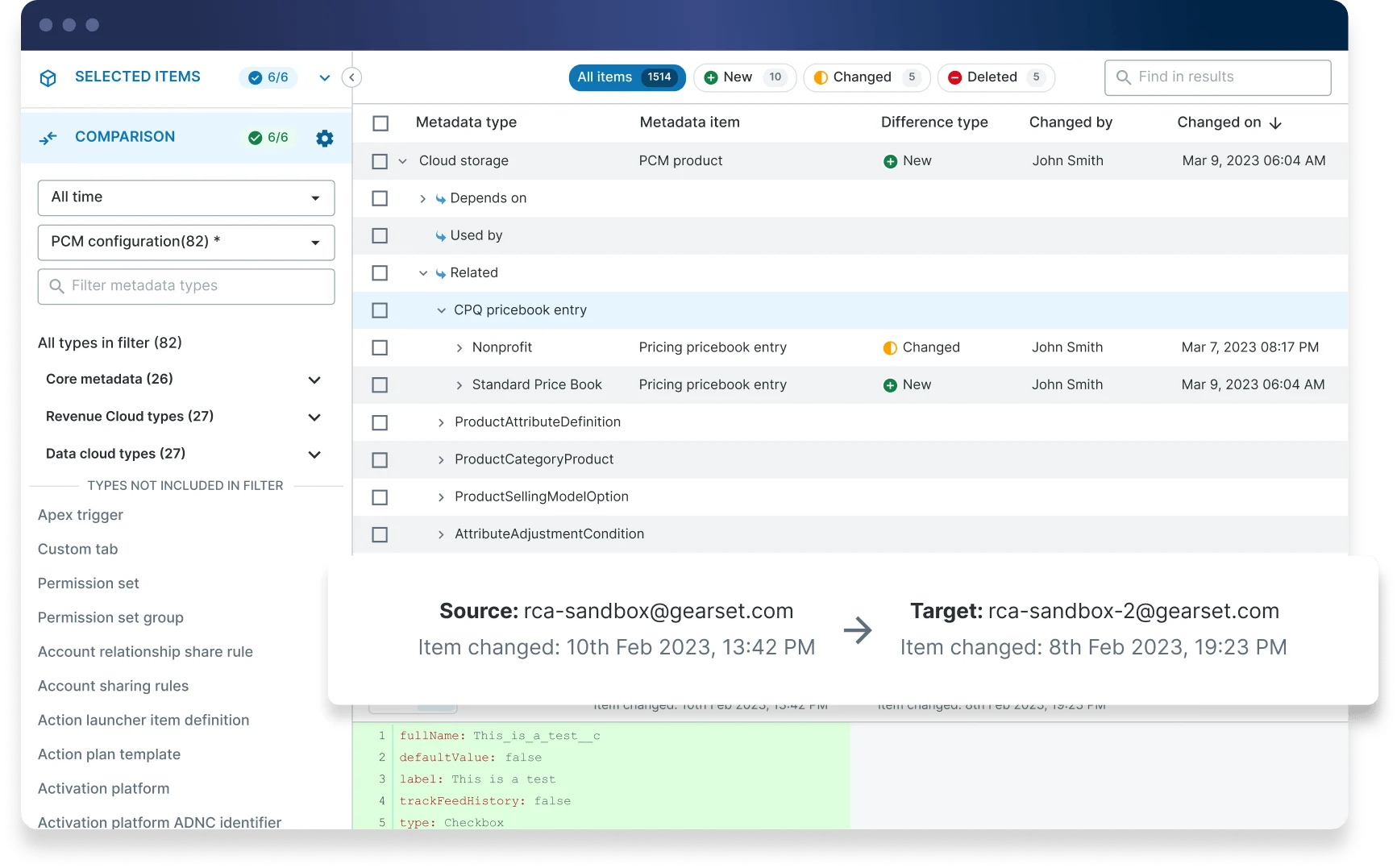
Gearset’s deployment engine supports deploying RCA metadata and configuration together, enabling teams to deploy RCA in a single, reliable deployment rather than juggling separate workstreams, tools, and audit trails.
Rapid Org Insights and Auditing
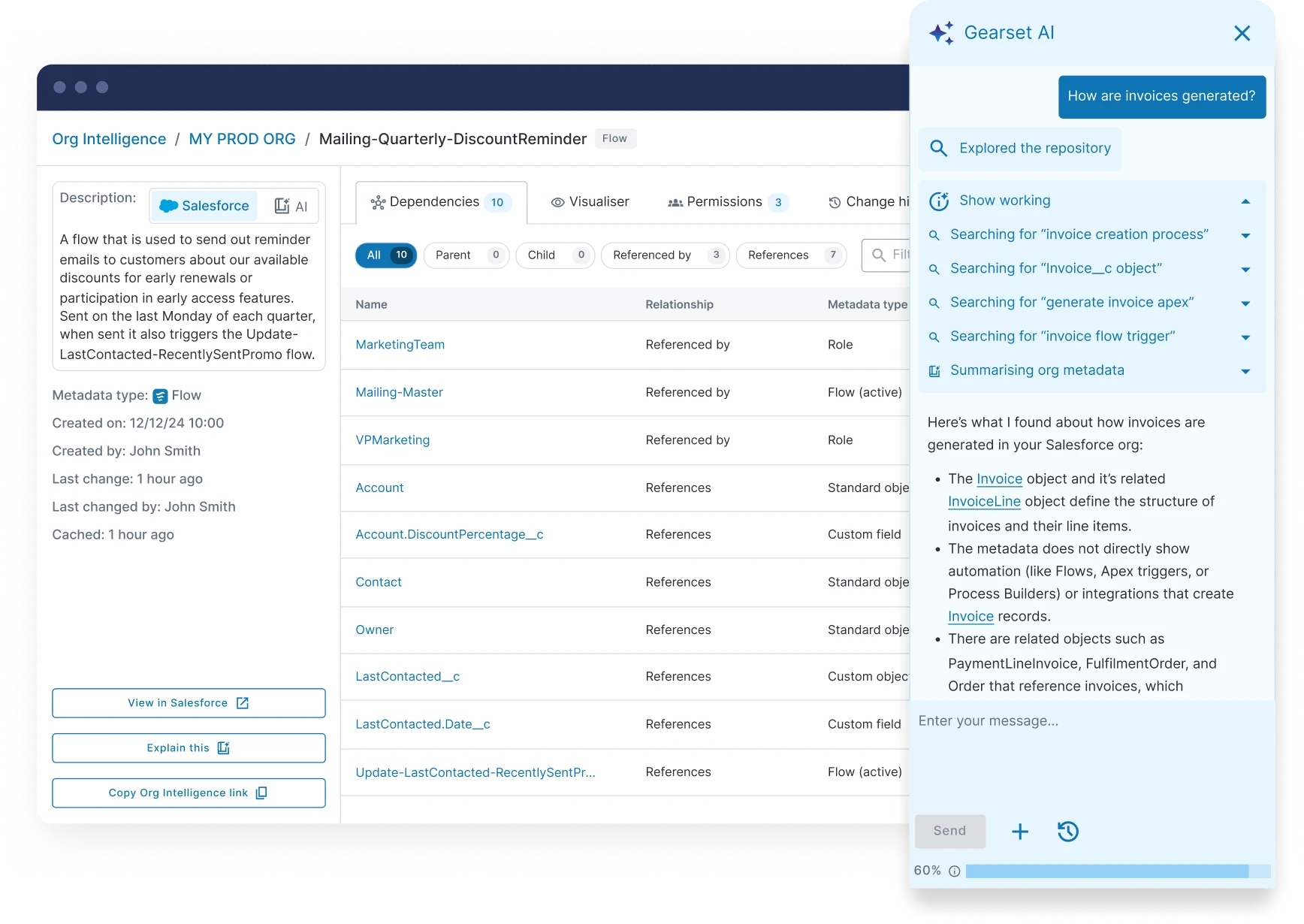
Org Intelligence and the Gearset Agent help teams easily analyze and understand any existing CPQ or billing configuration – significantly reducing the amount of time spent auditing your org before development can begin. So your team builds the right RCA functionality from the start.
Make Your Implementation Successful With Gearset
Ready to simplify your Agentforce Revenue Management rollout? Book a demo to see how Gearset helps Salesforce teams deploy RCA with confidence.