
Among the many AI-related announcements at Dreamforce 2025, Slack stood out as the one-stop shop for customers to drive innovation at record speed, which just keeps getting better. While there are many recent Slack updates worth mentioning, there’s one feature that all users must have used at least once, which is becoming much smarter – Slackbot.
Let’s take this new AI-powered version of Slackbot for a spin and see just how fast it can transform the way you and your entire organization use Slack.
What Is Slackbot?
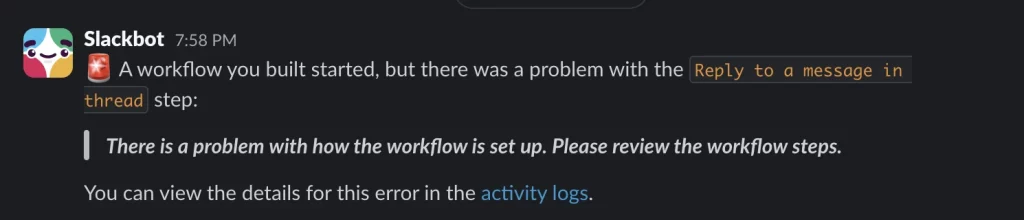
Before AI features were introduced to Slack, everyone came to know Slackbot as a scripted assistant, predefined to respond in certain cases, welcome users, set reminders, or provide guidance in other scenarios. When it comes to workflow errors, Slackbot is also the trusty notification mechanism, which will alert you that something went wrong. Sounds familiar?

As of recently, you might have already noticed the basic AI features to help you catch up or get a summary of your work. While you may have extensively used Slackbot in the past, the time has come for it to be completely reimagined as a personal assistant who already has everything you need – all you have to do is ask!

Getting Started With Slackbot AI
It should come as no surprise that there’s virtually no setup required to get started with the new Slackbot AI experience, as long as it is enabled and you have a plan that includes the AI functionality.
There are no installation steps, no time spent training the agent, and no need to share additional resources unless you want to! Practically, as soon as it’s available, Slackbot is ready to become your trusted sidekick, AI-powered colleague, and immediate source of information. Right from the get-go, this is the one agent who knows about your projects, collaborators, ongoing conversations, deadlines, and action items as long as it has access to adjacent systems, such as Salesforce.

Even more so, Slack users can just ask Slackbot what it can do, and it will answer. On top of being able to access it from the Apps section as usual, there’s now a Slackbot button next to the search bar. This button will surface a side panel, so regardless of where a user is in Slack, Slackbot can always be one click or keyboard shortcut away.
Try out the Readily Available Prompts


Out of the box, Slackbot has four categories of predefined prompts which you can immediately try out: Discover, Create, Find, and Brainstorm. Some options are more generic than others, but even if you do start with a generic prompt, nothing is stopping you from continuing the conversation as needed following the agent’s initial answer.
Another predefined prompt is “Find open tasks for this week,” which starts showcasing Slackbot’s true capabilities and how all of your data comes into play in just a matter of seconds. This trial Slack workspace is connected to a Salesforce developer edition org, and the agent already knows that without any additional guidance. It will share exactly where it’s looking to find and provide all your incoming tasks for the week: the Salesforce Tasks, your Slack activity, and even files.
Ultimately, regardless of the format the information was shared in, chances are that Slackbot will find it, and in much less time than it will take anyone to achieve the same result manually. Of course, wording matters, but just like you would do with any other AI chat, you can keep asking questions and fine-tuning to ensure the best result.
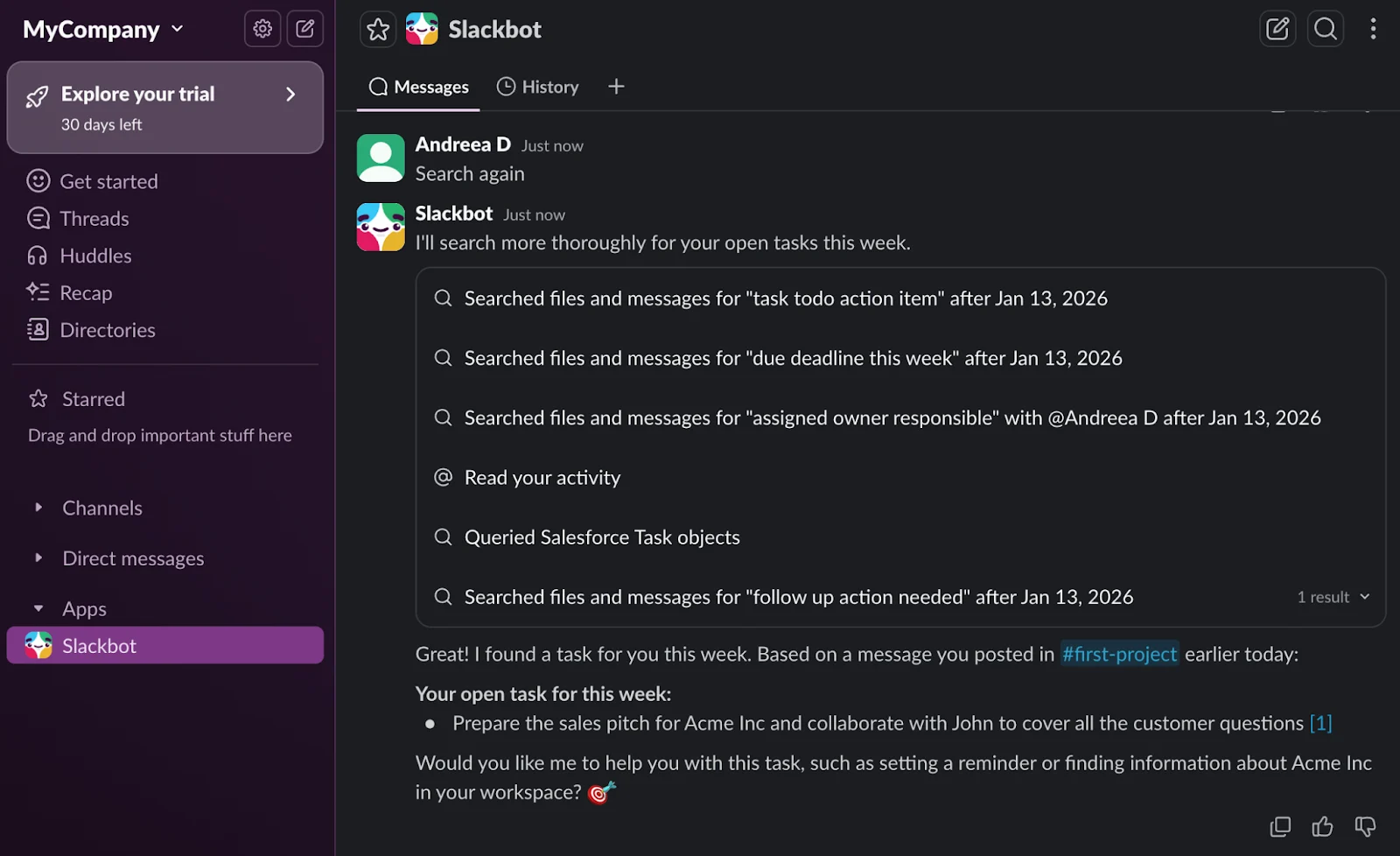
Since it hasn’t found any task initially in the example above, because there weren’t any to find, let’s make sure it does the second time around. The action item itself was a Slack message, and Slackbot not only picked it up, but also linked the source channel and exact message for additional context. It also offered potential next steps, to help see the task through. Isn’t that helpful?
Ask Slackbot What You Need to Know

While I could have continued the previous conversation, let’s start a new one instead with a simple ask about the Account I wanted to prepare the sales pitch for. With only a name to go by, Slackbot searched once again through both Slack and Salesforce in this example, to provide the most up-to-date information on the prospect – and did so successfully, with hyperlinked references for each of the points.
What could have taken a Sales Manager a significant amount of time to dig through different systems, conversations, and related records, Slackbot surfaced in mere moments! Not only that, but the list of next steps will save additional time for the user asking for this information, given that they now know exactly what they need to do and when.
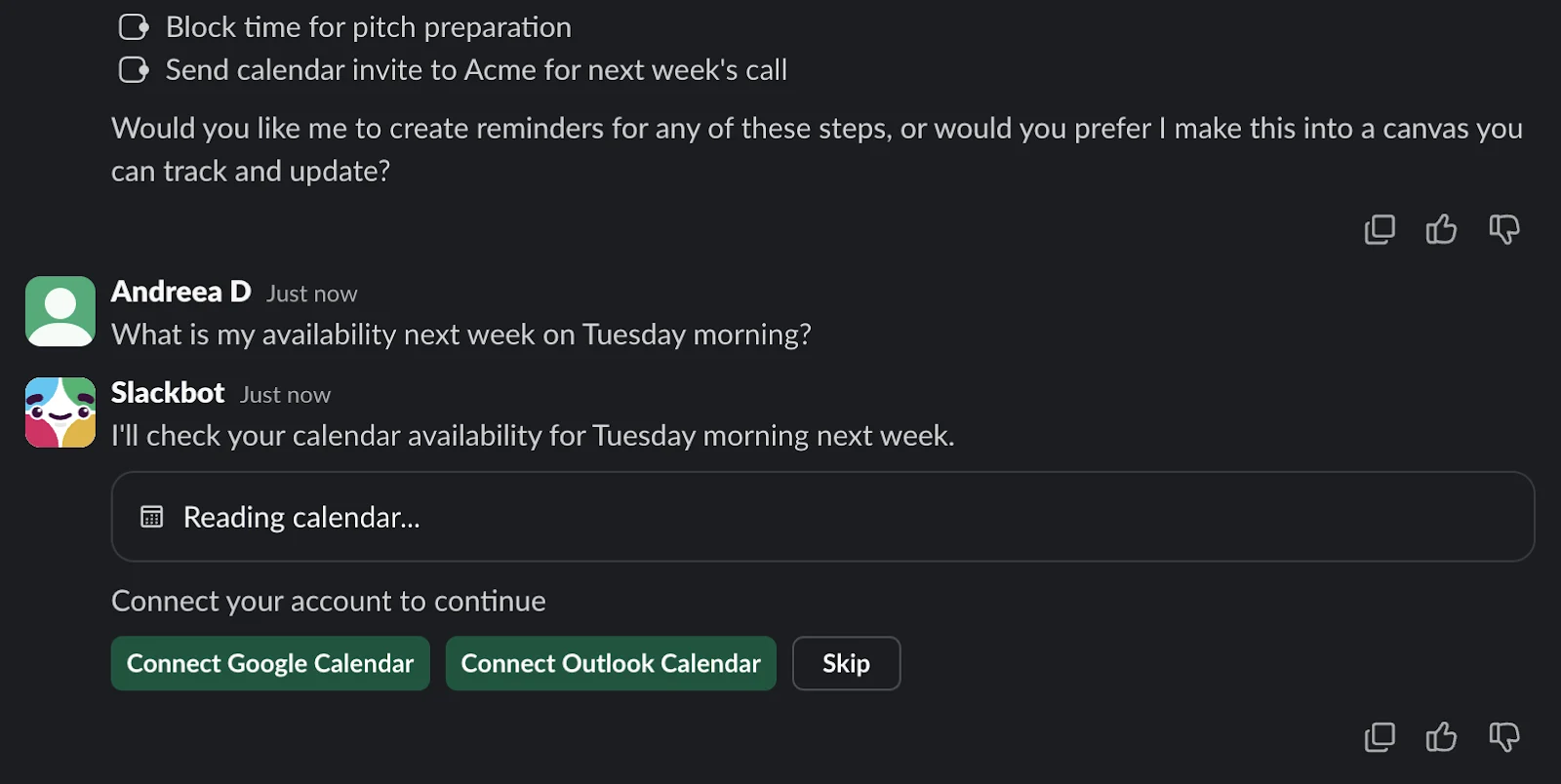
Additionally, the more access Slackbot has, the more helpful it can be. For example, connecting your calendar to Slack will open up the possibility for it to check availability, and not only for you! In a real-life scenario, finding the right slot between multiple team members across various time zones can be just as easy.
Share New Resources and Have Slackbot Take Action

On top of what is already available in Slack or Salesforce as far as information goes, the reality is that teams will sometimes work with offline documents, which then need to be shared or processed in some way. In this example, we have an Account Plan document for the open Acme Opportunity, which is almost ready to be shared with the customer.
With a simple prompt and sharing the document, Slackbot can quickly come back with a tailored email, ready to be sent to the point of contact. Notice that the agent tried a few approaches to find the right Opportunity Contact Role that the email is supposed to be sent to. It correctly identified it and produced the draft accordingly. Note that this time at least, Slackbot can’t send the emails on your behalf.

Instead of sharing the Account Plan resource directly with Slackbot, take into account that it may already know what you’re looking for. So before spending time finding files which may already exist across your workspace, it may be a good idea to ask first – perhaps someone else already has shared a more up-to-date version.

And finally, Slackbot can help your team move from files and documents into a more collaborative space by creating Slack Canvases. In this example, we already know that the Account Plan information exists in Slack, but if we want to start tracking progress on it, all it takes is a sentence.
Slackbot not only moved the Account Plan action items into a Canvas, but also tagged the relevant user and linked the Salesforce Account record. One thing to note is that the Canvas was not directly related to the corresponding Salesforce Channel for Acme, so this part looks like it has to be done manually, at least for the time being.
In the end, the Canvas can contain anything you need it to – from action items, to executive briefs and project ideas, if you need it and the context is accessible, you only need to ask.
Considerations
Similar to other Salesforce products and features, there are a few things to keep in mind when it comes to Slackbot and the built-in AI features as well:
- This new version of Slackbot is gradually becoming available to Business+ and Enterprise Slack customers starting on January 13, 2026. Legacy Business+, Enterprise Grid, and Enterprise Select plans with the Slack AI add-on are part of the rollout as well.
- Slackbot AI and the new advanced features come at no extra cost on top of the Business+ and Enterprise plan prices. This means that if your team is ready to get started, it’s just a matter of enablement and rollout.
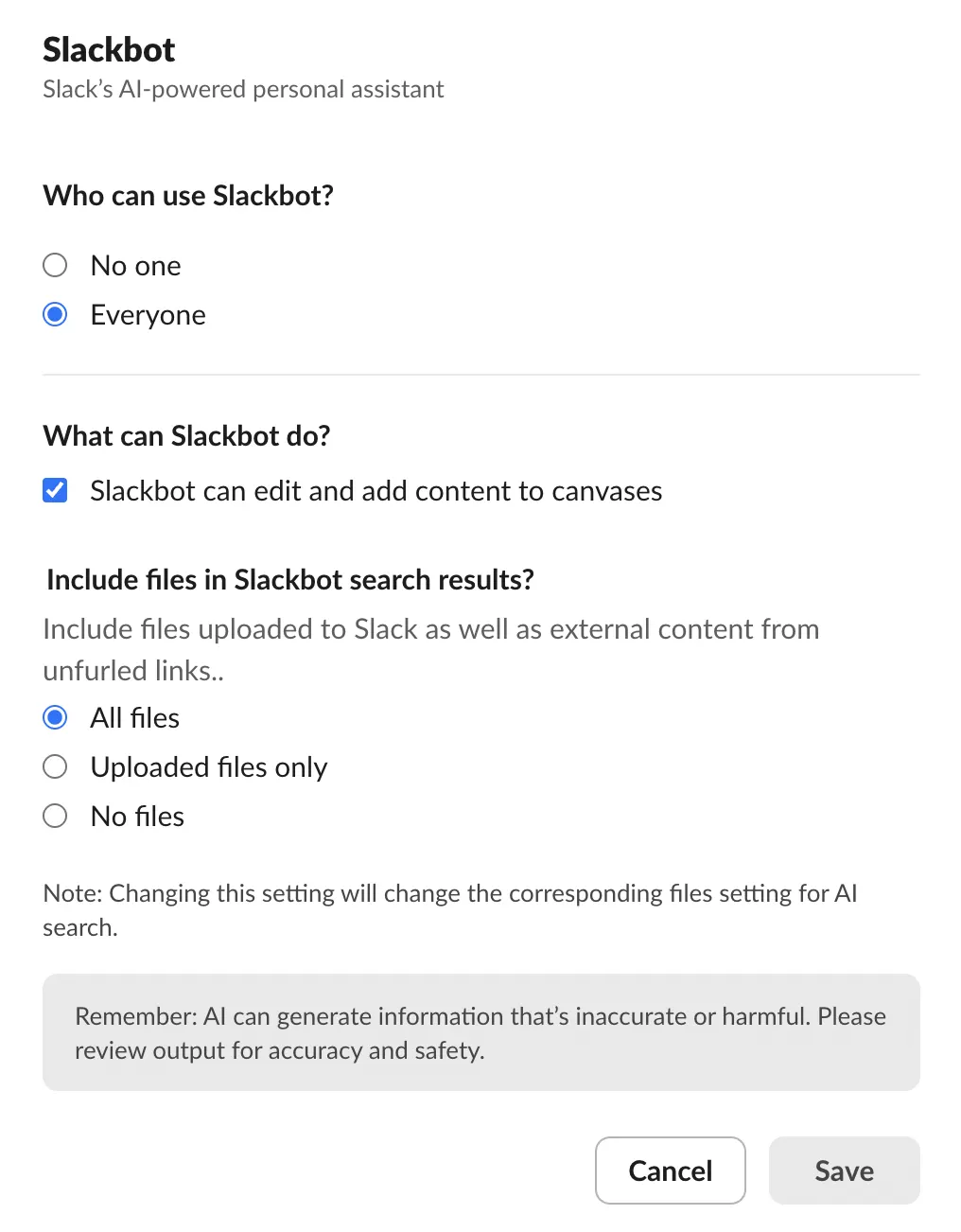
- Before enabling your team, make sure to review the AI feature access for Slackbot and choose the preferred options given your business context.
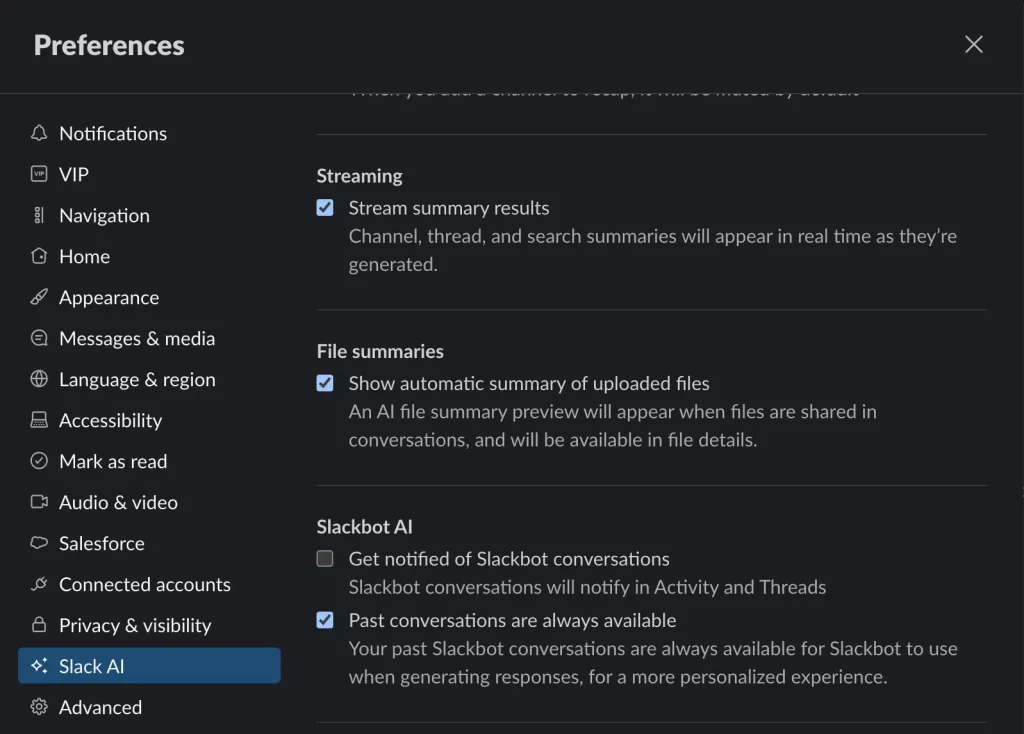
- Users also have the option to modify a couple Slackbot settings to tailor their own experience, which can be found in the Slack AI preferences.
- From a security and privacy standpoint, Slack guarantees that the user context will be used, so that your personalized agent only returns information you already have access to, only much faster. For more details, check out the FAQs section on the Slack website, as well as the official Slackbot documentation.
Final Thoughts
If one thing is certain, it is that Slack should never be referred to as a simple team communication tool, because it’s definitely so much more than that. Given that the core platform features are constantly enhanced, and now AI functionality is built in across the board, Slack is not only bound to become the agentic OS Salesforce plans for it to be, but also your ultimate resource to help everyone get up to speed, plan, and take action – all in real time, and in no time.
Have you already tried out the new Slackbot? Are you planning to? Let us know in the comments section below!