






Whether we like it or not, AI – or more specifically Large Language Models (LLMs) – are changing the way we work. You’ve seen the headlines that suggest AI technologies will replace you, and that time is perhaps near for Salesforce Admins.
In this article, we’ll explore what I learned from customizing Claude Code to generate Salesforce Flows and why now is the time to upskill.
What Is Claude Code?
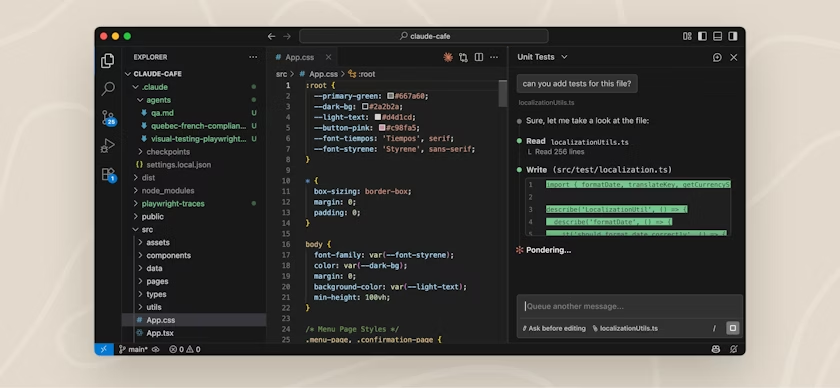
Claude Code is an AI helper tool from Anthropic that can generate code that makes up system configuration and customization.
This resides in tools such as Visual Studio Code and can be combined with the power of Salesforce CLI to retrieve, create, update and delete Salesforce Metadata, which makes up Salesforce solutions.
In this case, I’ve used Claude Code to generate Salesforce Flows that adhere to company standards and best practices, saving valuable time in the process.
1. Meet Claude.md
The Claude.md file is the brain of the operation. It defines what Claude Code can and cannot do, and how it should behave. You can use it to train AI on specific tasks such as building flows or deploying to Salesforce.
In my case, I added a rule to pull metadata from Salesforce. When a user asks Claude Code to “seed my local project with metadata from Salesforce,” Claude determines which org alias to use and then runs a series of commands behind the scenes.
These commands generate an up-to-date list of available metadata in Salesforce and then retrieve it automatically:
sf project generate manifest --output-dir ./manifest --from-org <orgname/alias>sf project retrieve start --manifest
2. Use Bypass Logic
If you’re using Claude Code to build record-triggered flows, it’s essential to have a way to stop them from running when you need to manage exceptions or perform data loads.
By instructing Claude Code that every record-triggered flow must include bypass logic, you can ensure predictable behavior. From there, exceptions can be controlled through a Custom Permission.
If the triggering user doesn’t have the Bypass Flow permission, the flow won’t run, preventing unintended actions such as email alerts firing during a data load.

3. Set Naming Conventions
When Claude Code is generating Salesforce metadata, it’s important that file names follow a consistent and predictable structure. You may already have a set of naming conventions in place that you want it to follow.
For flows, I prefer to append the flow type to the end of both the Label and API Name for clarity. For example:
- Set Account to Active becomes Set Account to Active: After Save.
- Send Reminder for Overdue Opportunities: Scheduled.
A similar approach applies to descriptions. I’ve instructed Claude Code to include a description wherever one is supported, including Assignments, Variables, Get Records, and other elements. The only exception is the Start element, which doesn’t allow a description.
4. Use Examples
I’ve been working with Claude Code for a few months, and I’ve found it performs best when it can reference concrete examples of Flows that carry out specific actions.
If you specify in the Claude.md file that it should use Example/Flows, Claude will draw on those examples when generating the Flow you requested.
Without this guidance, it’s more likely to produce XML that isn’t valid, which would cause deployments to fail if you attempted to deploy back to a Salesforce org.
5. Ground in SFDX
I use the Claude Code extension within Visual Studio Code, alongside the Salesforce Extension Pack and Salesforce CLI.
This means that, in addition to generating Flows, Claude can verify specific fields and picklist values exist before referencing them, as they reside in my local (SFDX) project.
In my case, Claude is also instructed to deploy changes back to Salesforce using CLI commands. It includes additional safeguards to ensure any dependencies (such as fields or permission sets) are deployed first and is under instruction to verify deployments are successful afterwards.
6. Polish Your Prompt
If you provide Claude Code or any AI tool with a poor prompt, you’re likely to get a poor result. A bad prompt also increases the chance of confusion or hallucination. For example:
Generate a Flow that sends an email when an Opportunity is created
This prompt leaves a lot open to interpretation, including some critical questions:
- Does this apply to all Opportunities or only certain records?
- Who should receive the email?
- Which email template should be used?
When these details are left out, the outcome becomes unpredictable. If you tweak your prompt to be explicit and reduce the amount of reasoning Claude Code has to do, you’re far more likely to get a high-quality, repeatable result. For example:
Generate a Flow that sends an email to the Sales Director when a Renewal Opportunity is created using New_Opportunity
7. Start Small
If you ask an AI model to generate Salesforce metadata, it may struggle at first. Attempts tend to improve only once you refine the “rules” in Claude.md and provide examples.
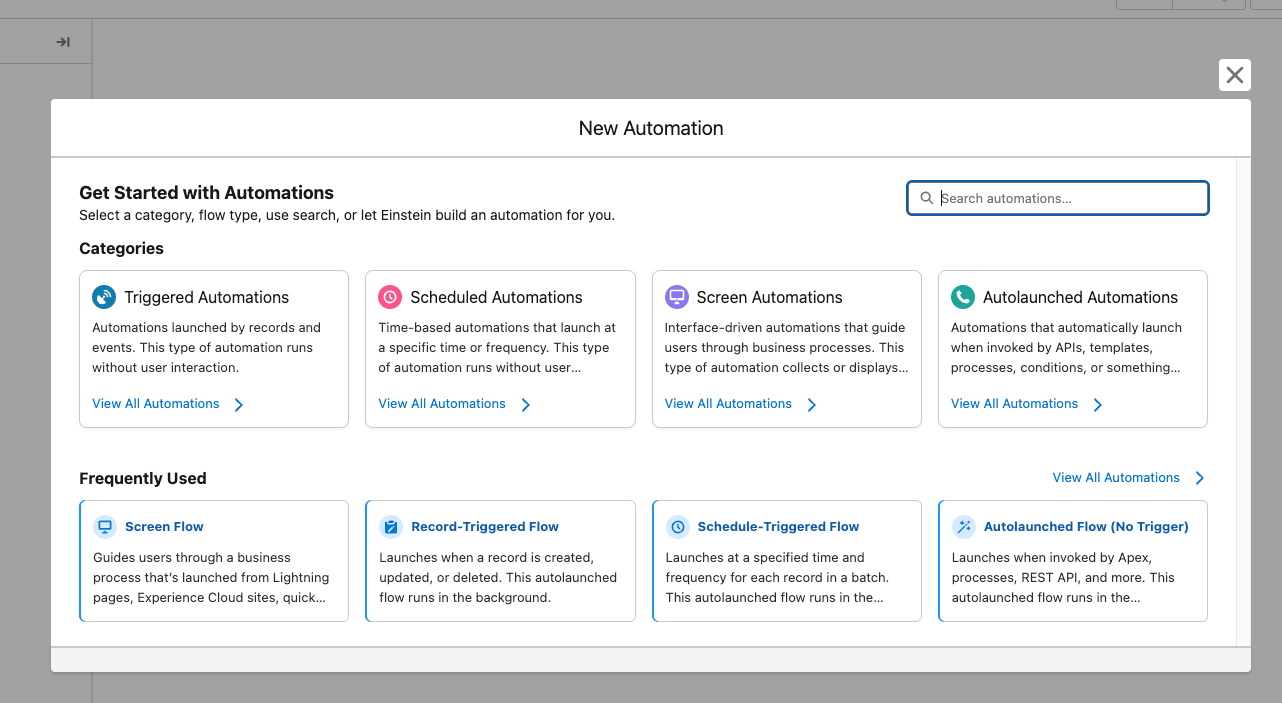
For my primary use case, the goal was to generate Salesforce Flow. To make this manageable, I broke the problem down into manageable parts. I started with Before-Save Flows, then gradually expanded to After-Save, Before-Delete, Scheduled, and Screen Flows.
By starting with Before-Save Flows, you deliberately limit the number of available components, making it much easier to train the model in smaller iterative steps.
8. Expect the Unexpected
AI technologies are non-deterministic by nature, which is both a blessing and a curse. When something goes wrong, an AI tool can reason and work out how to resolve it. On the other hand, that same reasoning means it can also lose its way or become confused.
This was evident during the early stages of training. Once Claude Code had context in the Claude.md file, such as how to handle common errors, it was able to overcome these issues independently.
A few years ago, I let go of perfectionism, and so I applied that mindset to Claude Code-generated Flows. If the result wasn’t production-perfect on the first pass, that was fine. I could review, tweak, and refine it before deploying it to an environment elsewhere.
In practice, once I had properly refined the Claude.md, I no longer ran into issues. The flows were consistently valid and aligned with the prescribed requirements.
9. Challenge the Requirement
If you ask AI to build something, it will. However, just because you asked it to build a Flow doesn’t mean a Flow was always the best solution.
I quickly learned that by equipping Claude Code with a checklist to follow each time it was asked to create a Flow, it could challenge the requirement as part of the process rather than simply implementing it (‘order-taking’).
If the requirement could be met with a simpler solution, such as a validation rule, formula, or default field values, I taught Claude to flag this before building an unnecessary Flow.
10. Don’t Forget Governance
AI Metadata generation can be incredibly powerful, but without clear governance and defined terms of use, the process can quickly unravel.
I was involved in writing the terms of use for Claude Code within my organization. One of the terms was that all metadata should be tested by a human and restricted to Developer Sandboxes or Scratch Orgs. This ensures changes are never made to environments closer to Production (or Production itself) without oversight and control.
I also introduced a 30-minute weekly drop-in session, giving people space to raise challenges, share feedback, and help shape future iterations of the approach.
Data residency and compliance are also considerations, particularly for those in the EU or regulated industries. Before using this capability, it’s essential to understand how data is processed and stored. You can explore options such as hosting Claude Code on your own infrastructure to ensure everything remains within the required geographical boundaries.
BONUS: Compare Your Tools
There are a growing number of tools capable of generating Salesforce metadata using AI. As part of my evaluation, I compared Claude Code and Agentforce Vibes using identical instruction files and test cases.
Claude Code emerged as a clear winner, suggesting Agentforce Vibes still has a way to go before it becomes a viable option in this space. Unfortunately for Agentforce, this experience wasn’t unique; others attempting to use Agentforce Vibes to generate Flows have also reported similar challenges.
Final Thoughts
AI and LLMs are reshaping Salesforce configuration as we know it. While they aren’t yet capable of fully replacing a Salesforce Admin to build Salesforce Flows, they can transform an initial idea into a working concept in a few minutes and even suggest alternative options.
This does feel daunting, but I’m excited about what the future holds and the opportunities this creates for how we design and build in Salesforce.





Comments: