

If you’ve been following the world of AI and Agents, you’ve probably come across the term MCP, or Model Context Protocol.
In this article, we’ll break down what MCP actually is, why it matters to Salesforce Admins, and walk through some examples. You’ll see that MCP isn’t just a Salesforce concept. It’s a technology being adopted across the tech industry, and it’s already showing up both inside and outside the Salesforce ecosystem.
What Is MCP?
Model Context Protocol (MCP) was developed by Anthropic and released as an open standard. Even though it originated with Anthropic, it isn’t locked to Claude. You’ll find it being adopted by other tools too, including ChatGPT and Agentforce.
MCP gives AI agents a standard way to communicate with other systems. Before MCP existed, connecting an AI agent to, say, Jira or Google Drive meant building and maintaining a custom integration for each system.
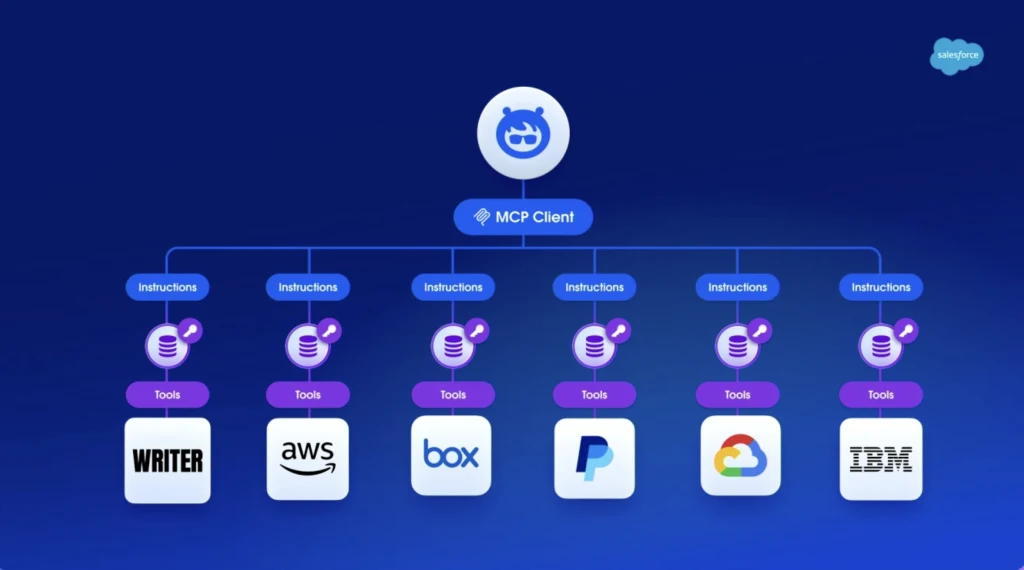
MCP solves this by acting as a common connector. The AI agent handles the reasoning, deciding which tool it needs for the task at hand, and then uses MCP to talk to the system it needs. In practice, this means an agent could search Jira, pull an article from Confluence, check a file in Google Drive, or query a record in Salesforce, all using the same protocol.
Security is built into this process too. MCP uses OAuth; this means you have to explicitly approve each connection, and the agent inherits your level of access.
Why Should Salesforce Admins Care?
AI is moving fast, and tools that plug in are changing just as quickly.
For a Salesforce Admin, connecting to an MCP server can save real time on tasks that would otherwise mean switching between tabs, copying information across systems, or waiting on a developer to build a bespoke integration.
Take the Rovo MCP by Atlassian as an example. Once connected, you could ask your AI agent to pull up a Confluence page to reference your org’s documentation, or raise a Jira ticket for a bug a user just reported, all from the same conversation you’re already having with your agent.
The same concept applies beyond Atlassian to other tools. You might use an MCP to:
- Generate a LucidChart Diagram.
- Draft an Email in Gmail.
- Summarise a long thread in Slack.
- Find a Google Drive document.
Whether you prefer Agentforce, Claude, Slack, or another Agent, MCP works with each of them.
For admins, manual, repetitive work (e.g., searching documentation, raising a bug) is exactly the kind of task an agent equipped with MCP can start to do on your behalf.
Salesforce MCP Overview
Within Salesforce products, there are a number of different MCP options available natively without the need to build your own custom integrations.
SObject MCPs
SObject MCPs allow you to manage Standard and Custom Objects, with different MCPs available based on the type of action you want to perform: Read, Create, Edit, and Delete.
| Read | Create | Edit | Delete | |
|---|---|---|---|---|
| SObject All | Yes | Yes | Yes | Yes |
| SObject Reads | Yes | No | No | No |
| SObject Mutations | Yes | Yes | Yes | No |
| SObject Deletes | Yes | No | No | Yes |
Salesforce Development MCPs
If you are using AI to help with Salesforce development, then this collection of MCP Servers helps simplify things by performing some templated abilities.
| Salesforce DX | Metadata Experts | Metadata API Context |
|---|---|---|
| Provides tools related to Salesforce Development including Org Management, DevOps Management, Code Analysis and more! | Designed for metadata generation.execute_metadata_action tool that handles logic for registered metadata types. | Provides tools that supply contextual information about Salesforce metadata types, to help AI generate valid files |
Salesforce Platform MCPs
This set of MCPs allows AI tools to interact with Salesforce Archive, Data 360, and Headless Data 360, which covers mostly ‘Core’ Salesforce Platform functionality.
| Archive Connect MCP | Data 360 | Headless 360 |
|---|---|---|
| Manage Salesforce Archive data. This allows you to search, unarchive, and perform other operations on your data. | Lets you manage unified customer profiles, trigger segmentation, resolve identities, ingest and transform data, and configure mappings and developer environments in Data 360. | This allows you to query, create, and update records. Manage users, deploy Apex Triggers and manage Platform Events, Change Data Capture, Named Credentials, and even manage Commerce Cloud Orders. |
Tableau Next, Slack, Heroku and Marketing Cloud Engagement
When it comes to products adjacent to Salesforce, there are options to connect to your Tableau Next, Slack, and Heroku-based solutions as well.
| Tableau Next | Slack | Heroku | Marketing Cloud Engagement |
|---|---|---|---|
| Explore semantic models, retrieve dashboard and visualization metadata, explore metrics and KPIs, and execute natural-language questions. | Search Slack, retrieve and send messages, manage canvases, manage users, and manage channels. | Interact with and manage apps via your connected Heroku account. | Work with Campaigns, Automations, Contacts, Content, Data Extensions, Journeys, Email and more within Marketing Cloud Engagement. |
MuleSoft
If you use MuleSoft, you can equip your chosen AI Agents to interact with the platform using the MCP protocol.
| MuleSoft Platform | MuleSoft DX |
|---|---|
| Monitor APIs, agents, MCP servers, and LLMs. | Enables AI-powered development assistants, helping you manage APIs, applications, and platform resources. |
MCP Availability and Pricing
Basic MCP access for Salesforce is included in Enterprise Edition and above, and isn’t gated behind any Agentforce licence or add-on.
Salesforce has introduced new usage types for Create, Read, Update and Delete (CRUD) operations via Salesforce Hosted MCP Servers, along with a separate usage type for Salesforce processes invoked through MCP, including Flows and Apex. Both are currently unmetered. Salesforce has committed to 30 days’ notice before a multiplier is added and metering begins, so these operations could carry a cost down the line.
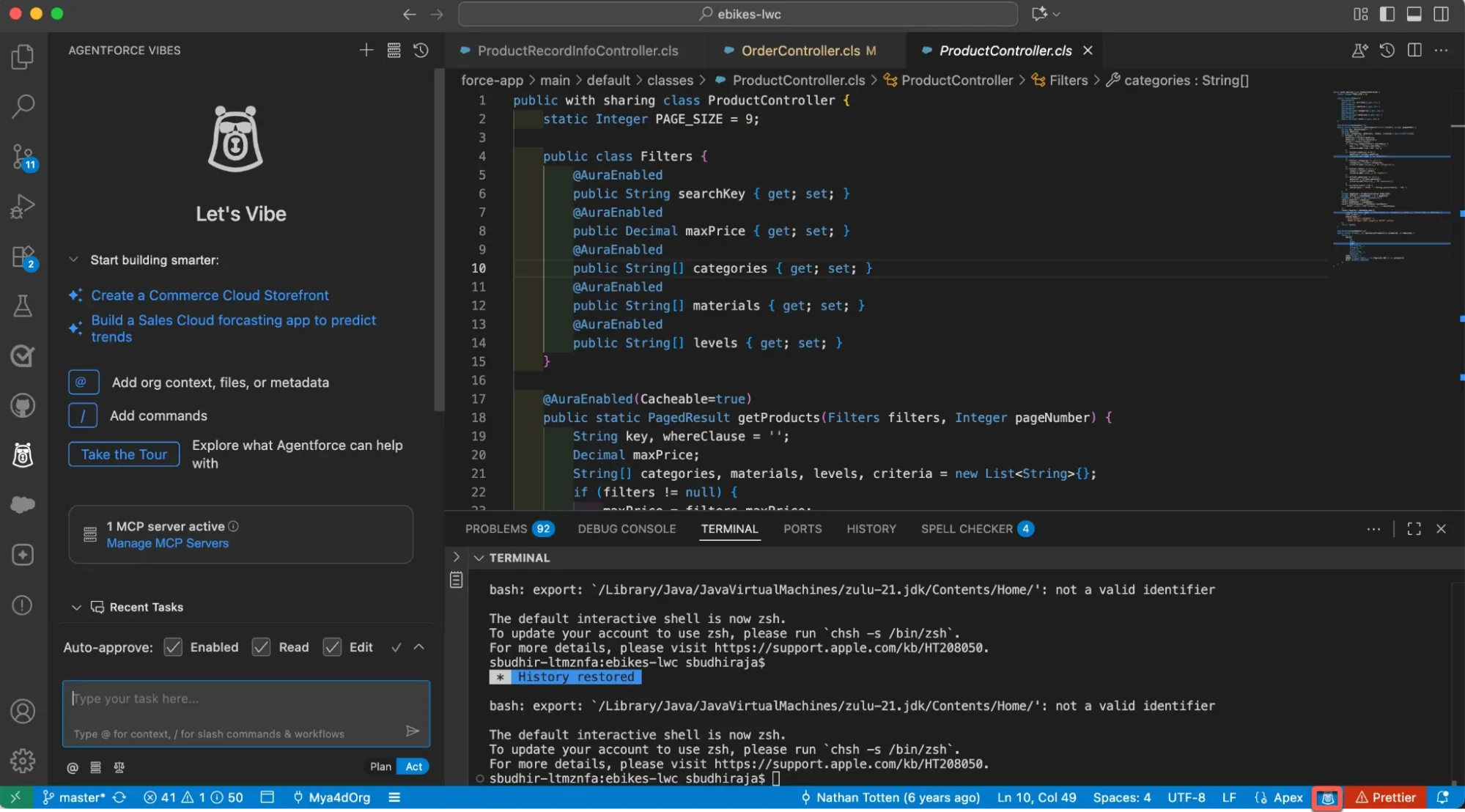
Using Agentforce Actions via MCP, or running Data 360 queries, consumes Flex Credits, and using Agentforce Agents requires their own dedicated licences. Elsewhere in the Agentforce family, Agentforce Vibes recently became a paid tool, consuming either Flex Credits or a paid user licence.
Agentic features called via the Tableau Next MCP also consume Flex Credits, though Tableau’s own MCP access has no separately published price.
Slack, Heroku, and MuleSoft don’t publish standalone MCP pricing, and usage counts against your existing plan’s limits instead.
Pricing here is moving quickly, so check with your Salesforce Account Executive before making any decisions that rely on MCP.
If you’re scoping MCP-connected automation now, it’s worth planning for that 30-day metering switch even while CRUD and Process Invocation stay free.
Final Thoughts
In the era of AI-assisted development, MCPs are springing up regularly, each adding capabilities that help you automate routine actions and save time as a Salesforce Admin.
Whether you’re using these tools yet or not, if you struggle to keep up, you’ll be left behind.
Other Resources
- What is the Model Context Protocol (MCP)? (Anthropic)
- Understand the Salesforce Headless 360 Architecture