

Salesforce has been leading the charge when it comes to offering tools to help build your agentic enterprise. They have built a suite of powerful tools, including a number of standard prompts in Prompt Builder, to help make your agents as functional as possible.
Sometimes, however, these standard prompts do not do what is required, and more flexibility is needed. Enter: Flex Templates.
In this article, I’ll explain what Flex Templates are, how to unlock the power of Prompt Builder with them, and give your Agentforce agents the exact context they need when they need it.
What Is a Flex Template?
It may be better to start with what a Flex Template is not – and refer to the other prompt template types. Salesforce offers many prompt templates out-of-the-box to help streamline your prompt-building experience. There are templates designed to summarize records (i.e. Case Summary, Work Summary, or a more general Record Summary), generate field values (i.e. Generate case description/subject, Field generation), and various logical prompts for specific tasks.
Flex Templates become the go-to option when what you need to prompt doesn’t fall into one of these categories. It is a blank canvas that allows you to customize a prompt and generate AI content for purposes not covered by another template. The biggest benefit of a Flex Template is that you have full control over the inputs (of which you can add up to five) and outputs.
What Can a Flex Template Do in Agentforce?
Prompt Templates are simply a set of instructions that, when plugged into Agentforce, become dynamic tools that power your agentic workforce. You can use Flex Templates in Agent Actions to bridge the gap between the user’s natural language request (what it says to the Agent) and your complex Salesforce data model.
Instead of the Agent hallucinating an answer based on nothing, or struggling to find the correct records to answer correctly, it can leverage the power you’re giving it with a Flex Template. The template will run the underlying logic (which could include leveraging Template-Triggered Flows or Apex to gather specific records) and generate a far more accurate, context-aware response to give to the agent to respond to the user’s request.
Quick Tutorial: Building a Flex Template
In this example, I’ll walk through how to build a simple Flex Template that gathers together Cases related to the same Parent Account and checks to see if there is an overlap.
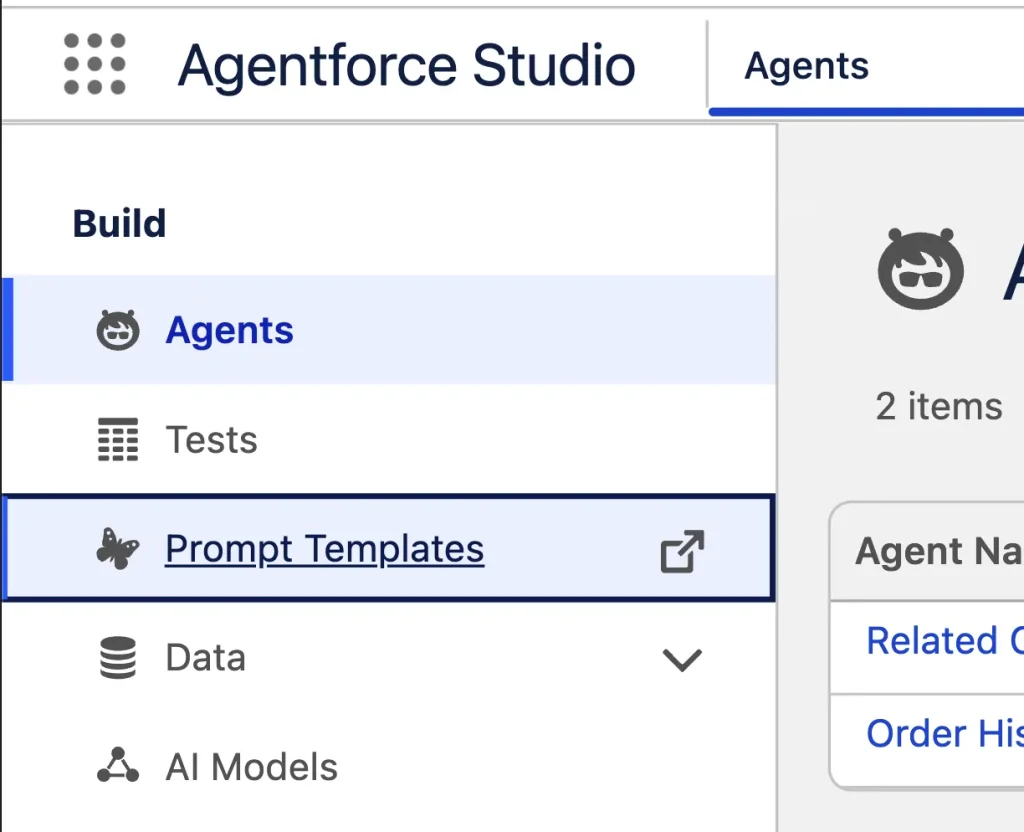
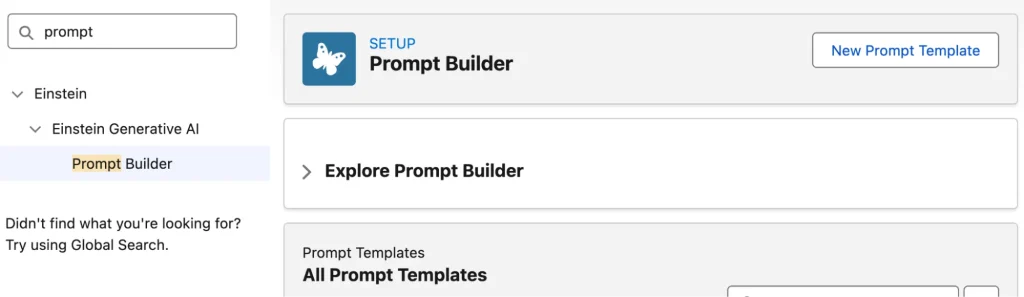
Start by navigating to the Prompt Builder in Setup. This can be found either by searching Prompt Builder in Quick Find, or by clicking the link directly in Agent Builder.
Click New Prompt at the top-right to open Prompt Builder and get started.
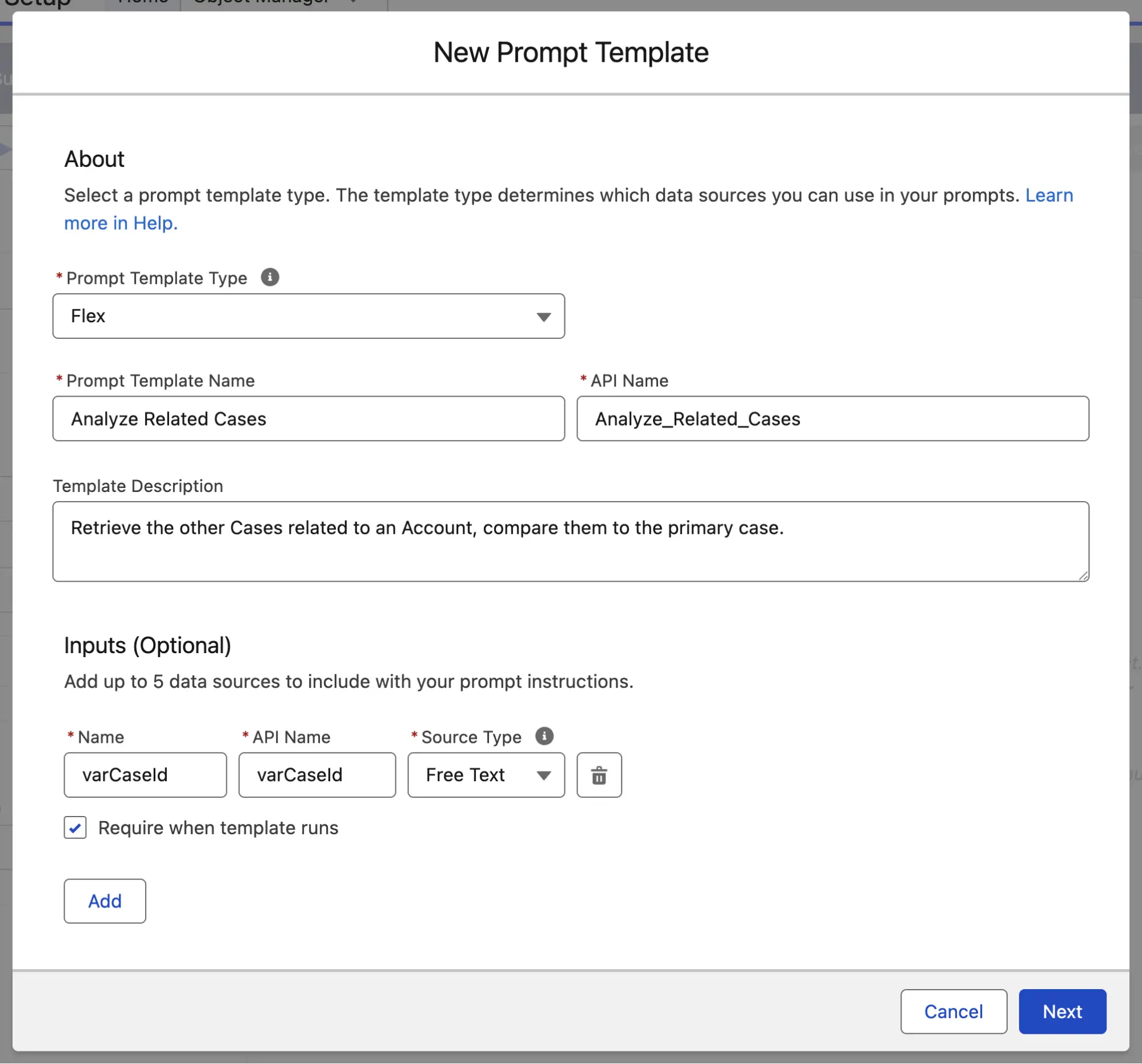
Change the Prompt Template Type to Flex, give it a name and Description. Then, most importantly, create an input variable called varCaseId that is Free Text. Make it required when the template runs, as this is critical to the operation. Click Next to continue.
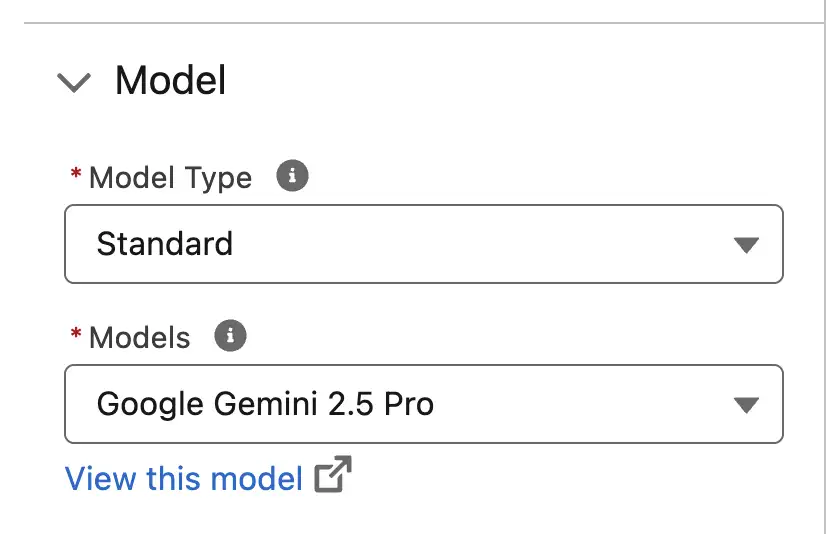
The next thing you will see is the Prompt Builder, the canvas on which you will build your Flex Template. My preferred model (at the time of writing this) is Gemini Pro 2.5, so switch it to that.
For this next part, I used a Template-Triggered Flow to gather up the Primary Case and all other Cases related to the same Account as the Primary Case. I won’t go into too much detail as the flow was relatively simple, but in summary:
The inputs for this flow were simply the varCaseId that we configured at the beginning of the flow. The flow gathered up the Primary Case in a single Case record variable, and then all the other Cases related to the Primary Case’s Account in a collection variable.
The output prompt instructions were as follows:
Here is the Primary Case:
Case Number: {!AUTOLAUNCHED_Get_Case_Record_Flow.varOutputCase.CaseNumber}
Case Subject: {!AUTOLAUNCHED_Get_Case_Record_Flow.varOutputCase.Subject}
Case Description: {!AUTOLAUNCHED_Get_Case_Record_Flow.varOutputCase.Description}

And here is the historical case data for this account:
{!varRelatedCasesText}
Once you’ve built your Template-Triggered flow, the next step is to head over to the Resources tab and feed it into your Flex Template. Click the + button next to the Flows section, select Flows as the Action Type, and then select your newly created Template-Triggered Flow. Then, pass the varCaseId input from your Flex Template into the input variable of your flow, similar to what I’ve done below.
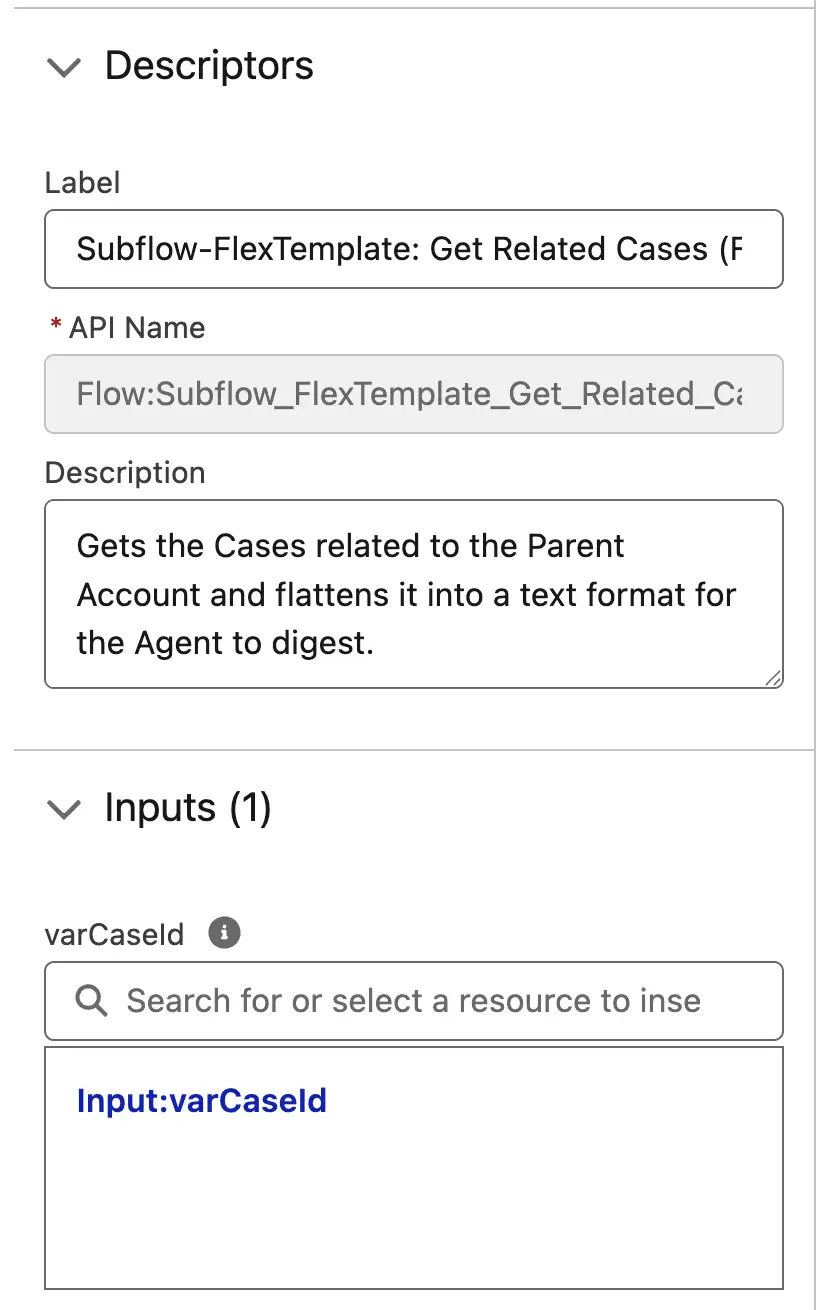
What you’ve just done is leveraged Flow as the complex logic for the Flex Template, which will receive the output prompt instructions, including organized data.
Next, you need to construct your prompt. This is where you’re using natural language to give instructions to the LLM, as well as outputs from the flow, to perform a certain action. In this example, we want it to assess the Subject and Descriptions of any Cases related to the same Account and let us know if there may be any overlap (i.e. someone else in the business is raising the same problem, or this problem has occurred before).
While constructing your prompt in the first pane, you can use the Resources button to call the prompt instructions from your flow. The prompt that I used is below, with the flow’s output highlighted:
You are a Senior Support Engineer.
Your goal is to help the user identify if the current issue has happened before on this account.

Task: Analyze the case information provided by the system.
Data from System:
{!$Flow:Subflow_FlexTemplate_Get_Related_Cases_Flattened.Prompt}

Instructions: Compare the 'Current Case' to the 'Historical Cases' section.
Identify similarities and summarize for the user.

Task:
Compare the "Current Case Details" against the "Historical Context" provided by the flow above.
Look for matching error codes, similar symptoms, or recurring hardware/software versions.
Specifically, check the Subject and Description field values for each of the related Cases.
Ignore any records where the description field has a null value.
If you find a match, provide the Case Number and a 1-sentence explanation of the similarity.
If no similar cases are found in the history, state: "No similar cases found for this account."
and output every piece of information you have from the Flow to prove that there are no similar cases.
Just like a Flow, you should not be activating a Prompt Template without testing it, which we can do with the Preview feature.
Prior to previewing the Flex Template, I made sure to add some related information across two Cases under the same Account (both referencing the same product numbers in the Description) to make sure it would do what I wanted to do. I then got the Case Id from the first Case and used it as the varCaseId input.
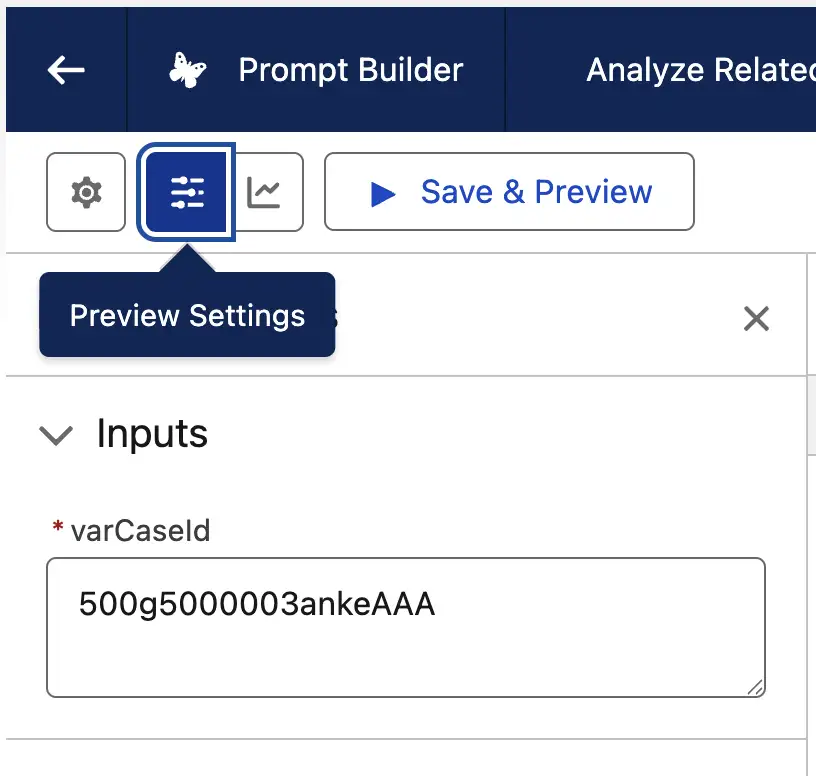
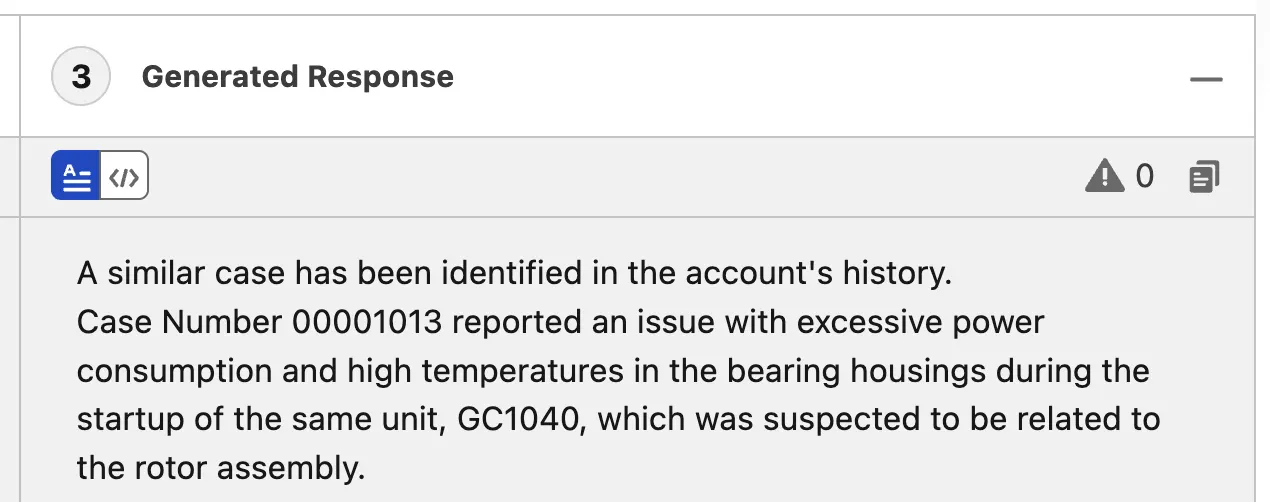
After clicking Save and Preview, I got the following output, which shows my Flex Template did what it needed to do – it successfully identified that there was indeed a similar Case under the same Account.
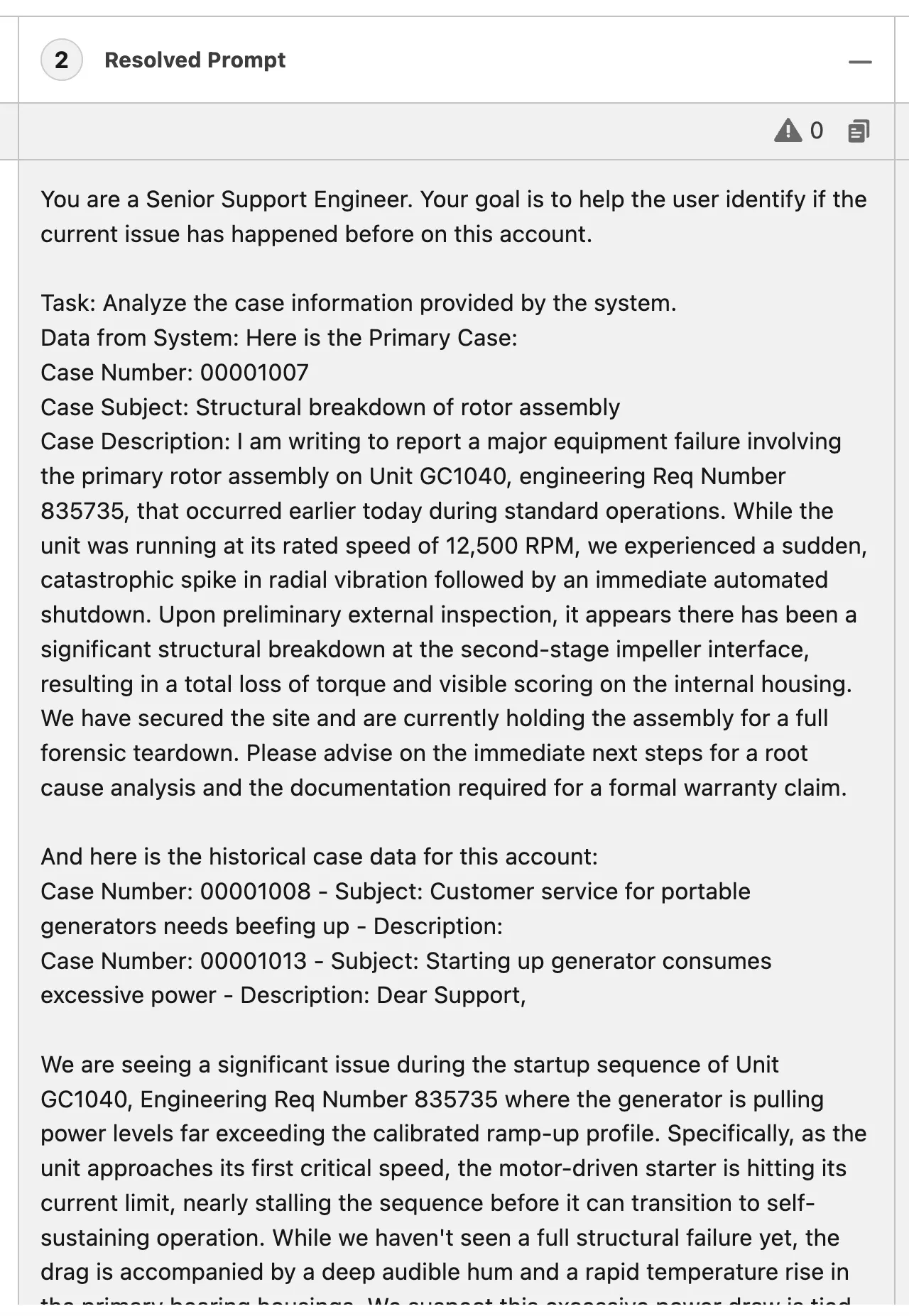
To help you troubleshoot, Salesforce also expands on your prompt by filling in the variables in the second pane – the Resolved Prompt section. This shows your prompt, with any additional data from the variables, showing the completed prompt that is being executed on.
With the Flex Template built and tested, you can now activate it and begin adding it to your Agents.
When to Use Flex Templates
The possibilities are endless when it comes to Flex Templates, by their nature alone. I’ve done some digging to find a few examples and use cases that give a good example of where Flex Templates solve these problems.
Use Case 1: Comprehensive Account Briefings
While you ultimately could build this using a series of standard Record Summary Prompts strung together, you may want to consider leveraging the power of Apex or Flow to build a more complex and comprehensive summary of an Account across multiple layers of related records.
A Flex Template could take an Account as an input, use a flow to fetch both directly and indirectly related records, and provide valuable insights before a big meeting with a client.
Use Case 2: Personalized Event Itinerary
An Agent in the events industry could be asked to create a personalized itinerary, and a Flex Template could empower it to answer accurately! It could take a Contact record (the prospect/customer) as well as a custom text input like “weekend interests”.
This could then be fed into an Apex class which queries a custom object of “Experience Sessions” matching those interests, and generates a draft itinerary for the agent to deliver to the user.
Use Case 3: Customized Multilingual Response
The world is growing closer together by the minute, and service teams may be required to service customers who don’t speak the same language as they do.
By creating a Flex Template that receives Case and Language variables, you can instruct the agent to summarize the case and propose resolution steps in the customer’s native language.
Summary
Flex Templates solve the problem of translating Salesforce’s structured data model to an unstructured query of natural language. Standard templates can handle basic, cookie-cutter prompts; Flex Templates give the user a lot more freedom in terms of the inputs, outputs, and processing of the request.
I’m genuinely interested in some of the problems that Flex Templates have solved for you – please share any problems that you’ve solved with them!