








Highlights:
- OpenAI has many offerings available that different professionals in the Salesforce ecosystem can leverage.
- ChatGPT is the most well-known of OpenAI’s offerings, and it can be connected to Salesforce to surface insights and data to users.
- Codex is OpenAI’s coding assistant, and when it’s connected to the Salesforce DX MCP, it can help you write code for your Salesforce org and work with various developer tools.
- AI tools can make mistakes, and they are no replacement for a human being who knows what they’re doing in the Salesforce space.
ChatGPT burst onto the scene back in November of 2022 and kick-started the AI revolution. Since then, its company, OpenAI, has continued to evolve its offerings. No longer is ChatGPT the only thing that puts OpenAI on the map for Salesforce professionals; there are many more tools that are constantly evolving too.
This article will explore the different tools that OpenAI offers, what they’re made up of in terms of features, and how they can be used to help you in your day-to-day work as Salesforce professionals. Before proceeding,
Note: I want to reiterate that you should never trust the output of any AI tool blindly. Always verify the outputs before taking them as gospel. AI tools are known for making mistakes, especially when they lack context.
OpenAI’s Offerings
While OpenAI is known for its ChatGPT tool, the company has many other offerings that are relevant to various audiences. Technically speaking, ChatGPT also wasn’t the company’s first product. ChatGPT ran on the company’s GPT-3.5 version of the model, which it has been developing since version 1 in June 2018. Today, the company’s offerings expand far beyond simple models and chat interfaces.
ChatGPT App
Perhaps the most well-known of OpenAI’s offerings is the primary ChatGPT app. This was the first major product that went viral publicly, and has helped to birth the mainstream AI revolution.
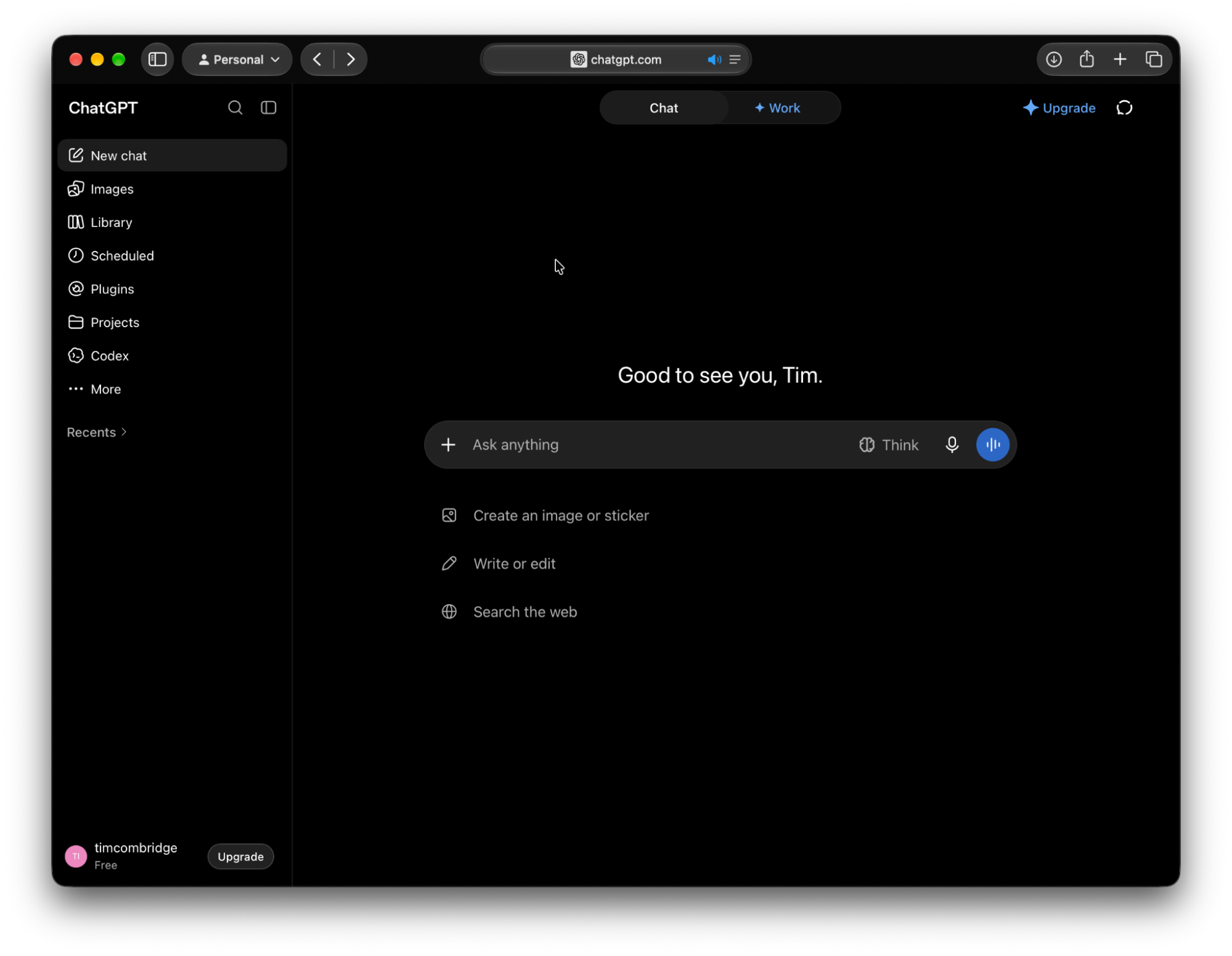
There are two versions of this app: the web interface and the new desktop application that combines both ChatGPT and Codex together in one. For the rest of this article, if I refer to the ChatGPT app, I’m referring to the desktop app.
ChatGPT Work
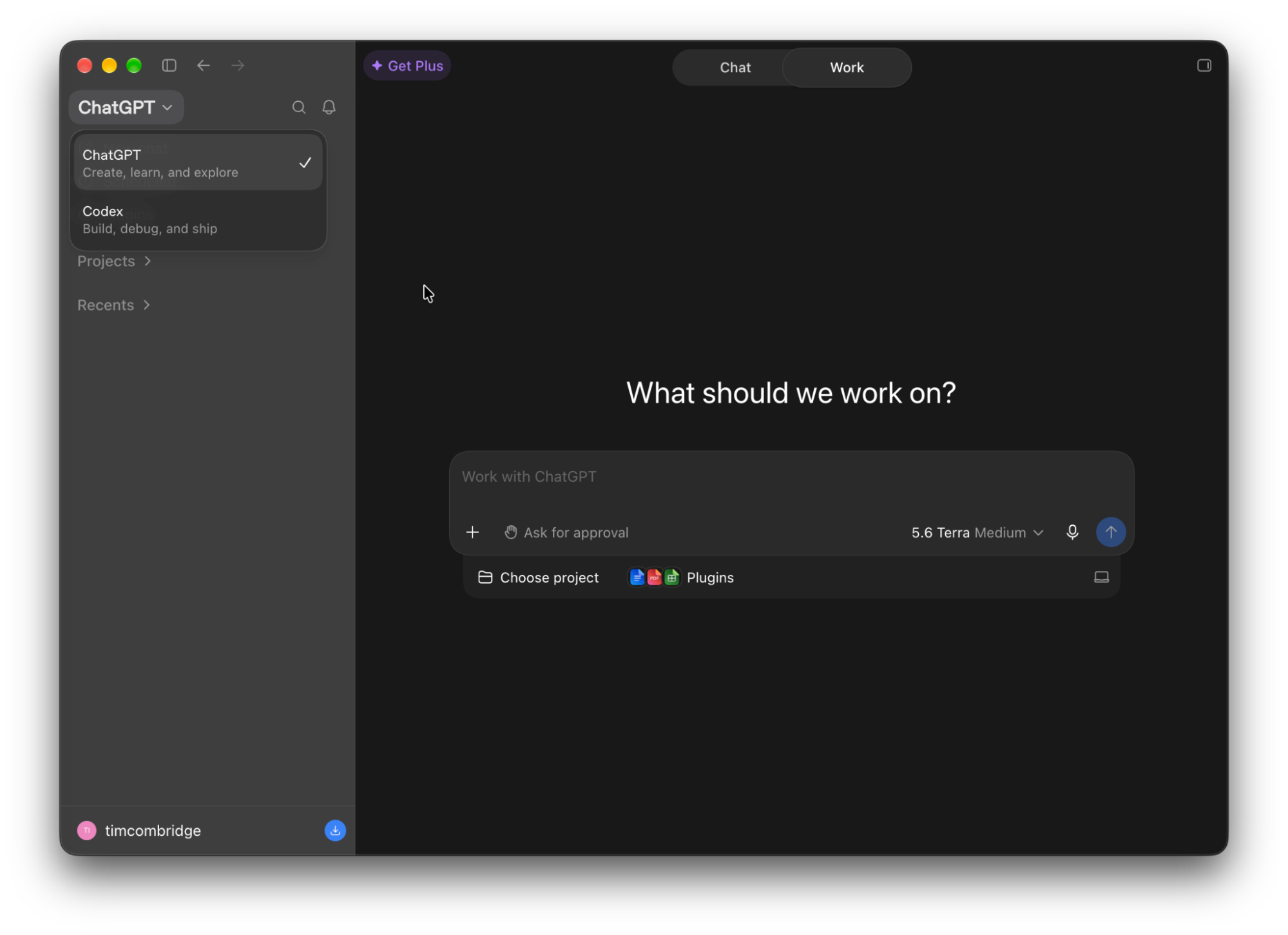
Where the original ChatGPT app exposed a chat interface, the new app surfaces a new feature called ChatGPT Work. This agentic mode allows for multi-step tasks across apps and files that you give it access to.
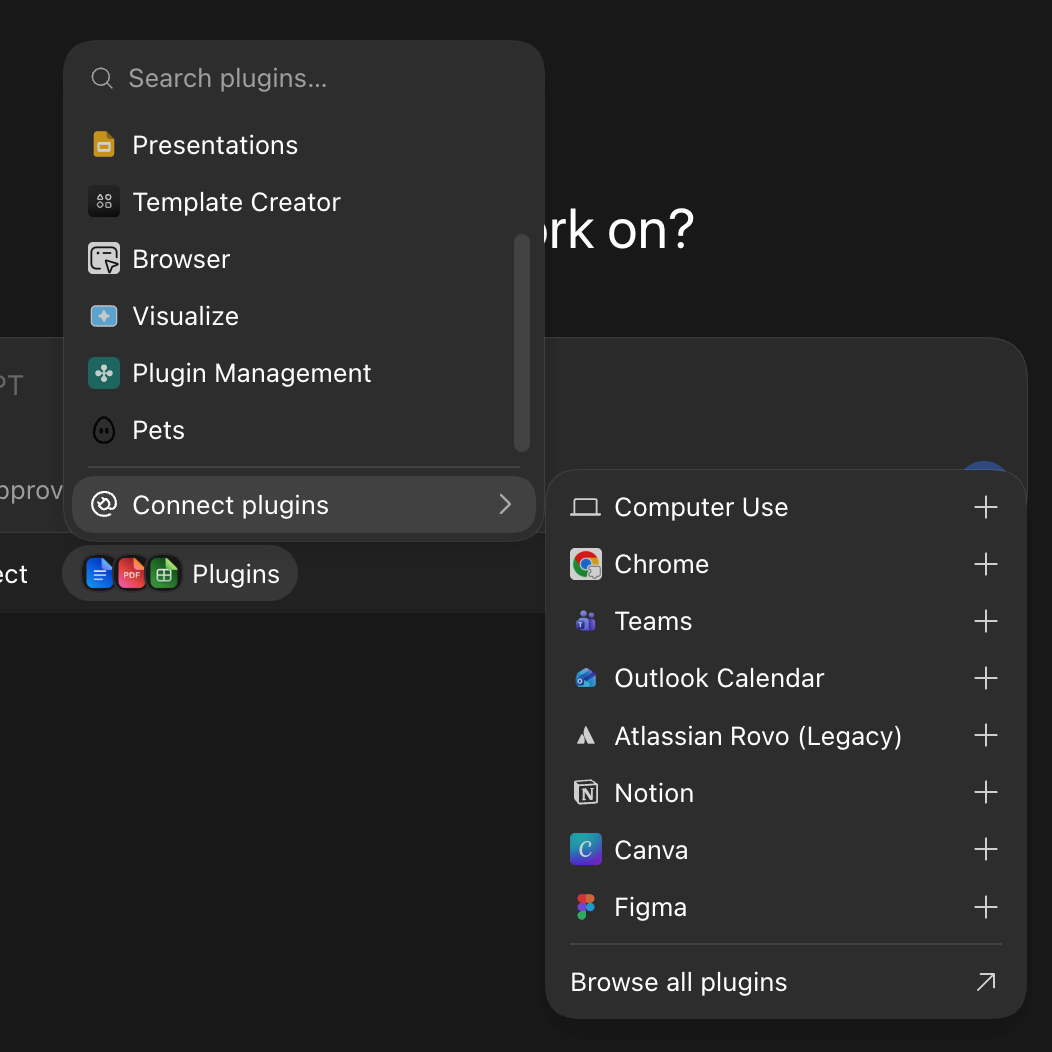
After connecting your tools via plugins, you can give ChatGPT Work a task, and it can reference those tools and files to complete the task.
Codex
OpenAI’s software engineering agent is known as Codex. This is a tool that’s designed to assist with the writing, editing, and debugging of code. It can also run automated workflows to complete complex tasks.
Codex is accessible in multiple places: CLI, IDE, desktop ChatGPT, and web ChatGPT each have their own version of Codex. Each of these is targeted for specific use cases; all of them are designed for software development projects.
Dots
A relatively new offering from OpenAI, Dots are always-on, autonomous AI agents that are powered by GPT-6 Astra. They take action behind the scenes to complete tasks for you, even after the chat session ends.
These also leverage plugins to complete tasks. For example, you can connect your Google Calendar to Dots so that it can see your schedule and help you get organized.
Notably, Dots are a totally different product from ChatGPT and Codex. However, you can ask your Dot to interact with Codex on your behalf. For example, you can use it to coordinate a coding task within Codex, without ever touching Codex yourself.
ChatGPT in Slack and Teams
ChatGPT on its own is great, but you’re also able to collaborate with it directly in Slack or Microsoft Teams. You can use this to ask questions, summarize information, or draft work with your teammates.
Before you can work with ChatGPT in Slack or Teams, you’ll need to ensure that the @ChatGPT assistant is installed in your workspace. Once that’s done, you’ll be able to tag @ChatGPT in your message to interact with it in your business’s collaboration tool of choice.
Space, Pages, and Sites
Instead of just working with ChatGPT in a chat interface, there are also various other tools that you can use to visualize your information. OpenAI offers spaces, pages, and sites as ways to do this.
Spaces are collaborative, shared workspaces where you can work with ChatGPT on living documents, files, and projects in real time. They function like a folder to organize your various assets.
Pages are one of those assets. They behave a bit like Slack Canvases in that you can create an interactive, editable document that contains a combination of text, images, charts, and tables. Both you and ChatGPT can interact with a page at the same time.
Last, but certainly not least, are sites. This powerful tool is a way to create and share live websites or lightweight apps directly from Codex. It allows others in your workspace to open and use what you’ve built with Codex quickly and easily.
Features of ChatGPT and Codex
Where the original ChatGPT app was a simple chat interface, the latest generation of tools from OpenAI are much more powerful. This power is driven by the tools that you’re able to give it by leveraging some of the more advanced features.
Plugins
If you’re familiar with MCP connectors, then you’re already familiar with OpenAI’s plugins. These are required for giving your AI access to external tools and data. For example, if you want ChatGPT to be able to see your Salesforce data, you’ll need to enable the Salesforce plugin for ChatGPT.
Skills and AGENTS.md
Skills are repeatable sets of instructions that you can create or import. If you’re using ChatGPT or Codex to perform the same or similar tasks over and over again, you should consider creating a skill. This ensures that the same set of instructions is repeated every time without you having to repeat them.
The AGENTS.md is an extension of the skills concept in that it is a single file that is read before doing any work. Think of it as a global set of instructions for how the tool should work. There is typically one AGENTS.md file in your Codex home directory, which acts as the core instructions.
You can then specify a project-specific AGENTS.md or AGENTS.override.md file with instructions that are more specific to that project.
Projects and Memory
If you’ve got several tasks or conversations that you’re planning to have that should share context, you should consider using a project to organize them. Projects are designed to keep related tasks, conversations, and even files and instructions together. This collation of context ensures you get better accuracy from ChatGPT.
At this point, I’ll highlight that there are two memory modes that you can choose to use with projects: default memory, which draws from your account-wide memory, and project-specific memory, which is limited to just the current project. It also ensures that anything that happens inside that project is not shared with your default memory, essentially setting up a walled garden.
Team Tasks
In a world where teams are working together with AI tooling, OpenAI has taken a step towards making it easier for teams to share the ownership of tasks in their tools. Within ChatGPT, teams can select team members to take ownership of a task so that it can be edited and managed as required by multiple people.
Team tasks are great for work that needs to happen regularly and requires multiple people to be involved. This applies to tasks running in the cloud either on a schedule or a supported trigger. Those teammates who have been given access can review the results of those tasks, update instructions, and make adjustments to the task as the work evolves.
Models
All of OpenAI’s tools are powered by its frontier models. There are a handful of different models that can be used depending on the complexity of the task, or how quickly it must be completed.
These models vary in terms of their capabilities and the number of tokens they consume. Less powerful models tend to perform faster due to not requiring as much compute time and power, but are not as capable as the more powerful models.
Before I go deep into the different models, I want to flag something important. It’s not as simple as picking a more capable model burning more tokens, and therefore picking less capable models burning fewer.
Sure, if you give a simple task to a more capable model, you’ll burn more tokens than if you gave it to a lighter one. However, if you give a super complex task to a lighter model, you could end up burning more tokens than you would have if you gave it to a more capable model, but still end up nowhere. The key is to pick the right model for the task.
Astra
Starting at the top, Astra is OpenAI’s most powerful model. This is a high-functioning model, capable of complex computation. As such, it requires more processing time and a significantly higher number of tokens to be consumed. It should be used sparingly, for tasks that require more computation than others.
Sol
Not quite as powerful as Astra, but still a very capable model, Sol is the everyday workhorse that is used for a majority of tasks. If you’re looking to tackle a moderately complex task, Sol is likely to be the best choice.
Luna
The most agile of OpenAI’s models, Luna is the fastest of the bunch. It is a lightweight model that can be used for simple tasks that don’t require a lot of computation. It is cheap to use and fast for simple tasks. However, if you’re planning to use it for something complex, it may not be the best choice.
Connecting OpenAI Tools to Salesforce
While OpenAI’s offerings are powerful, they’re only useful when connected to the right tools. As Salesforce professionals, you’ll be pleased to know that ChatGPT and Codex, as well as OpenAI’s other tools, can be connected to various Salesforce tools and used to streamline your workflows.
Whether you’re an admin, developer, architect, or even an end user, there is a way to connect how you use Salesforce with ChatGPT, Codex, and other OpenAI tools to make your life a lot easier.
Salesforce’s Agentforce Sales app in ChatGPT
Jumping into one of the headline features that end users can benefit from, there is a dedicated plugin called Salesforce (formerly known as the Agentforce Sales app) that connects Salesforce CRM data to ChatGPT directly. This means that Salesforce users can use ChatGPT to read and edit their accounts, opportunities, and more.
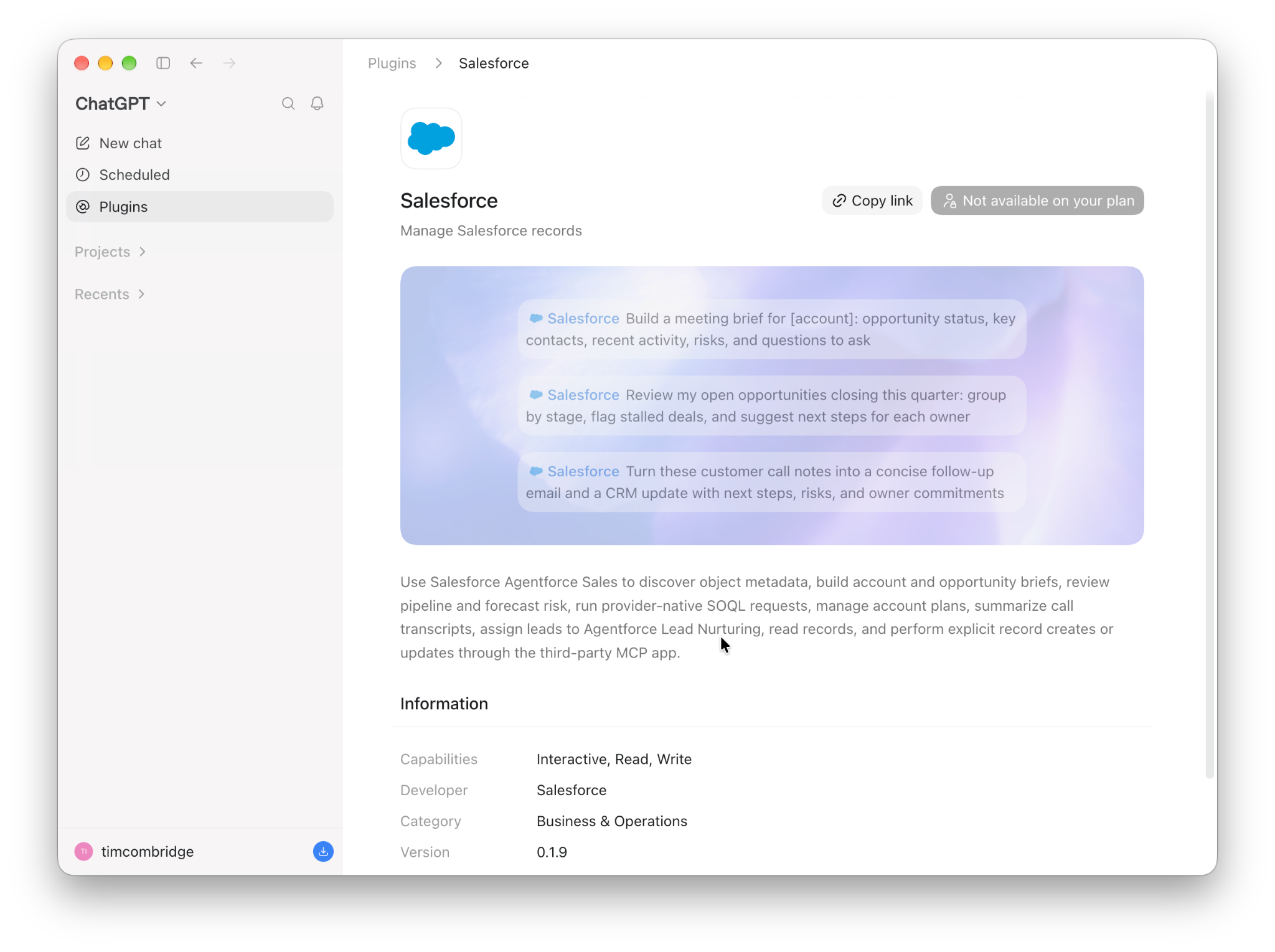
Notably, the app respects the user’s permissions, meaning that you don’t need to lock down records in both Salesforce and ChatGPT separately. Just like Claudeforce, this plugin respects your existing permissions and security model.
Tableau Plugin
If you’re a Tableau customer, you can connect ChatGPT to your Tableau data and use it to search Tableau sites, inspect workbooks and data sources, query data with VizQL, read Pulse metrics, and generate or edit your workbooks directly from ChatGPT.
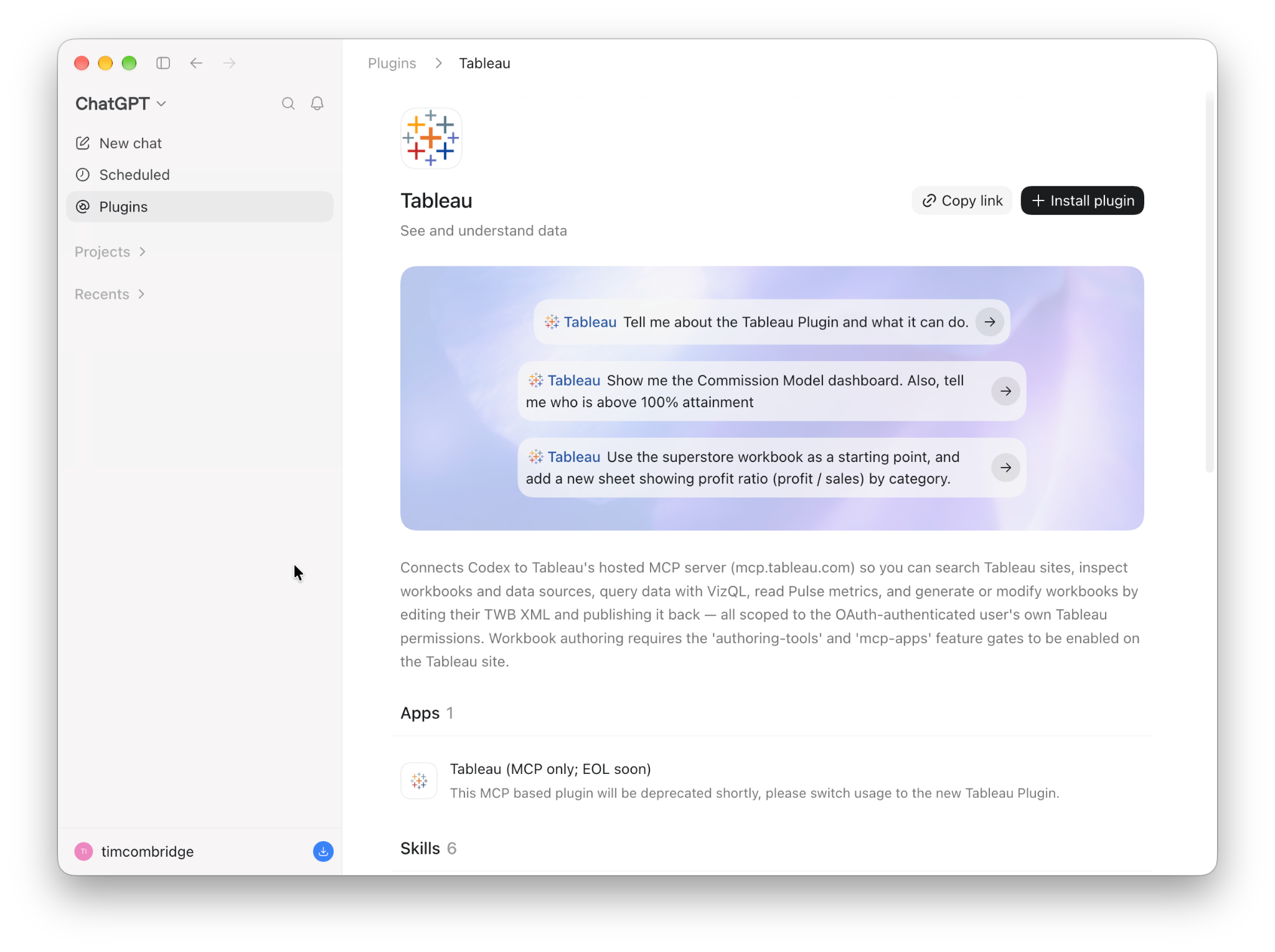
Just like the other Salesforce offerings within ChatGPT, this tool respects your existing permissions and security model.
You don’t need to configure anything in Salesforce or ChatGPT beyond what you’ve already done to protect your sensitive data, assuming you’ve done that correctly in the first place.
Codex and Salesforce DX MCP
For Salesforce Developers, there’s also the ability to connect your Codex coding agent to the official Salesforce DX MCP. This empowers your coding agent by giving it access to over 60 Salesforce developer tools, which allow your Codex agent to perform tasks just like you can in the CLI.
This may include things like listing all connected Salesforce orgs, retrieving metadata from your org, creating org snapshots, running tests, and more. As it’s hosted by Salesforce and continuously updated, you can rest assured knowing that you’re always working with the most up-to-date version of the Salesforce DX MCP. You’ll also get access to new tools as they’re added.
Use Cases for Salesforce Admins
All these tools are fantastic, but without knowing how to put them to use in your day-to-day work, they’re just an expensive toy. Below, I’ll highlight some ways that you can put various OpenAI tools to use as a Salesforce Admin.
As always, you should verify the output of any AI tool before taking it as gospel. Do not distribute any AI output that you haven’t verified thoroughly, as it could contain errors that throw your teams off or cause problems in your org.
Org and Project Documentation
The most exciting part of any project is the documentation step, especially when you want to create detailed, high-quality documentation. Okay, good, you’re still paying attention – of course it’s not! Luckily, this is one of ChatGPT’s specialties.
Once you’ve connected your OpenAI tools to your Salesforce org, you can use them to create project documentation. You should also provide it with additional context in the form of business requirements or other project documentation to help it understand the full story before writing.
Similarly, you can use these tools to document your org at scale. If you’ve ever inherited a Salesforce org with little to no documentation, then this may be a great place to start.
Meeting and Deal Prep
Your Salesforce org is a wealth of knowledge and information, especially about the customers you’re working with and deals you’re working on. If you’re about to enter into a meeting with a customer, for example, you can use ChatGPT to summarize all the relevant information about that customer and present a summary to you before you enter the meeting.
Similarly, if you’re about to meet a prospect, there will be other customers that you’ve worked with in the past that are similar to the prospect that you may be able to use as examples when meeting them. ChatGPT, connected through the Salesforce plugin for ChatGPT, can help you with this.
Metadata Construction
Over to the Salesforce Developer realm for this next one. With the Salesforce DX MCP in OpenAI’s Codex, you can develop metadata directly through the Codex interface. That, and you can leverage Codex’s ability to write code for you to speed up your development processes.
With Codex having access to your org’s current structure, you can provide it with additional context (again, in the form of business requirements or project specifications), and it can assist you in the build itself.
When Codex has had its first pass, you can test it in a scratch org or sandbox to check how accurate the output is. From there, you can make your own changes, or ask Codex to iterate on the output. Then, deploy once you’re comfortable.
Codex is not a replacement for a human being who knows what they’re working with. It’s an extremely powerful tool that can be connected to Salesforce to help assist a skilled human with the work they’re doing.
Considerations
There’s one thing that is critical to reiterate once more: there is no AI tool that is currently available that should be used or even considered as a replacement for a skilled Salesforce professional. Those who have spent years working with the platform and know it intimately have a lot to bring to the table that no AI tool possibly can. While you can absolutely leverage tools like OpenAI’s Codex to assist you in your Salesforce building work, it’s just that: a tool.
Something that I flagged at the beginning of the article as well was the fact that AI tools are not perfect, and they do make mistakes. A common oversimplification is that LLMs are a glorified autocomplete. While that is a bit of a simplification, it’s not far from the truth.
Tools like OpenAI’s identify patterns and generate new content based on those patterns. That’s it! It’s not some magical supercomputer that can read your mind or think things through properly, nor is it perfect. This is why you should never blindly trust the output of any AI tool.
Be careful when you’re using plugins and connectors with any AI tool. Yes, safeguards are in place, but some plugin and connector functionality can be dangerous if used incorrectly. You may want to consider restricted access to your Salesforce org when working with agentic tools, and handle things like deployments yourself.
Similarly, you should remind your end users that AI can make mistakes. The Salesforce app for ChatGPT that I mentioned earlier can surface a lot of information to your end users, but it’s still susceptible to the same issues that you may face when building. Make sure they’re aware of that.
Summary
OpenAI has a lot to offer the world, particularly Salesforce professionals, when it comes to powerful AI tooling. By connecting Salesforce’s tools to OpenAI’s offerings, Salesforce professionals can streamline their processes in whole new ways.
Of course, there are risks that come along with using these powerful tools. Make sure you’re not giving the AI access to more information than it needs to do its job. Similarly, ensure that you’ve set up your Salesforce permissions and security model correctly before connecting your tools.





Comments: