

Customer engagement requires smoother interfaces and better experiences than ever before. Interfacing between customers and your business database is also critical in ensuring data quality and enabling your team to take immediate action on customer needs.
In this AppAssessor, we’ll review a collection of AppExchange-approved, Salesforce-native apps: Journeys, DynamicDoc, and EasySign that support customized customer workflows.
Highlights
- Declaratively build dynamic digital journeys that include data collection, form signing, and document generation in a visual interface, or let AI build a custom journey tailored to your use case.
- Improved self-service capabilities with multi-user digital journeys that respect permissions.
- Bi-directional data syncing of data between Salesforce and what the customer sees.
- Robust analytics that identify pain points and opportunities to improve click-through and conversion rates.
- Industry-leading security standards that keep customer data safe.
For when simple form features are not sufficient to meet the business need, EasySend offers a robust alternative to mainstream competitors. EasySend’s applications are native to Salesforce and offer secure, fully brand-customizable, AI-supported digital experiences that support simple to complex bi-directional workflows with external users.
This in-depth overview will showcase the main EasySend features, ideal use cases, setup and installation effort, product roadmap, support features, and pricing model. If you like what you see, EasySend is also offering admins within the SF Ben community the chance to check the platform out for free for 14 days.
Features
EasySend’s suite of Salesforce-native applications supports end-to-end customer workflows, including responsive data collection journeys (designed declaratively or by AI in the Workflow Manager), e-signing capabilities, and customized document generation merging customer and Salesforce CRM data.
Self-Service Data Ingestion to Salesforce
Digital journeys support any requirement to collect data from customers. EasySend’s Journey application extends traditional form functionality by providing workflows that are:
- Fully branded and highly customizable to various use cases (including but not limited to requesting a quote, filing a claim, or moving through an onboarding process).
- Dynamic based on customer inputs.
- Responsive to customer roles and respects permissions.
- Fully integrated with Salesforce, supporting real-time bi-directional data sync with your CRM.
- Shareable via URL, email, or SMS.
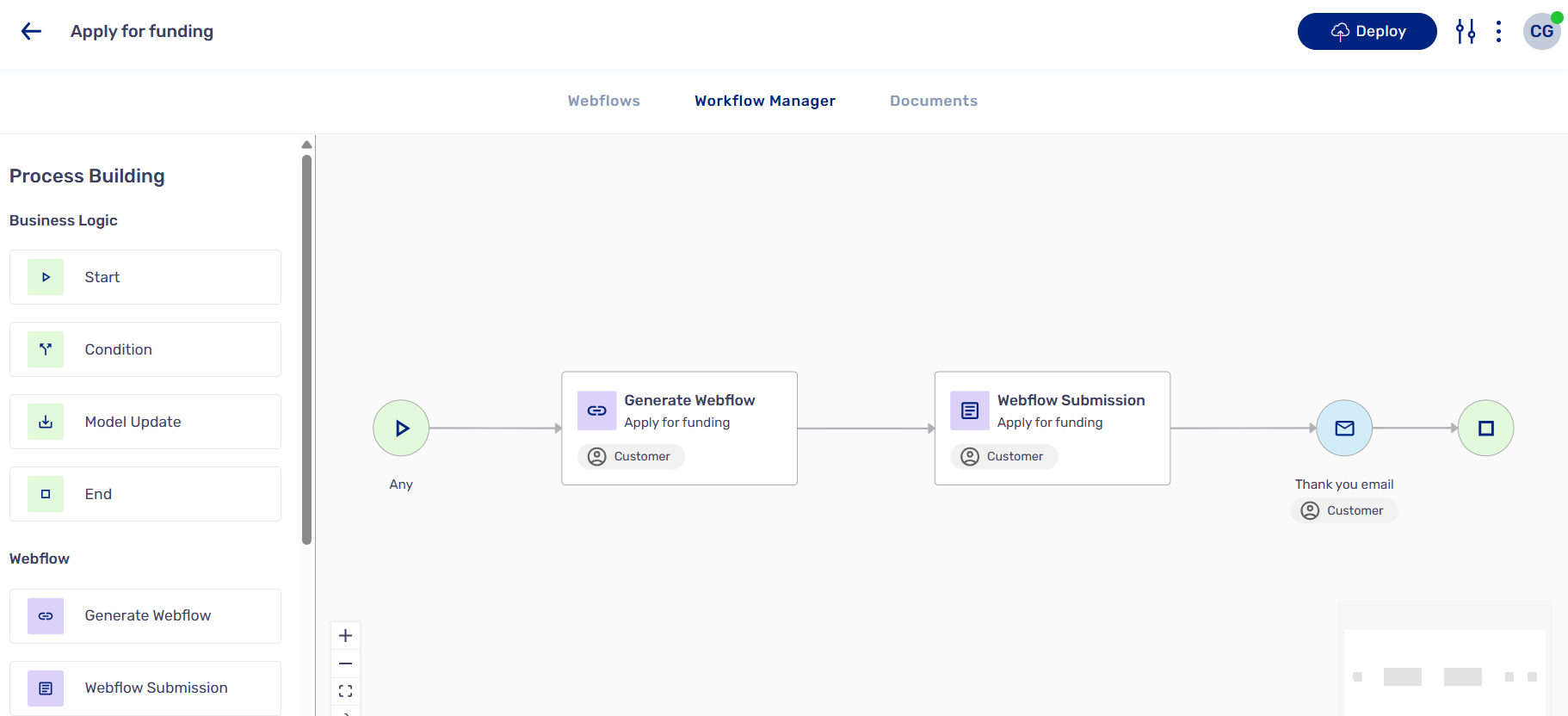
Journeys are more than forms – they are guided customer-facing workflows that empower users to move seamlessly through self-service operations. Journeys are constructed using the Workflow Manager, a visual canvas similar to Flow Builder, that enables users to build journeys in a low or no-code environment.
Branding and Customization
Part of providing a seamless user experience is maintaining a sleek brand look and feel across platforms. EasySend’s product suite allows for easy brand customization through the utilization of themes that can be applied across digital journeys.
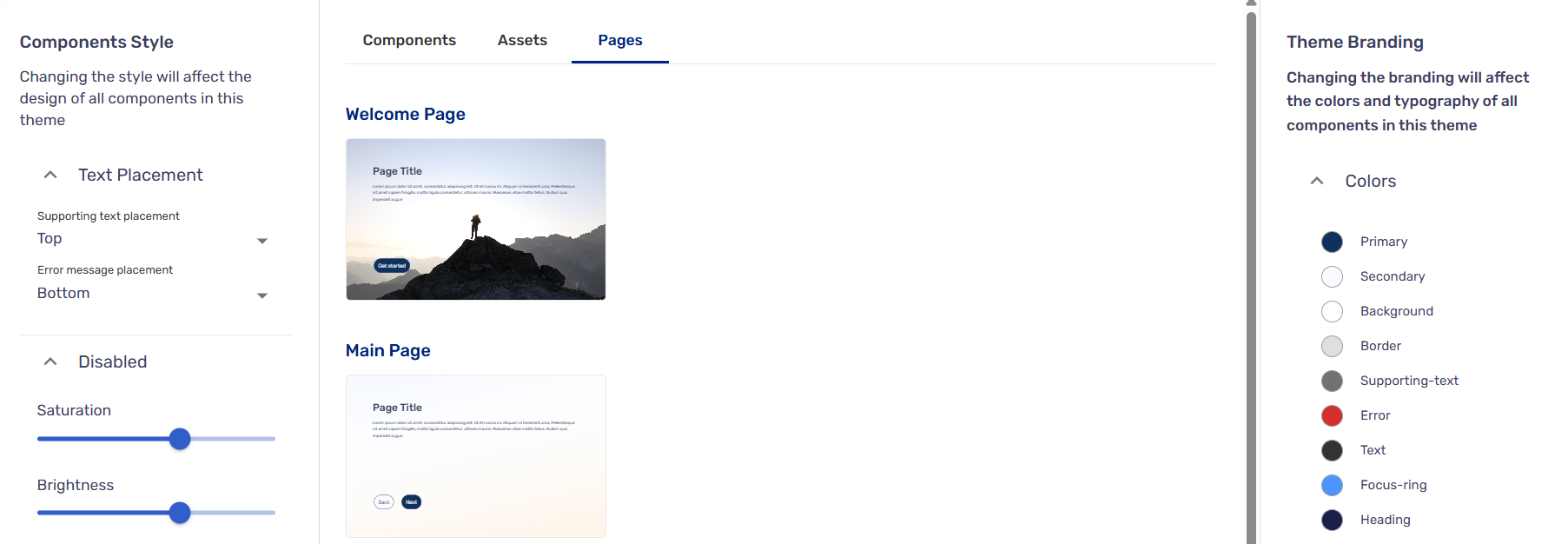

Bi-directional data sync with Salesforce means that journeys can be customized with existing information, such as the recipient’s name. EasySend additionally offers multi-language capabilities.
Dynamic Pathways
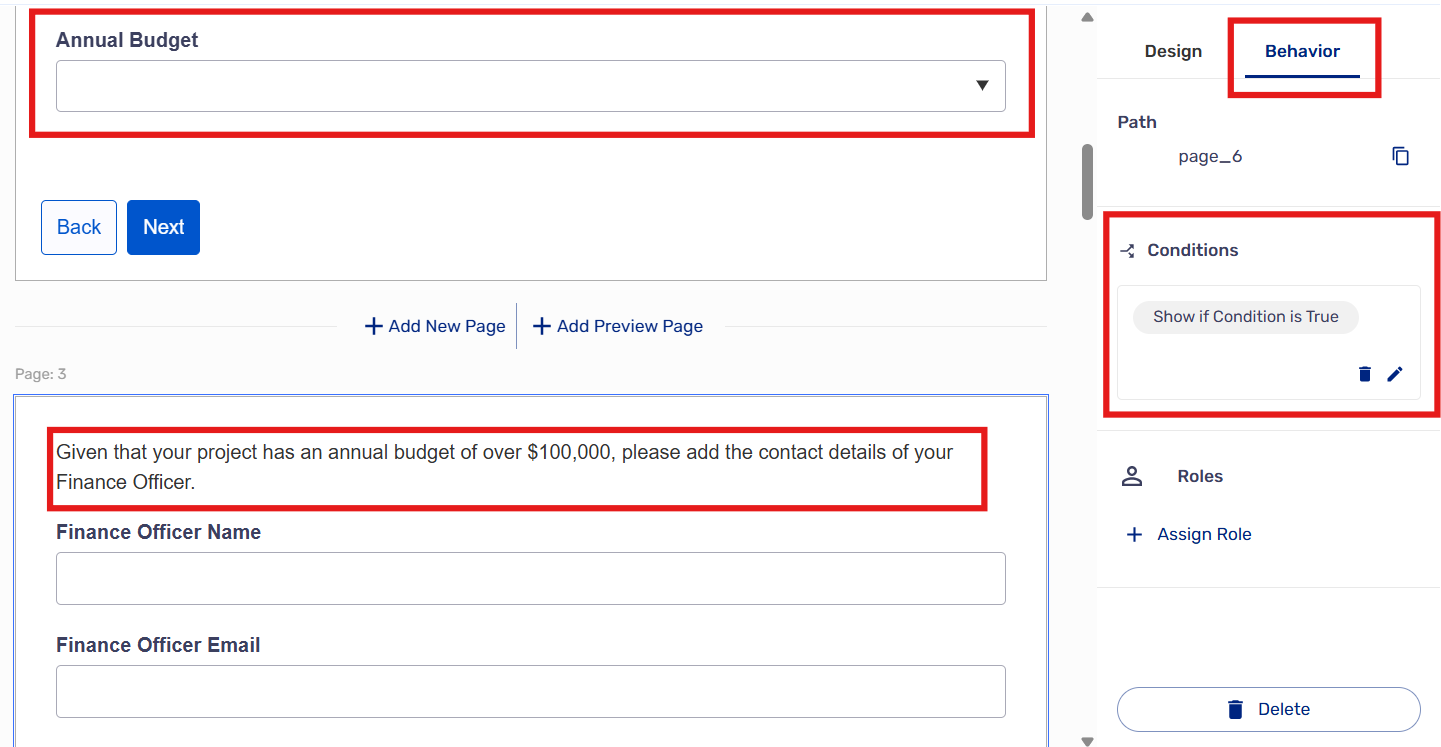
For more complex use cases, branching logic is required to steer customers towards the correct set of data collection steps. EasySend journeys allow users to create components with conditional visibility within a digital experience, as well as to route customers through dynamic workflow pathways depending on their inputs.
Take the following example, where a page requesting further information displays conditionally based on the input value of a prior field:
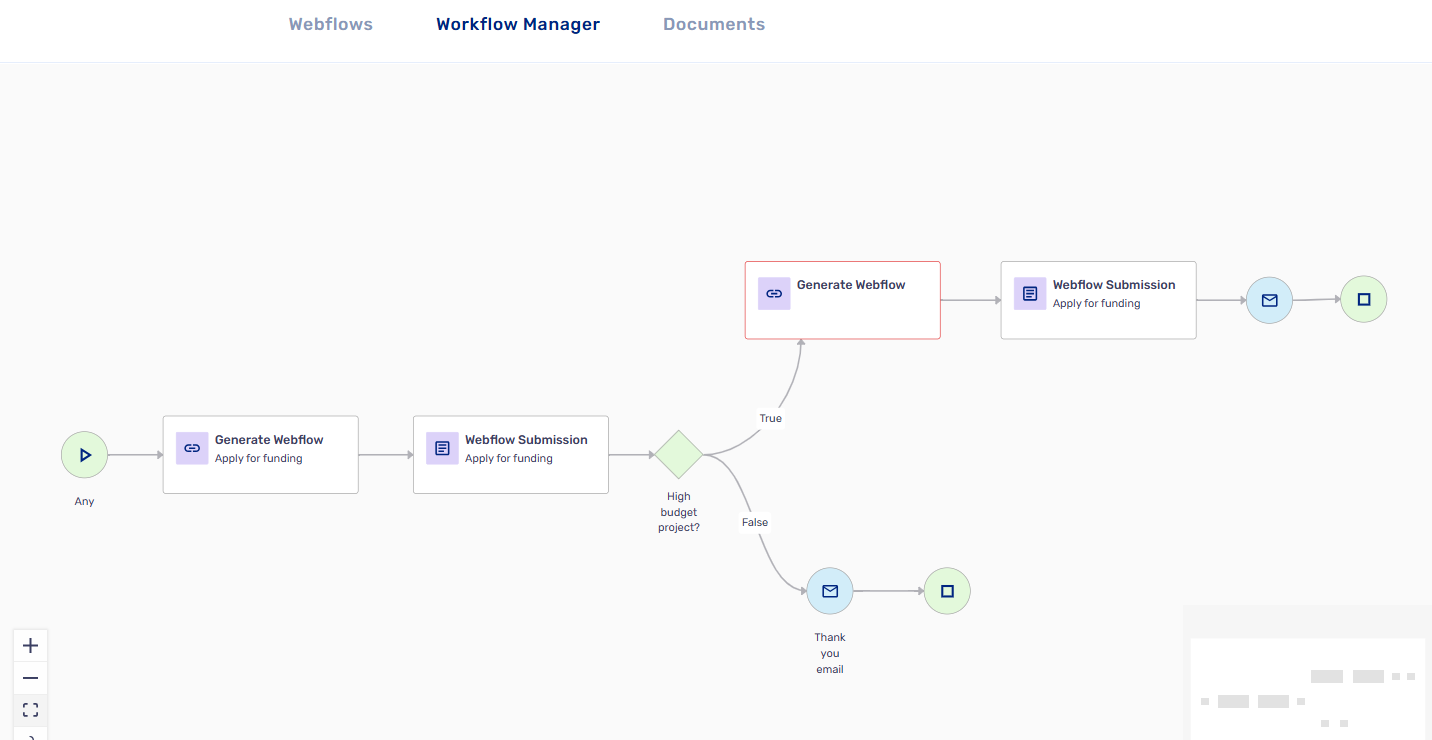
For even more complex use cases where multiple workflows are required, depending on a user’s input, conditions can be leveraged within the Workflow Manager to steer customers through bespoke, responsive digital journeys.
Take the following example, where a journey takes different routes depending on the customer’s input to a field in the first journey:
Multi-User Experiences That Respect Permissions
EasySend supports the definition of Roles to enable multi-user experiences while protecting data integrity. Roles are configured for a journey in the process settings page:
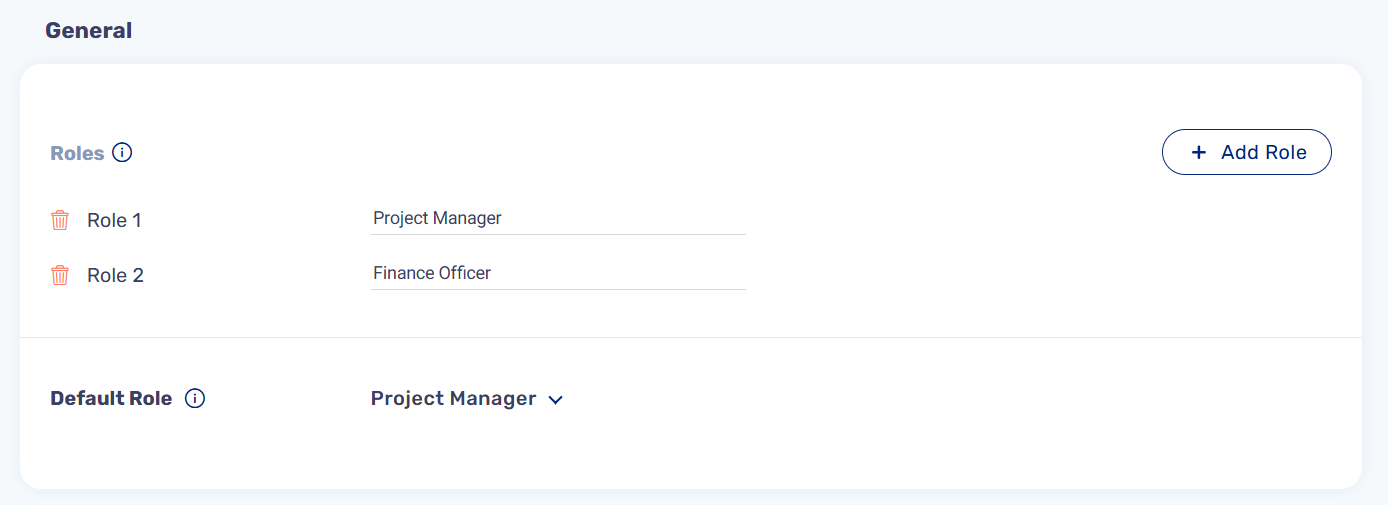
Roles and the permissions associated with those roles can then be assigned on a page-by-page basis across the digital journey, ensuring that when multiple users can access a single journey, the correct access rights are preserved.
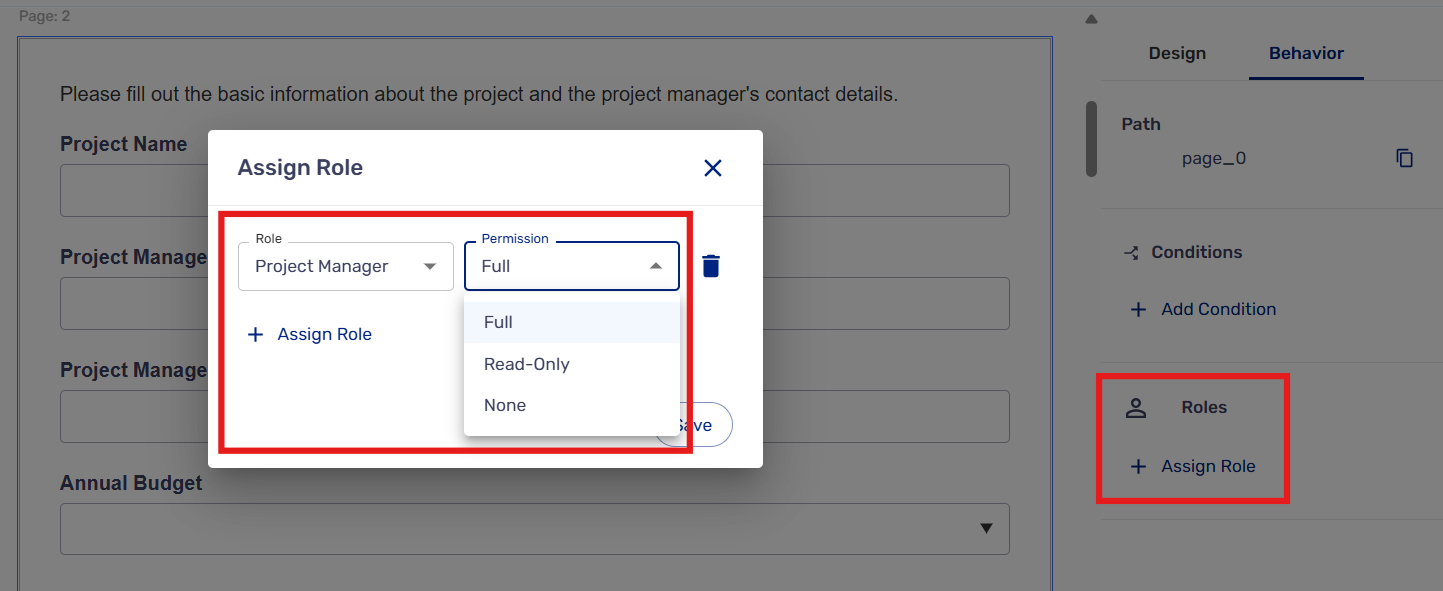
Real-Time, Bi-Directional Data Sync With Salesforce
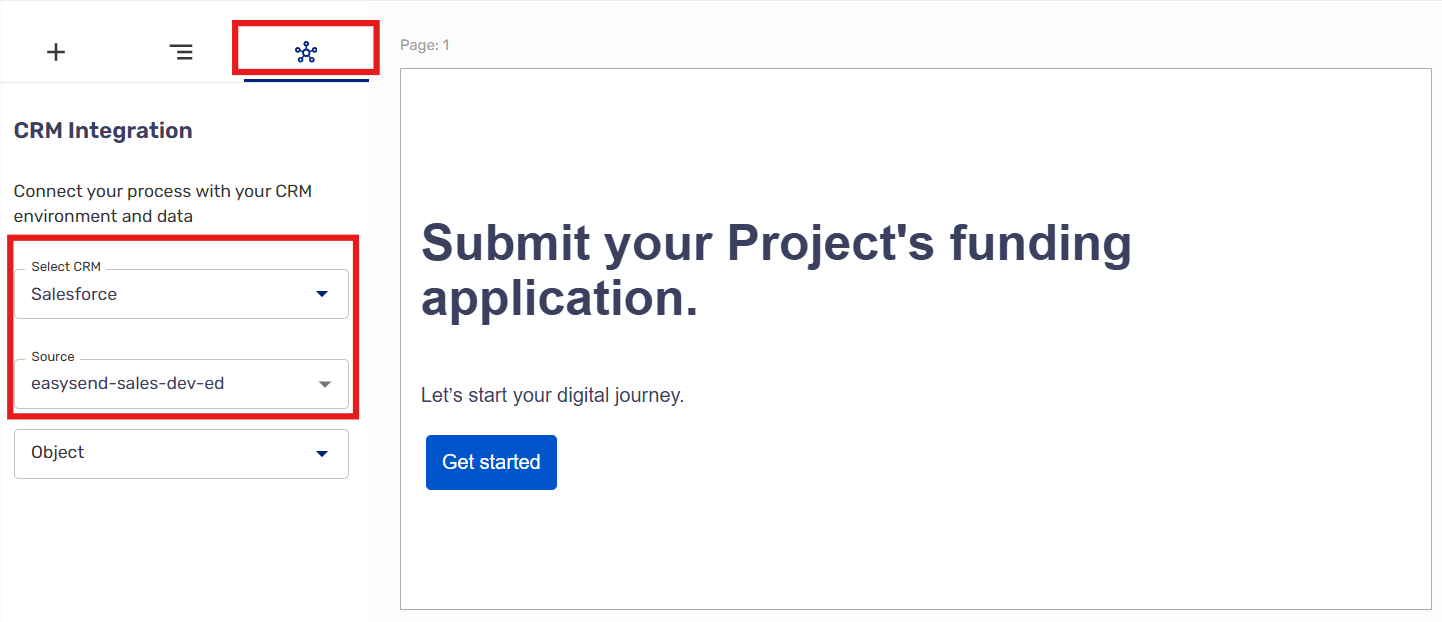
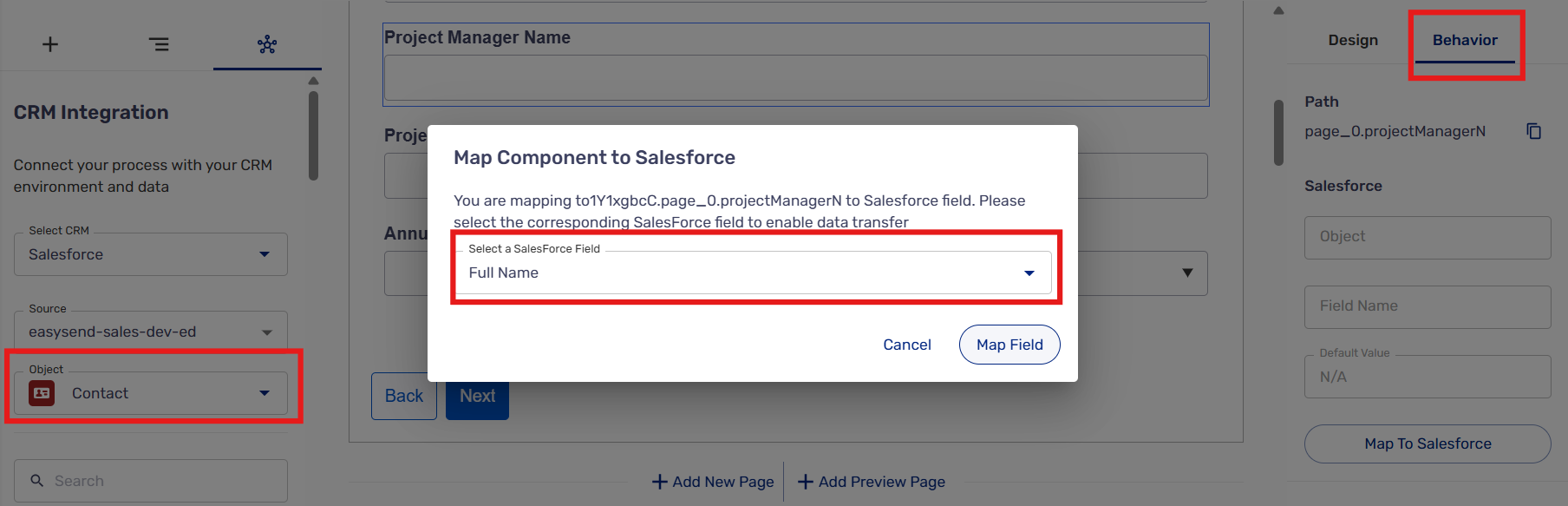
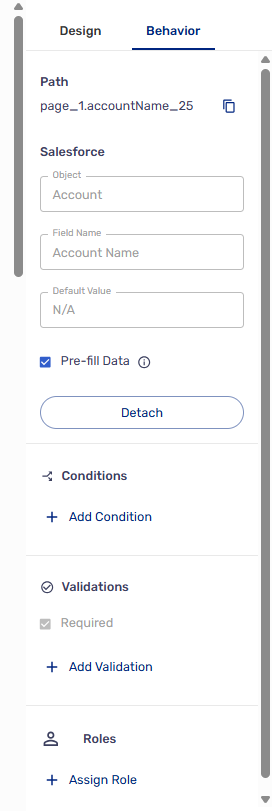
EasySend offers a native CRM integration with Salesforce, enabling admins to merge data from source fields in the digital journey to target fields in Salesforce, as well as surfacing data from Salesforce in the customer’s journey interface in real time.
EasySend can be connected to a Salesforce environment from the journey Webflow builder:
Then, individual fields can be mapped to Salesforce target fields:
Data can also be surfaced from Salesforce and displayed in the journey interface to customer users using the “pre-fill data” feature:
Share a Digital Journey
Journeys can be shared in multiple ways and are visually responsive to different device types.
Journeys can be:
- Shared via a URL link, email, or SMS.
- Embedded in websites and customer portals.
- Completely whitelabelled for your company and use case.
AI-Generated Journeys
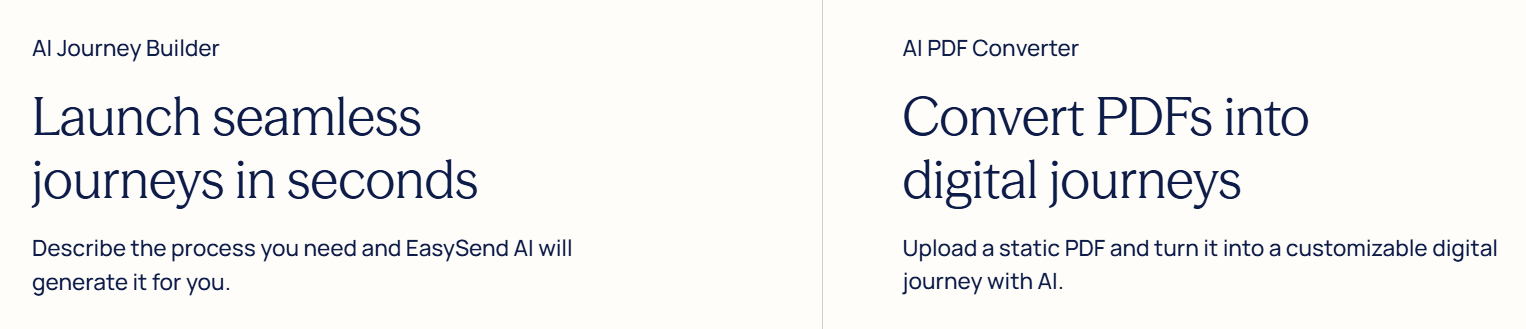
In addition to allowing users to create digital journeys from aesthetic pre-built templates, EasySend has robust AI functionality supporting the automatic creation of digital journeys based on natural language briefs or by converting PDF documents. EasySend’s AI-generation feature saves admins significant time and effort, and shrinks the time to value delivery for teams.
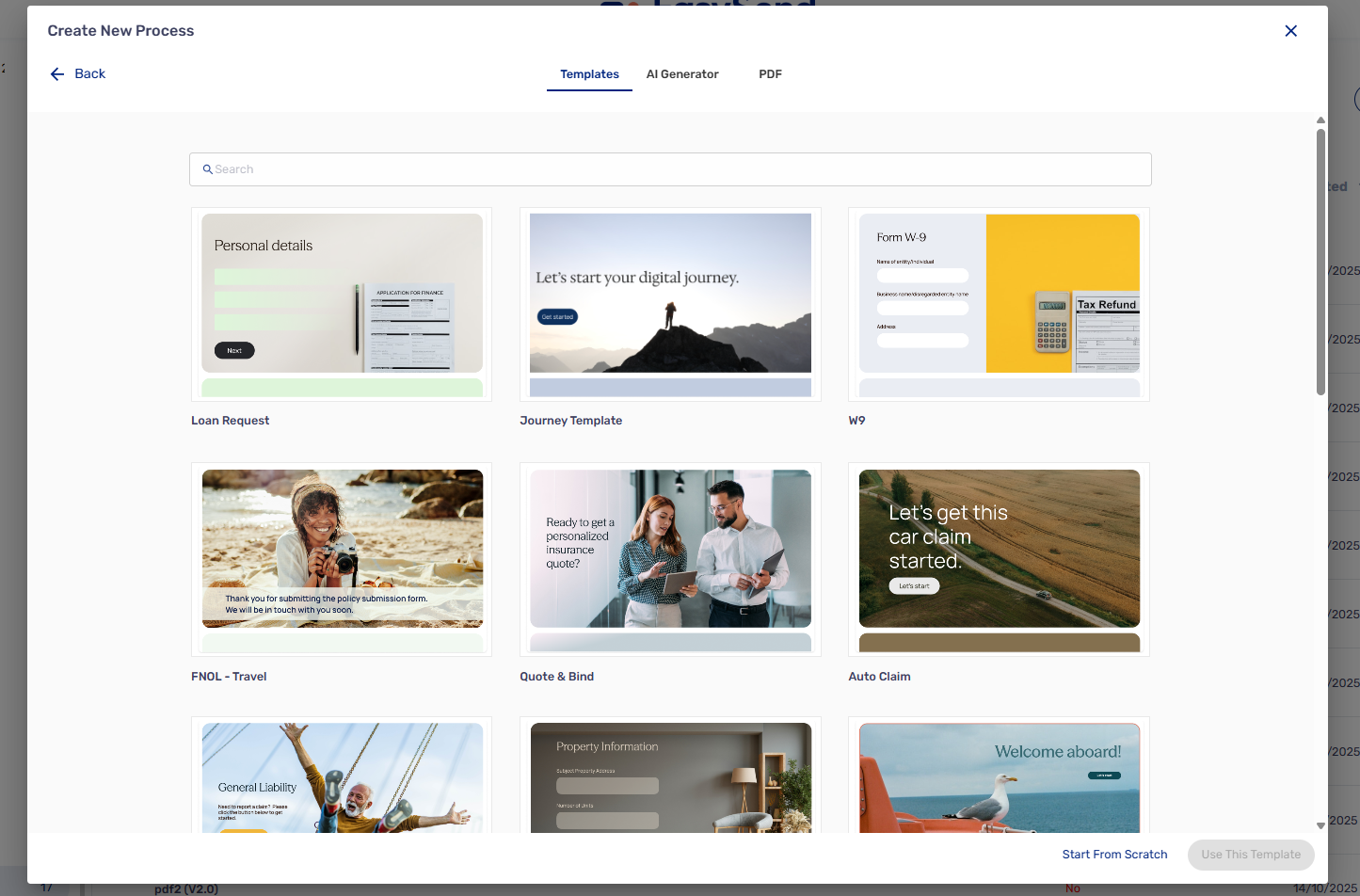
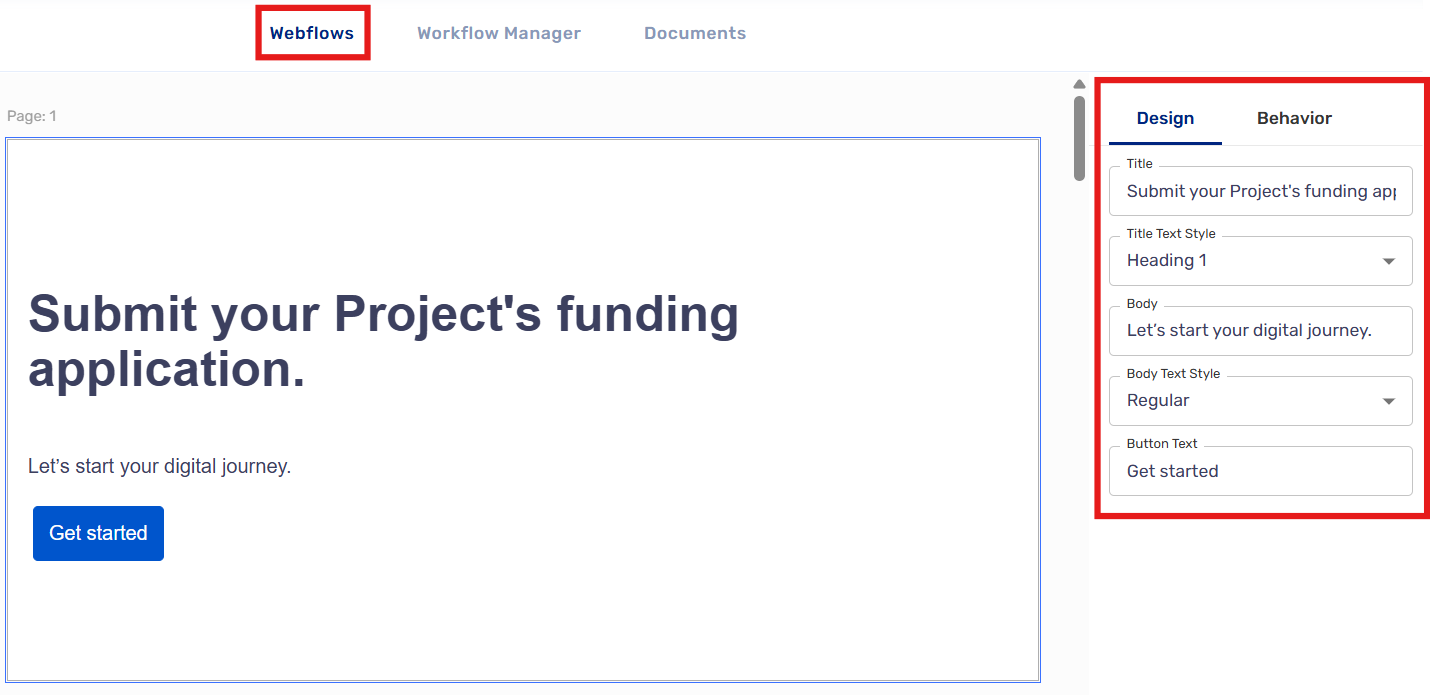
Let’s review how an EasySend Admin can create a new customer workflow in seconds with a natural language input. Here we are creating a simple journey for Project Managers to submit a funding application for their projects:
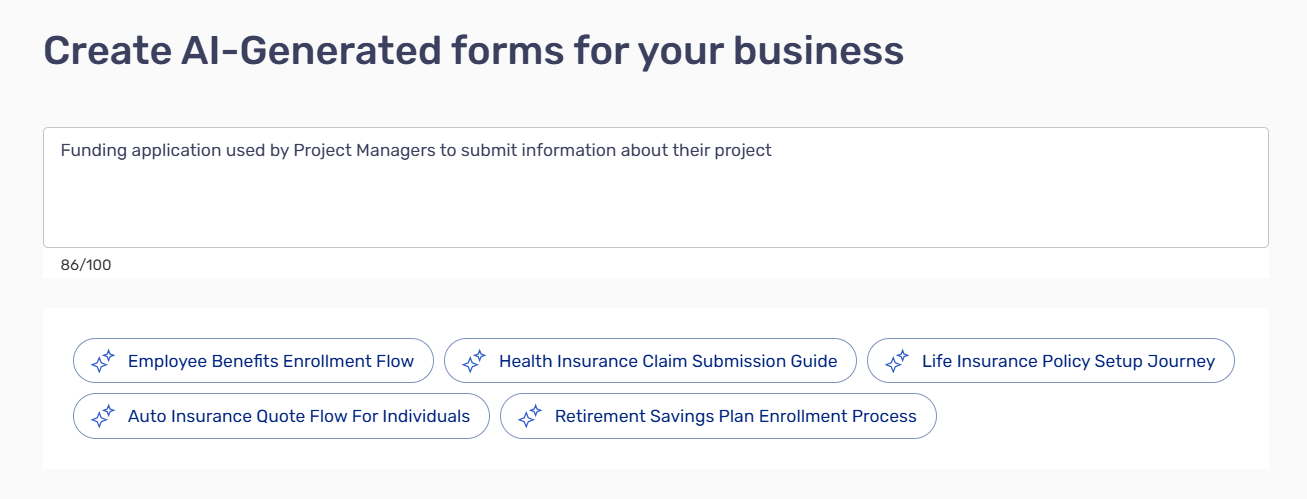
The simple text input generates a digital journey containing key information in moments:
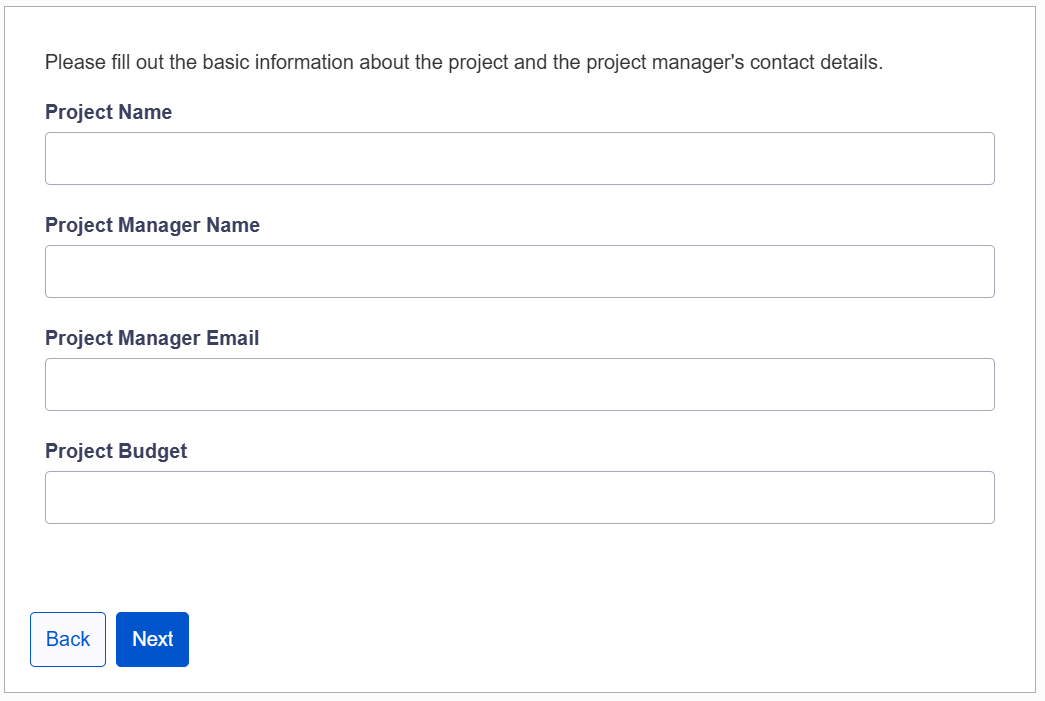
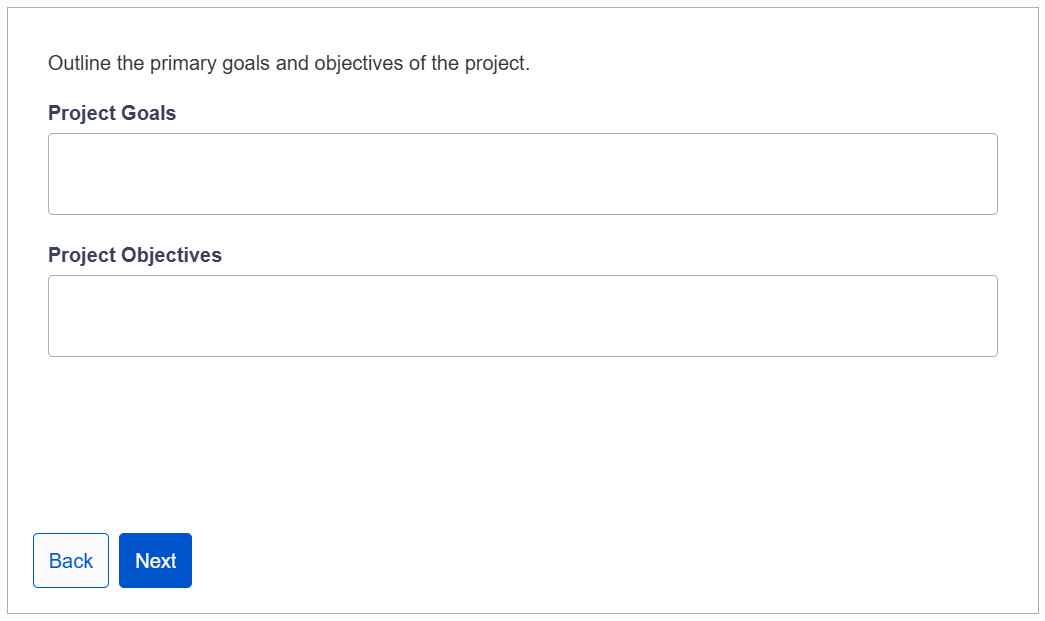
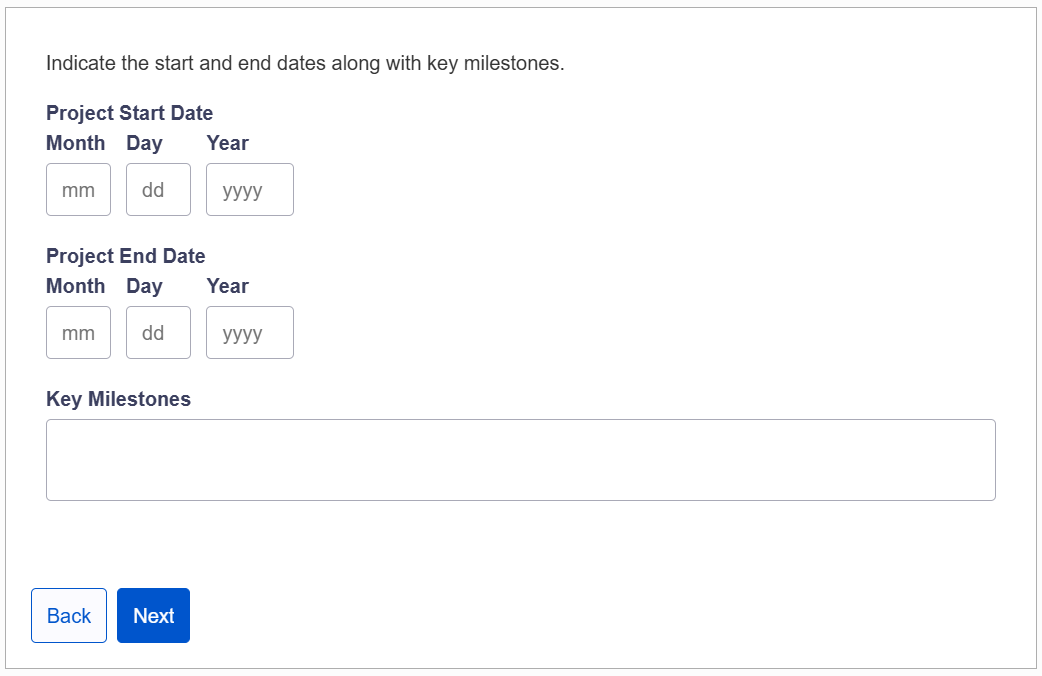
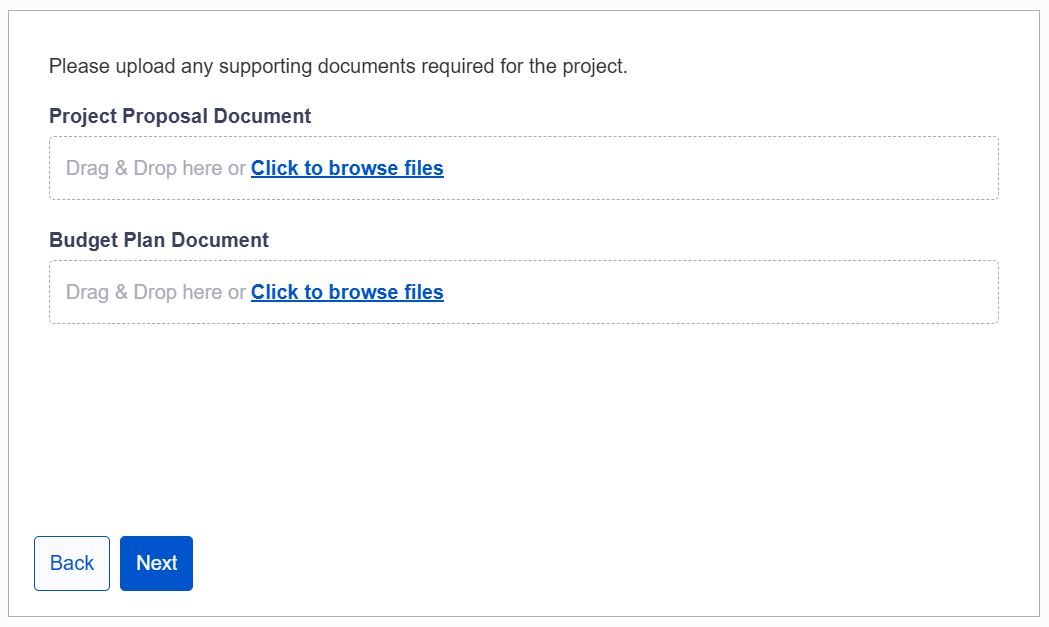
In the ‘Webflow’ builder, admins can navigate and customize the various pages of their digital journeys by adding/removing components, changing component design, setting roles and permissions, configuring mapping to Salesforce fields, and adjusting component behavior such as conditional visibility and data validations.
Learn more about EasySend’s AI-supported journey creation tool.
Form Signing
EasySend’s e-signature tool, EasySign, provides a comprehensive and compliant e-signature tool that can be leveraged in tandem with more complex customer workflows to help businesses expedite contract signing, streamline approvals, and automate required signature processes.

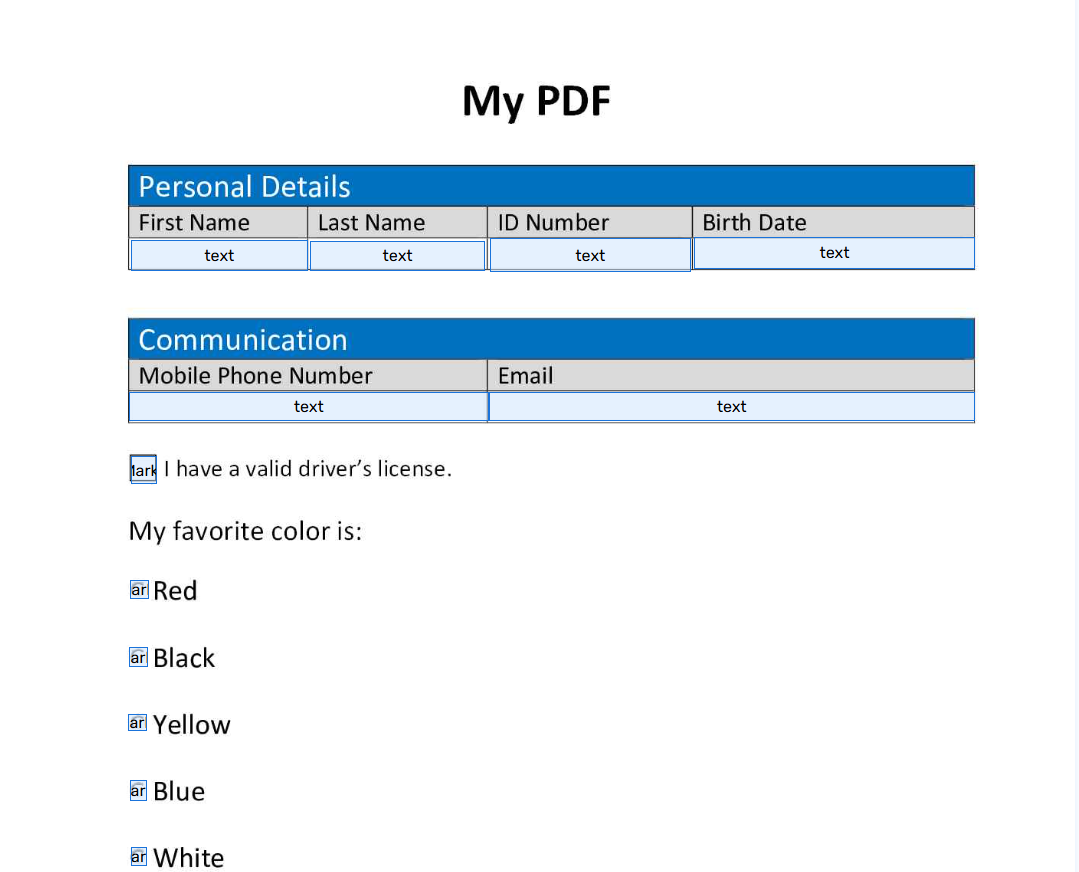
EasySign’s AI PDF Converter can be leveraged to animate static PDF documents, automatically converting PDF text to input fields.
Dynamic Document Generation
Many companies still require document generation functionality. EasySend’s doc-gen product, DynamicDoc, supports dynamic and automated document generation based on data inputs from customers and Salesforce, eliminating the need to manually generate documents.
DynamicDoc generates custom branded documents in multiple formats (PDF, Word, and more).
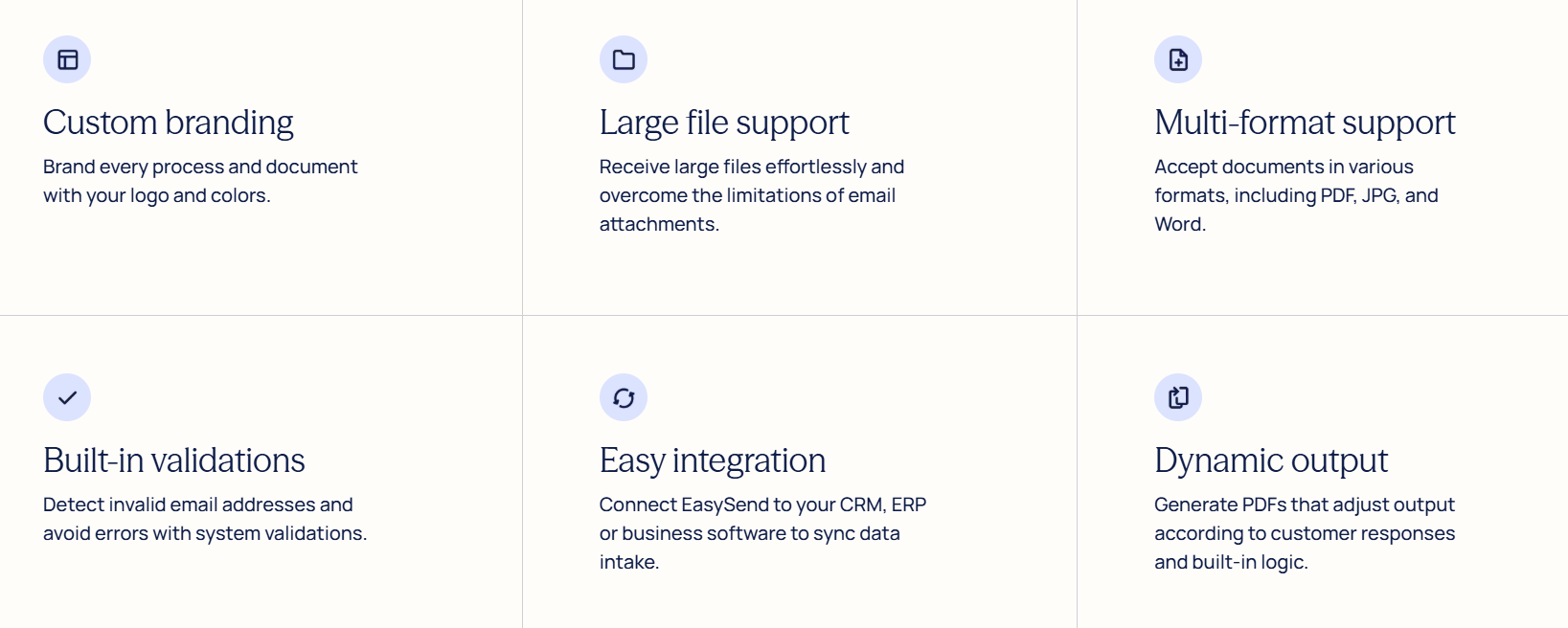
DynamicDoc can be used seamlessly with the full EasySend product suite, including Journeys and EasySign, to create a seamless end-to-end digital experience, without the need for manual intervention and document creation.
Workflow Analysis
Setting up digital journeys is only part of the job – truly exceptional user experience and business outcomes come from understanding how customers interact with journeys and leveraging these insights to improve workflows over time.
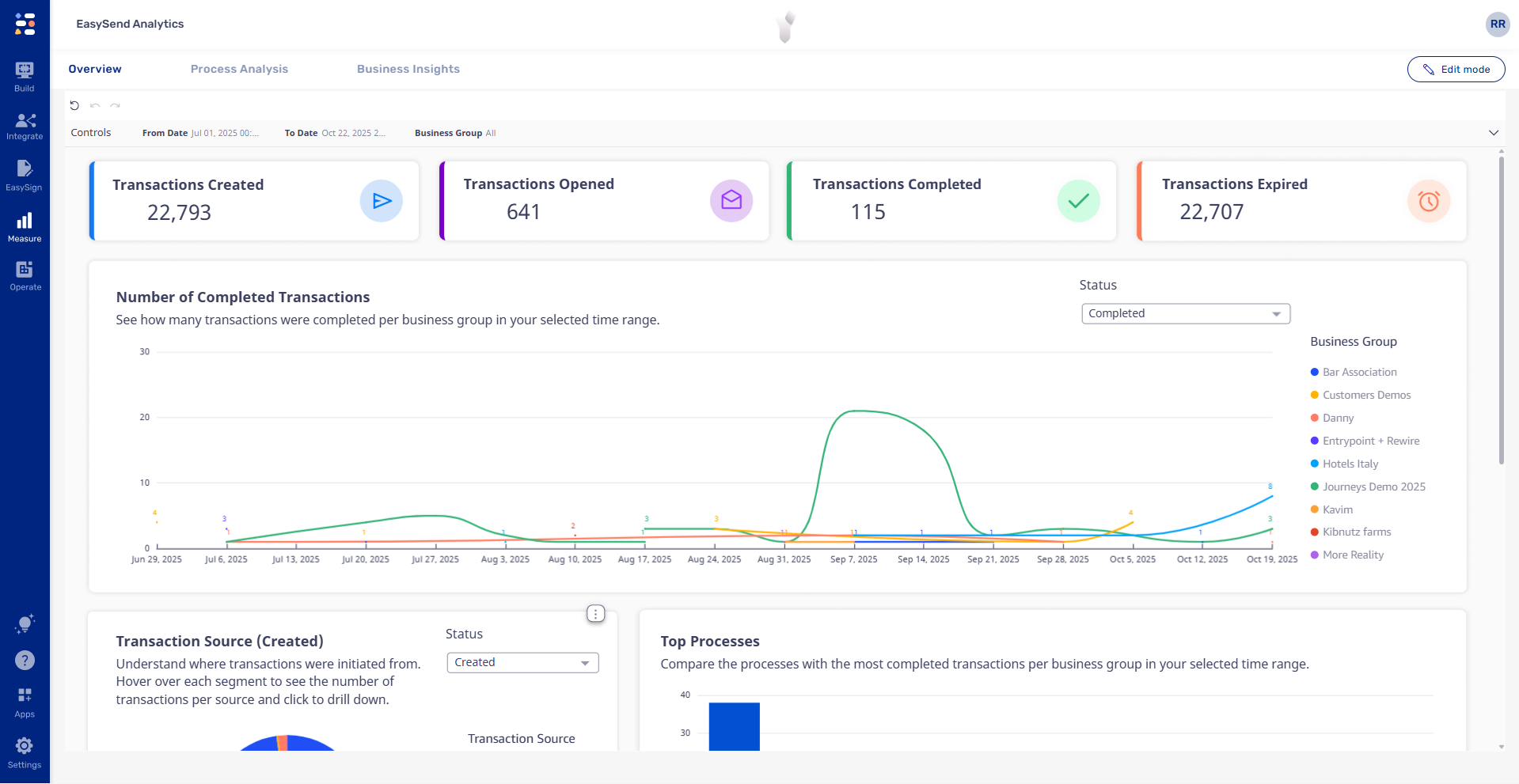
EasySend’s analytics features help admins to understand how customers are interacting with digital journeys, helping to spot areas for improvement, and ultimately to improve business outcomes like click-through-rates or conversion rates.
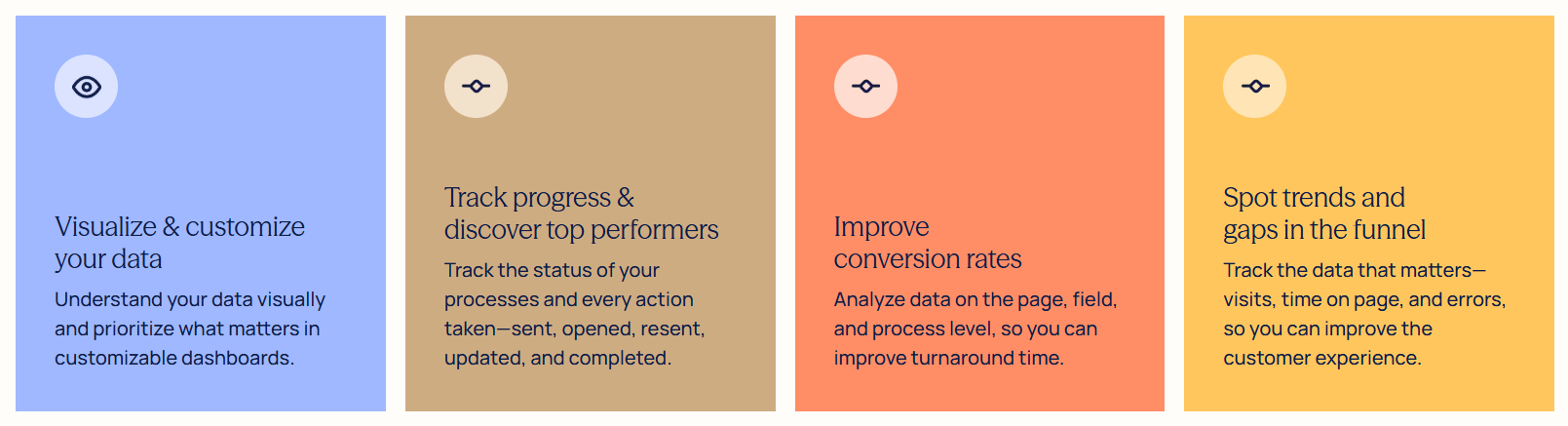
Analytics are visually supported by charts, graphs, heat maps, and timelines to help admins understand exactly how their journeys are performing:
Enterprise-Grade Security
The safety of customer data is paramount. EasySend ensures enterprise-grade security of its product through:
- Compliance with common security standards and protocols, including GDPR, SOC 2, HIPAA, and more.
- The encryption and protection of data using the TLS protocol.
- Targeted data access controls and secure sign-in methods, ensuring only permitted users can access sensitive data.
- Hosting on consistently monitored, secure AWS servers.
- Extensive data control mechanisms, including change tracking and version histories, customizable data retention policies, and zero third-party data access.
Architects looking to evaluate EasySend’s security measures on a granular level can reference the product’s Help Center page for more details.
Roadmap
EasySend is constantly evolving and improving. Items currently on the roadmap include:
- Integration of AI agents into EasySend workflows to help customers shrink operational costs.
- Improved utilization of AI to expedite workflow creation, improving time-to-value.
- Seamless integration of EasySend forms, e-signature, and dynamic template documents so customers can enrich the user experience, while saving on operational costs.
- Enhancement of APIs and webhooks so customers can better integrate EasySend with back-office and service provider systems.
Remember that EasySend customers can submit feature requests to the platform using the Support Center to support roadmapping and future product development.
Use Cases
With our no-code products – Journeys, EasySign, and DynamicDoc – you can transform static forms into seamless digital experiences that accelerate service, simplify data intake, and capture eSignatures effortlessly.
EasySend’s product suite supports a wide array of industry use cases:
- Journeys
- New customer or member onboarding.
- New customer or member intake form.
- Single or multi-user application form.
- Submission of claims or cases.
- Requests for refunds or returns.
- Applications for funding, membership, or opportunities.
- EasySign
- Consent forms.
- Approval processes.
- DynamicDoc
- Membership documentation.
- Personalized policy information.
- Approval histories or audit trails.
- Downloadable summary documentation.
You can also check out EasySend solutions for Insurance, Finance, Healthcare, and Retail, as well as customer stories for inspiration.
Setup
The installation and setup of EasySend is comparable to similar AppExchange products. EasySend’s apps are available as verified products on the Salesforce AppExchange.
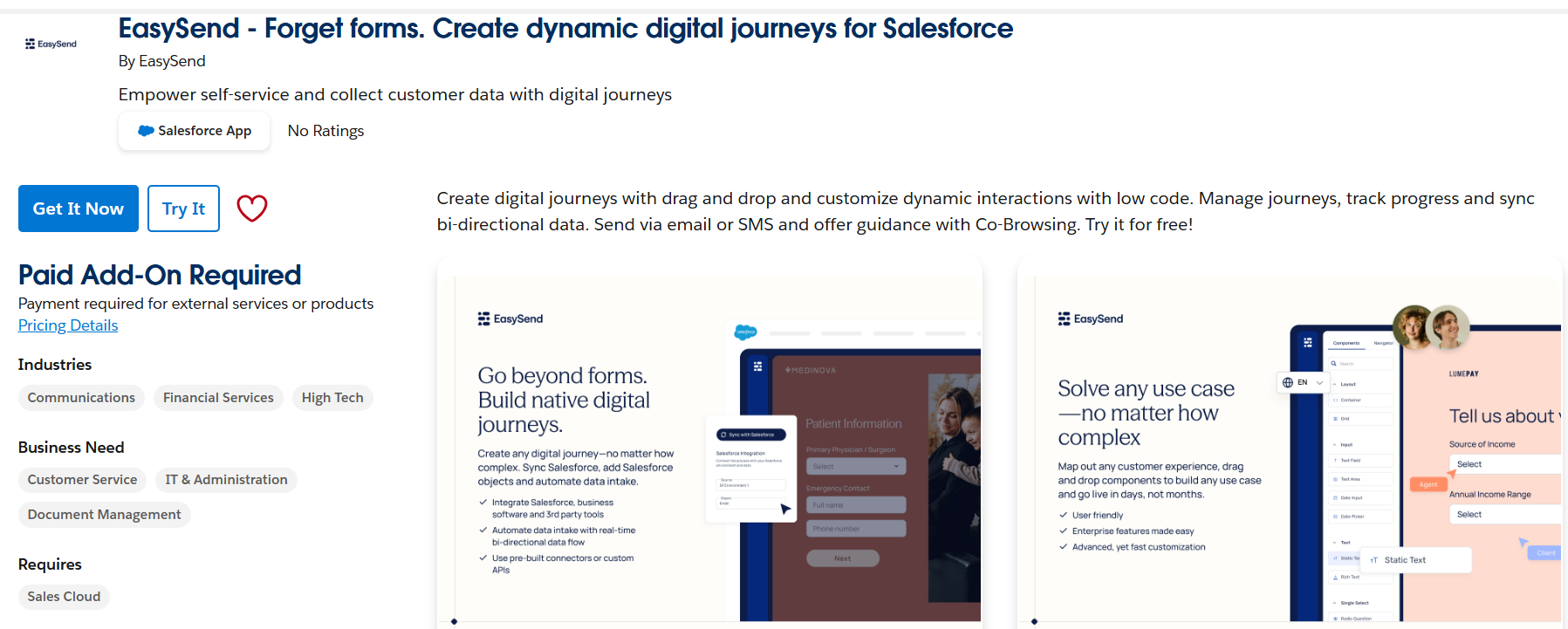
Install EasySend
Once EasySend has been purchased, it can be installed for your Salesforce Production or Sandbox environment. Install the product for Administrators only, and wait until you receive a confirmation of installation email from Salesforce. Product installation can be confirmed by visiting the Setup > Installed Packages page in Salesforce.
Integrate With Salesforce
Once the product is installed and access provisioned, navigate to the EasySend app via the app launcher in Salesforce and navigate to the ‘Setup’ tab. Input the API key, URL, and CustomerId provided to you by EasySend to create the integration between your EasySend account and Salesforce org.
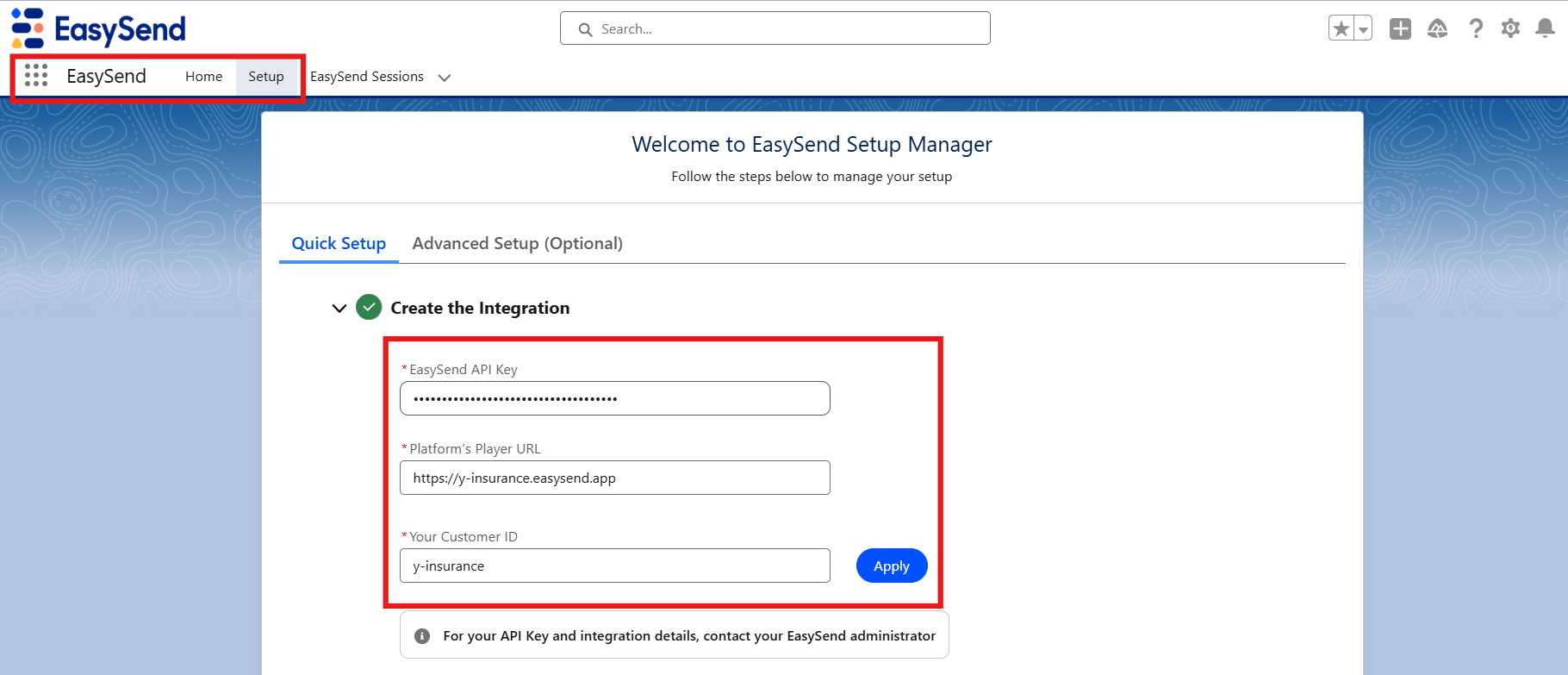
Once the product is installed and integrated, access can be selectively provided to users via the EasySend Admin and EasySend User permission sets.

The EasySend journey session-related list can also optionally be added to page layouts in Salesforce.
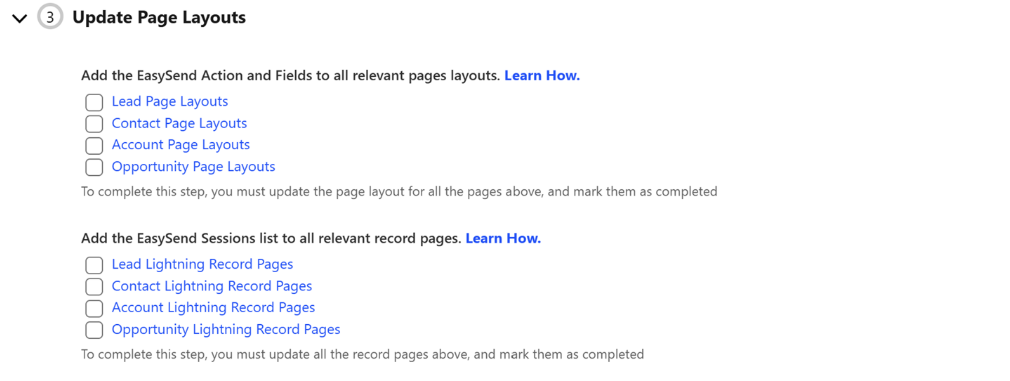
Full installation instructions can be located on EasySend’s App Installation page.
Configure a Digital Journey
Digital journeys are configured in the EasySend environment. Once you log into your EasySend environment, you’ll be able to create a new journey by clicking Build > New Process and creating your journey from a template or using AI.
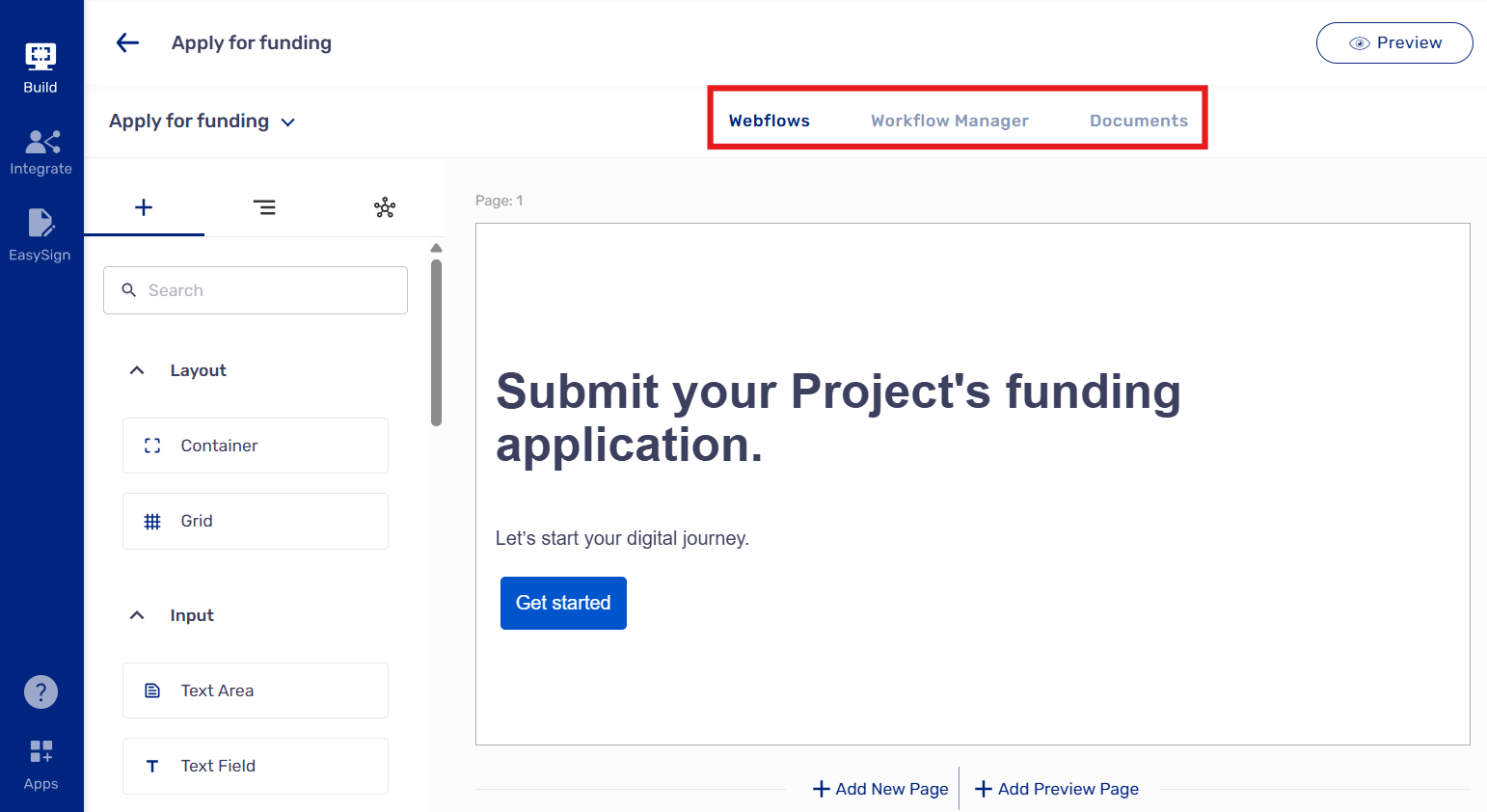
Webflows structure digital journeys, containing their content and business logic. The Workflow Manager determines the flow of digital journeys for specific users, including “thank you” messaging, based on actions they take in each journey. The Documents tab governs all documents generated and shared as part of the digital journey.
Support
EasySend offers a broad array of digital resources and product support options for current and prospective customers:
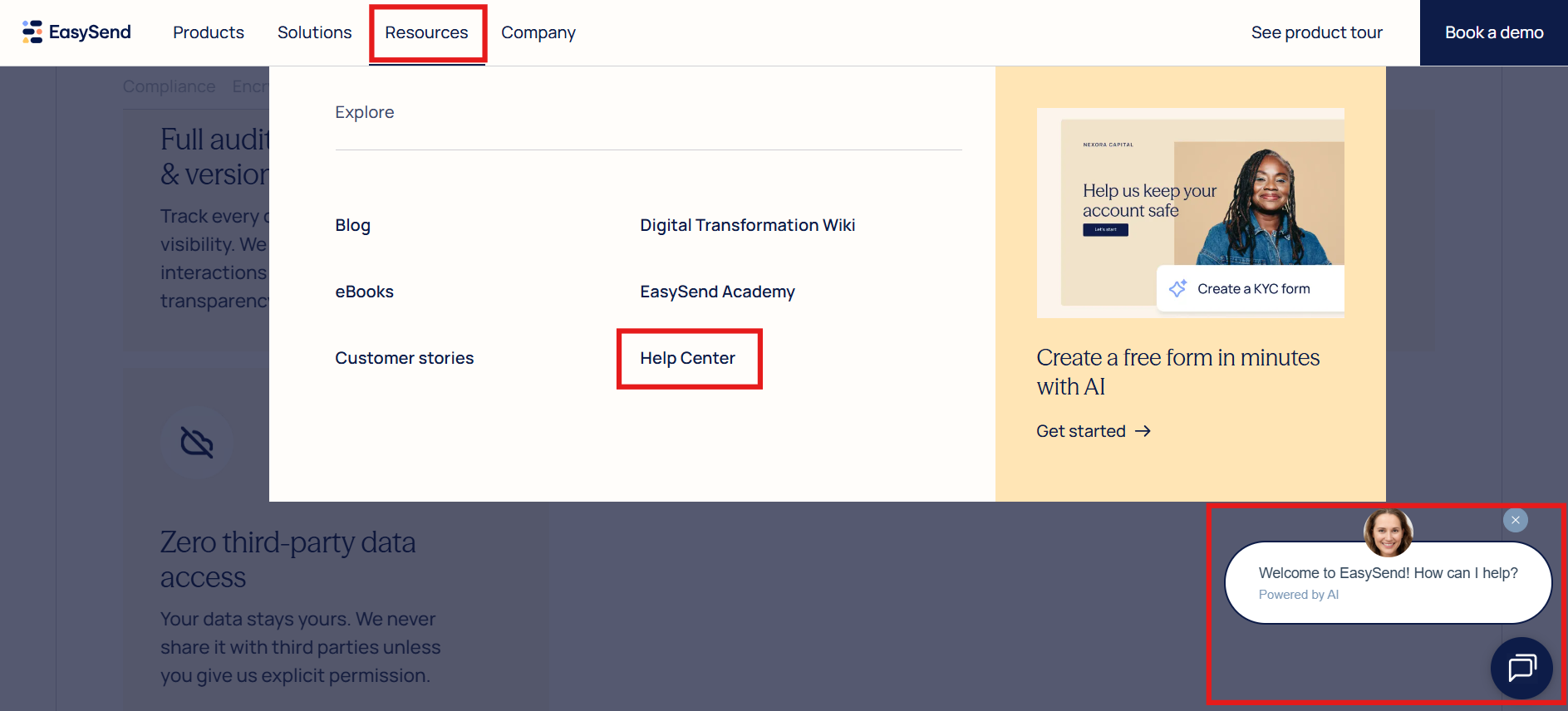
Blogs, eBooks, customer stories, and EasySend’s digital transformation wiki provide a comprehensive resource base for platform users to understand both common and creative use cases, as well as how to implement the product according to best practices.
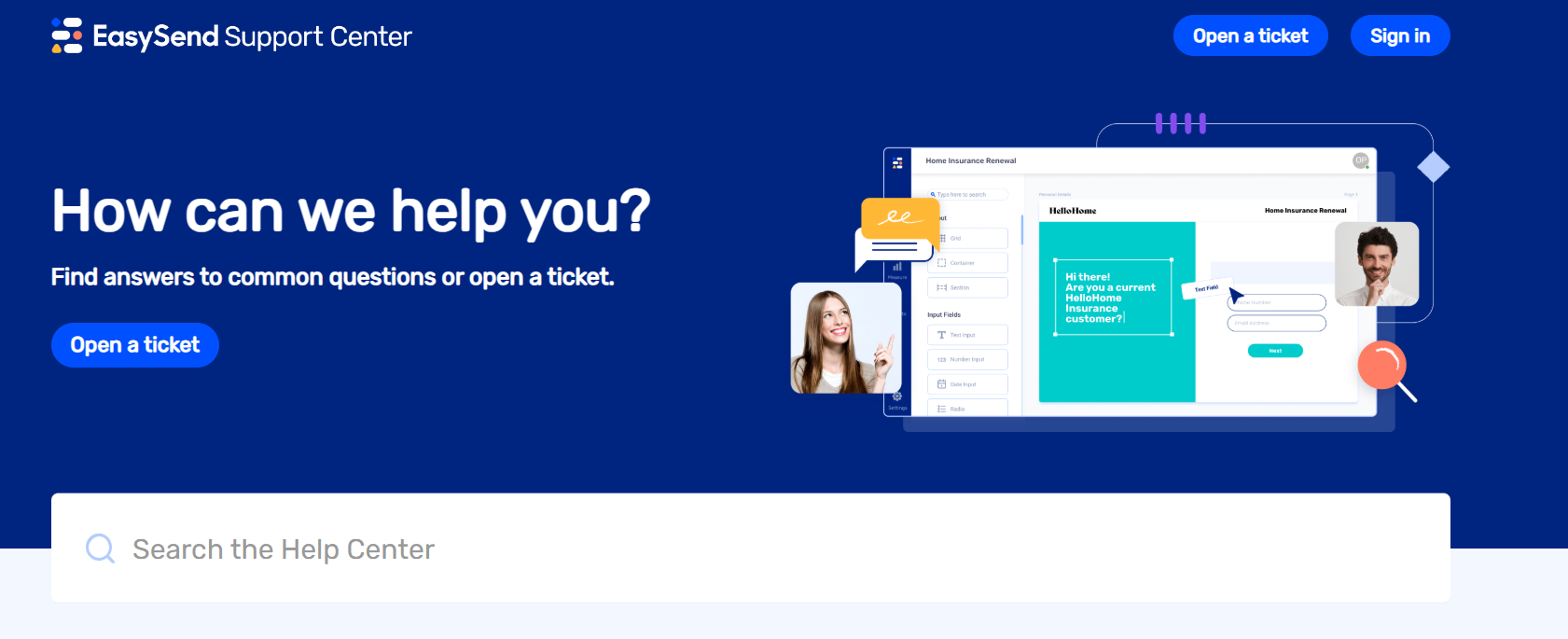
In addition to a robust online presence, EasySend provides all customers with a free online platform to find supper. The Support Center empowers clients to open support tickets and to independently learn more about EasySend’s platform through the Help Center.
Help Center
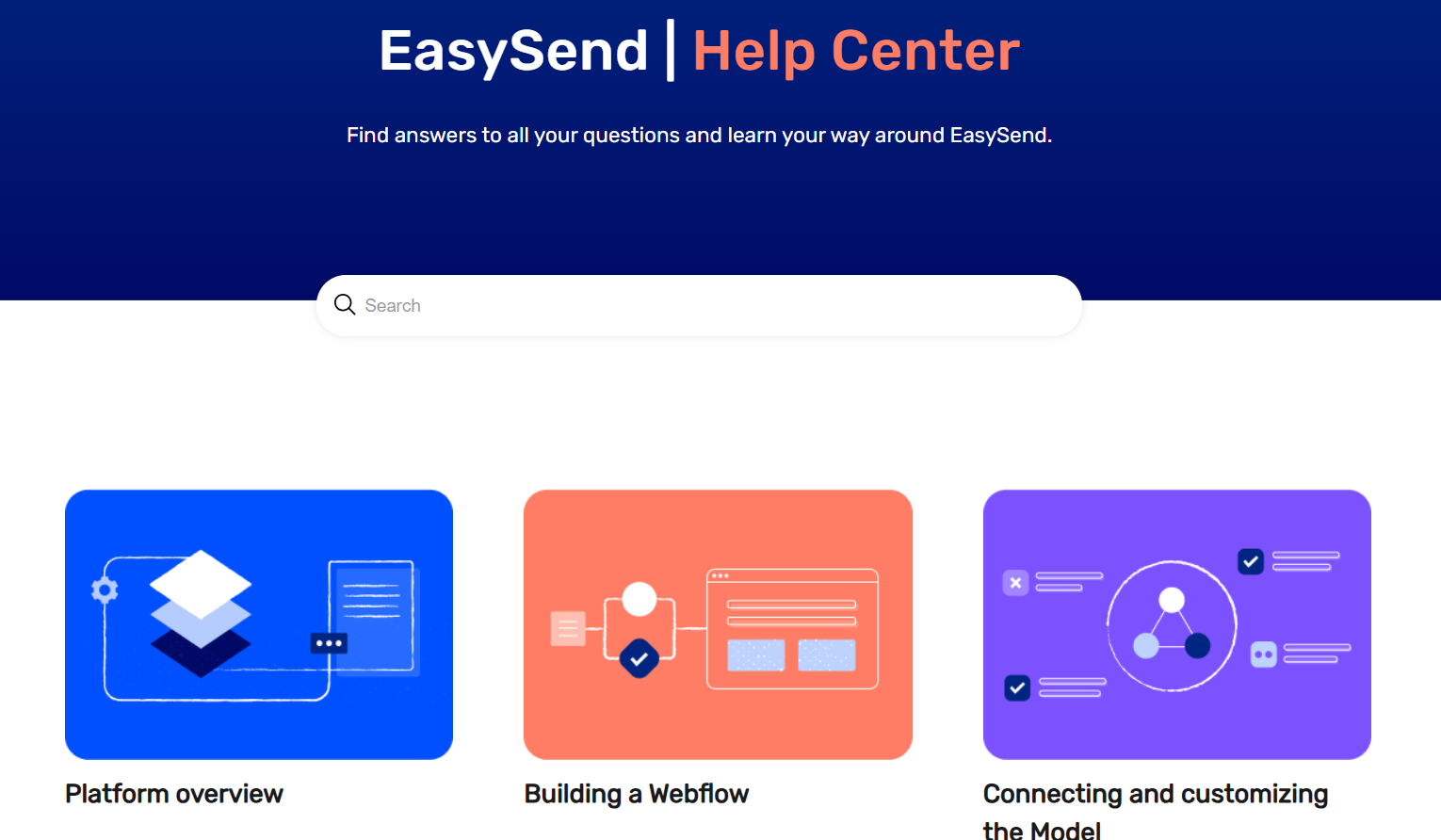
EasySend’s Help Center is a well-resourced, easily navigable digital repository containing how-to guides, feature overviews, and help articles on a variety of topics. Customers can easily access platform best practices and the latest release notes from the Help Center site.
EasySend Academy
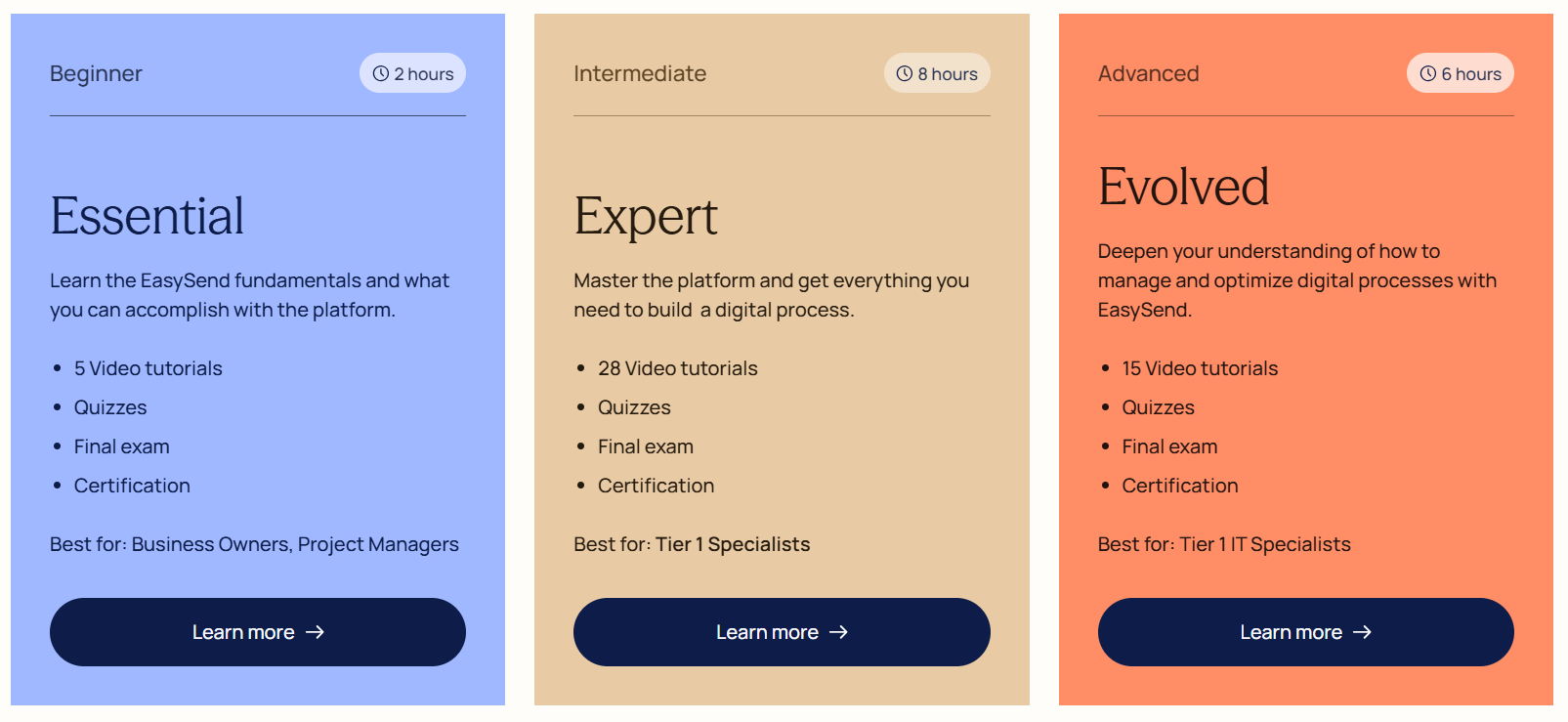
For admins and implementers looking to upskill on the platform, the EasySend Academy is the perfect place to sharpen your skillset. The academy provides beginner to advanced level courses, complete with video tutorials, quizzes, exams, and completion certificates, to provide credentialized expertise on the platform’s product suite and functionality.
Pricing
EasySend pricing starts at $200 USD per month for up to 5000 transactions (instances of a digital journey being shared with a recipient). Contact EasySend for more details.
Summary
EasySend offers customers a comprehensive tool to support data collection, form signing, and document generation requirements through the use of highly customizable and responsive digital journeys. EasySend’s product suite – Journeys, EasySign, and DynamicDoc – work together to create a seamless end-to-end customer workflows that supports several simple to complex industry requirements, including but not limited to:
- Supporting multi-user self-service and data collection requirements.
- Providing real-time, bi-directional sync of data between customers, Salesforce, and generated documentation.
- Approvals and a legally-binding e-signature.
- Automatic generation and sharing of branded documentation that leverages data input from customers and existing Salesforce data.
EasySend AI dramatically cuts the time and effort required of admins by enabling digital journey creation from natural language requests and PDF documentation in moments, as well as the animation of static PDFs to be able to capture data inputs, integrated with Salesforce target metadata. If you’re interested in trying it out for yourself, EasySend are offering the SF Ben community free 14-day access to their environment, as well as a one-on-one setup consultation here. Simply fill out your details and the information will be emailed to you within 24 hours.
Journeys, EasySign, and DynamicDoc work together to provide a well-rounded industry solution for companies that need to engage with external customers and take meaningful action on customer data.