






Summer ‘26 preview orgs are going live, and it’s time for a preview party! This exciting time – when changes become available in preview orgs – is about to kick off. We’ll share the sign-up link once preview org registrations go live on April 16.
After that, you’ll have the opportunity to explore the new Salesforce release features before they’re pushed to production. It’s the perfect chance to learn how to harness these capabilities ahead of their official release (full details here).
If you’ve signed up for a preview org in the past, you’ll be able to access these features earlier. If not, you’ll need to wait until registrations open to sign up. This is a great reminder to save your preview org credentials so you can access future features sooner.
1. Data Table Lookup Enhancements
We caught a glimpse of this in the Spring ‘26 release before it was unfortunately removed quite late in the piece. Summer ‘26 reintroduces some much-needed enhancements to how the Data Table component for Flow handles Lookup fields.
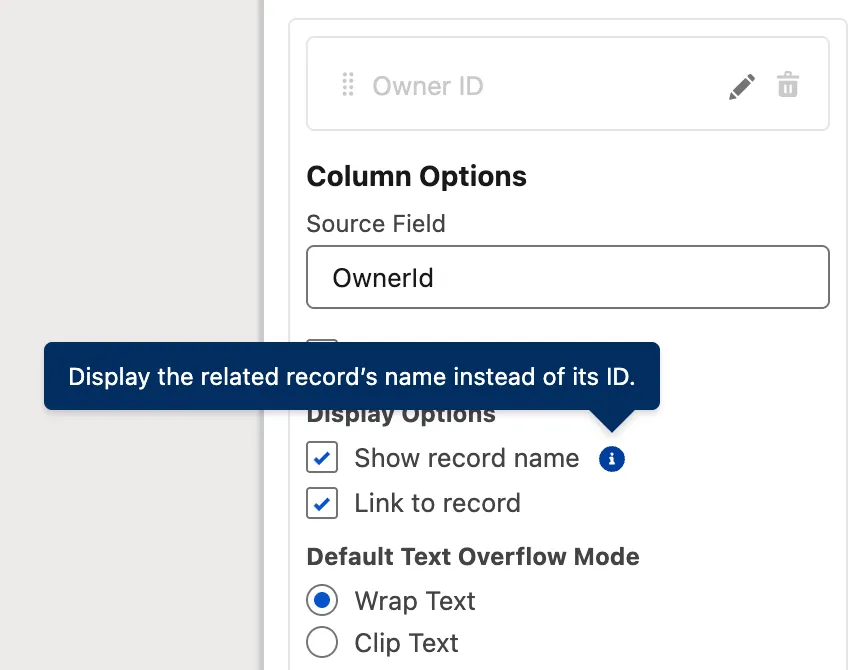
Now, instead of having to hack together your own URL visibility solution, you can simply mark a checkbox to display the record name and redirect the user to it when it’s clicked.
2. Radio Button Group Component in Screen Flow
Visual Picker was introduced a year ago in the Summer ‘25 release and was very well received. Salesforce is following up this year with a new way to handle Radio Buttons, with what they’re calling the Radio Button Group component.

While Radio Buttons are functional, let’s be real – they’re ugly and waste a lot of screen real estate. I can definitely see the aesthetic benefits that the Radio Button Group component offers over traditional Radio Buttons.
3. Visual Overhaul for Errors and Warnings
Tidying up the Errors and Warnings interface and organizing it into cards is a welcome move from Salesforce in Summer ‘26. While rushing to build a quick Flow, I forgot to set some criteria and accidentally discovered the new visual representation of one such error.
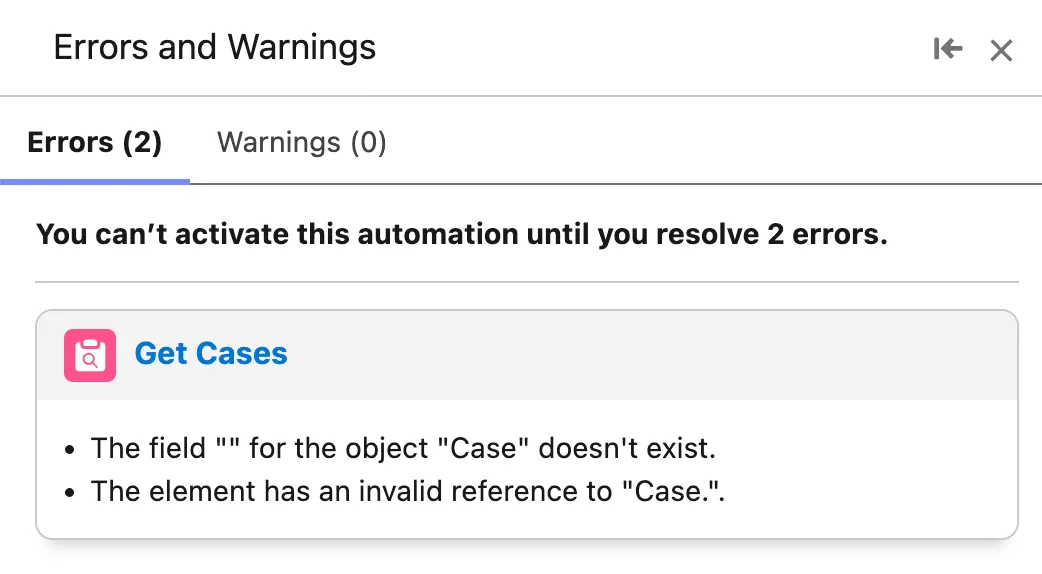
A small but welcome change that makes working with Flow Builder much easier on the eyes.
4. Collapsible Fault Paths
Speaking of streamlining the Flow Builder experience, Salesforce has introduced the ability to collapse Fault Paths in Summer ‘26. This is the second time Salesforce has made parts of the Flow Canvas collapsible in recent times, with Spring ‘26 release introducing collapsible Decisions and Loops.
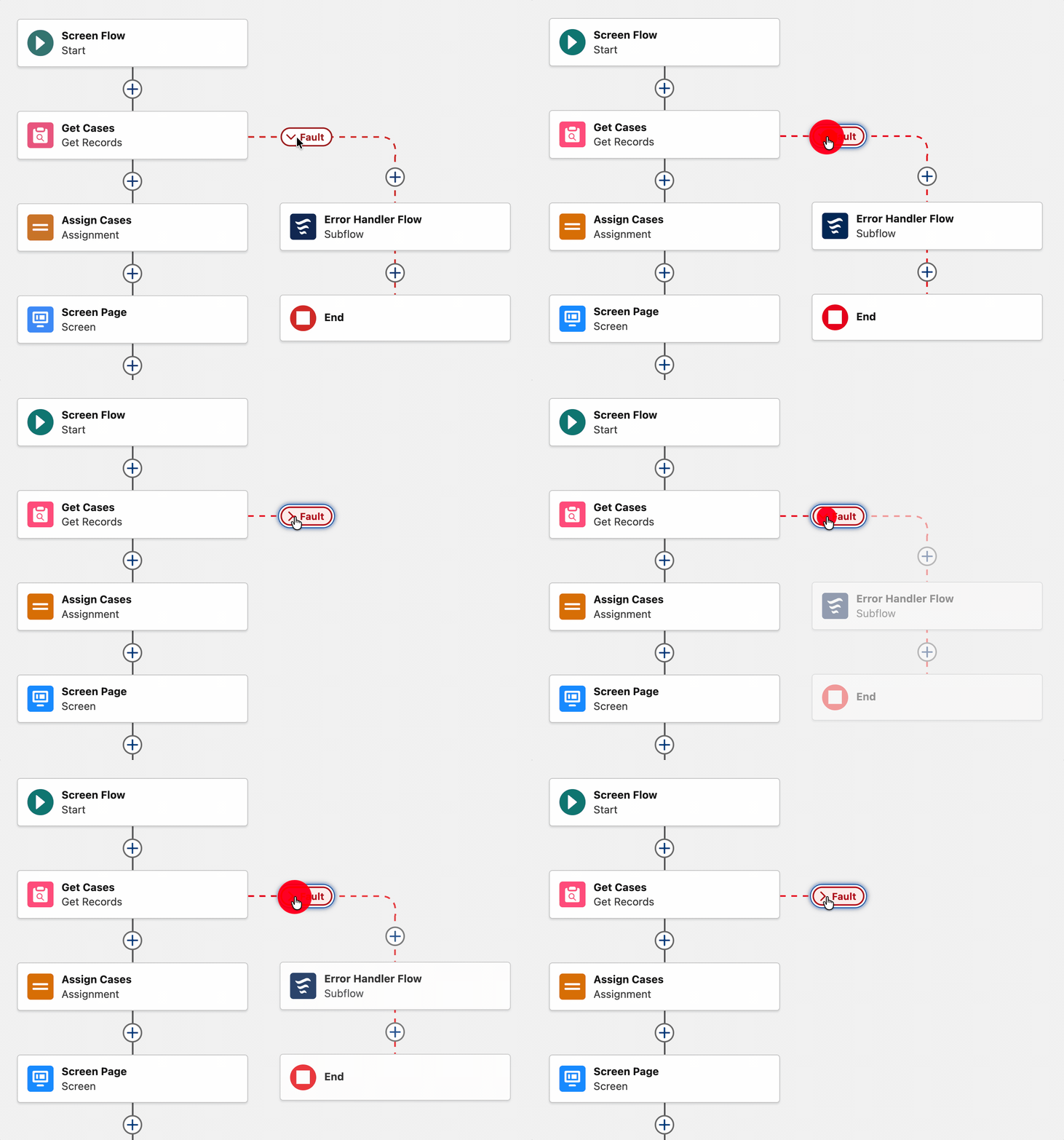
This change is particularly helpful, as many of the flows I’ve worked on have a Fault Path that shares a single error-handling subflow element. Any visual tidying is welcome for me!
5. Dark Mode Enabled for More Orgs (Maybe?)
I could be wrong on this one, but I could swear my preview org didn’t have this capability in the past, and that Salesforce was planning a staged rollout. It appears that Summer ’26 is expanding the orgs in which you can enable Dark Mode for SLDS 2 themes.
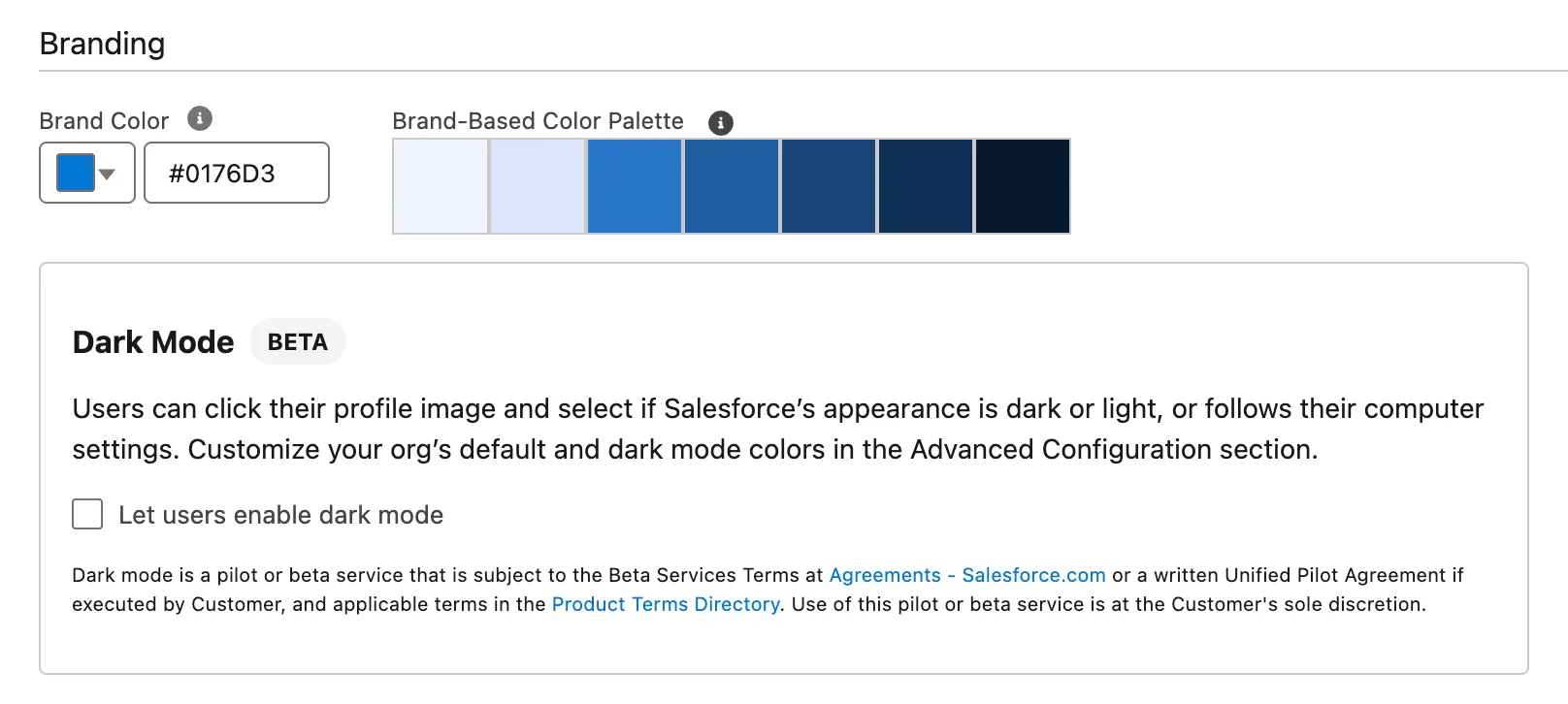
I’m happy to be corrected on this one when Sandboxes begin moving over to Summer ‘26, but regardless, it’s a good reminder to enable this for your users.
6. User Interface: Shared List View Editing
Something else that I noticed was only available in my Summer ‘26 org is a new toggle on the User Interface page in Setup – the ability to make shared list views editable.
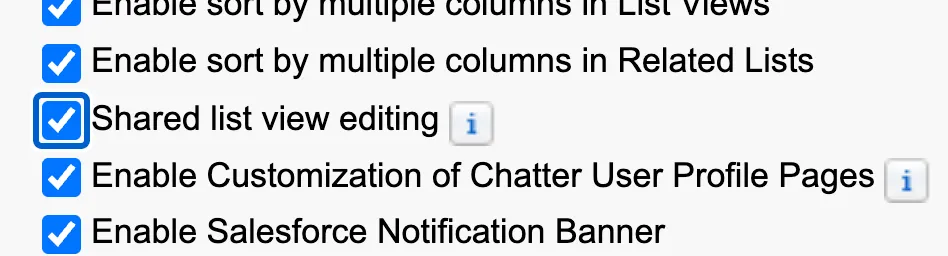
This allows users who have had a list view shared with them to now make changes to those list views, assuming they also have the Create and Customize List Views permission.
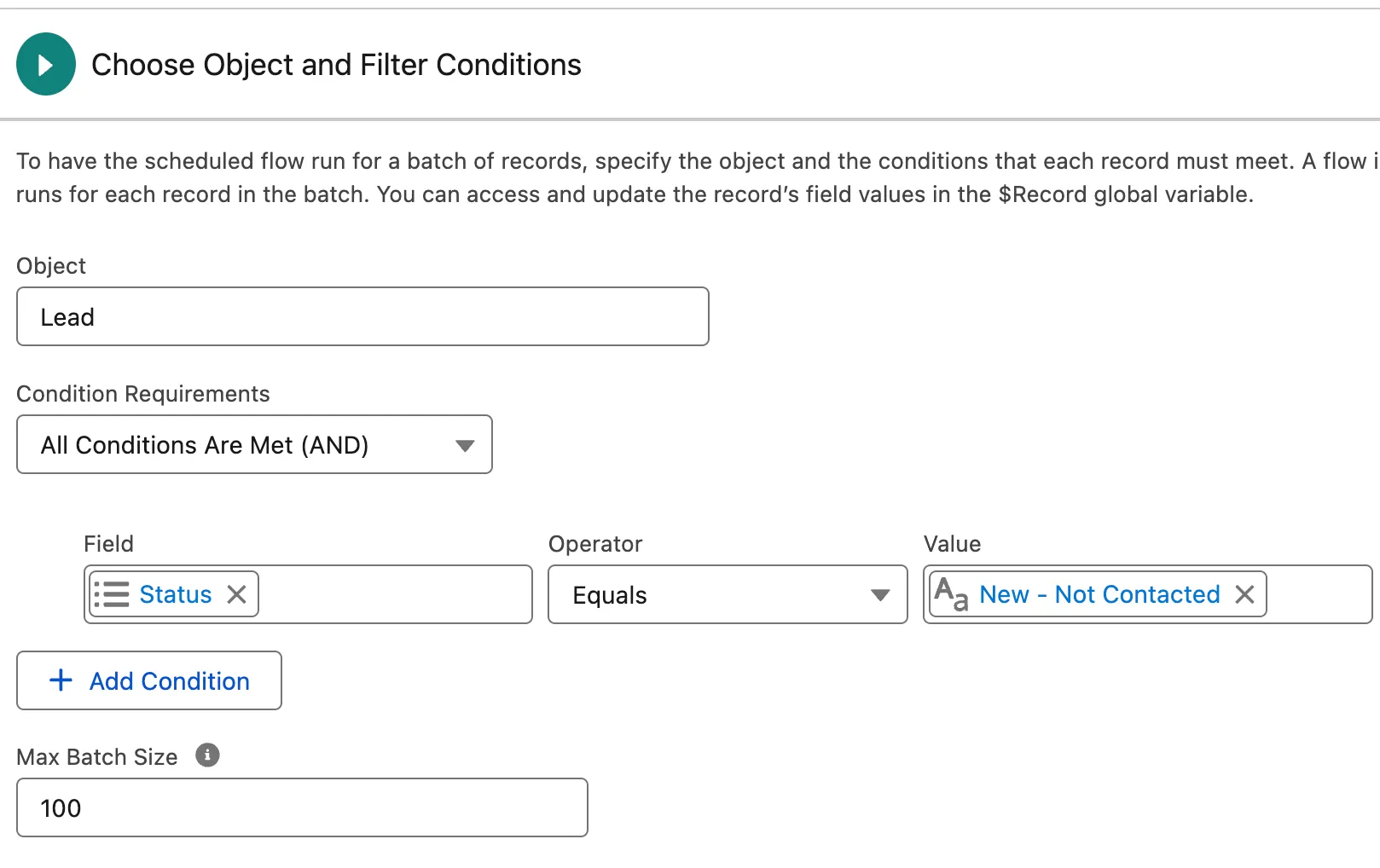
7. Maximum Batch Size in Schedule-Triggered Flows
Heading back into Flow Builder, we can see that Summer ‘26 also introduced the ability to restrict batch sizes in Scheduled Flows. This gives builders more control over their automations and helps mitigate issues that may occur when the system receives a larger number of records meeting entry criteria than anticipated.
8. Global Flow Resources
I cannot understate my excitement about what this feature could be, but unfortunately, at this stage of the preview process, it seems to still only be partially implemented. Please watch this space, as I believe Global Flow Resources sounds like it could be a new method of creating variables that can be accessed across all flows in Salesforce under specific circumstances.
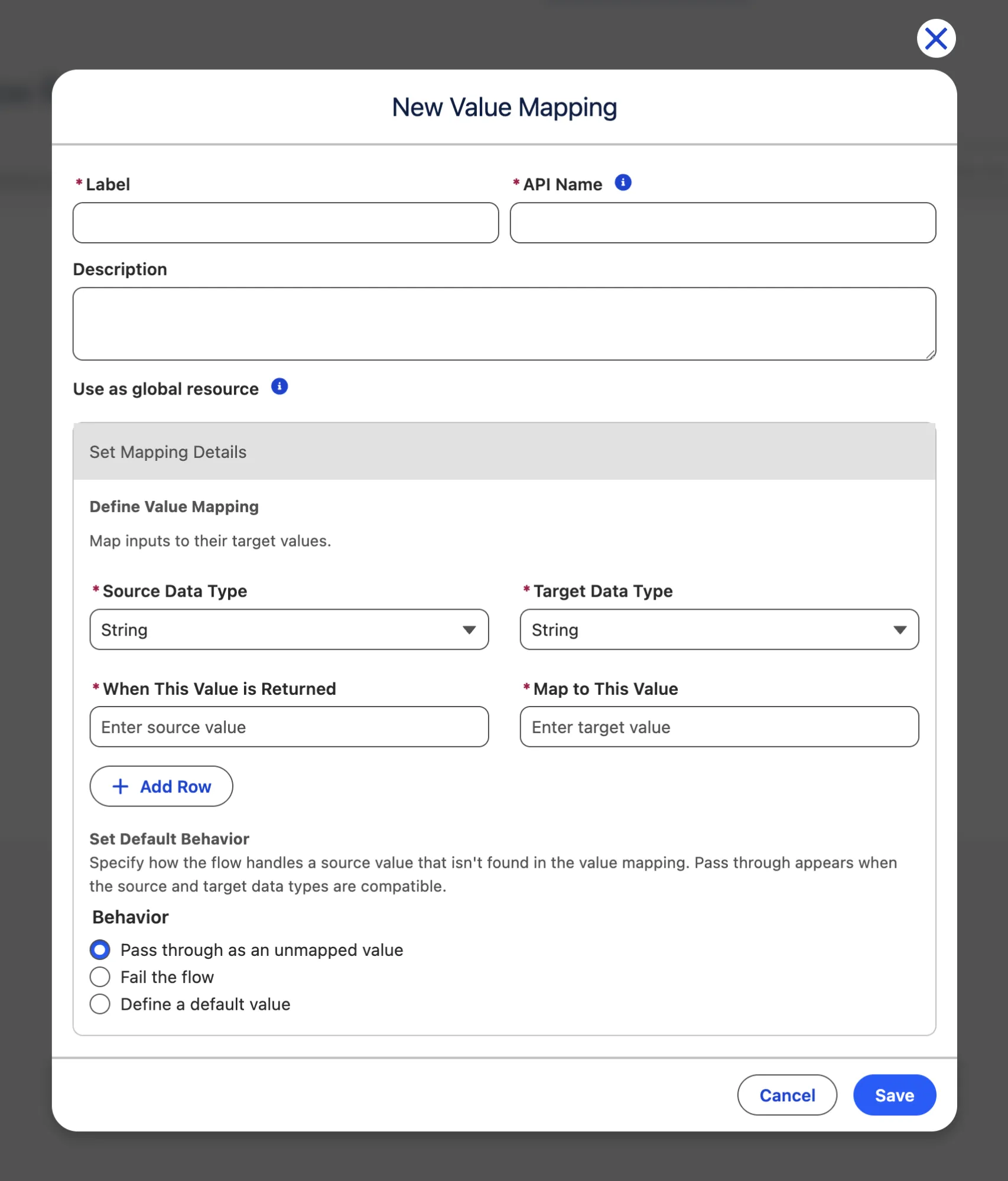
At this stage, I’ve created some Global Flow Resources and tried to access them inside a number of different Flow types, with no success. As I said, watch this space – I have a gut feeling this one is going to be a flagship feature for Summer ‘26!
9. AI Content Summarizer Component for Lightning Pages
A new component I noticed in my Summer ‘26 preview org is the AI Content Summarizer component, available in Lightning App Builder when editing a Lightning page.
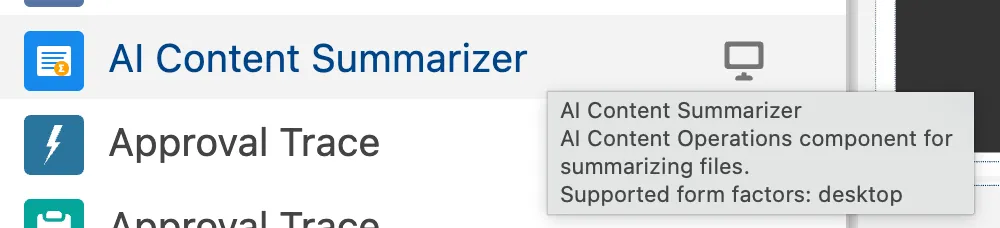
This new component can be put on a Lightning page, with the ability to be expanded by default, but unfortunately, it doesn’t seem to do much just yet. I guess we’ll learn more as the Summer ‘26 update continues to roll out!
10. Field Access in Object Manager
When looking at an Object in Object Manager in Summer ‘26, you’ll notice a new tab toward the bottom – Field Access. When clicking into it, you’ll see a new interface that displays the fields from that object and how access is being granted to them.
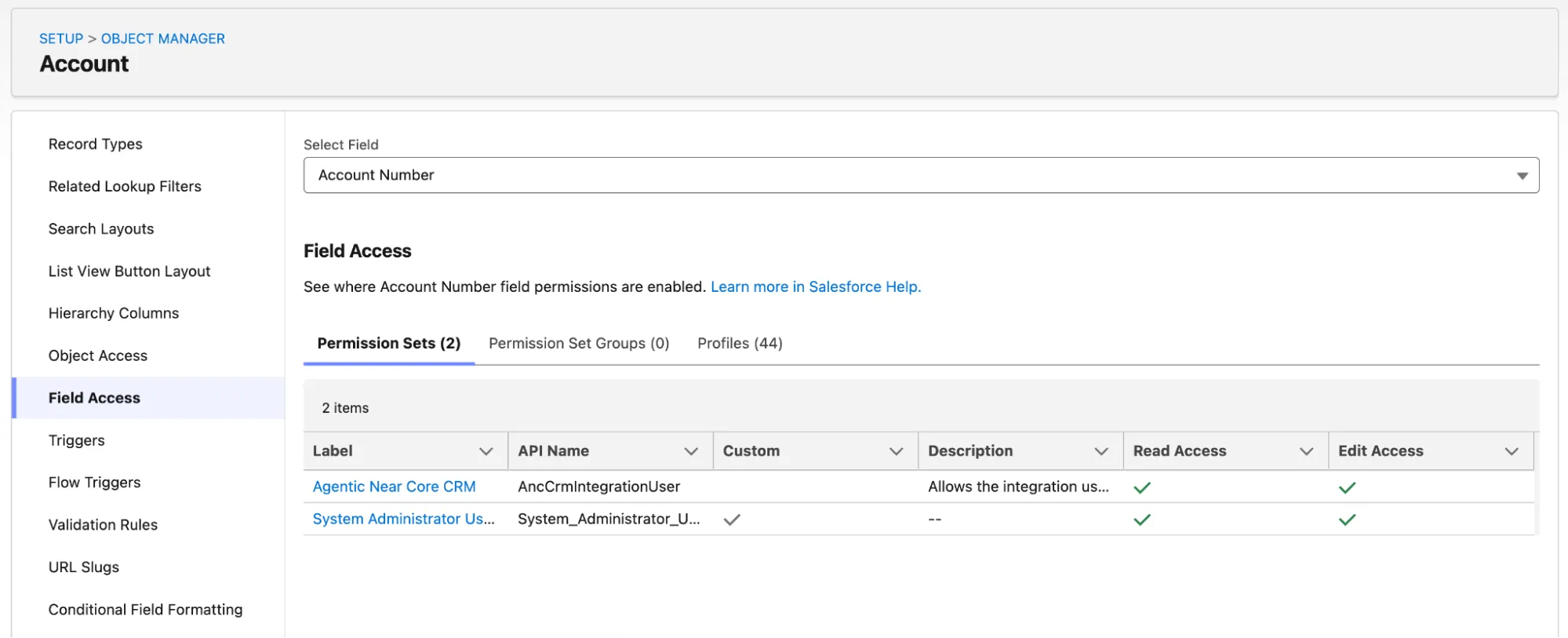
I suspect Salesforce will also replace the View Field Accessibility button when viewing a field in the Fields and Relationships tab, but for now it still displays the legacy Profile-only view.
BONUS: Web Console (Beta)
This one is technically not a Summer ‘26 feature, but the timing of its release and the impact it will have makes it worth mentioning here. Today, Salesforce announced that they are building a new Web Console feature that will be available in beta on April 14.
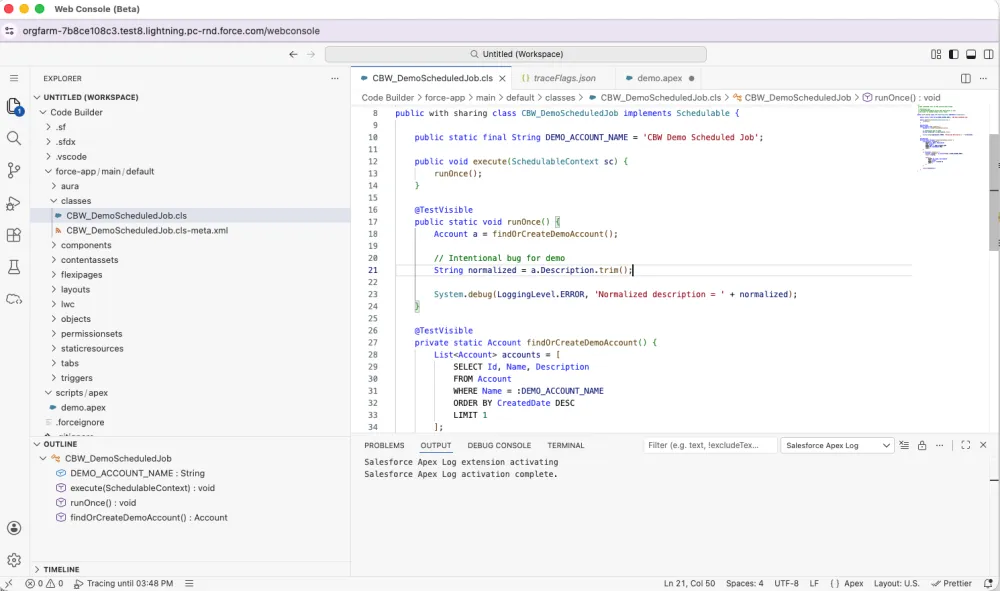
I’m preparing an in-depth guide, which you’ll be able to read about shortly as well. Watch this space!
Summary
And there you have it! These are my favorite features (so far!), including a few that I’ve read about but haven’t yet been lucky enough to get my hands on.
We’re still super early in the release cycle, and we anticipate more new features to come, as well as refinements to those we’ve already covered in the above article.
It’ll be exciting to see some of the more hidden features come to light when the Salesforce release notes are available on April 22 – what a bonanza of a release this one is!
And don’t forget to sign up for a pre-release org (the link will be available here once registrations are open) to see what you can find.





Comments: