




What are Pardot product development’s top priorities? You’ll hear that enhancing account-based marketing (ABM) comes high on the list. Their aim is to provide a view of all marketing activity at the account level, and not solely at the individual prospect level. This, they predict, will be a core differentiator for Pardot in a crowded marketplace.
As the account object has been getting a lot of limelight in recent releases, I thought it was time I collated all the ways that Pardot works with the accounts in your Salesforce org.
Engagement History Dashboard on Accounts
Engagement History Dashboards are out-of-the-box dashboards that show campaign performance over time. This is how prospects have interacted with your campaign – your emails, landing pages, files associated with a campaign.
You can add this dashboard on account pages to show the birds-eye view of campaign interaction by all contacts under that account.
You can gain insight into:
- The amount of engagement over time,
- The campaigns that resonated best with those contacts,
- The breakdown of who did what (by marketing assets), and when,
- The most active contacts.

Accounts as Campaign Members
You can add an account to a Salesforce campaign (in addition to leads and contacts, as has always been the case).
This feature set includes:
- “Add account” button on campaigns,
- Campaign History related lists on accounts,
- Changes to the campaigns and campaign members report type.
And… Pardot have an extra trick up their sleeve – Marketers can add an account to a campaign even before the account has any contacts. When contacts are added to the account, they will also be added to the campaign.
Einstein Key Account Identification
Einstein Key Account Identification uses AI to surface the accounts with the highest likelihood to purchase within your Salesforce org. “You could say this new feature is Pardot Einstein Behavior Score at the account level (vs. the individual), and Pardot score on steroids” was my first thought.
Key facts:
- “Einstein Account Tier”: introducing a new score which uses letters, similar to Pardot grading.
- Likelihood to covert: Einstein indicates how likely it is that the account will have an opportunity created in the next six months (eg. “3x more likely to convert”, shown in the image below)
- Einstein Scoring card insights: information on contributing factors (impact of data such as their industry, or recent engagement) – in other words, the ‘why’ behind the Account Tier.
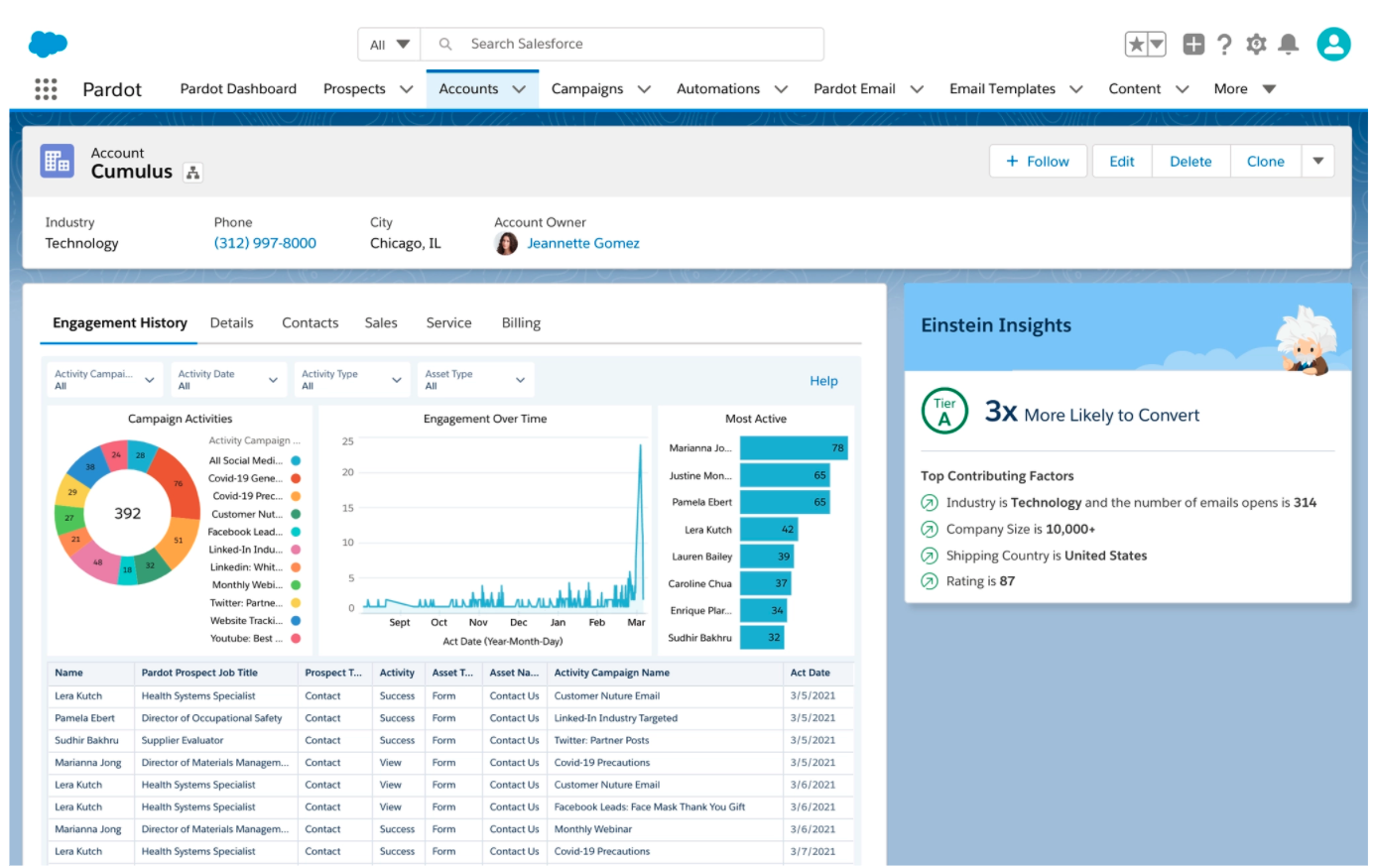
(Note that currently this is only available to customers on Pardot Advanced and Premium editions)
Prospect Account Fields
If you aren’t using Prospect account fields as part of your Pardot segmentation and automation, then you’re missing a trick!
Prospect account fields in Pardot map to account fields in Salesforce. There are a number of Prospect account fields pre-mapped as default, and you are able to create custom fields and map those, too. This is key to Pardot best practice, and clearly keeps data sync much cleaner (vs. routing account data via the contact object, in order to reach the Prospect object).
Then you can choose the option ‘Prospect account field’ when defining rules in segmentation/automation (the example below is a Pardot Dynamic List):
Roll-Up Summary Fields
As accounts and contacts have a strong relationship in Salesforce (known as ‘Master-detail’) you can take advantage of a Salesforce field type called roll-up summary fields.
Roll-up summary fields, in a nutshell, is a number field on a ‘master’/parent record that ‘rolls-up’ a number field on multiple ‘detail’/child records. In this context, it’s a number field on an account record that ‘rolls-up’ a number field on multiple contact records
This is also known as aggregating a number. There are four options for roll-up summaries: COUNT, SUM, MIN, and MAX.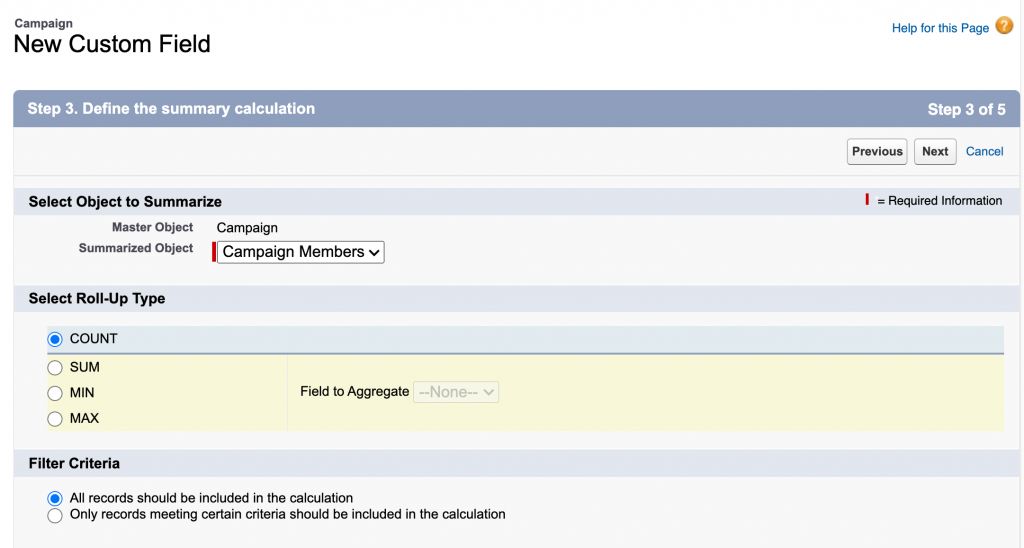
Note: I grabbed this image from another tutorial. Where you see ‘Summarized object’, our examples in this tutorial would say ‘Contacts’.
One popular example (especially for teams running account-based marketing (ABM) programs) is ‘Account score’. This gives you a good indication of the prospect scores within each account.
Calculate total ‘Account score’ by using the SUM function. Don’t just stop there! You could create three other roll-up summary fields:
- Highest scoring prospect in that account by using the MAX function,
- Lowest scoring prospect in that account by using the MIN function,
- Average ‘Account score’ within that account TOP TIP by creating the COUNT (number of contacts), then combining this with the SUM roll-up (total score of all contacts) in a new account formula field.
Wait, there’s more. You can add filter criteria, to create data points that really matter to you. For example, I want to calculate the highest scoring prospect out of contacts with Management/C-Level job titles.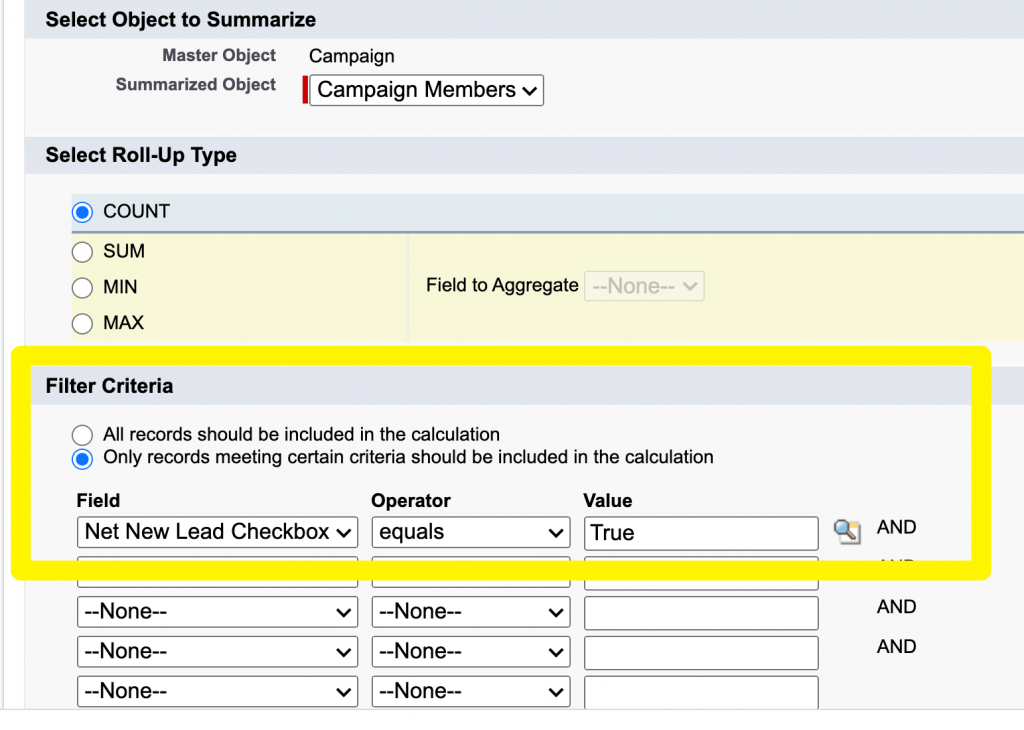
Note: again, this only meant to show how filters are added when creating a roll-up summary. You can ignore the field name that’s been selected.
Matched Leads Component
We probably all know by now that Salesforce leads and accounts aren’t friendly with one another. In Salesforce, leads are not the same as contacts. Contacts are associated with an account, whereas leads are floating records.
How can you manage incoming leads that should belong to an existing account? That’s where the Matched Lead Component comes in to save the day, to help enrich accounts with additional contacts that are sitting in your org as lead records.
Read more here.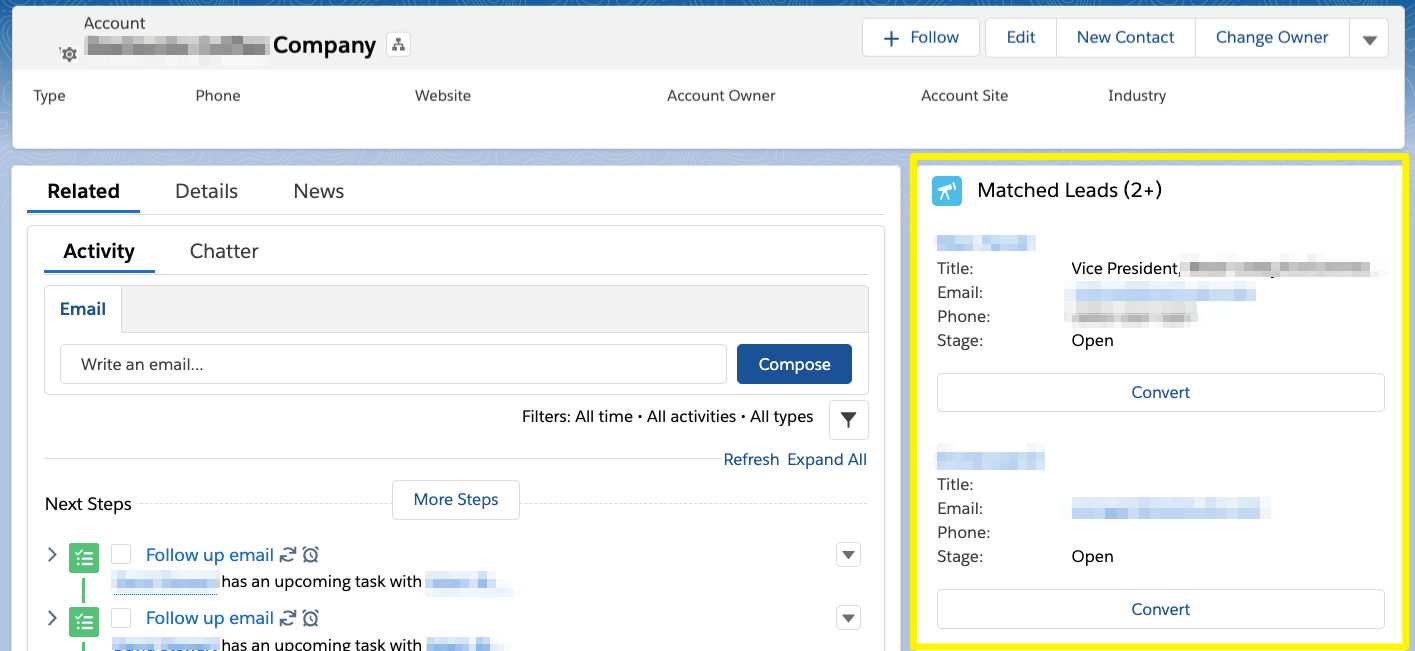
Bonus: ‘Private’ Contacts
Don’t forget to keep an eye out for private/orphaned contacts! If you care about enriching your accounts with the golden data that contact records hold, then ensure contacts are not ‘slipping through the net’, lost from their account.
As always, let me know if I’ve missed any tricks for working with the account object, and whether any of you have tried the new Einstein account-based features!
