

Speed-to-lead is one of the few factors that boosts contact rate, conversion, and pipeline all at once. But still, many teams are losing deals because their Salesforce lead routing isn’t maximized for the availability and workload of their sales reps.
Most teams have some form of lead routing in place. Queues, assignment rules, and perhaps a process to enrich and segment incoming leads. On paper, the process looks solid.
In practice, it often isn’t.
High-value leads still get allocated to reps who are busy working on other deals or out of office. Response times vary based on whoever happens to be watching their queue. Follow-up expectations exist, but enforcement depends on managers checking reports and manually stepping in.
For prospective customers, this creates an inconsistent experience. For your sales reps, it feels stressful and unfair. And for managers, it’s a recipe for constant firefighting.
This is because the gap between your routing rules and your actual speed-to-lead isn’t usually a process problem; it’s a systems problem. Salesforce assignment rules are static. They don’t know whether a rep is free right now, whether they’re already at capacity, or whether the SLA has breached. They just assign.
Speed-to-lead isn’t a sales tactic. It’s an operational capability. And the difference shows up in your pipeline.
This article breaks down three structural gaps that hold Salesforce routing back – and what it actually takes to close them.
1. Availability: Are Your Reps Actually There?
The Problem
Standard Salesforce assignment rules operate on a basic assumption: if a rep exists in the system, they’re available. There’s no concept of someone being on a call, away from their desk, or out of office.
The result is predictable. Leads get routed to reps who are technically active in Salesforce but without the capacity to action them immediately. So leads go cold, prospects move on, and as a result, your contact rate drops.
This is one of the most common – and most underestimated – sources of speed-to-lead leakage.
What Good Looks Like
Availability-aware routing means the system only considers reps who can genuinely act on a lead right now. That requires four layers:
- Team working hours: Leads only route when coverage exists. No more after-hours assignments that sit until morning.
- Individual schedules: Reps who work shifts or part-time hours are only in the routing pool when they’re actually on.
- Real-time status: Reps can mark themselves unavailable for short periods – a call, a meeting, a break – without that requiring any manager intervention.
- Calendar integration: PTO and planned absences are read automatically, so a rep on holiday is never in the routing pool.
It’s worth noting that Salesforce’s out-of-the-box Omni-Channel provides agent availability and capacity to some degree – and it’s worth evaluating if you’re already on Service Cloud.
The limitation for most sales routing use cases is that Omni-Channel is built around service queues and agent presence, not the kind of flexible, rules-based lead distribution logic that RevOps teams typically need.
For sales teams that need complex logic, factoring in territories, the skills and experience of different team members, and SLAs built around your rules of engagement, it tends to fall short.
The practical impact of getting availability right is simple: every lead that gets routed goes to someone who is actually there to respond. That alone can significantly reduce average time-to-first-contact.
2. Capacity: Not Everyone Has Bandwidth for Another Hot Lead
The Problem
Availability and capacity are related, but they’re not the same thing. A rep can be logged in, at their desk, and technically “available” – while already deep in three active deals that need immediate attention.
Reps who feel consistently overloaded or underserved by the routing logic eventually stop trusting the system entirely.
Routing another high-priority lead to that rep doesn’t help anyone. The rep gets overwhelmed. The lead gets a slower response. And somewhere else in the team, a rep with genuine capacity gets nothing.
Beyond the conversion impact, this creates real team morale problems. Reps who feel consistently overloaded or underserved by the routing logic eventually stop trusting the system entirely.
What Good Looks Like
Capacity-based routing does more than check whether someone is online. It looks at whether they actually have room to take on more work.
In practice, this usually combines three ideas.
First, caps set a clear limit on how many active or high-priority leads a rep should hold at one time. Once a rep reaches that threshold, new leads go elsewhere.
Second, weighting recognises that not every rep should receive the same share of work. A trainee, a mid-market rep, and a senior account executive may all have different capacity profiles, so the routing logic should reflect that reality.
Third, load balancing helps spread new demand across the reps who still have room, so work stays broadly even instead of clustering around the same few people.
Put together, that creates a lead routing model that feels fairer and performs better. Reps who are already at their practical limit stop receiving more leads just because they are technically available.
More experienced reps can still carry a larger share where that makes sense. And the team as a whole gets a steadier distribution of urgent work, which improves response times, protects morale, and increases trust in the routing system.
3. SLA Enforcement: From Expectation to Automatic Action
The Problem
Most teams have some version of a follow-up expectation. Respond within five minutes for inbound leads. Call back within the hour for demo requests. The team’s rules of engagement are commonly documented as Service Level Agreements (SLAs).
But knowing the expectation and enforcing it are two different things. In most Salesforce setups, SLA monitoring depends on someone actively checking reports, spotting missed deadlines, and intervening manually. Which means the enforcement is inconsistent at best, and non-existent at worst.
By the time a manager notices a lead has gone cold, the opportunity has often already moved on.
What Good Looks Like
Effective SLA enforcement needs to be automatic, visible, and proactive – not something that gets caught after-the-fact in a weekly report review.
Two concepts are worth keeping separate here: time-to-action tracking (the measurement) and SLA enforcement (the consequence). You can measure response times without acting on the results – plenty of teams do, and it’s still better than nothing. But measurement without consequence doesn’t change behaviour. Both components need to be in place.
The three things that make this work in practice:
- Time-to-action tracking: The system measures the time between a lead being assigned and the rep taking a qualifying action (such as logging a call). This is objective data, not self-reporting.
- Rep-facing visibility: Reps should be able to see their assigned leads, how much time they have left on each, and which SLAs are at risk – without digging through reports. A clear countdown in their daily workflow changes behaviour.
- Automatic escalation on breach: When an SLA is missed, the system triggers an action – a reminder, an alert to the manager, or a reassignment. Not a report entry that gets reviewed tomorrow.
Automatic reassignments are powerful, but not every missed SLA should trigger a reassignment. Sometimes a reminder is the right first step, with reassignment as a fallback after a second breach. Getting this logic right matters for rep trust as much as for conversion rates.
Done well, this transforms SLAs from a documented policy into an operational standard. The rules apply consistently across every rep, every shift, every lead – without relying on managerial oversight to make them stick.
How Distribution Engine Addresses Availability, Capacity, and SLA Enforcement
The three capabilities described above – real-time availability routing, capacity management, and active SLA enforcement – don’t require you to rebuild your Salesforce architecture. But they do require tooling that goes further than what comes out-of-the-box with Salesforce.
Distribution Engine is a Salesforce-native lead routing solution for teams looking to level up their Salesforce routing setup.
Availability Toggle and Calendar Integration
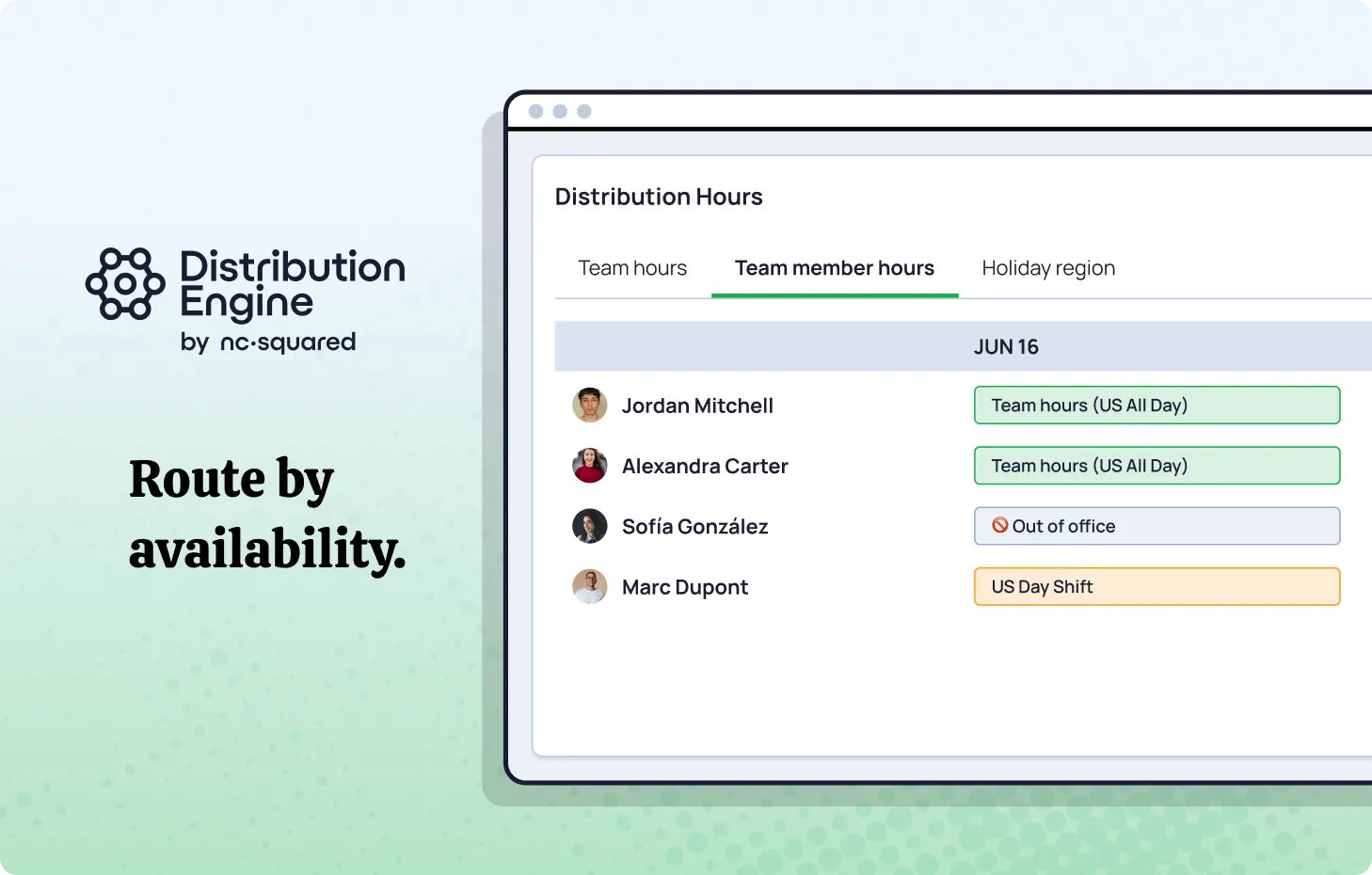
Distribution Engine adds a rep-facing widget to the Salesforce utility bar that allows reps to mark themselves available or unavailable in real time. The system also reads directly from Salesforce calendars, so planned PTO and absences are recognised automatically.
Routing respects both team working hours and individual schedules – leads only go to reps who are genuinely there to receive them.
Active Caps and Weighting
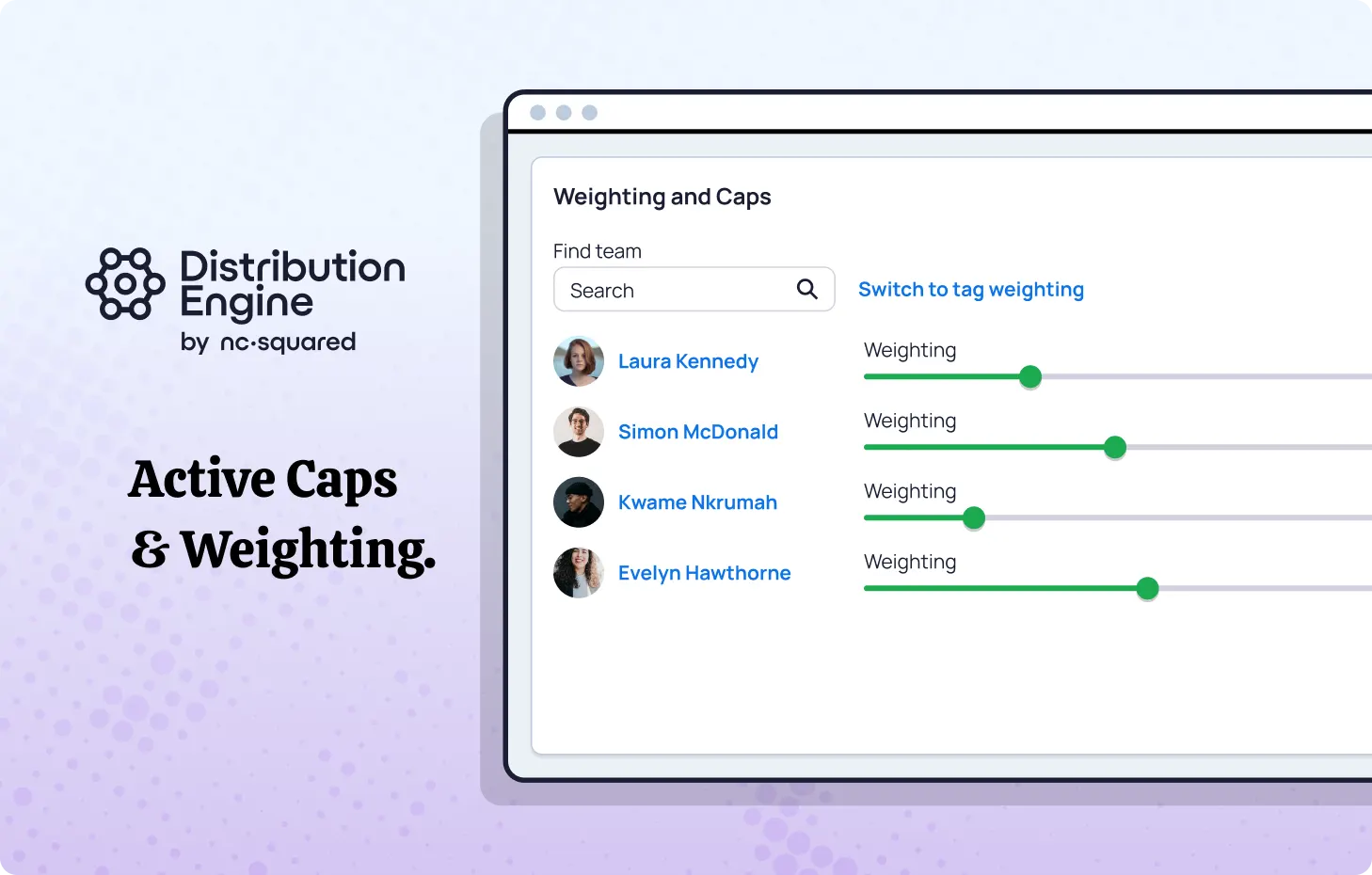
Distribution Engine’s Active Caps, Weighting, and Load Balancing features work together to make routing fairer and more effective. Caps can be set to prevent any one rep from taking on more active work than they can realistically handle.
Weighting allows stronger or more experienced reps to be allocated a higher ratio of incoming leads (rather than a simple round robin), and load balancing helps spread new assignments evenly across the team members who still have room.
The result is a routing model that reflects real capacity, protects response times, and builds greater trust in the system.
Time to Action and SLA Enforcement
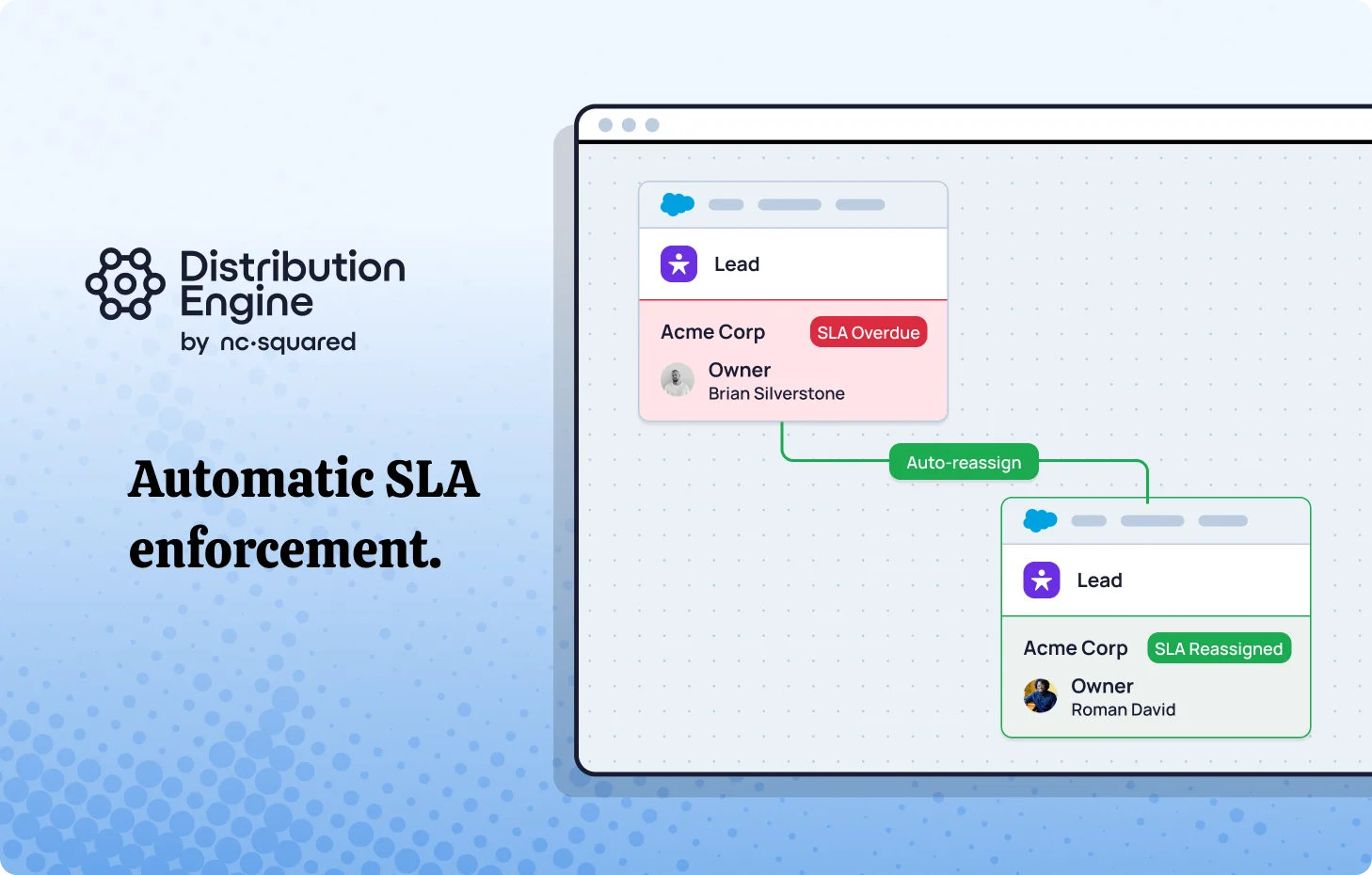
Distribution Engine tracks time-to-action for every assigned lead, surfacing the data in the same utility bar widget reps use daily. Reps see a countdown for each record and a clear status for any SLAs approaching breach.
When an SLA is missed, Distribution Engine can trigger automated reminders, alert managers, or reassign the lead – with the escalation logic configured to match how your team actually operates.
The value of combining all three is compounding. A rep that’s marked unavailable won’t receive a lead regardless of capacity. A rep at their active cap won’t receive a new lead even if they’re technically free. And every lead that does get routed is tracked against a response expectation that the system enforces automatically.
The Takeaway
If your current Salesforce lead routing relies primarily on assignment rules and queue logic, there’s a reasonable chance you’re leaving speed-to-lead performance on the table – not because your process is wrong, but because the underlying system can’t account for what’s actually happening in real time.
Availability, Capacity, and SLA enforcement are the three levers that close that gap. Each one matters independently. Together, they turn speed-to-lead from something you aspire to into something your team actually delivers.
And the impact of getting the architecture for this right shows up in your pipeline. High-value leads consistently reach the most capable reps. Leads only go to people who are available to action them immediately. And follow-up expectations are clear, visible, and enforced automatically.
If you’d like to see how Distribution Engine implements this in practice, you can explore the product or book a demo using the link below.
Try Distribution Engine free for 30 days.