






Winter ’27 is approaching, bringing with it several Release Updates that will be enforced. These updates can change how existing functionality behaves, so it’s important to prepare in advance to avoid any disruption.
Enforcement will be from September 2026, so ensure you review and test impacted areas ahead of this date to minimise risk and maintain a smooth user experience.
Preparation
When preparing for these updates, you can take one of two approaches: clicks-not-code (no-code) or pro-code.
If you have a more developer-focused skill set, tools like SFDX (Salesforce Developer Experience) can give you a strong head start. By creating a local copy of your Salesforce metadata, you can more easily search for and identify impacted references.
You can also use third-party tools such as Workbench or Salesforce Inspector Reloaded to run queries and uncover dependencies within your org.
Finally, keep in mind that Salesforce may adjust release updates over time. They sometimes delay enforcement, change scope or impact, or cancel updates altogether. To stay up to date, always refer to the latest release notes.
Salesforce Winter ‘27 Release
Winter ‘27 will enforce Release Updates that change current behaviour. These updates are flagged in advance via Release Notes, with the latest source of truth being the list from the Summer ‘26 Release.
This guide aims to break down these updates in non-technical terms to help Salesforce Admins and other professionals prepare for updates ahead of time. It is designed as a general how-to guide when it comes to preparing for these updates. If you have customized these features, then additional steps may be required in your orgs.
If you have Installed Packages, you should consider checking with the provider if these packages are ready for the upcoming release. This is particularly relevant to Managed Packages where part of the configuration is not visible to you as a ‘subscriber’.
As with other Salesforce changes, be sure to try out and prepare for Release Updates in a Sandbox first and then deploy changes through to your Production Org.
When making changes in Production, consider planning this outside of core working hours alongside a communication plan for users to report issues afterwards and a rollback plan in case things don’t work as expected.
Adopt Authorized Email Domains
Historically, Salesforce Support could disable Email Change Verification, which requires users to verify a new email address before the change takes effect.
This was particularly useful when updating multiple user email addresses. However, if you’re planning a bulk update, this change will impact you from Winter ’27 onwards.
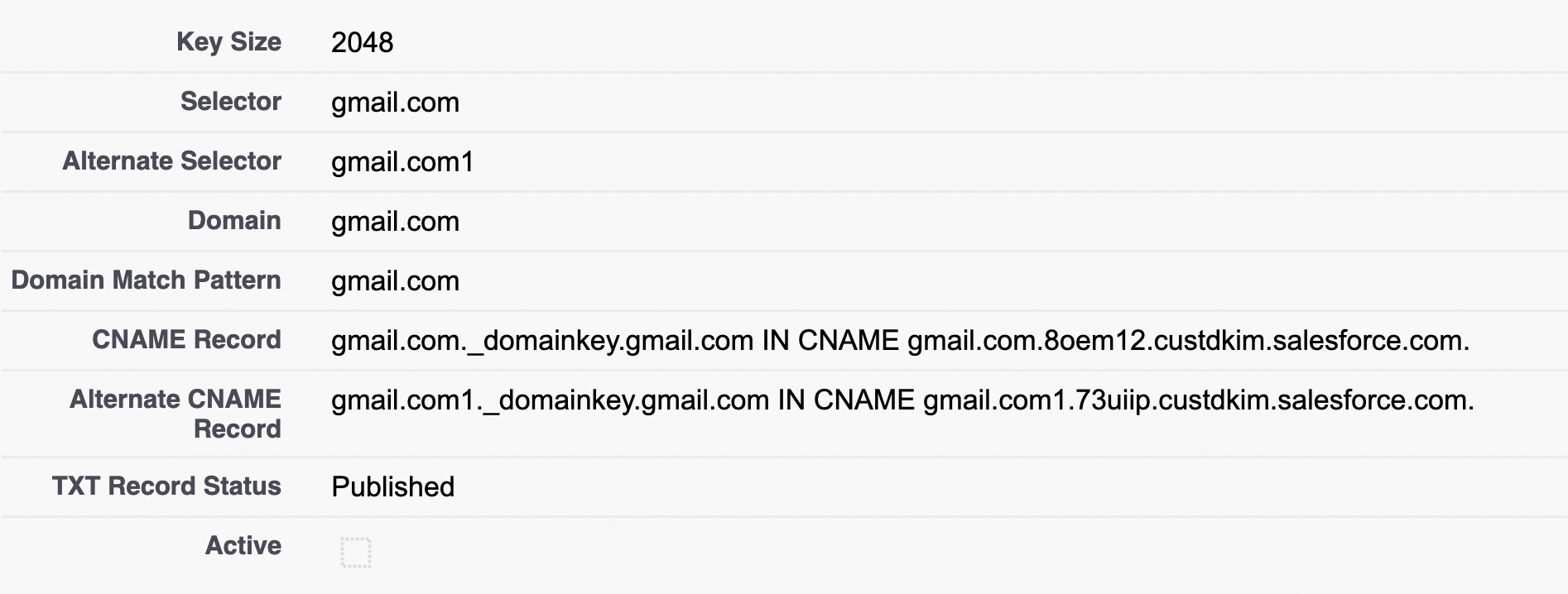
As part of a broader set of security enhancements, Salesforce is retiring the ability for Support to disable this setting. Going forward, you’ll need to configure an Authorized Email Domain (via DKIM Key or Authorized Email Domains) to manage email address updates at scale.
Preparing in a Sandbox and Production
This change will only impact you if you need to update user email addresses in bulk from Winter ’27 onwards.
To prepare, you should configure either a DKIM key or Authorized Email Domains to support the verification of user email addresses going forward. This requirement applies equally to both Sandbox and Production orgs.
Enable Accessibility Enhancements for Cards, Docked Containers, Menu Lists, and Panels
Salesforce continues to enhance platform accessibility, with upcoming updates to cards, docked containers, menu lists, and panels.
These changes apply when the affected components are viewed at 200% browser magnification or higher.
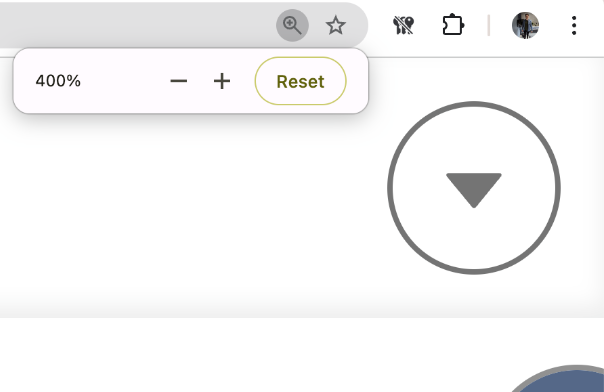
Screenshot of browser zoom set to 400%
If any of your users access Salesforce at this level of zoom, you may notice changes to the styling of pages. Users operating below this threshold will not be impacted.
As this is a browser-level setting, it’s typically controlled using standard keyboard shortcuts.
| Windows | Mac | |
| Zoom In | Ctrl + + | Cmd + + |
| Zoom Out | Ctrl + – | Cmd + – |
| Reset to 100% | Ctrl + 0 | Cmd + 0 |
To assess potential impact, consider checking in with your users via a Chatter poll, Slack post, or in-app guidance message to understand who may be using higher magnification settings.
Preparing in a Sandbox
In the safety of a Salesforce Sandbox, view pages at 200% magnification (or more) and make notes of how the content renders.
Enable the test run for this update and review again to make sure content flows correctly in a way that doesn’t cut things off.
If you have custom components or pages, you may need a developer’s help to adjust any custom components that don’t respond well to this update.
Preparing in Production
Once you are happy with this update in your sandboxes, deploy any supporting changes to Production and enable the test run.
Plan this outside of core working hours to reduce user impact and have a plan to roll back in case of any issues.
Enable Profile Filtering
Users can currently view Profile Names other than their own, even without the View All Profiles permission. Salesforce is tightening this behaviour so that, going forward, users will only be able to see their own Profile Name unless they have the View All Profiles permission.
This change may impact any functionality that relies on users being able to view Profile Names beyond their own where the required permission has not been granted.
If you have custom functionality that depends on access to Profile Names, you will need to either refactor the solution or grant users the View All Profiles permission to maintain existing behaviour. References to Profile Names for users other than the current user may exist across a wide range of metadata, so a thorough review is recommended.
| No-Code | Pro-Code |
| Review the following metadata to identify references to Profile Name. This can be done either manually (No-Code) or by scanning programmatically (Pro-Code). Note that this is not an exhaustive list, additional customisations in your org may also contain dependencies; Validation Rules, Flows, Assignment Rules, Approval Processes, Sharing Rules, Audiences, Apex Class, LWC, Aura, Reports, List Views, Dashboards, Custom Metadata, Custom Settings, Formula Fields, etc. | |
| ℹ️ If it references Current User Profile | |
| ⚠️ If it references another user’s profile eg. Owner → Profile → Name, then this is at risk if a user hits this without the View All Profiles Permission. | |
Preparing in a Sandbox
Once you have identified the impacted metadata, refactor it so it no longer relies on accessing a Profile Name that does not belong to the current user.
If refactoring is not feasible, you can assign users the View All Profiles permission. However, this should be a fallback option, as Salesforce is restricting visibility through this update. From User Management Settings, you can toggle Profile Filtering on to test this update.

After every item has been refactored, review and test the changes to confirm that any custom functionality continues to work as expected.
Preparing in Production
Once you have tested this thoroughly in your sandboxes and made any supported changes, you are ready to deploy to Production.
Deploy any supporting changes to Production, enable Profile Filtering, and re-test the changes again as a final regression test.
Retirement of OAuth 2.0 Username-Password Flow for Connected Apps
It has been an anti-pattern to use the Username-Password Flow for integrations for some time. This is because the flow passes user credentials directly in the request, which is not secure.
If you have any custom integrations connected to Salesforce using this OAuth flow through Connected Apps, these should be refactored to use a more secure authentication method.
From Winter ‘27, the Username-Password OAuth Flow will no longer work.
| No-Code | Pro-Code |
| Review Login History for any login with sub-type as OauthUsernamePassword. You can either download the Login History or create a Custom List View that is filtered. | |
| ℹ️ Compare ‘Application’ to the name of your Connected Apps to match things up. | |
| ⚠️ Login History is held for 6 months. So if integrations haven’t been used recently, they will not show up here. | |
Preparing in a Sandbox
Refactor any integrations that currently use the Username-Password OAuth Flow via a Connected App to use an External Client App with a different authorization flow. Test each integration with the External Client App to confirm it continues to work as expected.
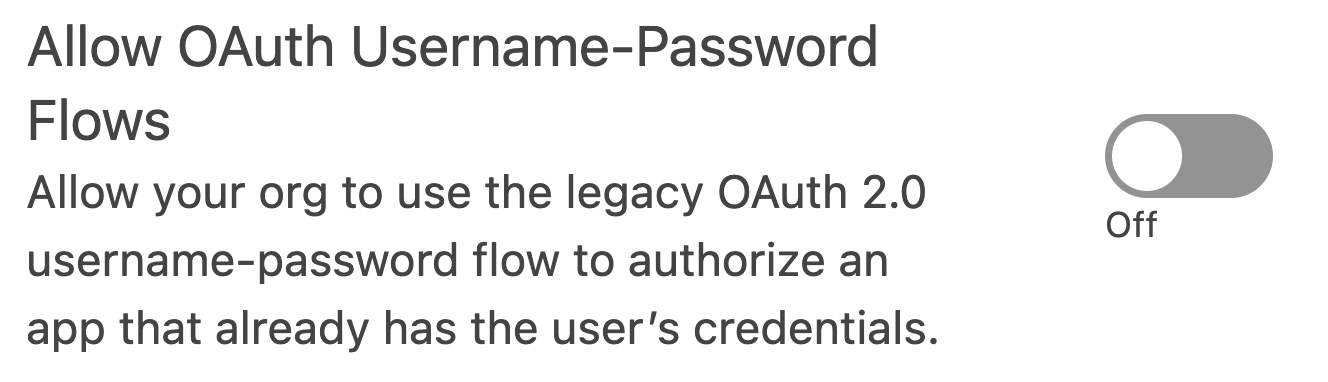
Once you are confident that all dependencies on the Username-Password OAuth Flow have been removed, you can disable the setting in Setup → OAuth and OpenID Connect Settings.
For completeness, you can also delete any retired Connected Apps that are no longer required after moving to External Client Apps.
Be sure to deploy and test these changes across all sandbox environments for each impacted integration. This is likely to require changes in the integration platform too.
Preparing in Production
Deploy any metadata changes from your sandboxes once testing has passed successfully.
Make any supporting changes in your integration platform(s) and disable the OAuth Flow. Test each integration end to end to make sure this still works as expected.
Tax Rate Calculations and Adjustments
This Release Update is not currently listed in the Salesforce Release Notes, but it does appear under Release Updates in Salesforce Setup, which impacts Salesforce Order Management functionality.
At present, the system may return incorrect tax calculations when adjustments and adjustment taxes are included in the overall tax rate calculation.
Salesforce recommends testing your business processes involving cancellations, returns, and fees to ensure they continue to behave as expected once this update is enforced.
Preparing in a Sandbox
Salesforce provides several areas to test against once you enable the Test Run of this update. This includes testing the following;
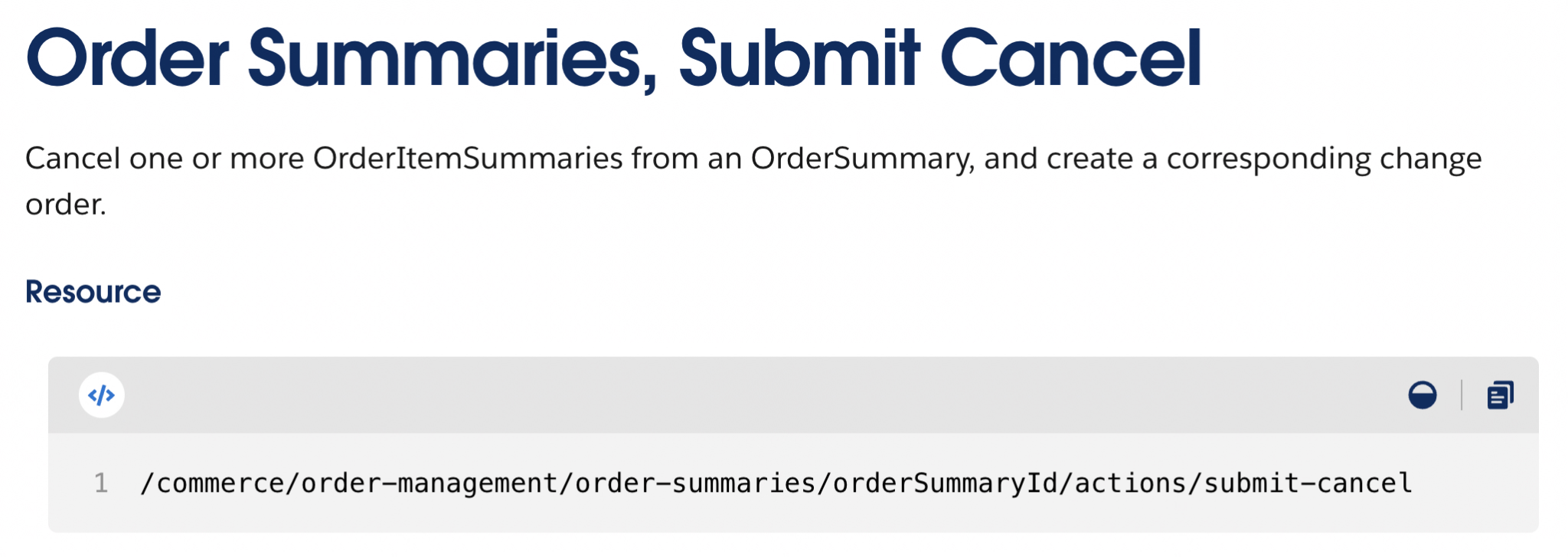
- A cancellation with a fee using the Cancel Order Item Summaries Preview API and Cancel Order Item Summaries Submit API.
- A blind return with a fee via the Return Order Item Summaries Preview API and Return Order Item Summaries Submit API.
- A return order with a fee using the Create Return Order API and Return Return Order Items API.
Once you have verified your processes work with this update in the safety of a Sandbox, you can then prepare to deploy changes to your Production Org.
Preparing in Production
Once you have completed testing in your sandboxes, deploy any changes to Production. Enable the test run of the update and regression test in Production to make sure everything continues to work as expected.
Release Update Changes
The Release Update known as Update Instanced URLs in API Traffic (Release Update) was due to be enforced historically but will now be enforced from Winter ‘27. This was covered in detail in Salesforce Spring ‘26 Release: What to Expect and How to Prepare.
Enable Accessibility Enhancements for Date Pickers, Popovers, Bottom Utility Bars, Record Headers, and Enable Accessibility Enhancements for Page Headers and Modal Windows When Zoom Is Greater Than 200% were both due to be enforced from Summer ‘26; these will now be enforced in Winter ‘27. More detail on these updates is available here: Salesforce Summer ‘26 Release: What to Expect and How to Prepare.
Final Thoughts
The Winter ‘27 Release is jam-packed with updates, with most spanning the entire platform, meaning they will be applicable to most orgs.
Be sure to review these steps and plan testing and changes in plenty of time so you can wrap this up before these updates are enforced by Salesforce.





Comments: