





Welcome to the second part of Salesforce Spring ‘27 Release: What to Expect and How to Prepare. Spring ‘27 arrives in January 2027, and with it another batch of enforced release updates. Release updates change how existing features behave, so it’s worth testing them before they’re enforced rather than finding out afterwards.
With 16 updates due to be enforced before, as part of or following Spring ‘27, this guide is split into two parts – if you haven’t already, be sure to read the first part to ensure you are prepared ahead of time.
Preparation
When preparing for these updates, you can take one of two approaches: clicks-not-code (no-code) or pro-code.
If you have a more developer-focused skill set, tools like SFDX (Salesforce Developer Experience) can give you a strong head start. By creating a local copy of your Salesforce metadata, you can more easily search for and identify impacted references.
You can also use third-party tools such as Workbench or Salesforce Inspector Reloaded to run queries and uncover dependencies within your org.
Finally, keep in mind that Salesforce may adjust release updates over time. They sometimes delay enforcement, change scope or impact, or cancel updates altogether. To stay up to date, always refer to the latest release notes.
Salesforce Spring ‘27 Release
With the Spring ’27 Release, Salesforce will enforce Release Updates both before and during the Release Window. This is unusual, but makes sense given updates enforced before the release relate to security.
Salesforce flags Release Updates via release notes ahead of time. The latest source of truth for what’s coming in Spring ’27 is therefore the Release Notes from Winter ’27.
This guide gives one-size-fits-all steps for preparing, explained in non-technical terms. It’s designed as a general guide, so if you’ve customized the impacted features, you may need additional steps to prepare your org.
If you use Installed Packages, check with the provider that these solutions are ready for the Spring ’27 Release. This is particularly important for Managed Packages, where you can’t check the configuration as a subscriber.
As best practice, try out and prepare for Release Updates in a sandbox first, then deploy the changes to your Production org.
When it’s time to make changes live in Production, consider scheduling these outside working hours. It also helps to have a communication plan, so users know where to flag issues afterwards, and a rollback plan in case things don’t go smoothly.
Render Visualforce Pages as Accessible (Tagged) PDFs (Beta)
If you are using Visualforce Pages that render as a PDF, be sure to check the impact of this update before January 2027.
Going forward, these will use an accessible PDF rendering engine which is designed to work with assistive technologies such as screen readers.
- For No Code:
- Review Visualforce Pages for
renderAs="pdf"
- Review Visualforce Pages for
- For Pro Code:
- Scan Visualforce Pages for
renderAs="pdf"
- Scan Visualforce Pages for
Preparing in a Sandbox
Once you know which Visualforce pages this update might affect, turn on the Test Run in a sandbox.
Check that each affected page still looks right and works with assistive tools like screen readers.
Salesforce says no code changes should be needed. But if a page no longer displays correctly, you’ll need to update its code.
Preparing in Production
Deploy any code changes to Production, then turn on the Test Run for this update.
Check the affected Visualforce pages again to confirm they still display correctly and work with screen readers.
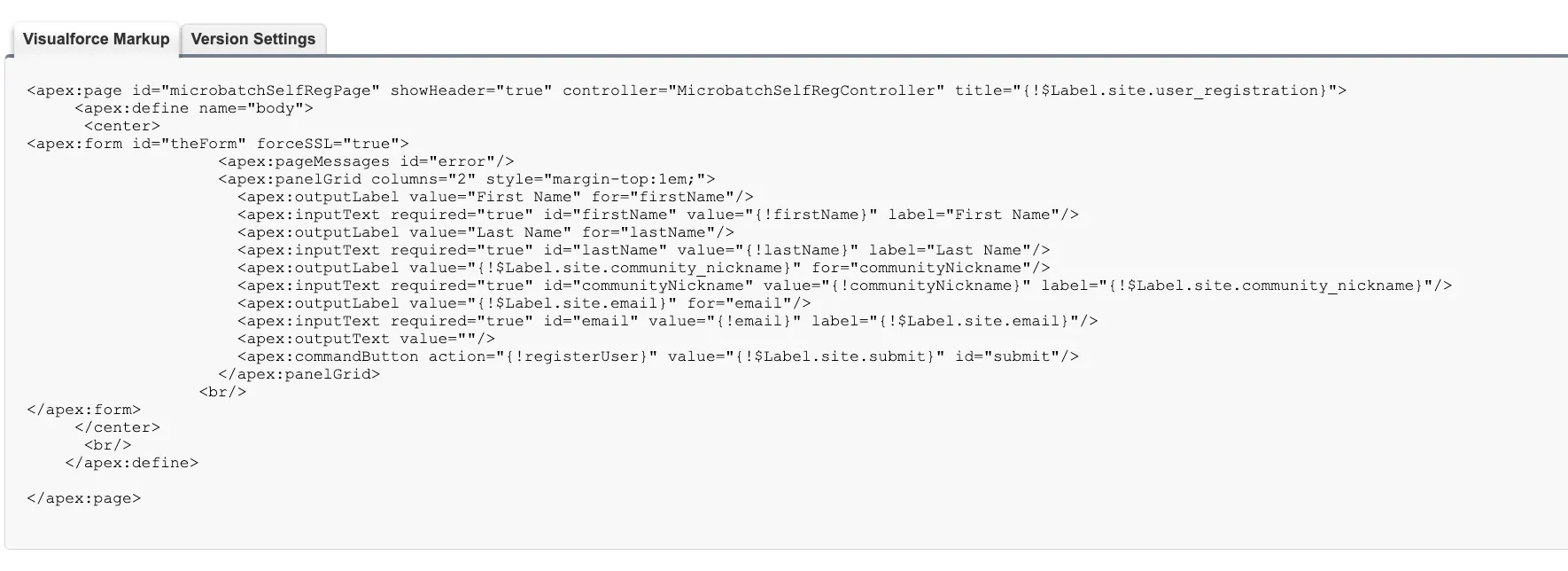
renderAs tagResources
Update Apex Code and Flows for Changed Sharing Recalculation Behavior
Salesforce is now planning to perform some sharing recalculations asynchronously instead of in real time. This means custom functionality that expects sharing to be updated immediately could break. This update will be enforced in January 2027.
Salesforce has provided guidance that the following circumstances are likely to be impacted:
- If you have large data volumes and high ownership data skew (e.g. a single user owning hundreds of thousands of records in the same object).
- If you have Apex or Flows that modify group membership or roles.
- If you have Apex or Flows that rely on immediate availability of updated share records after updates to groups or roles.
If you do not meet all of these criteria, then you are unlikely to be impacted by this update.
If you are impacted, you need to answer these questions and follow these steps:
1. Do you have large data volumes and high ownership data skew?
- For No Code:
- Review Storage Usage within Salesforce Setup for objects with 100,000+ records.
- Analyze impacted objects to determine if a single user owns 100,000 records or above.
- For Pro Code:
- Review Storage Usage within Salesforce Setup for objects with 100,000+ records.
- Run an aggregated query per large object to determine volumes per owner. This is an example for the Account Object:
SELECT OwnerId, COUNT(Id) FROM Account GROUP BY OwnerId HAVING COUNT(Id) > 10000
2. Do you have Apex or Flows that modify group membership or roles?
- For No Code: Review Apex and Flow for references to Group Members or Roles.
- For Pro Code: Search Metadata for references to
GroupMember,UserRole, andUserRoleId.
3. Do you have Apex or Flows that rely on immediate availability of updated share records after updates to groups or roles?
- For No Code: Within results from the second question, look for logic to Read or Edit records which could have only just been shared.
- For Pro Code: Within results from the second question, search metadata for later references to
ShareorUserRecordAccessor operations that Read or Edit records that could have only just been shared.
Preparing in a Sandbox
This Release Update does not support a Test Run, but you can mimic the updated behavior by adjusting your org’s Sharing Settings.
Before you enable the update, test potentially impacted Flows and run Apex tests to understand if these currently work as expected and note down the results.
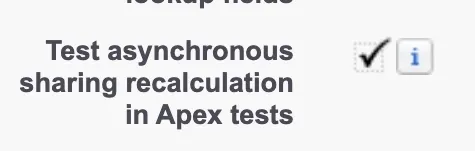
In a sandbox, navigate to Salesforce Setup → Sharing Settings and enable Test asynchronous sharing recalculation in Apex tests.
Retest potentially impacted Flows and run Apex Tests again. If you notice any new failures, then the related functionality needs to be reworked.
Adjust any impacted functionality so that this works as expected with the changes and retest this to make sure flow debugging works as expected and Apex Tests pass.
Once you have conducted testing, disable Test asynchronous sharing recalculation in Apex tests.
Preparing in Production
Deploy changes to any functionality that needed to be reworked to comply with this update.
Under Sharing Settings, enable Test asynchronous sharing recalculation in Apex tests and then retest any custom functionality that was flagged up by the No Code or Pro Code steps.
Resources
View Setup Audit Trail Permission to Access Setup Audit Trail
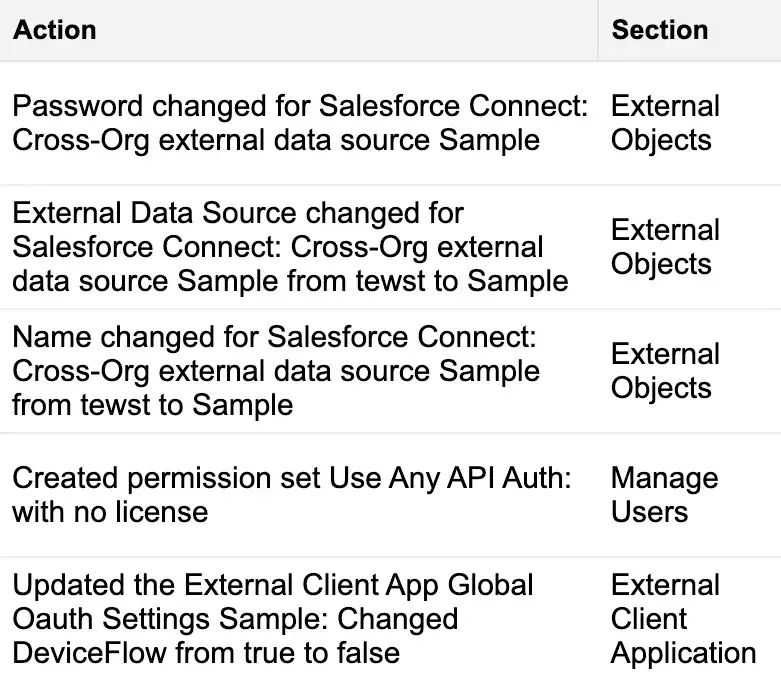
The Setup Audit Trail records changes made in Setup over the last 180 days.
Today, users need the View Setup and Configuration permission to access it. That permission also lets them view the rest of Setup, which goes against the Principle of Least Privilege if all they need is access to the audit trail.
When this update is enforced from January 2027, any Profile or Permission Set with View Setup and Configuration will also get View Setup Audit Trail. That makes it a good time to review who has View Setup and Configuration and whether they really need it.
To give someone access to the Setup Audit Trail alone, grant View Setup Audit Trail on its own.
To find out who currently has View Setup and Configuration:
- For No Code: Create Profile and Permission Set List Views filtered by
View SetupandConfiguration. - For Pro Code: Search Profile and Permission Set Metadata for
ViewSetup.
To find out who currently has View Setup Audit Trail:
- For No Code: Create Profile and Permission Set List Views filtered by
View Setup Audit Trail. - For Pro Code: Search Profile and Permission Set Metadata for
ViewSetupAuditTrail.
Preparing in a Sandbox
When this update is enforced, every user with the View Setup and Configuration permission will also get the View Setup Audit Trail permission.
This is a good opportunity to review who has both permissions. Users should only have them if their role requires it.
If everyone with the same Profile no longer needs these permissions, then remove them from the Profile Level.
If everyone with a Permission Set (including through Permission Set Groups) no longer needs this access, then remove it from the Permission Set. Alternatively, you can mute this Permission at the Permission Set Group level.
If an individual user no longer needs these permissions, then remove the Permission Set or Permission Set Group assignment that grants it.
If more users need these permissions, grant them through Permission Sets or Permission Set Groups rather than Profiles, in line with Salesforce best practice.
Preparing in Production
Deploy any updated metadata, such as Profiles, Permission Sets, or Permission Set Groups, to production.
After deploying, review which users are assigned each Profile, Permission Set, and Permission Set Group, and update the assignments where needed.
Resources
Conceal Personal Information Fields from Guest Users
This update impacts Experience Cloud Sites when the running user is unauthenticated. These actions run as a Guest User, which is unique per site if you have multiple.
Salesforce is splitting functionality that protects fields that provide personal information (PII) so that different rules can be applied to Guest Users versus Authenticated Users. Currently, one rule applies to both types of External User. This update will take place in January 2027.
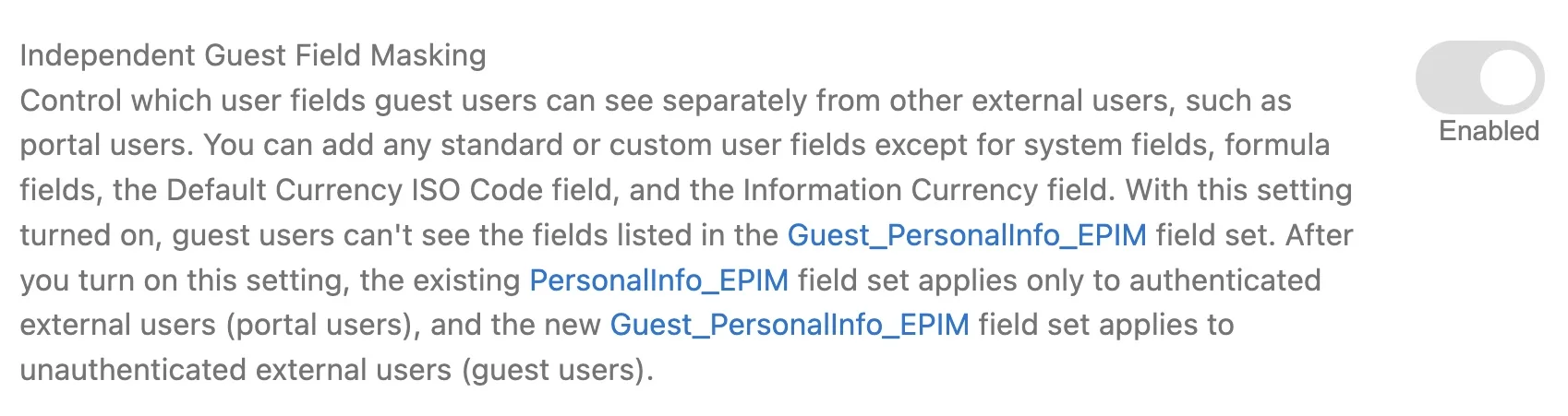
In orgs where Enhanced Personal Information Management is already enabled, Independent Guest Field Masking duplicates those settings. You can choose to hide more fields from Guest Users using the Guest_PersonalInfo_EPIM Field Set.
This update applies equally to Aura, LWR, and Visualforce sites.
- For No Code:
- Review what each Guest User has access to either in Apex, Visualforce, or Flows.
- For Pro Code:
- Run the following query to return Apex, Visualforce, and Flow Guest Users can access. This will return the SetupEntityIDs which you’ll need to convert to API Names.
SELECT Parent.Name, Parent.Profile.Name, SetupEntityType, SetupEntityId
FROM SetupEntityAccess
WHERE ParentId IN (SELECT PermissionSetId FROM PermissionSetAssignment
WHERE Assignee.UserType = 'Guest' AND Assignee.IsActive = true)
AND SetupEntityType IN ('ApexClass', 'ApexPage', 'FlowDefinition')
ORDER BY SetupEntityType
- For Pro Code (continued):
- To query Apex Classes, run the following query:
SELECT Id, Name from ApexClass - To query Visualforce pages, run the following query:
SELECT Id, Name from ApexPage - To query Flows, run the following query, using the Tooling API: S
ELECT Id, DeveloperName from FlowDefinition
- To query Apex Classes, run the following query:
(For both No Code and Pro Code) Review any LWC or Aura Components that are on Public Pages in Experience Builder for each Aura and LWR Site that reference User Fields.
Preparing in a Sandbox
Unlike most Release Updates, this one can’t be disabled once it’s enabled, so try it in a sandbox first. To enable it, go to Setup → User Management Settings and turn on Enable Independent Guest Field Masking.
Then, for each Experience Cloud site, test any functionality that could be affected while logged in as the Guest User.
If custom functionality no longer works as expected, adjust it to work with the masked fields. As a last resort, remove the affected fields from the Guest_PersonalInfo_EPIM field set so they’re no longer masked.
Preparing in Production
Deploy any changes to Apex, Visualforce, or Flows that you made in your sandboxes to comply with this update to production.
Enable the update in production and rerun your tests to confirm custom functionality still works as expected. As this update can’t be turned off once enabled, have a communication plan ready before you switch it on, in case anything breaks.
Resources
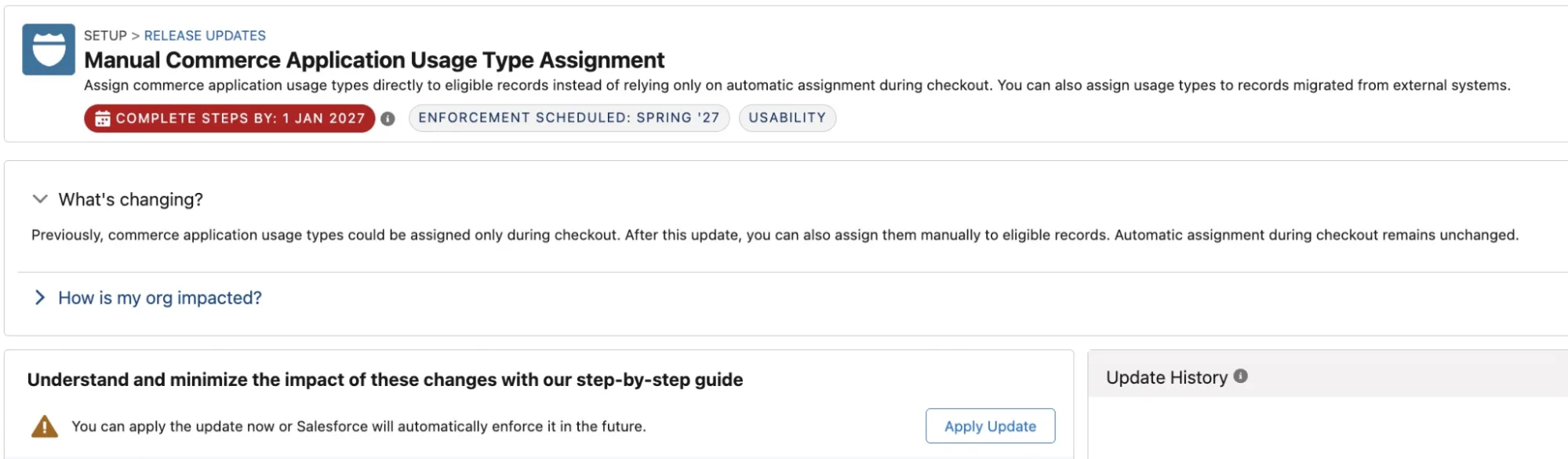
Manual Commerce Application Usage Type Assignment
This update applies to B2B Commerce and applies from January 2027.
Currently, application usage types can only be assigned during checkout. Once this is enforced, you will also be able to set this manually. The ability to automatically assign this during checkout is unchanged. This update could impact automation that references application usage type assignments.
This Release Update does not have a supporting Release Note at the time of publication.
- For both No Code and Pro Code: Search for
AppUsageAssignmentandAppUsageTypewithin Apex and Apex Triggers, Flow, and Custom Integrations.
Preparing in a Sandbox
Until this update, you could safely assume that any record with a commerce application usage type got it during checkout. Once this update is enforced, that’s no longer guaranteed, because users and integrations can assign it manually. Any automation built on that assumption needs to be reviewed before you enforce the update.
This release update doesn’t support a test run. Instead, you can enforce it early, but this can’t be reversed.
Use the No Code or Pro Code steps to identify which customizations are affected. Then enforce the update in a sandbox and retest them. If you don’t get the expected results, adjust your customizations before enforcing the update in production.
Preparing in Production
Deploy any changes you made in your sandboxes to your live system. Enable the update and test your changes to ensure things still work as expected.
Be sure before you enable this update, as once enabled you can not turn it off.
Roll Back Platform Event Trigger Transactions on Unhandled Exceptions
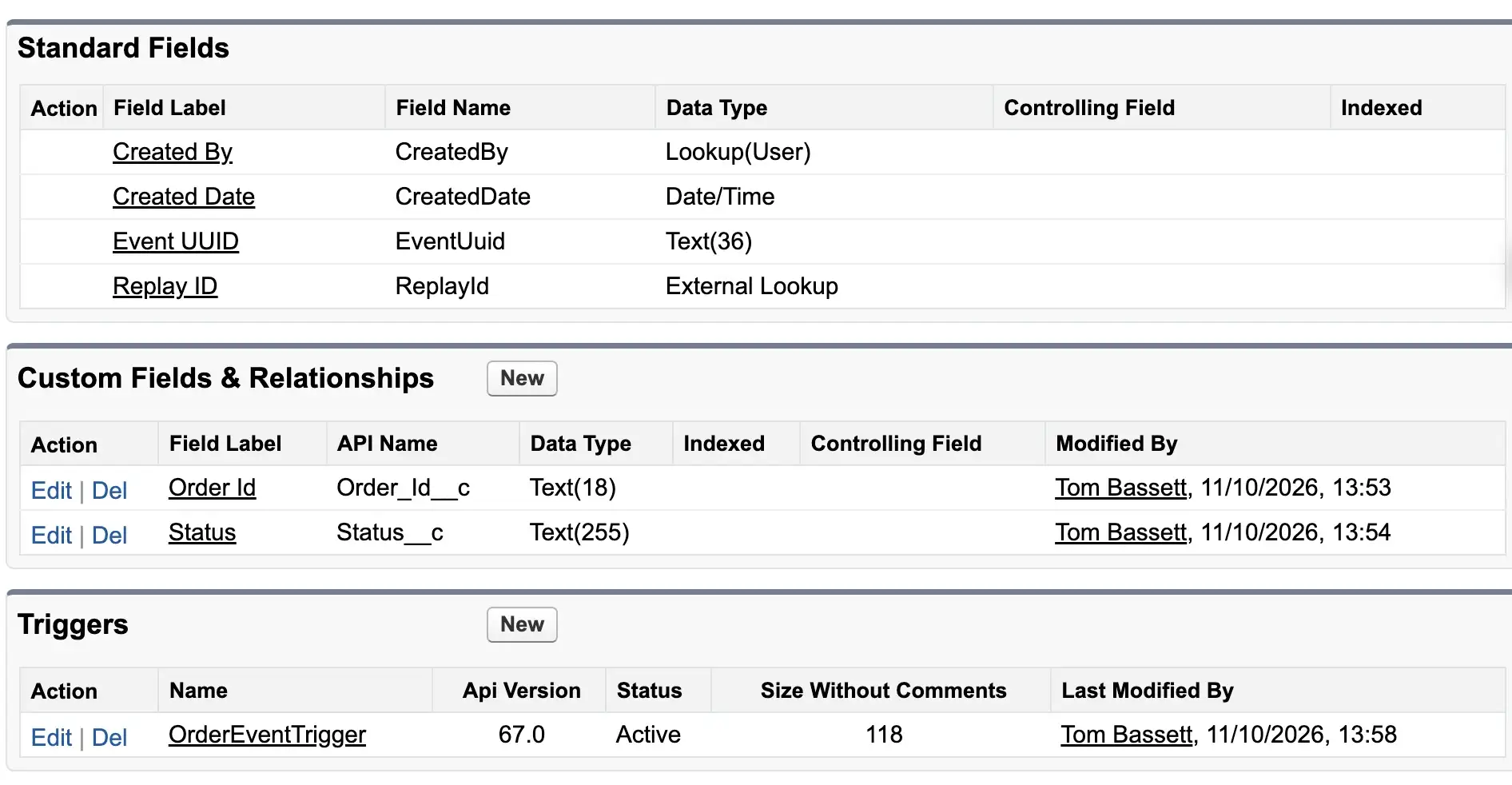
This update affects orgs with Apex triggers on Platform Events and will be enforced from January 2027.
Right now, if a Platform Event trigger fails, the transaction isn’t rolled back. After this update, it will match how Salesforce works elsewhere.
If any of your Platform Event triggers rely on records being partly saved, they will break. Regression test triggers to confirm any business processes that use them still work as expected.
- For No Code: Review ‘Triggers’ Related List from each Platform Event.
- For Pro Code: Search Apex Triggers for
__e
Preparing in a Sandbox
Once you’ve listed every Apex trigger that subscribes to Platform Events, turn on the Test Run for this update in a sandbox.
Retest each trigger against your documented business processes to confirm it still works as intended and handles errors correctly if the transaction is rolled back.
Preparing in Production
If you changed Apex Triggers during sandbox testing, deploy those changes to production.
Once they’re deployed, run regression tests to confirm the triggers still work as expected, including when the transaction is rolled back in case of an error.
Resources
OAuth User-Agent and Hybrid User-Agent Flows Retirement
Salesforce is taking steps to retire the OAuth User-Agent and Hybrid User-Agent Authentication Flows from February 20, 2027.
Prior to retirement, migrate authentication to either the OAuth Web-Server Flow or the OAuth Hybrid Web-Server Flow with Proof Key for Code Exchange (PKCE).
Follow the steps below to identify the impact of this update (for both No Code and Pro Code). It will be enforced from February 20, 2027:
- Review Login History for any login where subtype is either
OAuthHybridUserAgent,OAuthUserAgent, orOAuthUserAgentIdToken.You can either download the Login History or create a Custom List View that is filtered. - Compare ‘Application’ to the name of your Connected Apps or External Client Apps to match things up.
- Note: Login History is held for six months, so if integrations haven’t been used recently, they will not show up here.

Preparing in a Sandbox
Switch over each custom integration to use the OAuth Web Server or Hybrid Web Server Flow with Proof Key for Code Exchange (PKCE) in the safety of a sandbox so you can test that things work as expected.
If you have found any Connected Apps that use the OAuth User-Agent and Hybrid User-Agent Flows, consider moving this over to External Client Apps as Salesforce has recently announced End of Support (EOS) for Connected Apps.
If you have identified a connection coming from a Managed Package that uses this mechanism contact the App Developer.
Preparing in Production
Deploy any metadata changes from your sandboxes that you had to make to comply with this update.
Switch over each impacted integration and retest to make sure this continues to work as expected.
Resources
Summary
If you haven’t already, read the first part for more updates due to be enforced before, during, or after Spring ‘27.
Preparing early will help you avoid issues for your users, so don’t leave it to the last minute.