

On March 17, Salesforce announced it was bringing Agentforce capabilities into its SMB-focused CRM editions, including its no-cost offering for small and medium-sized businesses. This means AI and agentic functionality are now being introduced across the Salesforce Suites, including the Free, Starter, and Pro Suites. I was asked to review these updates and share my first impressions as an admin – but where do you start with something like this?
I began with the official press releases, along with the usual polished images and demo videos. Everything looked great, and the press release was surprisingly detailed from a technical perspective. Still, it’s hard to properly evaluate a feature without actually using it. It’s even harder to spot what might be missing compared to other Salesforce editions.
So I did the only logical thing: I signed up for a Free Suite org. This gives you a fresh Salesforce environment and two user licenses to play with – more than enough to get a feel for things.
Getting Started With AI
From the Home tab, a prompt in the Welcome bar immediately caught my attention: “Get more done with AI”. Yes, please!
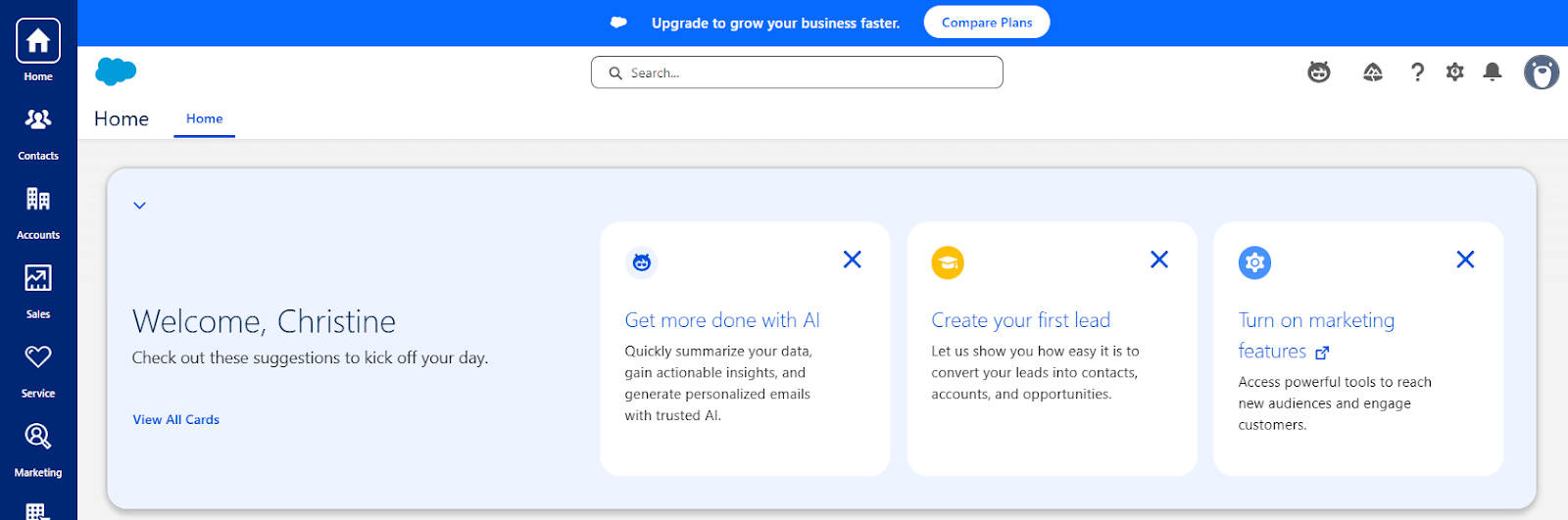
Clicking this opens a pop-up where you can enable the new AI features. After reviewing the terms, I clicked “Agree and Enable”. (Although, if you’re doing this in a real business environment, definitely loop in the appropriate stakeholders – especially legal – before switching anything on.)
There’s also a “Learn More” option, which takes you to Salesforce Help and provides a solid overview of the features.
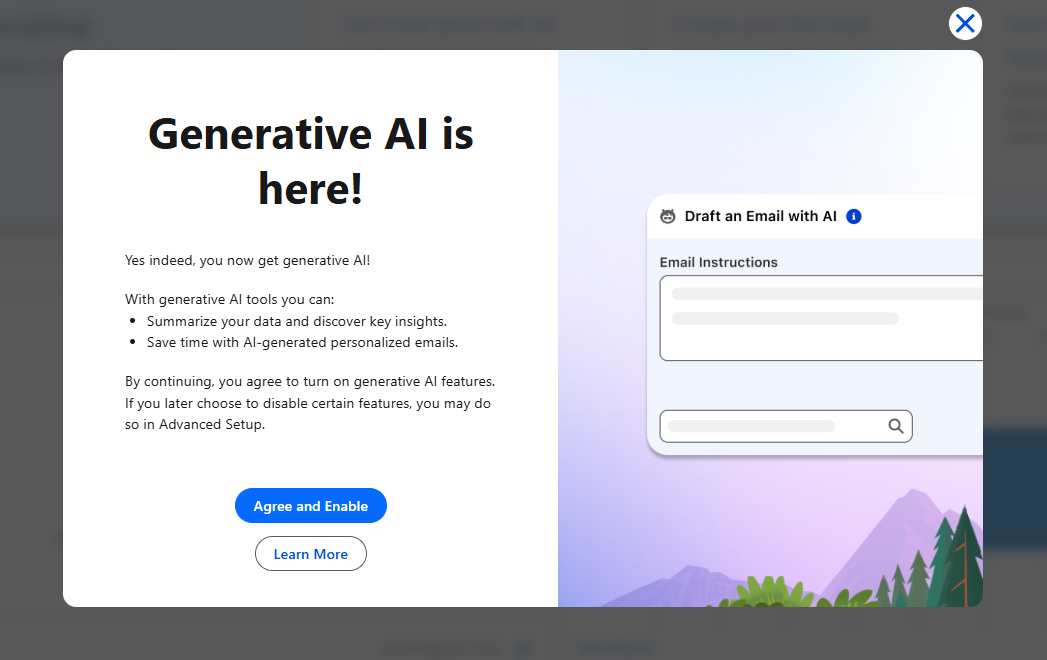
Once enabled, setup took less than 30 seconds. A green confirmation message appeared, and that was it, AI was ready to go.
What’s Possible in Salesforce Free Suite?
Let’s start with what’s included in Free Suite, since this is where the limitations are most noticeable compared to Starter and Pro.
I created a few dummy records and reviewed standard objects such as Accounts, Contacts, Opportunities, and Cases to see what has changed.
AI Record Summary
Opening an Account record (In The Clouds Accounting, in my case), I immediately noticed a new AI Summary section. It prompts you to “Start with a prompt”, with “Account Summary” suggested.
I clicked it. First, I get a warning message to remind me that I’m about to use AI:
“This tool uses generative AI. Review responses to ensure they’re accurate, valid, and harmless before you use them”.
Solid advice. Especially for users who may be less familiar with concepts such as hallucinations. The summary itself was generated in just a few seconds and provided a clear, well-structured overview of the account.
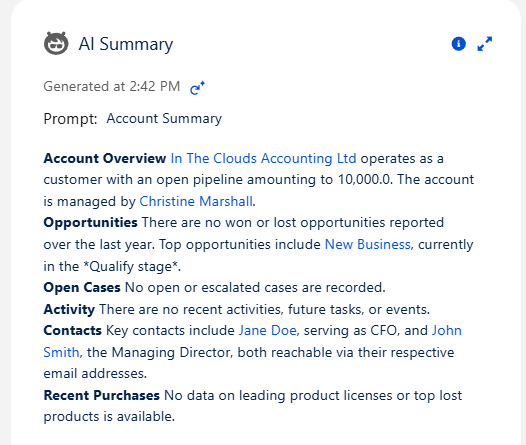
It also only took a few seconds to produce the output, so it’s certainly speedy.
To push it a bit further, I added more related data (an extra Contact, Opportunity, and Case) and regenerated the summary. As expected, the output improved with richer context.
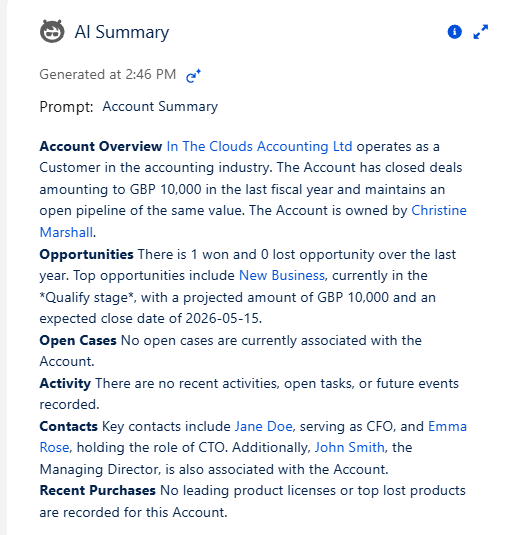
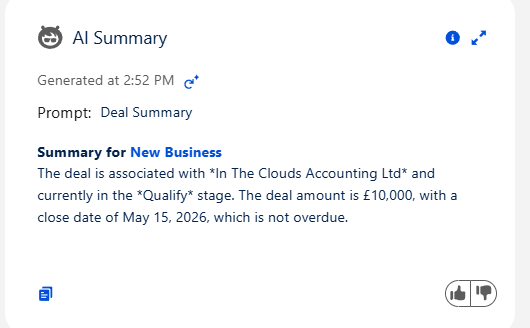
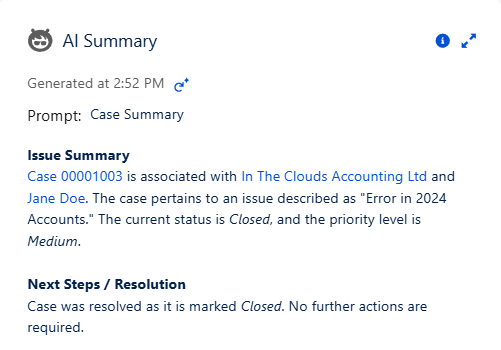
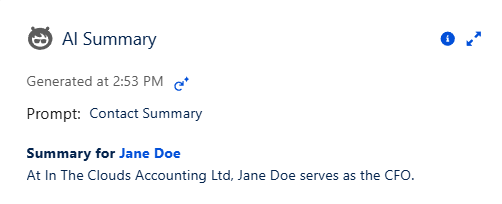
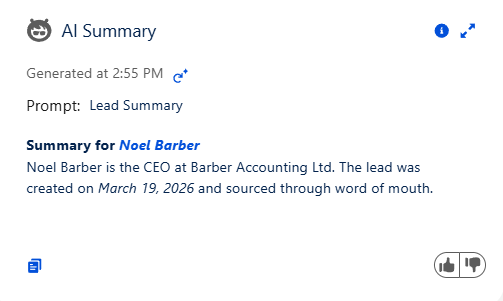
That said, functionality in Free Suite is fairly limited. Your main option here is to copy the summary and use it elsewhere: emails, notes, documents, and so on. This same AI summary capability is also available across other standard objects.
Opportunities:
Cases:
Contacts:
Leads:
AI Email Drafting
Next, I explored AI-powered email drafting.
From a record (like an Account or Contact), you can start composing an email and select “Draft with AI.” From there, you can either:
- Enter a natural language prompt, or
- Choose from predefined options like:
- Check in
- Introduce yourself
- Nudge for follow-up
- Reignite engagement
- Send meeting invite
I selected “Check in”.
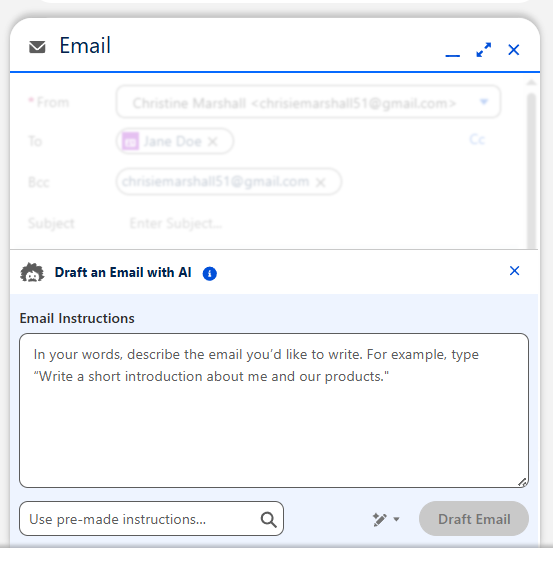
The initial draft was decent, but a bit too formal and sales-heavy for my liking.
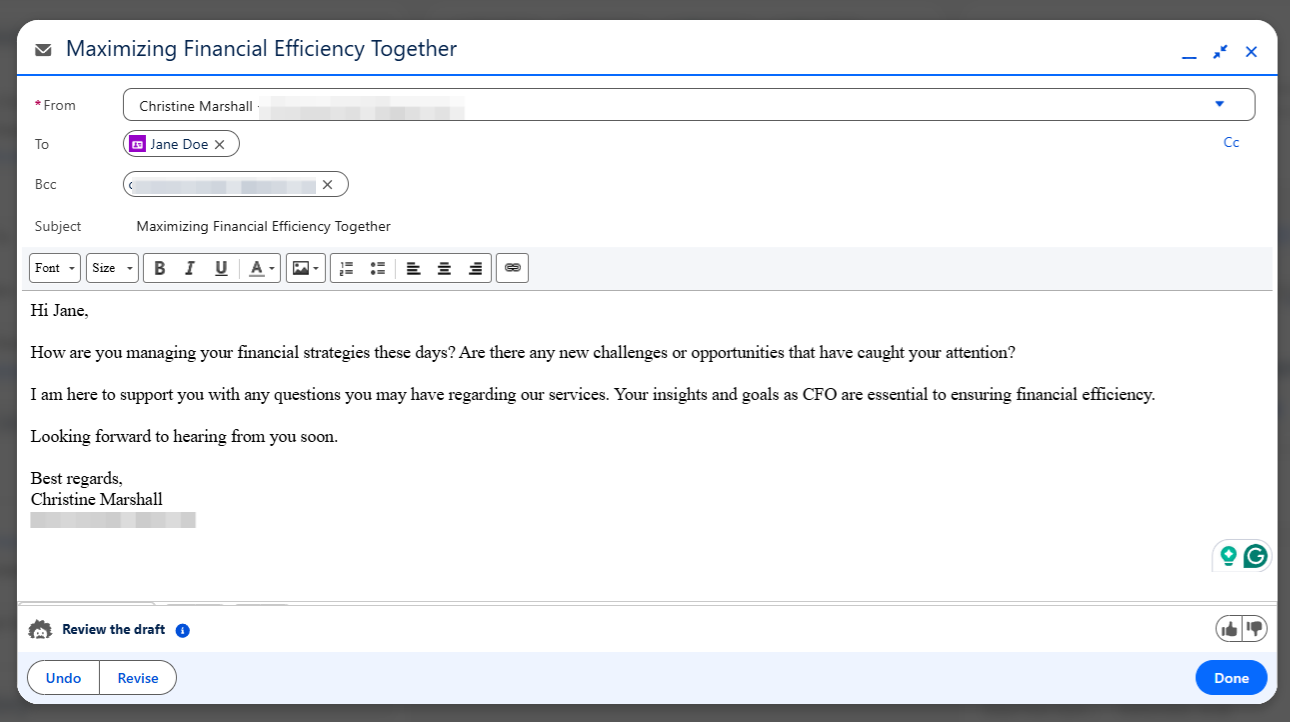
Thankfully, there’s a “Revise” option. I asked it to “make the email less formal and less like I’m trying to sell something”, then clicked “Replace Draft”.
The result was noticeably better; more natural, more human, and much closer to something I’d actually send.
What’s Possible in Salesforce Starter Suite and Pro Suite?
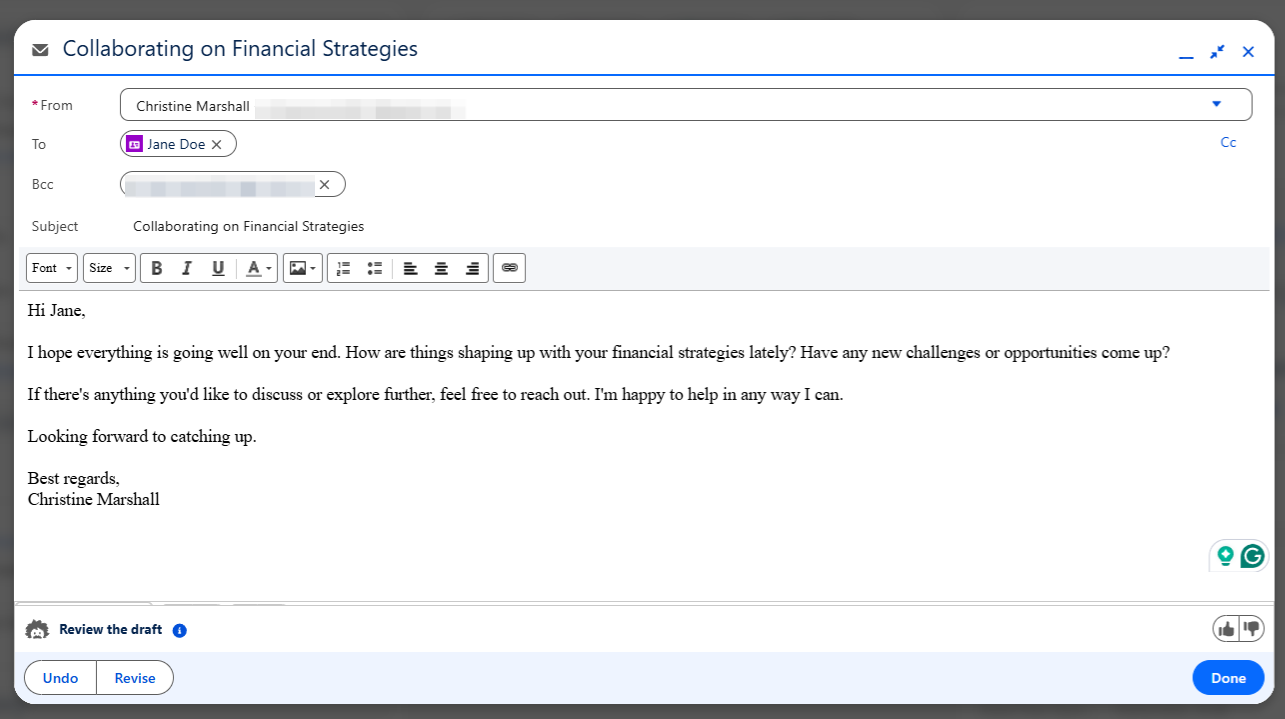
In Starter and Pro Suite, you get access to AI record summaries and AI-assisted email generation, but importantly, you also unlock the conversational AI assistant. Without it, the newer AI features can feel quite limited (sorry, Free Suite users).
Of course, Free Suite is exactly that; it’s free. By comparison, the Starter Suite is priced at $25 per user, per month, while Pro Suite comes in at $100 per user, per month. That’s a significant jump, and one that’s worth carefully considering depending on how much value you expect to get from the additional AI capabilities.
Conversational AI Assistant
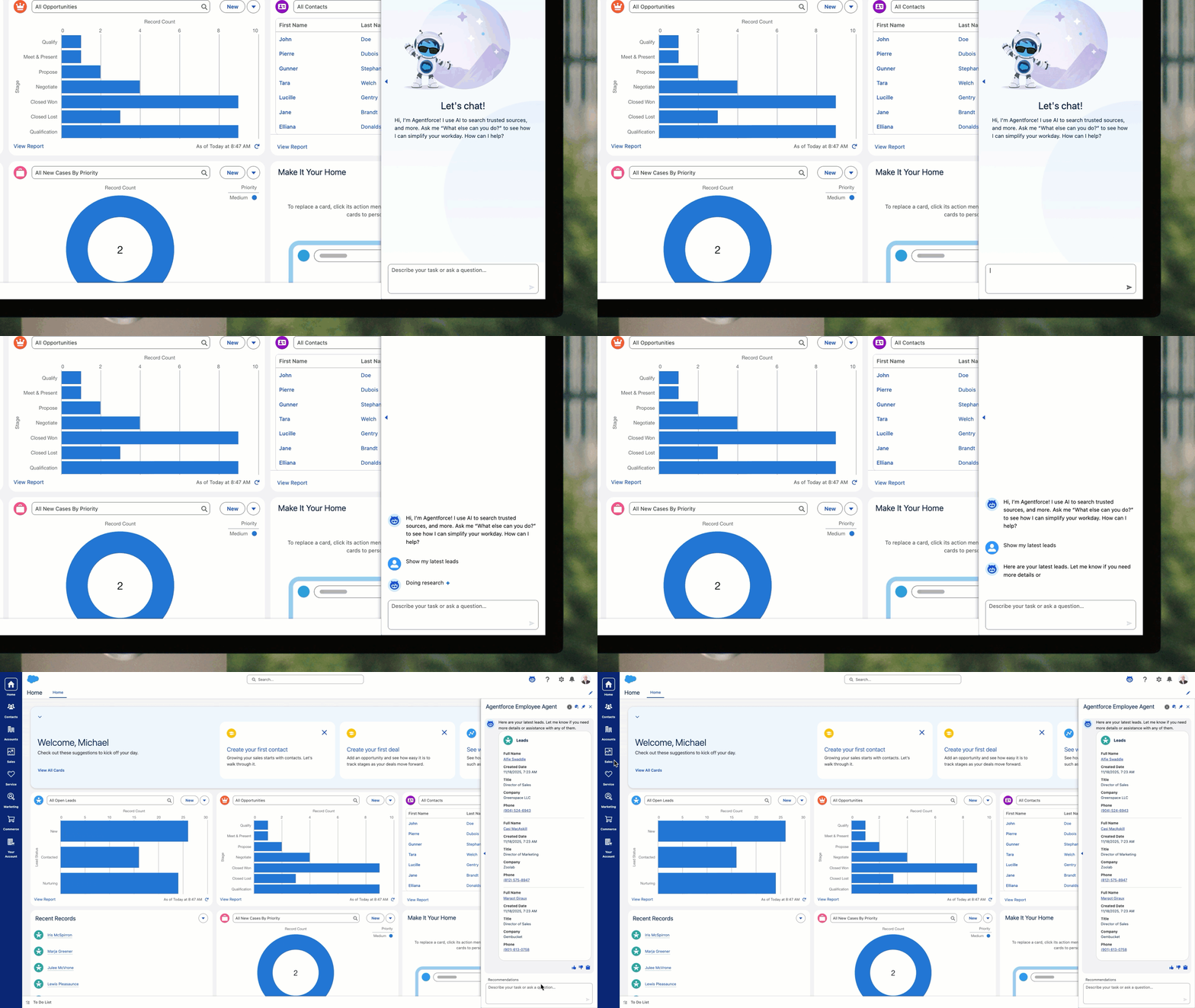
In Starter and Pro Suite, Agentforce evolves into a true conversational AI assistant, capable of responding to natural language prompts. Instead of clicking through menus or building automation, users can simply describe what they want, and the agent determines how to execute it.
Behind the scenes, the agent selects from a set of predefined Actions to fulfill the request.
Actions are essentially how Agentforce (and generative AI more broadly) gets things done. For example, if a user asks for help drafting an email, the agent will trigger the appropriate action to generate and refine the content, grounding it in relevant Salesforce data.
Here are a few examples of Actions available in Starter and Pro Suite:
QueryRecords
Finds and retrieves Salesforce records based on user-defined criteria, such as specific field values.
Example: “Find all Leads that haven’t been touched in over 30 days”.
GetActivitiesTimeline
Returns a timeline of CRM activities associated with a record within a given timeframe. This can include both past and upcoming activities, and is also available in Flows for automation use cases.
Example: “Summarise the interactions my team had with our top client this week”.
ExtractFieldsAndValuesFromUserInput
Identifies fields and corresponding values from a user’s request and prepares them for record updates. This action typically works in tandem with an update action—first extracting the data, then applying it to the record.
Example: “I just met a new lead named Linda Lopez from Acme. Her email is lindal@example.com, and she’s interested in a $10,000 project. Set her up as a new lead”.
You can find the full list of available actions here.
Considerations
The most important thing to understand is that you do not get access to Agent Builder or Prompt Builder. The AI features are limited to the ones described in this article, and you cannot customize or add to them.
You can only use a limited set of actions provided by Salesforce. Find the list of available actions here. Other considerations can be found here.
Final Thoughts
I’ve had a really positive experience exploring the AI tools available to Free, Starter, and Pro Suite customers. Overall, these built-in AI capabilities are a valuable addition for small businesses. Salesforce clearly recognises that in smaller organisations, employees often wear multiple hats and manage a wide range of responsibilities. Having an AI assistant that can process and synthesise information quickly is a significant advantage.
Another standout benefit is how easy these features are to access. There’s no setup required, no design phase, no build effort, and no separate project to get AI into your Salesforce org. You can simply switch it on and start using it straight away. That simplicity is especially beneficial for small businesses without dedicated Salesforce resources.
That said, this ease of use does come with some limitations. You’re restricted to the capabilities Salesforce has prebuilt. If you’re looking to fully leverage Agentforce with customised agents, these free AI features won’t be sufficient, as they don’t include access to tools like Agent Builder or Prompt Builder.
Resources
When trying to understand what’s included in each license, I found this comparison guide particularly helpful. It clearly outlines the features (AI included) across Free, Starter, and Pro Suite tiers.
Here are a few additional resources to help you get started:
- Boost Productivity and Gain Actionable Intelligence with Agentforce and Generative AI for Salesforce Suites
- Understanding Agentforce and Generative AI for Salesforce Suites
- Considerations and Limits for Agentforce and Generative AI in Salesforce Suites
- Delivered Actions for Salesforce Suites