







A colleague asked me how I was feeling about the announcements at Dreamforce this year. “Clear as mud,” I told them, only half joking. There has been a lot to take in, and while there have certainly been some interesting announcements, it hasn’t always been immediately obvious what all of this means for the people actually working with Salesforce every day.
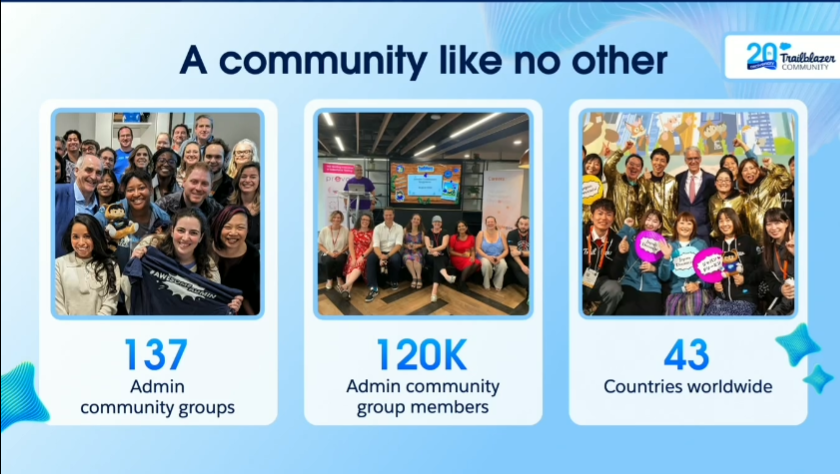
I was hoping the admin keynote might bring some of that clarity, and thankfully, it did. The session opened with a thank you to the Salesforce community and a nod to a pretty impressive milestone: it’s the 20th anniversary of the Trailblazer community. From there, the keynote settled into what I thought was the most useful question it could have asked: what does your job actually look like now that agents are part of the picture?
What Does Work Look Like in the Agentic Era?
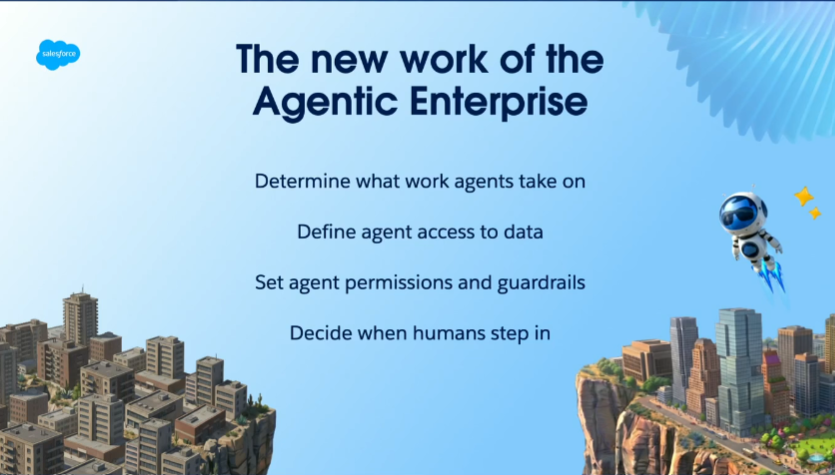
The keynote’s framing was surprisingly simple. For every task in the agentic enterprise, someone has to ask “who does this?”, and the answer, again and again, was admins. That isn’t necessarily as dramatic a shift as it sounds. Admins already understand their users, their business processes, their data, and their Salesforce orgs inside out, and that knowledge doesn’t suddenly become less important because AI can now build things or carry out tasks.
What’s changing is how that knowledge gets applied. Instead of simply configuring Salesforce to support a business process, admins are increasingly going to be involved in translating that business knowledge into the way agents are built, governed, tested, and trusted within an organisation.
That feels like an important distinction because there has been a lot of conversation about whether AI and agents will make the Admin role less relevant. The keynote’s argument was essentially the opposite: the technology may be doing more of the execution, but someone still needs to understand the business well enough to decide what should happen in the first place.
An agent might be able to carry out a process, but it doesn’t necessarily understand whether that process makes sense, whether the underlying data can be trusted, or whether the business should be doing it at all. Those are still very human decisions, and increasingly, they’re decisions that admins are going to have to make.
The Admin Role Keeps Evolving, and So Do Admins
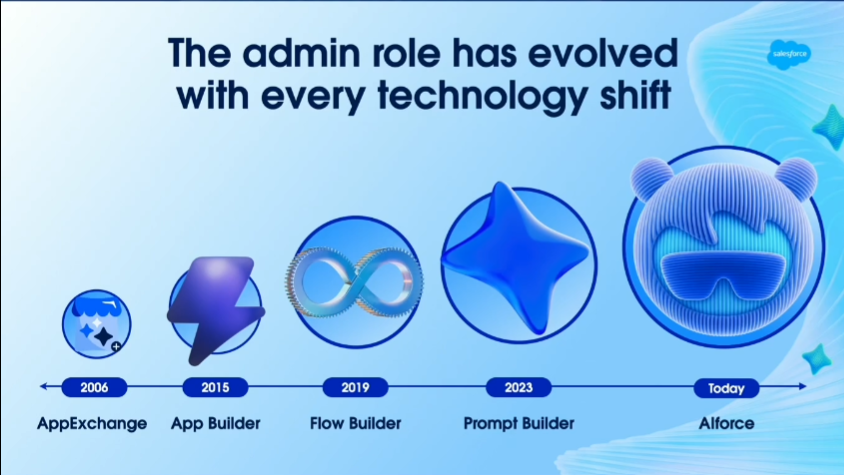
Ella Marks made the point that this isn’t the first time the admin role has shifted, and it won’t be the last. Salesforce has introduced plenty of new technology over the years, and each time, admins have had to adapt and expand their skill sets alongside it.
Gordon Lee, who has spent 20 years in the Salesforce ecosystem, backed this up with his own career trajectory theory. He described starting out with a career that was roughly 90% technology and 10% people work, but over time that ratio gradually flipped. The further you progress, the more the role becomes 90% people work and 10% technology.
That’s a useful way of thinking about where the admin role could be heading, because becoming more senior doesn’t necessarily mean becoming more technical. In many cases, it’s about becoming better at understanding people, understanding the business, making decisions, and knowing where technology can actually add value.
Lee summed this up with a line that felt particularly relevant to the rest of the keynote: AI has its place, but you should “delegate the work, not the judgement.” In a world where Salesforce is increasingly giving AI the ability to build, automate, and take action, that distinction becomes pretty important.
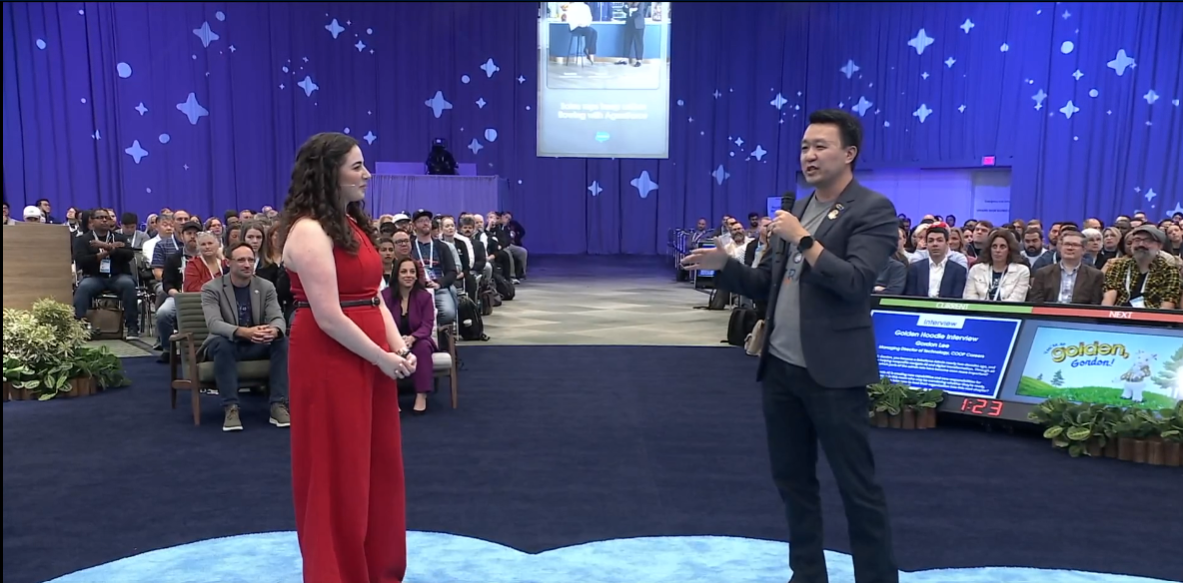
Gordon Lee was also presented with a Golden Hoodie, Salesforce’s recognition for Trailblazers who exemplify “doing well and doing good” through their careers and communities, which seemed like a fitting moment given the keynote’s broader message about the human side of the Admin role.
Two New Products for Admins
There were two main product announcements for Admins.
Quick Pages
This first section is a little bit awkward, because although there was an announcement for Quick Pages and a slide, that was it! There was very little other information, and an internet search hasn’t turned up much either.
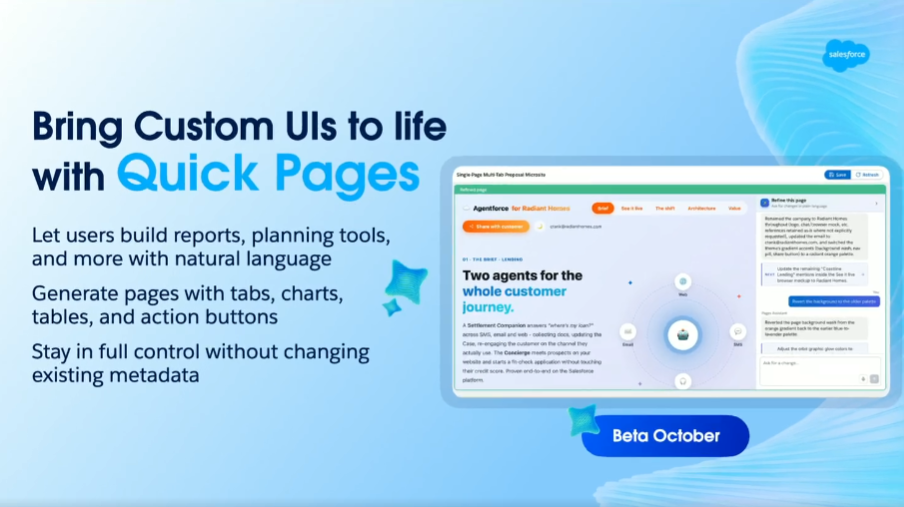
For now, Quick Pages remains something of a mystery. What we do know is that it will allow users (ominous) to build reports, pages, and more using natural language, and beta is coming in October. My colleague Peter Chittum is wondering if this may have something to do with the Hybrid Visual Editing feature he saw at the TDX Sneak Peek theater back in April.
Builder Central
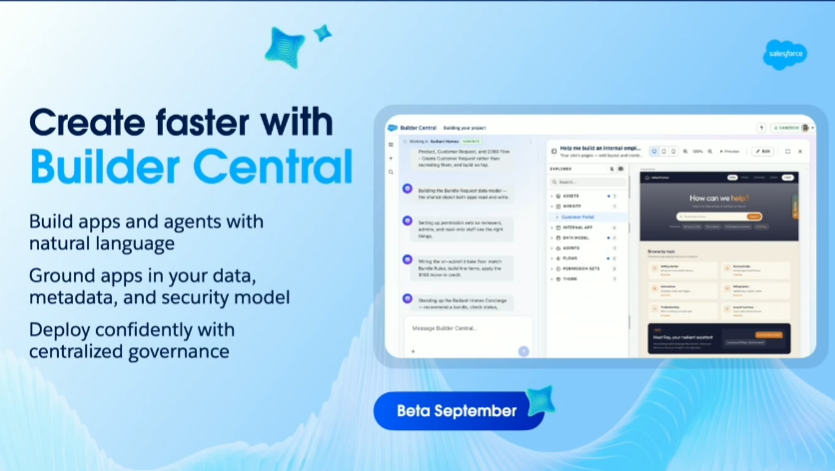
Next up, there was a long section on Builder Central. It’s free (!) in every org and requires no setup beyond assigning a permission set. Salesforce is positioning it as a way of addressing one of the problems many admins are already familiar with – the demand for custom applications and AI agents is growing faster than traditional development teams can safely deliver them.
That leaves a gap between what the business wants and what IT has the capacity to build, with the usual workaround being to reach for an external AI building tool. The problem with that approach is that you can quickly introduce new security and governance risks, particularly when sensitive business data is being moved into external systems, while generic AI tools also don’t understand the specifics of your Salesforce org, data model, or business processes.
Salesforce points to research showing that 88% of IT leaders feel they can’t meet this demand safely, and Builder Central is designed to close that gap without asking organisations to choose between speed and governance. From a single workspace, admins can manage their environments, configure sandboxes and production orgs, turn on features, enforce security best practices, and clean up orgs.
They can also use natural language to describe what they want to build. The platform can then generate an application or agent from that description, with automated testing, safety checks, and governance controls built into the deployment process rather than being something Admins have to remember to add later.
In practice, the workflow looks fairly straightforward. You can attach a requirements document to a natural language description of what you’re trying to build, and Builder Central generates a project brief from it.
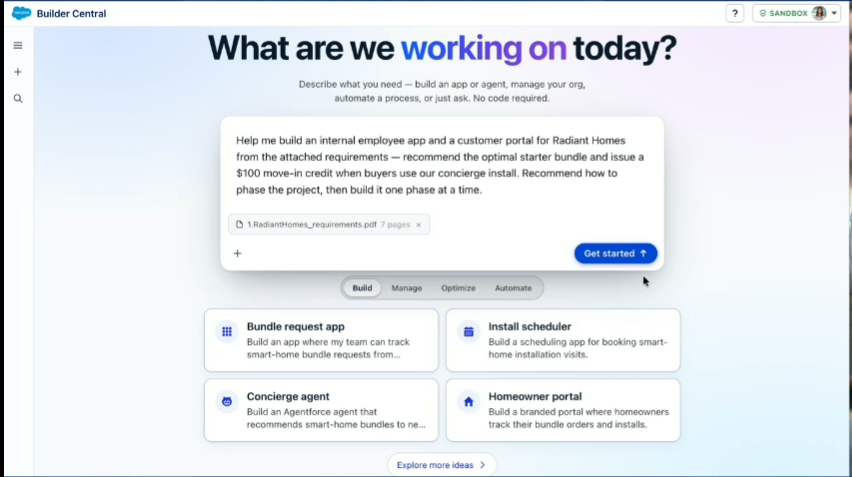
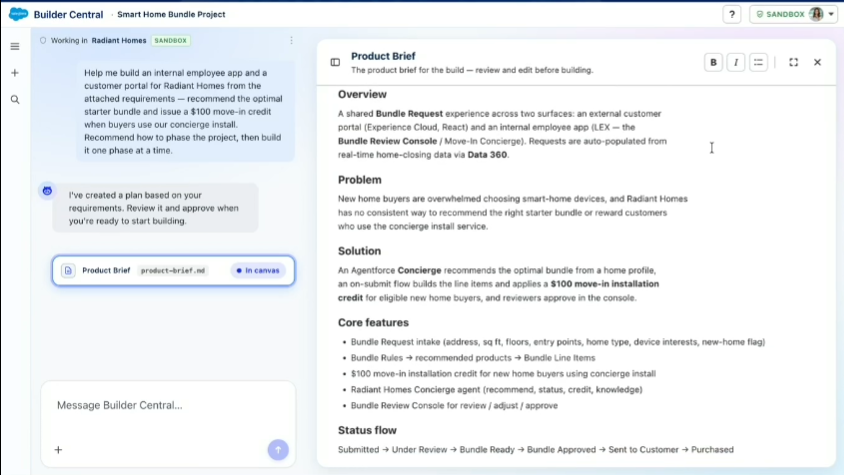
You can then make changes and troubleshoot problems from the same interface rather than jumping between a collection of different tools.
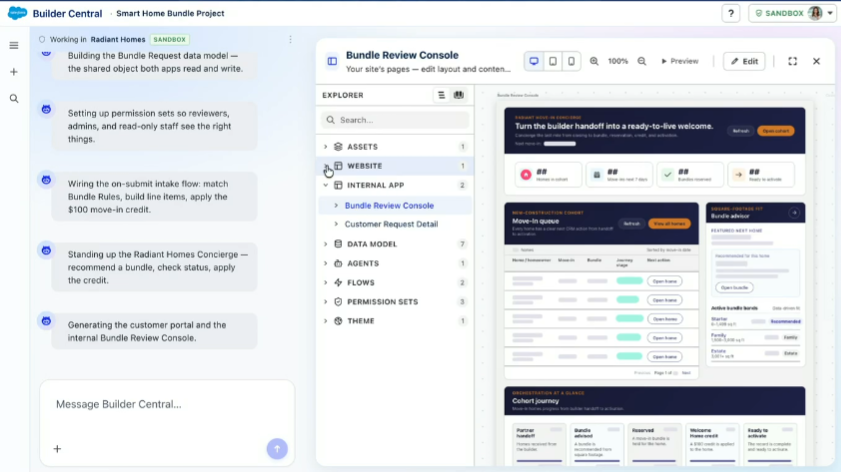
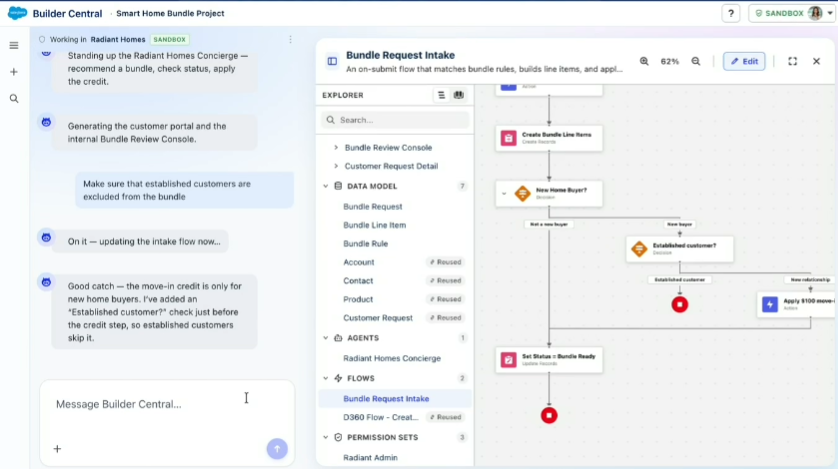
There is one important caveat to the impressive demo: the team built an app in minutes during the keynote, but they admitted that the footage had been sped up to fit within the session and had actually taken around 20 minutes in reality, so perhaps don’t tell your boss that the new application will be ready before lunch.
What sets Builder Central apart from a generic AI builder is what Salesforce calls the Headless Toolkit running underneath it. Because the platform can read your org’s actual metadata and Data 360 context directly, you don’t need to manually export your schema or spend half your time explaining your business logic before you can start building.
It can also run safety checks as you go, testing the build interactively and enforcing governance rules before anything reaches deployment. Apps and agents built through the platform inherit your existing user permissions and org configuration, meaning Salesforce says your data doesn’t need to leave the company in order to benefit from the AI building experience.
For admins, the interesting part is arguably the visibility this provides. Rather than having an AI generate something behind the scenes and then handing you a finished product to work out, Builder Central gives you a view of what is actually being created, including the data model in a Schema Builder-style view, flows, permission sets, and other components. You can then edit those elements directly from the same workspace, which could make it easier for Admins to understand and govern what the AI is actually building rather than treating it as a black box.
Builder Central launches in beta the week of September 21, 2026. At beta, Salesforce says you will be able to create apps and agents, visualise metadata, and deploy to a sandbox with one click, with additional building and deployment capabilities planned as the product moves towards general availability, including functionality from Setup with Agentforce.
Headless: Meeting Users Where They Are
The next part of the keynote tackled another longstanding admin headache: getting users to actually go into Salesforce. The message from Salesforce was that perhaps we should stop trying to make them. Rather than continually asking users to switch back into Salesforce to complete a task, the platform is increasingly being surfaced in the places where people are already working, while the Salesforce logic, data, and controls remain underneath it.
That means an organization doesn’t necessarily need to rebuild the same processes across multiple disconnected tools simply because users don’t want to spend their entire working day inside Salesforce.
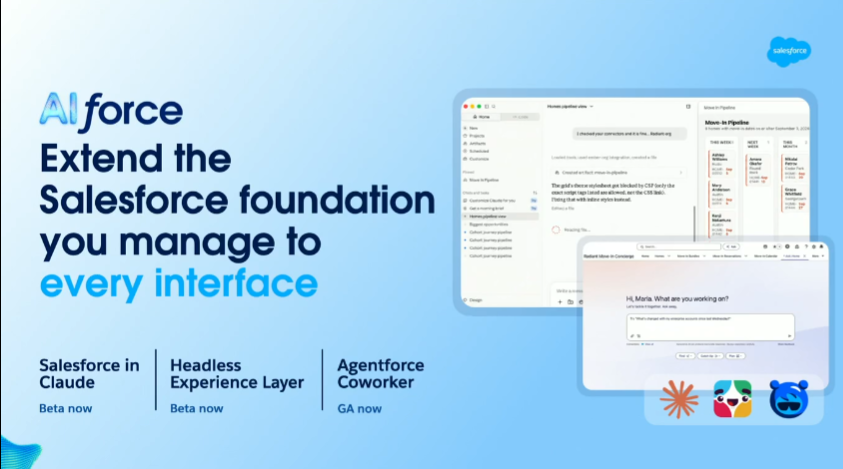
There are a few different ways this is starting to show up. Agentforce Coworker gives Salesforce users their own AI assistant, while Slackbot can surface Salesforce data and actually take action on it from within Slack rather than simply displaying information.
Then there’s the broader idea of Headless Salesforce, which means interacting with Salesforce through other interfaces, including Slack, Teams, Claude, or ChatGPT. This is powered through MCP, or Model Context Protocol, with Salesforce providing several MCP connections out of the box, more in beta, and the ability for organisations to build custom connections for their own orgs.
In the demo, the team connected Claude and exposed a case escalation flow, allowing them to interact with that Salesforce process and take action on the case directly from within the external tool.
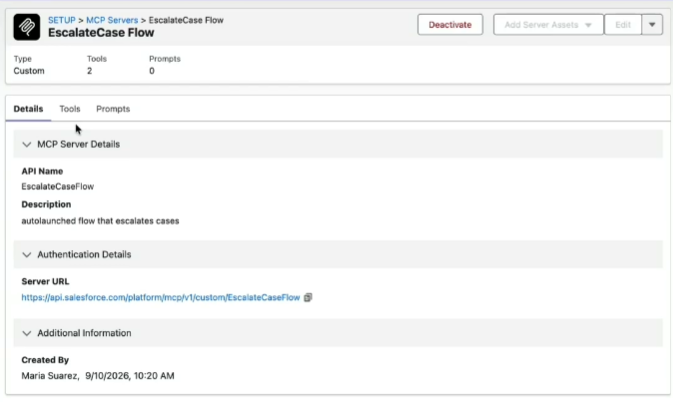
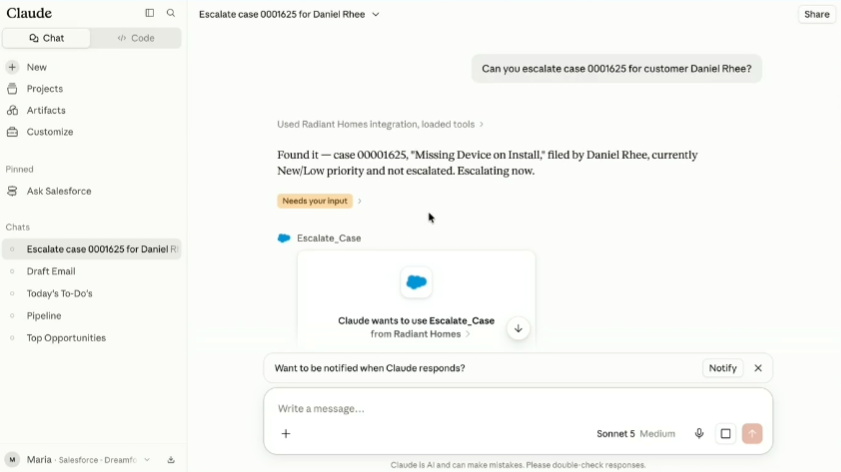
It’s a fairly simple example, but it makes the broader direction Salesforce is heading in much easier to understand. Salesforce doesn’t necessarily have to be the interface users spend their entire day looking at. Increasingly, it can be the platform sitting underneath whatever interface makes the most sense for the task, while admins continue to control the data, automation, permissions, and business logic underneath it.
Security, Trust, and Risk Take Centre Stage
Of course, giving agents more ability to act also gives admins more things to worry about, and the keynote spent a significant amount of time on the other side of the equation: how do you give AI more autonomy without losing control of what’s happening in your org?
That means security, privacy, governance, and monitoring become even more important, particularly when agents are able to take actions rather than simply provide recommendations.
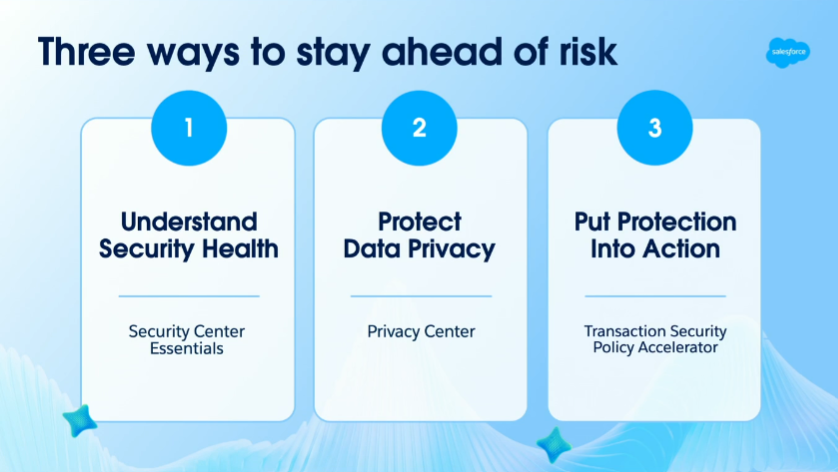
Security Center Essentials provides a centralised dashboard covering your org’s security health, including your health score, managed and unmanaged packages, trusted IP addresses, and more. The idea is to reduce the number of trips into different corners of Setup just to work out what is happening with your security posture.
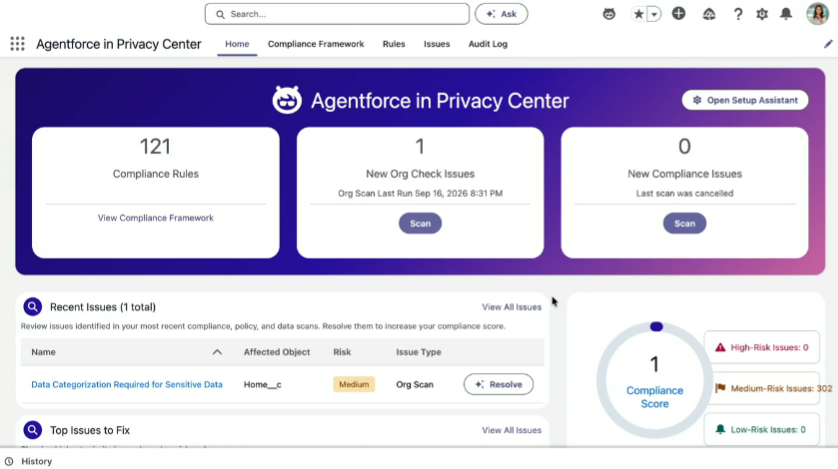
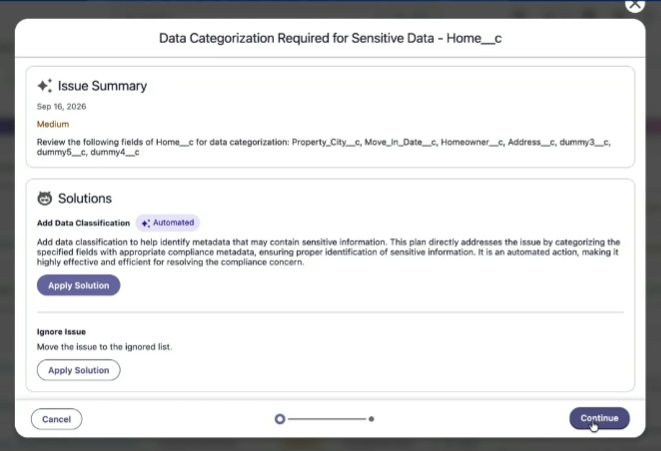
Privacy Center’s Compliance Agent can be run against your org to identify risks and suggest potential fixes, while DSAR policies, or data subject access request policies, help organisations enforce how those requests should be handled.
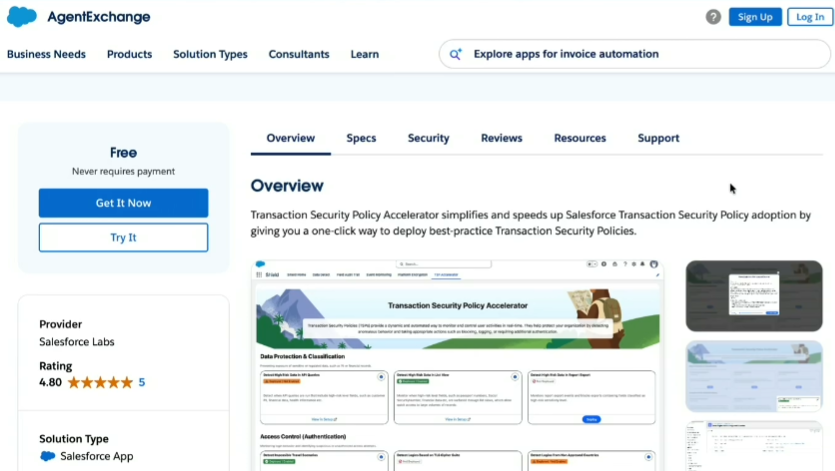
For Shield, Transaction Security Policy Accelerators from Salesforce Labs provide another example of Salesforce trying to turn common admin tasks into something that can be deployed rather than built from scratch.
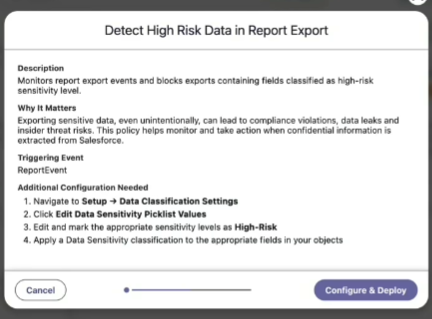
The accelerators allow commonly requested transaction security policies to be deployed in one click, with one example shown during the keynote identifying data marked as high risk in a report.
This is where the broader argument about the changing admin role comes back into focus. If agents are increasingly able to make decisions and take actions on behalf of users, someone needs to decide what they’re allowed to do, what they shouldn’t be allowed to do, what data they can access, and what should happen when something goes wrong.
Those aren’t simply configuration questions. They require an understanding of the business, its risks, its users, and its priorities, which is exactly the kind of judgement Salesforce was positioning Admins as owning.
Summary
This was, by a clear margin, the most energetic and well-received keynote I’ve seen at Dreamforce so far this year. There was no polite, restrained applause here, with the room noticeably more animated than it had been for some of the other sessions I’ve watched. More importantly, though, it delivered what I’d hoped for going in – some actual clarity on what all of this AI and agent talk means for the people who are running Salesforce every day.
The admin role isn’t disappearing because agents can build things, automate tasks, or interact with Salesforce on a user’s behalf. If anything, the message from this keynote was that the role is moving further away from simply doing things in Salesforce and towards deciding what should happen, why it should happen, who should be allowed to do it, and how you make sure it happens safely. The technology might be changing at a frankly ridiculous pace, but the need for someone who understands the business behind it hasn’t gone away.
And honestly, after a week of announcements that have occasionally left me feeling like I’ve wandered into the middle of a conversation without hearing the first half, I’ll take that clarity.




Comments: