

When it comes to deploying metadata and data in Salesforce, one of the few native, low-code options available has traditionally been Change Sets. Introduced in 2010, Change Sets have remained largely unchanged and, over the years, have received relatively little investment or innovation.
In this article, we’ll explore the Salesforce DX Inspector and examine how this new tool could finally provide a modern alternative to Change Sets, potentially replacing them once and for all.
The Change Set Problem
Change Sets operate in a very specific way, which means they do not support every deployment scenario and come with a number of limitations and considerations.
If you need to deploy metadata between environments connected to the same Production org, Change Sets can be an effective solution. However, their scope is limited, and many modern deployment requirements fall outside what they were originally designed to support.
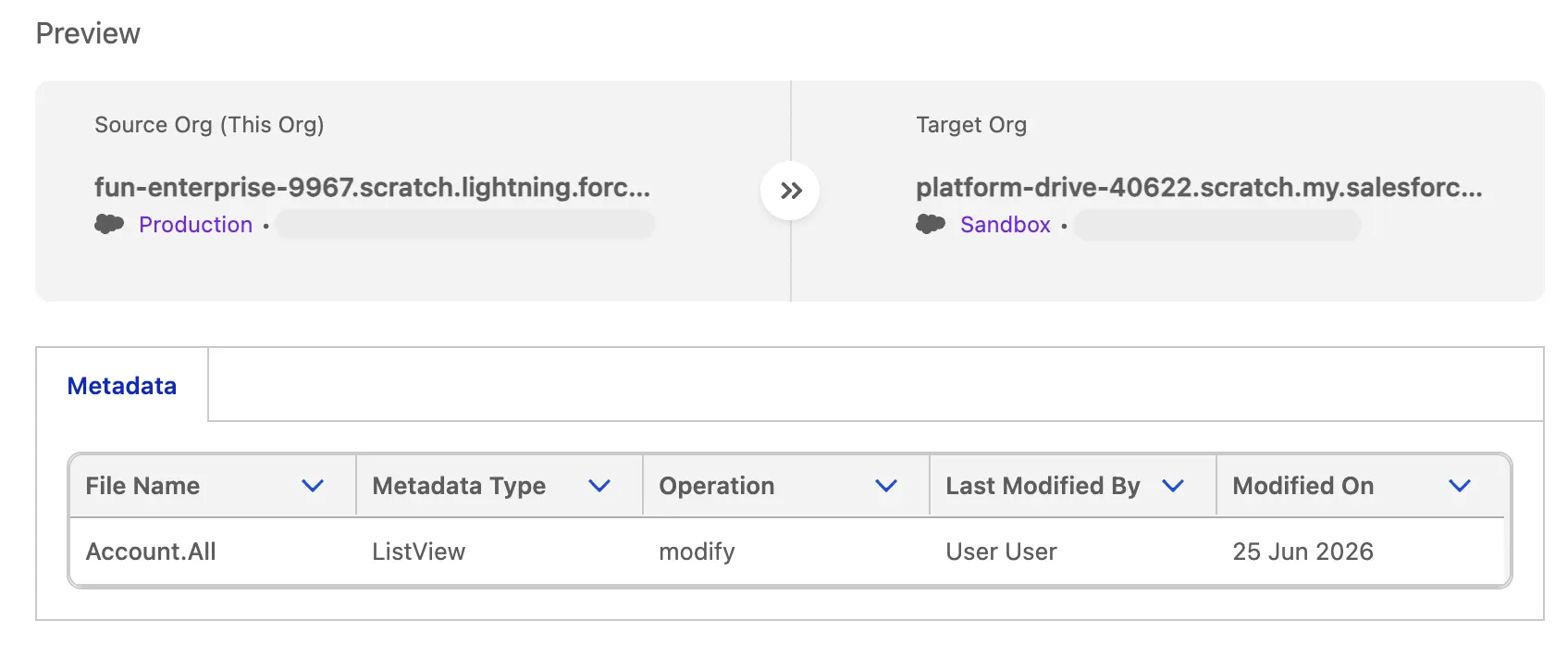
Since the introduction of Change Sets, the Salesforce DevOps ecosystem has evolved significantly. Many organizations now adopt a source-driven deployment model, where configuration changes are versioned and managed within source control systems such as GitHub or Azure DevOps before being promoted between environments.
Change Sets have struggled to keep pace with this evolution, as they offer no native integration with source control systems and cannot participate in modern CI/CD pipelines.
Another common frustration with Change Sets is that they only support the deployment of metadata and not record data such as Accounts, Contacts, or Opportunities. Coupled with the fact that Change Sets become read-only once uploaded, this can create a cumbersome and inflexible deployment experience for Salesforce Admins.
From a user experience perspective, Change Sets have a reputation for being one of Salesforce’s least-loved tools. Building a Change Set requires administrators to manually select components one at a time, identify dependencies, and ensure them in the deployment package. This process is time-consuming, error-prone, and difficult to manage.
The DX Inspector Solution
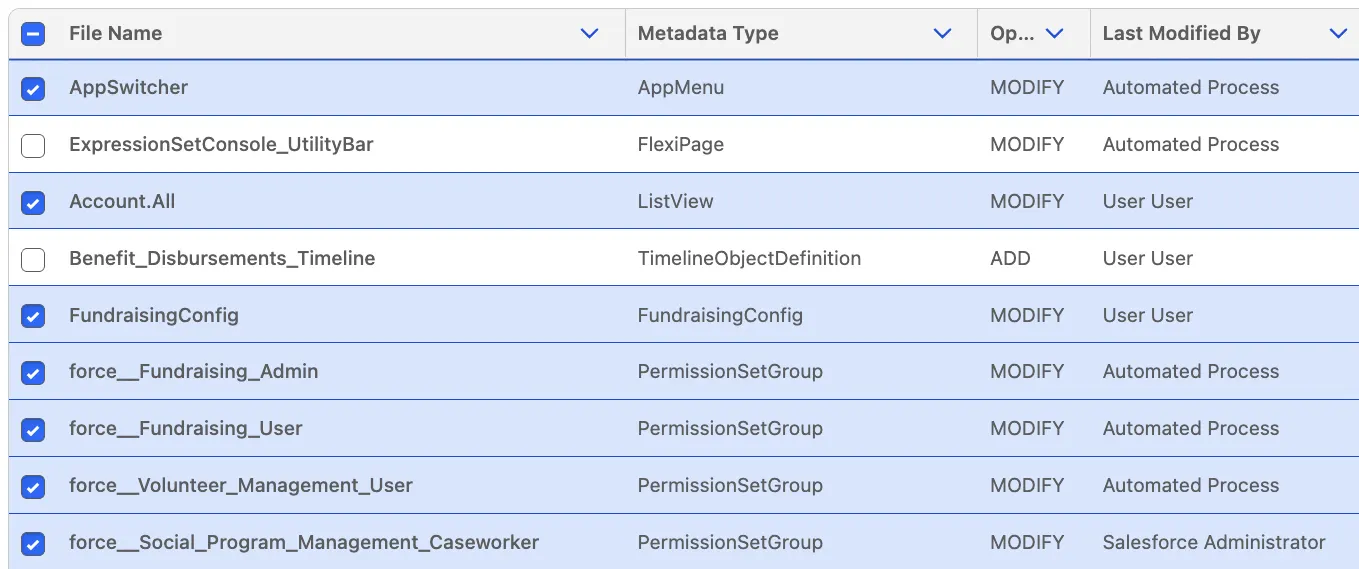
In what may be one of the most significant shifts in Salesforce deployment tooling, Salesforce has expanded DevOps Center capabilities to deliver a more comprehensive solution for deploying both configuration and record data via the DX Inspector.
Unlike Change Sets, Salesforce DX Inspector can connect directly to a wide range of Salesforce environments, including sandboxes, scratch orgs, developer orgs, and production orgs. This provides far greater flexibility than Change Sets ever could.
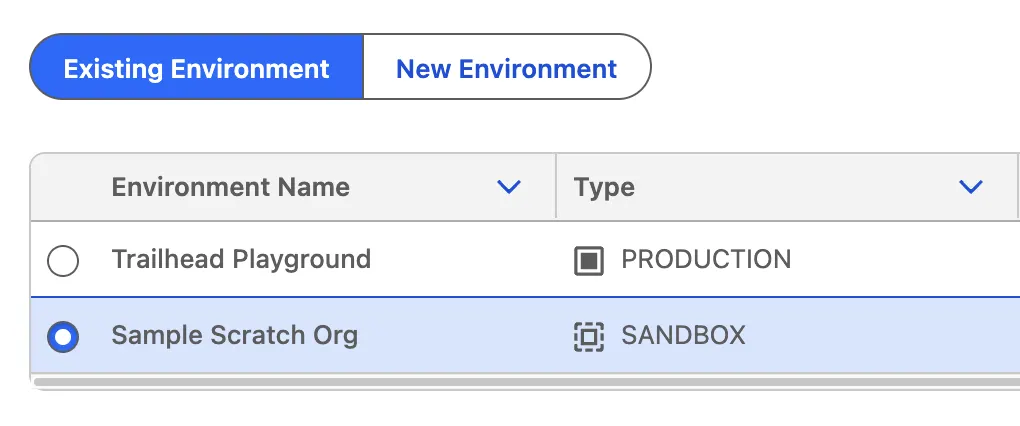
The DX Inspector also optionally integrates with DevOps Center, enabling organizations to promote changes through source control systems as well as Salesforce orgs. This allows teams to align with modern DevOps practices by versioning changes, collaborating through pull requests, and maintaining a complete audit trail of deployments across environments.
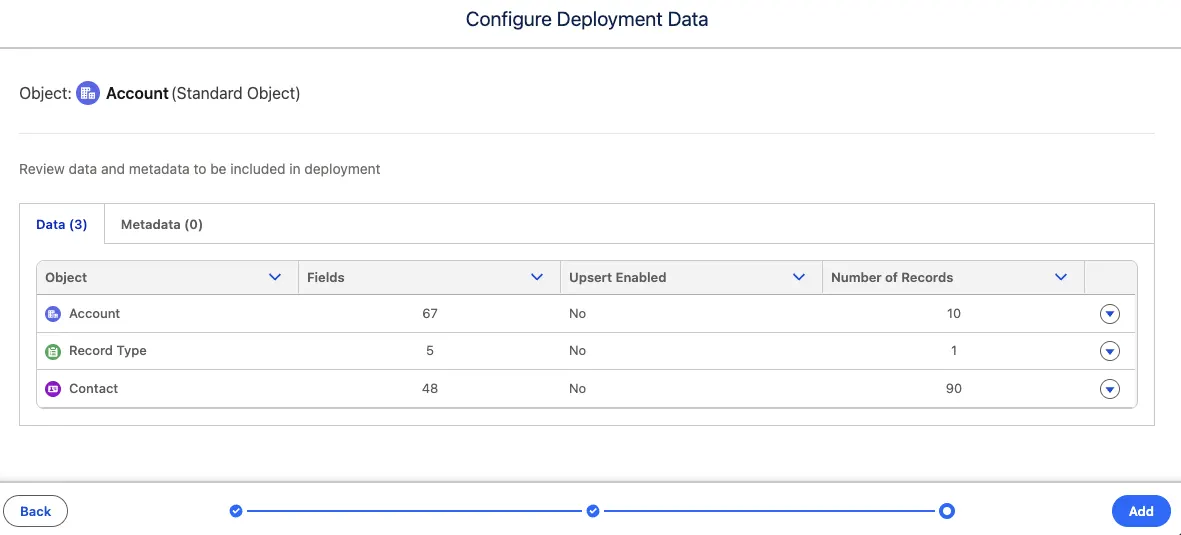
When it comes to moving configuration and data between environments, DX Inspector provides native support for both, eliminating the need for separate tools or manual processes. The platform includes built-in dependency management, supporting metadata dependencies up to 50 levels deep and data dependencies up to 10 levels deep.
To get the most from data migrations, it is worth establishing External ID fields in advance to maintain relationships across environments and planning migrations in dependency order so that parent records are created before their child records.
Unlike Change Sets, DX Inspector allows you to modify your deployment package right up until the moment you click Deploy, providing greater flexibility.
From a User Experience (UX) perspective, DX Inspector automatically tracks changes and consolidates them into a single view using Source Tracking, which is supported in Developer Sandboxes, Developer Pro Sandboxes, and Scratch Orgs. This can greatly reduce the overhead of manually documenting changes during development.
However, not all Salesforce components currently support Source Tracking, so it is still considered best practice to maintain your own deployment checklist to ensure nothing is missed. You can find the full list of what’s supported within the Source Tracking column of the Metadata Coverage Report.
DX Inspector vs. Change Sets
Choosing the right deployment tool is often easier when you can compare the options side by side.
The table below highlights the key capabilities of both Change Sets and DX Inspector, helping you make an informed decision based on your organization’s needs. It compares areas such as change tracking, dependency management, deployment flexibility, source control integration, supported environments, and metadata coverage.
| Change Sets | DX Inspector | |
|---|---|---|
| Can Deploy | Metadata | Metadata and Record Data |
| Tracks Changes? | No | Yes |
| Dependency Management? | Yes | Yes |
| Is Flexible? | No, once uploaded, read-only | Yes, editable up to ‘Deploy’ |
| Source Control? | No | Yes, with DevOps Centre |
| Environments? | Environments tied to the same Production org | Sandboxes, Scratch orgs, Developer orgs, and Production orgs |
| Metadata Support | See Metadata Coverage Report | |
Final Thoughts
The Salesforce DX Inspector is here to revolutionize the way we deploy metadata and data between Salesforce environments.
For more mature organizations that use source control, it will likely need to be complemented by DevOps Centre to provide fuller coverage, although a third-party DevOps solution may be a better fit depending on your requirements.
For organizations still relying on Change Sets, this is a significant step forward and, hopefully, paves the way for smoother, more efficient deployments in the near future.
Resources
- Manage Source Tracking for Your Org (Salesforce Developers)
- Metadata and Data Deployment from DX Inspector (Salesforce Help)
- Metadata and Data Deployment from DX Inspector: Quick Look (Salesforce Trailhead)