

A lead’s shelf life is pretty limited. Contact rates plummet when a response stretches from minutes into hours, and by the next morning, most inbound interest has gone cold or moved on to whoever replied first. Speed of response is one of the few levers that lifts contact rate, conversion, and pipeline at the same time, which is why so much operational effort goes into shortening it.
The problem is rarely the rules themselves. Most teams know who should get which lead. The problem is the logistics of making that happen reliably, at volume, every hour of every day. Leads go stale in a queue nobody is watching. Cases sit unassigned over a weekend. One rep is buried under forty open records, while the rep beside them is idle because the rules and the process have no visibility into the team’s workloads. High-value leads round-robin to whoever happens to be next in line rather than the person best placed to convert them.
Salesforce was built to be the system of record. It’s excellent at storing the lead, tracking the activity, and reporting on the outcome. What it does not do natively, in any depth, is the work distribution layer: deciding who gets what, accounting for availability and capacity, and enforcing a response time when nobody is checking a dashboard. That gap is the question this guide answers. If your team has outgrown manual assignment and basic lead routing in Salesforce, what should you actually buy, and how do you tell the options apart?
What Lead Routing Solutions Salesforce Gives You Out of the Box
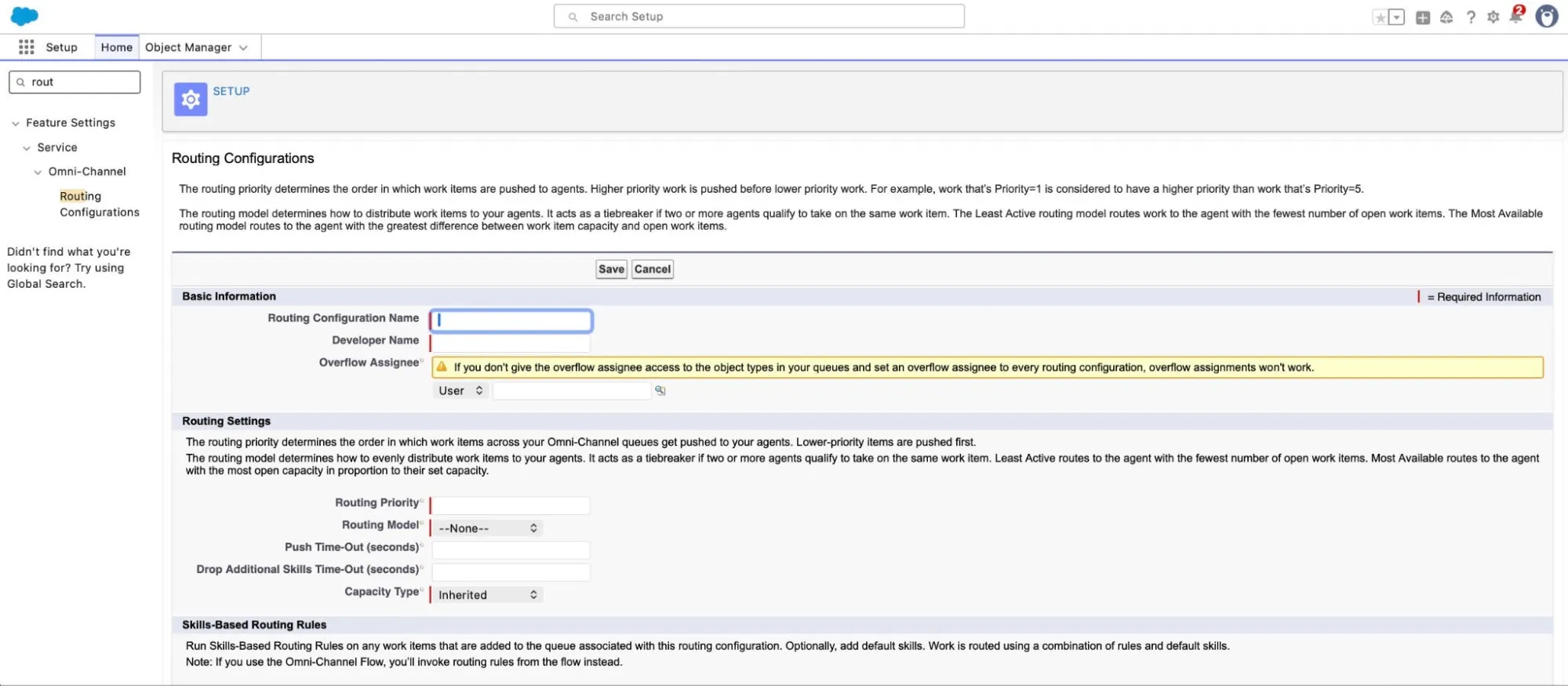
Before evaluating any AppExchange tool, it’s worth being precise about what you get with your Salesforce subscription, because the native stack can be more capable than it’s often given credit for. A standalone tool has to offer a good deal more than this to warrant the additional investment.
Salesforce gives you four building blocks for distribution. Assignment Rules handle straightforward, criteria-based routing for leads and cases. Omni-Channel routes work to agents based on presence, capacity, and skills, and is genuinely strong for service teams already on Service Cloud. Flow lets you build conditional assignment logic without code. Apex, Salesforce’s own arcane coding language, covers anything the first three cannot, at the cost of developer time.
For basic case distribution inside Service Cloud, this combination works well and comes with your license. Omni-Channel in particular offers native capacity and real-time workload balancing that many third-party tools struggle to match. The trouble starts when you push beyond that.
There is no native round-robin feature for leads. Building anything beyond simple criteria routing means stitching together queues, presence configuration, Flow, and sometimes Apex, then maintaining all of it as your logic grows. In hands-on testing, configuring a reliable lead routing scenario natively depended heavily on existing Salesforce expertise and design decisions made up front, and every future change to the logic is an admin or developer task rather than a setting.
There is also a near-term consideration for service teams. Salesforce is retiring standard Omni-Channel in the Summer ’26 release, and orgs are being automatically upgraded to Enhanced Omni-Channel. The upgrade brings the latest routing features, but if you are relying on standard Omni-Channel today, this is a migration to plan for rather than ignore.
For the purposes of this guide, native Salesforce is the baseline. Here is how it scores across the eight criteria, to set the line every AppExchange tool should beat.
Salesforce Omni-Channel and Native Tools (Baseline)
| Criterion | Score (out of 5) |
|---|---|
| Routing capability | 3.5 |
| UI and usability | 3.5 |
| Ease of setup and admin ownership | 3.0 |
| Salesforce integration | 4.5 |
| User and team management | 4.5 |
| SLA and performance tracking | 4.5 |
| Trial and buyer experience | 3.5 |
| Pricing and commercial terms | 3.5 |
The native stack scores well on integration, user management, and reporting, which makes sense given its native Salesforce architecture. It scores lower on lead routing capability, setup effort, and admin ownership, which is exactly where purpose-built tools earn their place.
How We Evaluated These Tools
The scores in this guide come from primary research, not vendor claims. We commissioned an independent mystery shopper evaluation of each tool, covering the full buyer journey: requesting and running a hands-on trial where one was available, sitting through the demo and onboarding process, and configuring a working lead and case routing scenario from scratch. We supplemented that with an analysis of public AppExchange and G2 review sentiment.
The tools were selected for their direct relevance to the Salesforce-native lead routing use case, which is the lens through which this guide applies throughout.
Each tool is scored from 1 to 5 across eight criteria:
- Routing capability: breadth and reliability of lead routing methods, object coverage, and advanced features such as capping, weighting, and SLA-driven re-routing.
- UI and usability: interface clarity, learning curve, and how much documentation a new user needs before they can operate the tool.
- Ease of setup and admin ownership: time to a first working scenario, and whether an ops team can configure and maintain the tool without ongoing vendor dependency.
- Salesforce integration: depth of native architecture, whether routing runs inside the org without external callouts, and edition requirements.
- User and team management: how participants are managed, and whether reps can update their own availability and capacity without admin involvement.
- SLA and performance tracking: response time monitoring, audit trails, SLA enforcement, and whether reporting lives natively in Salesforce.
- Trial and buyer experience: trial friction, demo quality, and how easy it’s to evaluate the product before committing.
- Pricing and commercial terms: pricing transparency, total cost of ownership, and hidden dependencies.
Research was conducted and ratings were assigned impartially by Salesforce Apps.
What Are the Best Software Options for Lead Routing in Salesforce?
Each tool below is reviewed in turn: a short overview, its scores against the eight criteria, the honest strengths and limitations from the research, and the buyer profile it suits best.
Distribution Engine

Distribution Engine is a Salesforce lead routing tool built specifically for teams that have outgrown native assignment but want to stay inside Salesforce. It covers the full range of routing methods (round-robin, territory, skills, capacity, weighting, and availability) across leads, cases, contacts, opportunities, accounts, and custom objects, and it’s aimed at ops teams that want to own their routing rather than outsource it.
| Criterion | Score (out of 5) |
|---|---|
| Routing capability | 4.5 |
| UI and usability | 4.5 |
| Ease of setup and admin ownership | 4.5 |
| Salesforce integration | 4.5 |
| User and team management | 4.0 |
| SLA and performance tracking | 4.5 |
| Trial and buyer experience | 4.0 |
| Pricing and commercial terms | 5.0 |
What It Does Well
Two themes stood out. The first was ownership: a working two-rep routing scenario was configured and tested in around two and a half hours with no vendor involvement, and routing rules can be adjusted as conditions change. The second was functional depth aimed at real lead distribution problems rather than a long feature list. Capacity controls cap how many active hot leads a rep holds at once – reps can mark themselves unavailable, and the system reads scheduled absences from Salesforce calendars. SLA enforcement is native, with configurable checkpoints, missed-target alerts, and automatic re-routing. These features compound: availability, capacity, and SLA enforcement working together turn a set of routing rules into a system that holds up under load.
Pricing was also the clearest of any tool reviewed, with published per-user tiers from $20 per user, per month, and no mandatory onboarding fees
Where It Falls Short
The product requires Salesforce Enterprise edition or above, which rules it out for teams on Professional. Free trials are available for sandbox and production, plus in developer orgs on request from the vendor. And while the interface is clean and the daily experience is consistent, the initial setup hides some settings inside dropdowns, which caused brief confusion early in the evaluation before the structure became intuitive.
Where Distribution Engine Is Best
Distribution Engine is best for RevOps and sales ops teams who want sophisticated, native lead routing in Salesforce that they can configure and maintain themselves, with transparent pricing and no implementation project.
Distribution Engine offers a great balance. It’s simple for operations and admin teams to set up, but it allows customer-facing teams to own, build, and iterate their own routing logic. This means the teams closest to the work own their workflows.
Lean Data
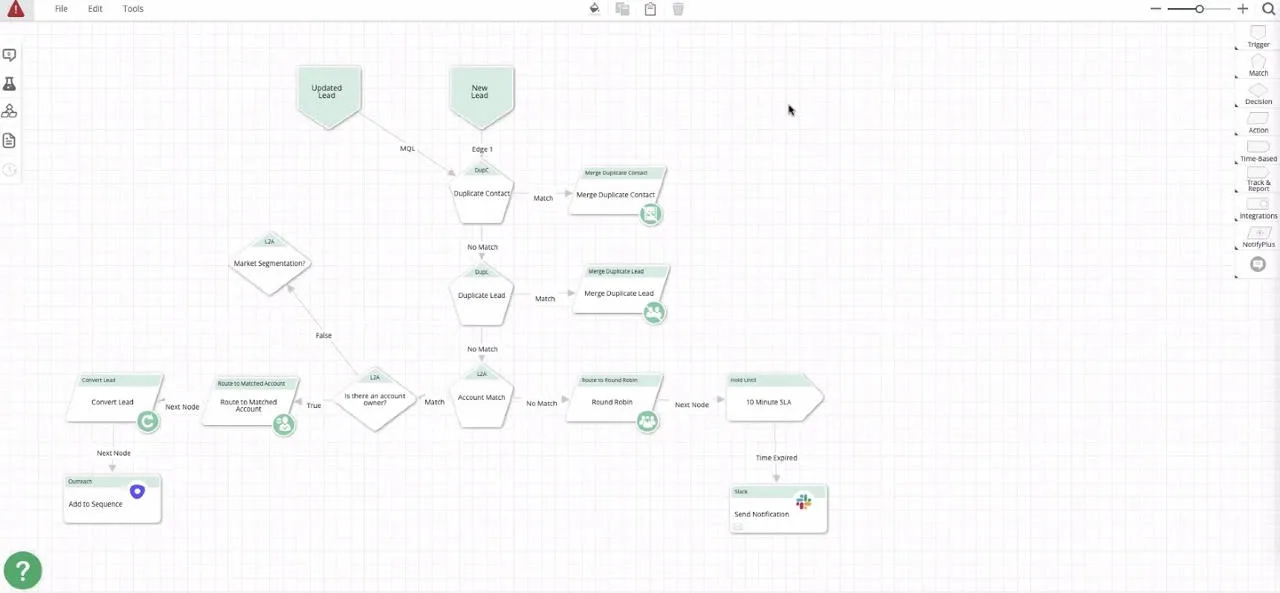
LeanData is an enterprise-grade routing and lead-to-account matching platform, best known for its visual FlowBuilder graph and its strength in marketing operations. It’s a mature, capable product aimed at larger organizations with complex matching and orchestration needs.
| Criterion | Score (out of 5) |
|---|---|
| Routing capability | 5.0 |
| UI and usability | 2.5 |
| Ease of setup and admin ownership | 2.0 |
| Salesforce integration | 4.5 |
| User and team management | 4.0 |
| SLA and performance tracking | 5.0 |
| Trial and buyer experience | 2.5 |
| Pricing and commercial terms | 2.5 |
What It Does Well
LeanData earns top marks for routing capability and SLA tracking, and it deserves them. Its lead-to-account matching and deduplication engine is among the best available, with tie-breaker logic, matched-owner routing, and genuine routing visibility. The FlowBuilder graph offers very high flexibility for teams that need to model complex, multi-step routing paths. Its SLA and response-time tracking is embedded directly into the routing flow and logs, with detailed, step-by-step audit trails that make it easy to trace how and why a record moved.
Where It Falls Short
That capability comes with weight. There is no self-serve trial; the app needs to be configured by the vendor before you can evaluate it, which makes hands-on assessment difficult before you commit. The learning curve is steep, and the evaluation suggested certifications and vendor-led setup are typically expected for advanced use. Pricing is not published, requiring a sales conversation to establish cost, which makes the total cost of ownership hard to pin down up front.
Where LeanData Is Best
LeanData is best for Enterprise marketing ops teams that need best-in-class lead-to-account matching and complex orchestration, and have the budget and admin resources to invest in a vendor-led implementation.
Traction Complete
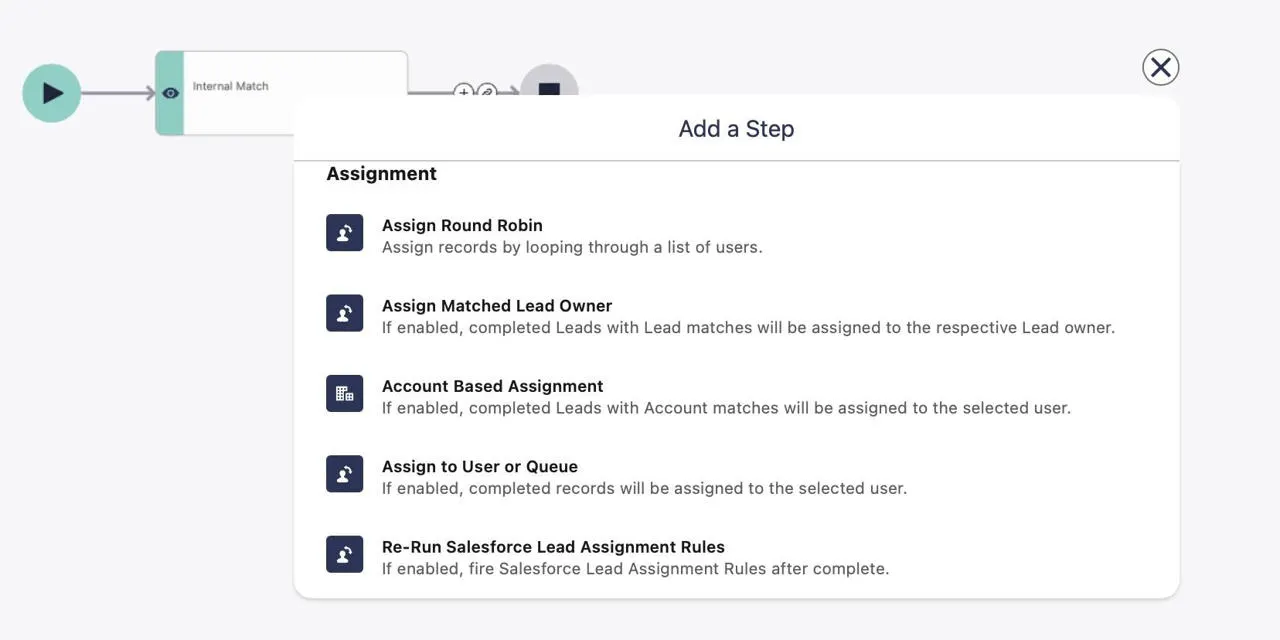
Traction Complete is a native data management suite that implements routing through Flow components. It’s built for organizations that want lead matching and routing handled inside the org, with a structurally flexible, multi-object approach.
| Criterion | Score (out of 5) |
|---|---|
| Routing capability | 3.0 |
| UI and usability | 3.0 |
| Ease of setup and admin ownership | 3.0 |
| Salesforce integration | 5.0 |
| User and team management | 3.0 |
| SLA and performance tracking | 3.5 |
| Trial and buyer experience | 2.0 |
| Pricing and commercial terms | 3.0 |
What It Does Well
Traction Complete scores the highest of the reviewed tools on Salesforce integration, particularly because it supports an array of Salesforce editions: Professional, Enterprise, Unlimited, and Developer. It runs inside the org, executes core routing without external callouts, and supports multi-object routing structurally. Its lead-to-account matching engine is genuinely a strength, with fuzzy match and parent-child account hierarchies that would get missed by Salesforce’s native rules.
Where It Falls Short
The Flow-based architecture is also its main constraint. Configuration is heavy and leans on documentation, with reviews suggesting a dependency on their Customer Success team to maintain and configure the platform. In our review, execution flow and debugging visibility were limited during testing, which made troubleshooting difficult. Traction Complete’s Advanced routing types, such as skills, territory, and capacity, are not clearly exposed in the way they are in purpose-built routing tools.
Where Traction Complete Is Best
Traction Complete is best for Enterprise teams whose primary need is sophisticated lead-to-account matching inside a fully native architecture, and who have the admin resource to manage a Flow-heavy configuration.
Comparison Summary of the Top Salesforce Lead Routing Tools
Taken together, the four tools and the native Salesforce baseline serve genuinely different buyers, and the right choice depends far more on what your team needs to do than on any single headline. Treat the native stack as the line each tool should clear: anything you add on top should earn its place against what Salesforce already gives you for free.
A few patterns are worth calling out. LeanData is the strongest on routing depth and SLA tracking, but pays for it in setup effort, day-to-day usability, and trial friction. Traction Complete is the most deeply native of the group, though its Flow-based model is configuration-heavy and harder to troubleshoot.
Distribution Engine is the most consistent lead routing tool across the board, with no real weak spot and the clearest commercial terms, which is what you would expect from a tool built for ops teams to own rather than outsource.
How to Choose
The right tool depends on what your team actually needs to do, not on which scores highest overall. Use these as a starting point.
Choose native Salesforce if your routing needs are basic, you are primarily distributing cases within Service Cloud, and you have the in-house Salesforce expertise to build and maintain Flow-based logic. It’s already licensed, so it’s the right answer until you hit a genuine limitation. If you are on standard Omni-Channel, plan your Enhanced Omni-Channel migration ahead of Summer ’26.
Choose Distribution Engine if you need sophisticated case or lead routing (capacity caps, availability, weighting, and enforced SLAs) delivered natively, and you want your ops team to configure and adjust it themselves without a consulting engagement. It suits Enterprise-edition teams that value transparent pricing and a fast time to a working setup.
Choose LeanData if lead-to-account matching and complex multi-step orchestration are your priority, you operate at enterprise scale in marketing ops, and you have the budget and admin resources for a vendor-led implementation. Expect to invest in the setup before you see the payoff.
Choose Traction Complete if your decisive requirement is advanced matching inside a fully native architecture, and you have the admin capacity to manage a Flow-heavy configuration and a package-level commercial agreement.
Five Questions to Ask Before You Buy
Before choosing your lead routing software, it helps to know what actually separates a tool that earns its place from one that becomes shelfware. These five questions surface the differences that matter, and most of them have nothing to do with the feature list.
1. Can my team own it, or am I buying a dependency? This is the question that predicts your experience over the next three years more than any other. Some tools are designed to be configured and adjusted by an ops admin in an afternoon. Others assume a vendor-led implementation, certifications, and a support ticket every time your routing logic changes. Neither is wrong, but they are very different commitments. If your routing rules change with every territory reshuffle and headcount change, a tool you cannot adjust yourself will soon become a bottleneck.
2. What is the real total cost? The per-user price is rarely the whole story. Factor in the Salesforce edition required, any minimum annual commitment, onboarding or professional services fees, and the admin or developer time needed to maintain the configuration. A tool with a low list price and a heavy maintenance burden can cost more than a pricier tool that you can run yourself independently. Be wary of pricing that is only available after a sales call, not because it’s necessarily expensive, but because it makes honest comparison difficult.
3. Does it run inside Salesforce, or does it phone home? For routing that touches your most sensitive pipeline data, where the logic executes matters. Tools that run natively inside your org, with no external callouts for core routing, keep your data inside Salesforce’s security and compliance boundary. Tools that route via external services may be perfectly secure, but they add a dependency and a data-residency question worth raising with your security team early.
4. Can I trial it properly before committing? A surprising number of routing tools cannot be evaluated hands-on without a vendor configuring them for you first. That is a meaningful signal. If you cannot install the tool, build a realistic routing scenario, and watch it work in a sandbox before you sign, you are buying on a demo rather than on evidence. Insist on testing against your own routing reality, not the vendor’s polished example.
5. Does it model how my team actually works? Most routing failures are not rule failures. They are the gaps between the rule and reality: the lead routed to someone on holiday, the hot lead handed to a rep already juggling four others, the SLA that exists on paper but is only enforced when a manager notices. The tools worth paying for are the ones that treat availability, capacity, and response time as routing inputs rather than afterthoughts. When you evaluate, push on these edge cases specifically, because that is where the difference between tools becomes obvious.
Try Distribution Engine
If your Salesforce-based lead routing needs point toward Distribution Engine, you can install the free trial and test it in a sandbox or production org right away. Pricing is published in full on the Distribution Engine website, so you can size the cost before you talk to anyone, and you can book a demo if you would rather be walked through a setup that matches your own routing logic.
Whichever tool fits your situation best, the practical next step is the same: map your routing requirements first, find the right provider to solve them, then trial the option that matches them.